
Closing the year, reopening it, and closing it againإقفال السنة وإعادة فتحها ثم إقفالها من جديد
A year was closed, and then a sales invoice from December turns up. This guide follows that case from start to finish on a live company: a year of sales, purchases and two vouchers, closed, then reopened, corrected and closed again. Every figure below was read back from the books after each step.
The short version: closing never deletes the old year. It writes closing vouchers on the last day of the year and one opening voucher on the first day of the next, then moves the company into the new year. Reverse closing takes those vouchers away again and moves the company back.
1. What a closing does
The worked example is a company whose 2025 holds three sales invoices, two purchase invoices, one rent voucher and one small income voucher: a profit of USD 1,510. When the year was closed, Libra:
- moved every income and expense account to zero with closing vouchers dated 31-12-2025, and carried the result into account 138, Result of the period - Profit (a loss would go to 139);
- wrote one opening voucher dated 01-01-2026 carrying what is still open into the new year: the customer, the supplier, the cash and the profit;
- switched the company to 2026;
- kept a read-only copy of 2025 so its reports can still be printed.
Every 2025 invoice is still in the books, untouched.
2. Before you close
- Enter everything that belongs to the year. Once it is closed, documents dated in it are refused (section 4).
- Take a backup and get every user out of the company.
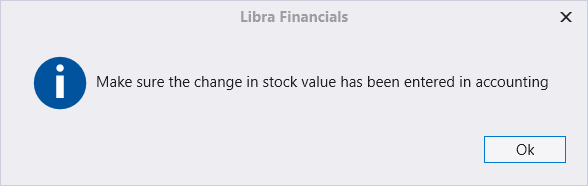
- Enter the change in stock value. Ticking Income statement on the closing screen reminds you of exactly that:
3. Close the year
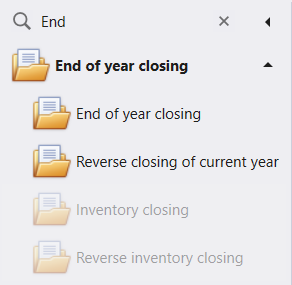
Open the End of year closing group in the menu and click End of year closing.
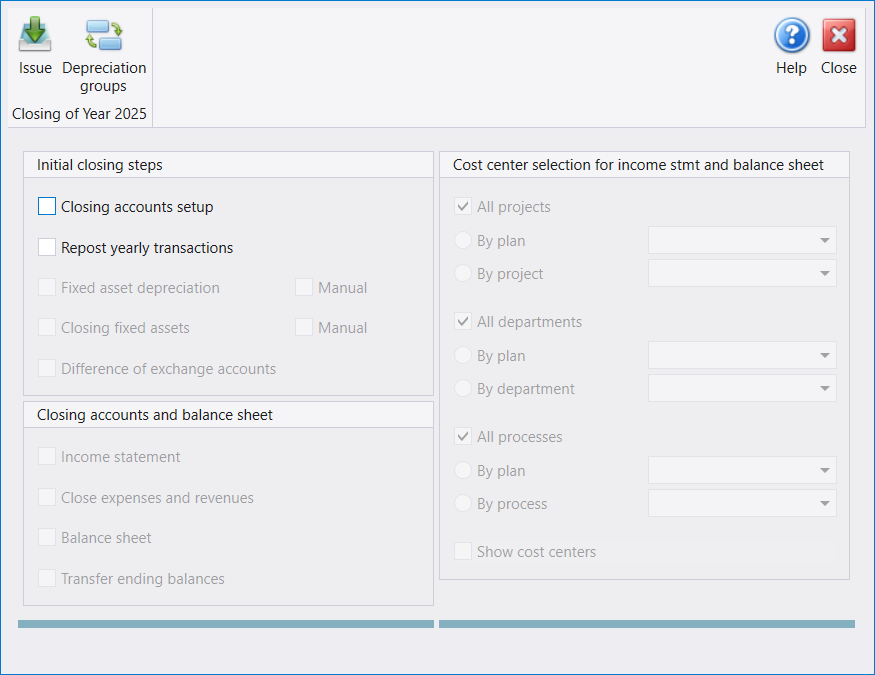
The screen names the year it will close, Closing of Year 2025, and starts with only the first two steps available.
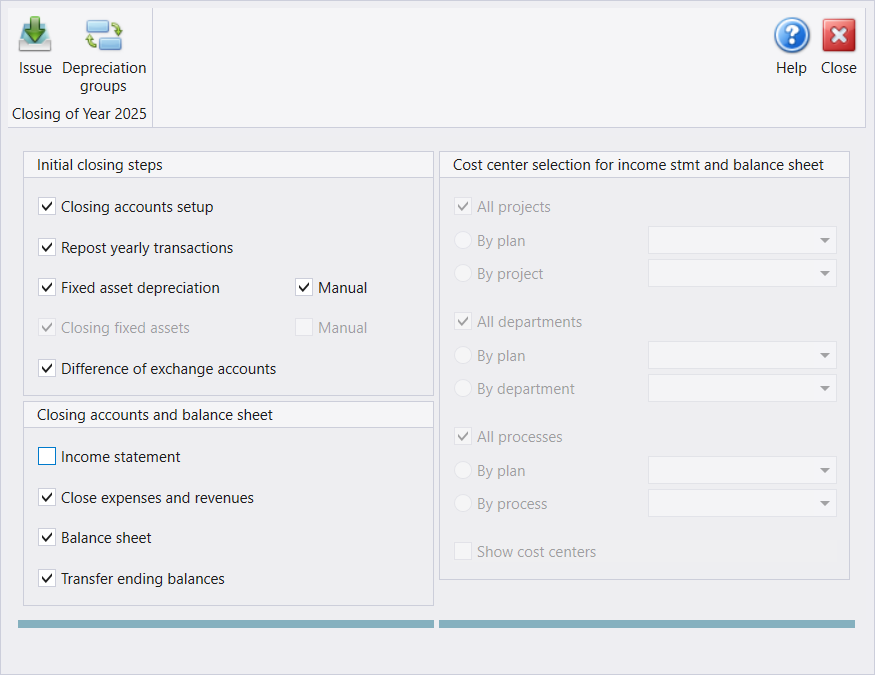
Tick the boxes from the top down; each one makes the next available. If the company has no fixed assets, tick Manual beside Fixed asset depreciation. Close expenses and revenues is the step that does the closing, and Transfer ending balances is the one that opens the new year.
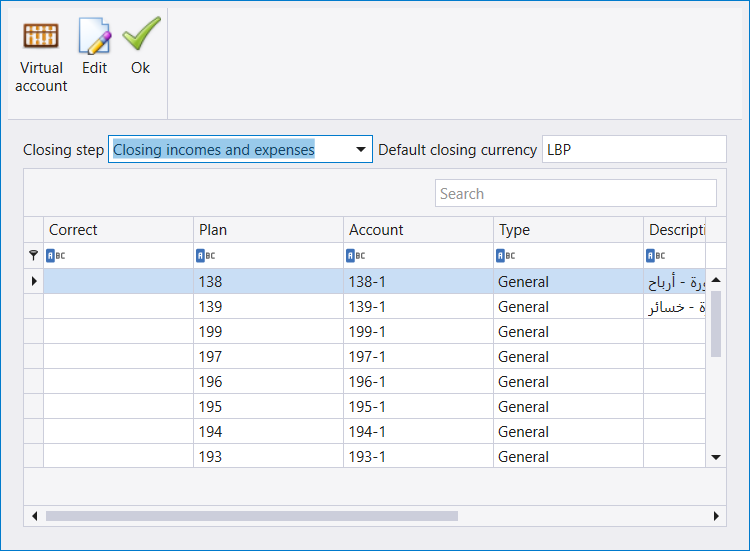
Press Issue. Because Closing accounts setup is ticked, Libra first shows which accounts each step closes into. Choose a step in Closing step to see its accounts. A row marked in the Correct column has to be fixed before you go on. Here, Closing incomes and expenses ends in 138 and 139:
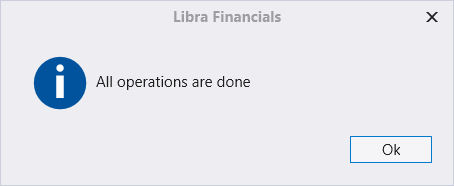
Press Ok. Ok starts the closing at once, so be sure before you press it. The balance sheet opens in its own windows (four of them here); close them when you have read them. The run ends with:
4. What a closed year looks like
After the next login the status bar shows the new year, and the lock date has moved to its first day:

A document can no longer be dated in 2025. On a new sales invoice, a December 2025 date is refused - the date box turns red and will not take it:

To enter or change something in 2025 you have two choices. For a small amount, an adjusting entry dated in 2026 is usually the better answer - nothing has to be undone. To change 2025 itself, reverse the closing (section 5).
5. Reopen the year: Reverse closing of current year
Back up again and get everyone out, then click Reverse closing of current year in the same group.
The first closing your company has ever done is a special case. The screen looks for the opening voucher of the year before the one you closed, and a company's first year has none. So even right after a real closing, every option is greyed and this question appears:
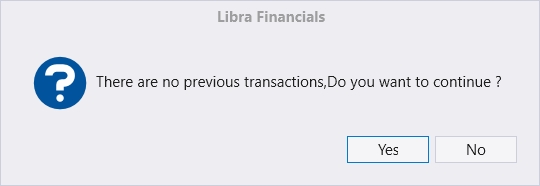
On a company that has never been closed, No is the only right answer. Yes would move it back a year and delete its opening vouchers. On a company whose first closing you have just run, Yes is the way through, and it asks for a password:
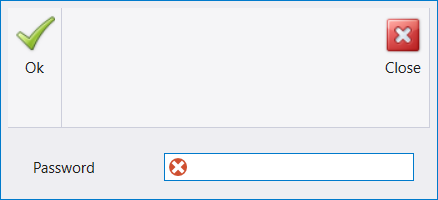
This is a support password, not your login. Ask your Libra support provider to do this step with you; do not guess it. Once it is accepted, the screen names the year it will reopen. The options stay greyed because, on a first closing, the whole closing is undone in one go:
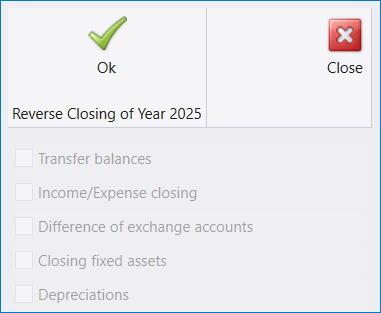
Press Ok. It ends with:
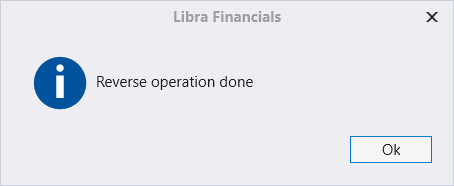
The closing vouchers of 31-12-2025 and the opening voucher of 01-01-2026 are gone, and the company is back in 2025. Nothing else was removed: all seven 2025 documents were still there.
If your company has closed earlier years as well, the options are available instead of greyed. On that screen a ticked box means undo: tick Transfer balances to reopen the year, and Income/Expense closing as well to remove the closing vouchers - the usual pair, since closing again rebuilds both.
6. Repost straight away
At the next login Libra opens the Repost screen on its own, and the status bar asks for it:

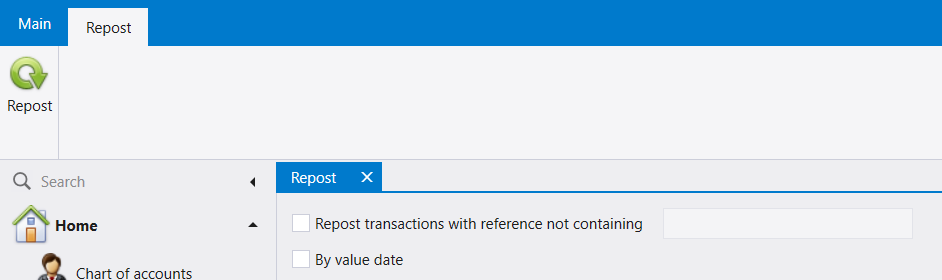
Press Repost. Balances shown on reports are not reliable until you do. After the repost in the example, every account matched its figure from before the closing, to the cent.
7. Correct, then close again
Now the year is open, so the late invoice can be entered with its real date:
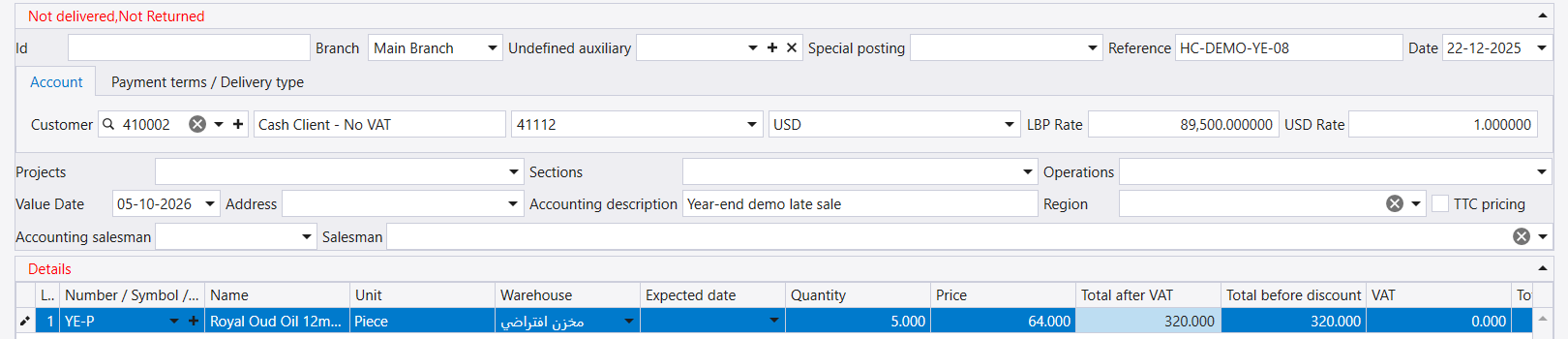
Then run End of year closing again, exactly as in section 3. The new opening voucher is built from the corrected books: in the example the profit carried into 2026 went from 1,510 to 1,830, and the customer's opening balance from 2,810 to 3,130 - both up by the invoice's 320.
The voucher numbers carry on from the first closing. The second run's closing vouchers were numbered from 16 to 30 and its opening voucher 2, not 1. That is expected, not an error.
8. A year that is not the last one closed
Reverse closing only ever undoes the latest closing. To reach an older year, reverse the newest year first, repost, then reverse the next one - one year at a time - make the correction, and close the years again from the oldest forward. That is a lot of work for one invoice, which is why an adjusting entry in the current year is usually the better answer.
أُقفلت السنة، ثم ظهرت فاتورة مبيع من شهر كانون الأول. يتتبّع هذا الدليل هذه الحالة من أولها إلى آخرها على شركة حيّة: سنة من المبيعات والمشتريات وسندين، أُقفلت ثم أُعيد فتحها وصُحّحت وأُقفلت من جديد. وكل رقم أدناه قُرئ من الدفاتر بعد كل خطوة.
باختصار: الإقفال لا يحذف السنة القديمة أبدًا. فهو يكتب سندات إقفال في آخر يوم من السنة وسند افتتاح واحدًا في أول يوم من السنة التالية، ثم ينقل الشركة إلى السنة الجديدة. وReverse closing يزيل هذه السندات من جديد ويعيد الشركة إلى الوراء.
١. ما الذي يفعله الإقفال
المثال المعتمد شركة تحوي سنتها 2025 ثلاث فواتير مبيع وفاتورتي شراء وسند إيجار وسند إيراد صغيرًا: أي ربحًا قدره 1,510 دولارًا. وحين أُقفلت السنة قام ليبرا بما يلي:
- صفّر كل حسابات الإيرادات والمصاريف بـسندات إقفال بتاريخ 31-12-2025، ونقل النتيجة إلى الحساب 138، Result of the period - Profit (والخسارة تذهب إلى 139)؛
- كتب سند افتتاح واحدًا بتاريخ 01-01-2026 ينقل إلى السنة الجديدة ما بقي مفتوحًا: الزبون والمورّد والصندوق والربح؛
- نقل الشركة إلى 2026؛
- احتفظ بنسخة من 2025 للقراءة فقط كي تبقى تقاريرها قابلة للطباعة.
وكل فواتير 2025 ما زالت في الدفاتر كما هي.
٢. قبل أن تُقفل
- أدخل كل ما يخصّ السنة. فبعد إقفالها تُرفض المستندات المؤرّخة فيها (القسم الرابع).
- خذ نسخة احتياطية وأخرج كل المستخدمين من الشركة.
- أدخل تغيّر قيمة المخزون. فتعليم Income statement على شاشة الإقفال يذكّرك بذلك تمامًا:
٣. أقفل السنة
افتح مجموعة End of year closing في القائمة واضغط End of year closing.
تسمّي الشاشة السنة التي ستُقفلها، Closing of Year 2025، ولا يتاح فيها في البداية إلّا الخطوتان الأوليان.
علّم المربعات من الأعلى إلى الأسفل؛ فكل مربع يتيح الذي بعده. وإن لم يكن للشركة أصول ثابتة فعلّم Manual بجانب Fixed asset depreciation. وClose expenses and revenues هي الخطوة التي تُجري الإقفال، وTransfer ending balances هي التي تفتح السنة الجديدة.
اضغط Issue. ولأن Closing accounts setup معلَّم، يعرض ليبرا أولًا الحسابات التي تُقفل فيها كل خطوة. اختر خطوة في Closing step لترى حساباتها. والسطر المعلَّم في عمود Correct يجب إصلاحه قبل المتابعة. وهنا تنتهي Closing incomes and expenses في 138 و139:
اضغط Ok. فـOk يبدأ الإقفال فورًا، فكن متأكدًا قبل الضغط عليه. وتنفتح الميزانية في نوافذ خاصة بها (أربع نوافذ هنا)؛ أغلقها بعد قراءتها. وينتهي التنفيذ بهذه الرسالة:
٤. كيف تبدو السنة المقفلة
بعد الدخول التالي يعرض شريط الحالة السنة الجديدة، وقد انتقل تاريخ القفل إلى أول يوم فيها:
ولم يعد ممكنًا تأريخ مستند في 2025. ففي فاتورة مبيع جديدة يُرفض تاريخ من كانون الأول 2025 - إذ يصير مربع التاريخ أحمر ولا يقبله:
ولإدخال شيء في 2025 أو تغييره أمامك خياران. ففي المبلغ الصغير يكون قيد تسوية مؤرّخ في 2026 هو الجواب الأفضل عادةً - إذ لا يلزم التراجع عن شيء. أمّا لتغيير 2025 نفسها فاعكس الإقفال (القسم الخامس).
٥. أعد فتح السنة: Reverse closing of current year
خذ نسخة احتياطية من جديد وأخرج الجميع، ثم اضغط Reverse closing of current year في المجموعة نفسها.
أول إقفال تجريه شركتك على الإطلاق حالة خاصة. فالشاشة تبحث عن سند افتتاح السنة السابقة للسنة التي أقفلتها، والسنة الأولى للشركة لا سند لها. لذلك، حتى بعد إقفال حقيقي مباشرةً، تكون كل الخيارات مطفأة ويظهر هذا السؤال:
في شركة لم تُقفل قطّ يكون No هو الجواب الصحيح الوحيد. فـYes يعيدها سنة إلى الوراء ويحذف سندات افتتاحها. أمّا في شركة أجريتَ لها لتوّك إقفالها الأول فـYes هو الطريق، ويطلب كلمة مرور:
هذه كلمة مرور الدعم، لا كلمة دخولك. اطلب من مزوّد دعم ليبرا أن ينفّذ هذه الخطوة معك؛ ولا تخمّنها. وبعد قبولها تسمّي الشاشة السنة التي ستعيد فتحها. وتبقى الخيارات مطفأة لأن الإقفال الأول يُعكس كله دفعة واحدة:
اضغط Ok. وينتهي ذلك بهذه الرسالة:
فتزول سندات الإقفال المؤرّخة 31-12-2025 وسند الافتتاح المؤرّخ 01-01-2026، وتعود الشركة إلى 2025. ولم يُحذف شيء غير ذلك: فمستندات 2025 السبعة كلها بقيت في مكانها.
وإن كانت شركتك قد أقفلت سنوات أسبق أيضًا، فالخيارات تكون متاحة بدل أن تكون مطفأة. وعلى تلك الشاشة المربع المعلَّم يعني التراجع: علّم Transfer balances لتعيد فتح السنة، وعلّم معه Income/Expense closing لتزيل سندات الإقفال - وهما الثنائي المعتاد، لأن الإقفال من جديد يعيد بناءهما معًا.
٦. أعد الترحيل فورًا
عند الدخول التالي يفتح ليبرا شاشة Repost من تلقاء نفسه، ويطلبها شريط الحالة:
اضغط Repost. فالأرصدة الظاهرة في التقارير غير موثوقة قبل ذلك. وبعد إعادة الترحيل في المثال طابق كل حساب رقمه الذي كان عليه قبل الإقفال، حتى آخر قرش.
٧. صحّح ثم أقفل من جديد
صارت السنة مفتوحة الآن، فيمكن إدخال الفاتورة المتأخرة بتاريخها الحقيقي:
ثم شغّل End of year closing من جديد، تمامًا كما في القسم الثالث. فيُبنى سند الافتتاح الجديد من الدفاتر المصحّحة: ففي المثال ارتفع الربح المنقول إلى 2026 من 1,510 إلى 1,830، وارتفع الرصيد الافتتاحي للزبون من 2,810 إلى 3,130 - كلاهما بمقدار 320 قيمة الفاتورة.
أرقام السندات تتابع من الإقفال الأول. فقد رُقّمت سندات الإقفال في التنفيذ الثاني من 16 إلى 30، ورُقّم سند الافتتاح 2 لا 1. وهذا متوقَّع وليس خطأً.
٨. سنة ليست آخر سنة مقفلة
لا يتراجع Reverse closing إلّا عن آخر إقفال. فللوصول إلى سنة أقدم اعكس السنة الأحدث أولًا، وأعد الترحيل، ثم اعكس التي تليها - سنة واحدة في كل مرة - وأجرِ التصحيح، ثم أقفل السنوات من جديد من الأقدم فصاعدًا. وهذا جهد كبير من أجل فاتورة واحدة، ولذلك يكون قيد التسوية في السنة الحالية هو الجواب الأفضل عادةً.