
VAT: closing accounts, closing vouchers and the splitالضريبة على القيمة المضافة: حسابات الإقفال وسنداته والتقسيم
The VAT group is where the tax side of the company is set up and then closed off each period. Four of its entries are covered here, and they fall into a natural order: decide which accounts close into which, optionally split an account, then issue the closing vouchers. The fourth, Top clients/suppliers, is a statistics report that happens to live in this group.
VAT has to be switched on for your company before any of this does anything. Whether it is on, which rate applies to which item, and the VAT registration details are company settings your installer or accountant sets. These screens are what you use once that is done.
1. VAT closing accounts - the map
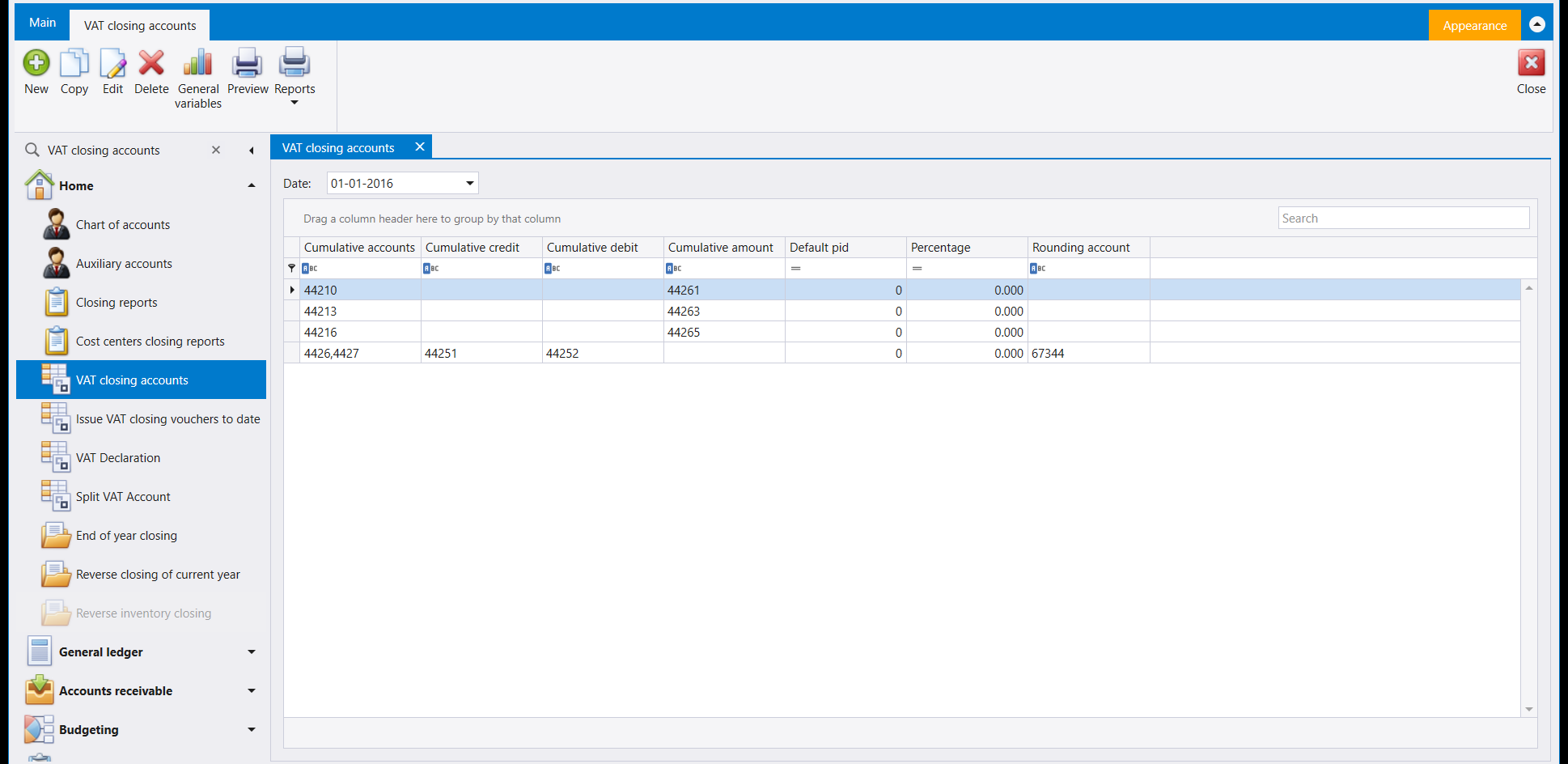
This is the instruction sheet the closing follows. Each row says: these VAT accounts accumulate into that one.
Read a row left to right. Cumulative accounts is the account or accounts being gathered up; Cumulative credit and Cumulative debit are where each side lands; Cumulative amount is the account that ends up holding the net. Percentage lets a row take only part of a balance, and Rounding account is where the small remainder goes when the split does not come out even - in the example above the last row carries a rounding account where the first three do not.
The Date at the top is what the mapping applies from, so a change in the rules gets a new set of rows rather than overwriting last year's.
Get this right before you issue anything. The closing vouchers are generated from this table. If a row is wrong, the vouchers are wrong, and the fix is to correct the map and re-issue rather than to edit the vouchers by hand.
2. Split VAT Account - when one account serves two rates
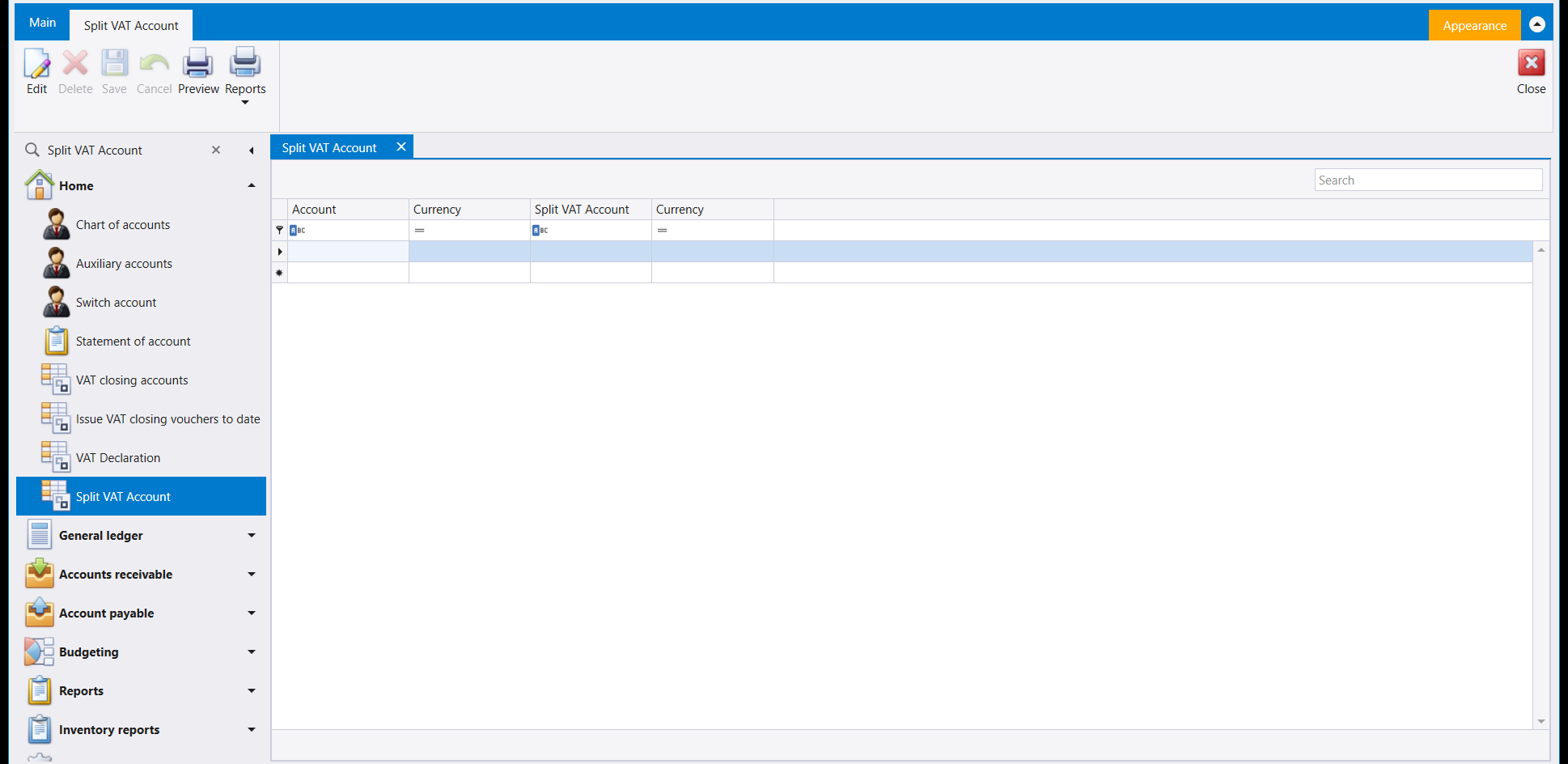
A single account in your chart sometimes has to be reported as two - the same account carrying turnover at two different treatments. This screen records that pairing: the Account on the left, the Split VAT Account it also reports into on the right, each with its own Currency.
It is a short table and most companies never need a row in it. Leave it empty unless your accountant has told you a specific account has to be split.
3. Issue VAT closing vouchers - the button that writes
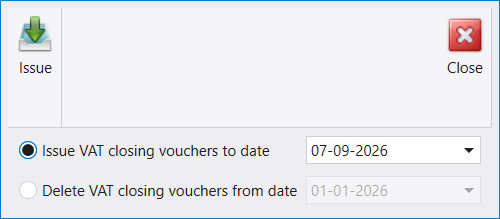
This is the one that changes your books, and it is deliberately tiny: pick a date, press Issue, and Libra writes the closing vouchers up to that date using the map from step 1.
The second option, Delete VAT closing vouchers from date, is the way back. Between them they make the closing repeatable: if you find the map was wrong, delete from the date, fix the map, issue again.
Treat the date as the decision. Everything up to it gets closed. Issuing to the wrong date is the mistake worth double-checking for, because the correction is a delete-and-reissue rather than an edit.
4. Top clients/suppliers - who your business actually runs on
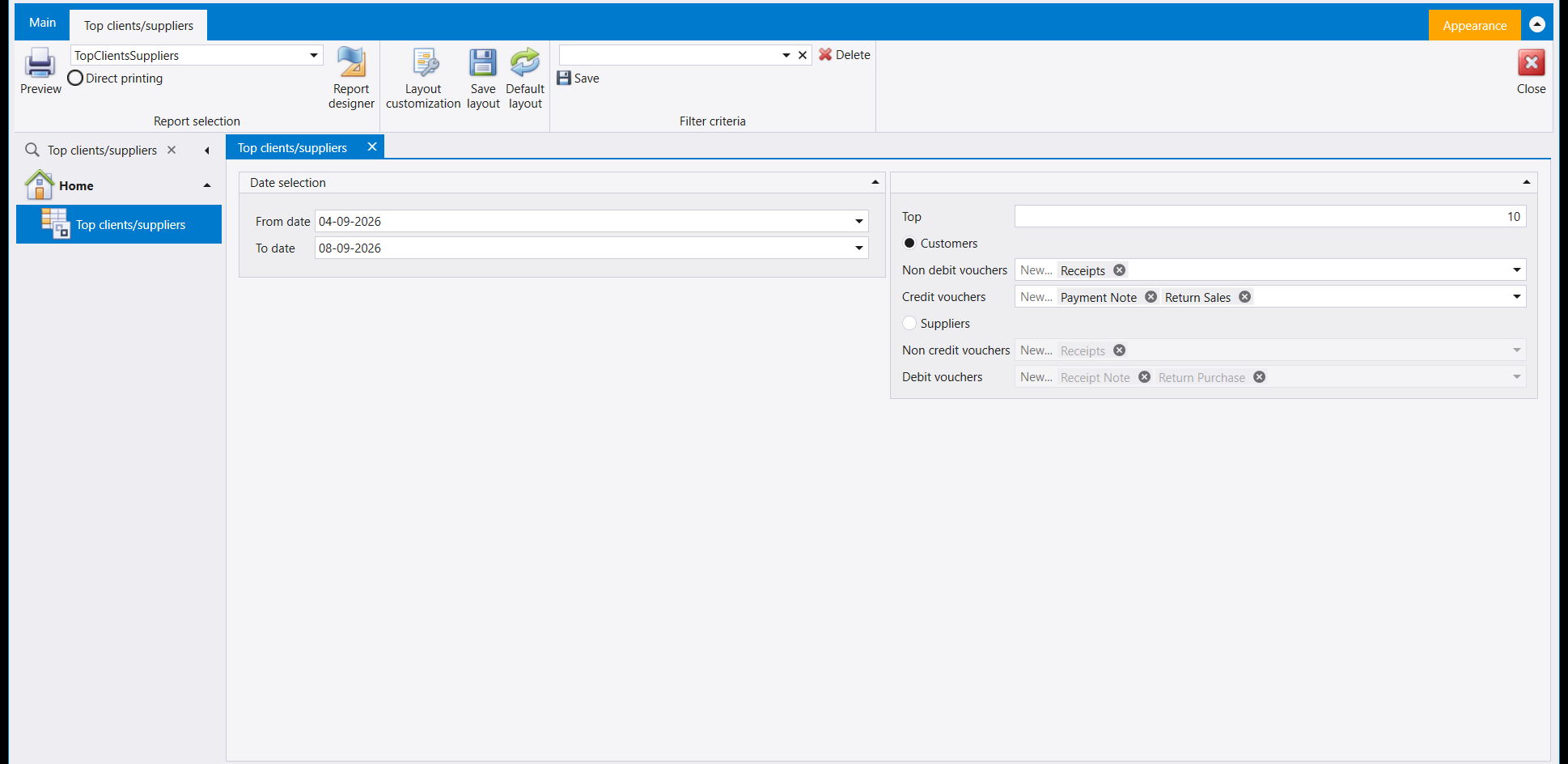
This one is not really VAT at all - it is a ranking. Give it a date range and a number in Top (the example shows 10), choose Customers or Suppliers, and it lists that many, biggest first.
The four voucher selectors underneath are what make it accurate rather than approximate. They decide which document types count towards the total on each side - so Receipts, Payment Note and Return Sales can be included or left out of a customer's figure independently. The defaults are sensible; change them only when you know why. If a customer's ranking looks wrong, this is the first place to look, not the data.
مجموعة VAT (الضريبة على القيمة المضافة) هي المكان الذي يُعَدّ فيه الجانب الضريبي للشركة ثم يُقفَل في كل فترة. وأربعة من مداخلها مشروحة هنا، وهي تقع في ترتيب طبيعي: حدّد أي الحسابات تُقفل في أيّها، ثم قسّم حسابًا عند اللزوم، ثم أصدر سندات الإقفال. أما الرابع، Top clients/suppliers، فهو تقرير إحصائي يصادف وجوده في هذه المجموعة.
يجب تفعيل الضريبة لشركتك قبل أن يفعل أيٌّ من هذا شيئًا. أما كونها مفعّلة، وأي نسبة تنطبق على أي صنف، وبيانات التسجيل الضريبي، فهي إعدادات شركة يضبطها المسؤول عن التركيب أو محاسبك. وهذه الشاشات هي ما تستعمله بعد أن يتم ذلك.
١. VAT closing accounts - الخريطة
هذه هي ورقة التعليمات التي يتبعها الإقفال. ويقول كل سطر: هذه الحسابات الضريبية تتراكم في ذاك.
اقرأ السطر من اليسار إلى اليمين. فـCumulative accounts هو الحساب أو الحسابات التي تُجمَع، وCumulative credit وCumulative debit هما حيث يقع كل جانب، وCumulative amount هو الحساب الذي ينتهي إليه الصافي. وPercentage يتيح للسطر أن يأخذ جزءًا من الرصيد فقط، وRounding account هو حيث يذهب الباقي الصغير حين لا تخرج القسمة صحيحة - وفي المثال أعلاه يحمل السطر الأخير حساب تدوير ولا تحمله السطور الثلاثة الأولى.
وDate في الأعلى هو التاريخ الذي تسري منه الخريطة، فتغيّر القواعد يأخذ مجموعة سطور جديدة بدل أن يطمس سطور السنة الماضية.
اضبط هذا قبل أن تصدر شيئًا. فسندات الإقفال تُولَّد من هذا الجدول. وإن كان سطر خاطئًا فإن السندات خاطئة، والعلاج تصحيح الخريطة وإعادة الإصدار لا تعديل السندات يدويًا.
٢. Split VAT Account - حين يخدم حساب واحد نسبتين
قد يتعيّن أحيانًا أن يُصرَّح عن حساب واحد في دليلك بوصفه حسابين - الحساب نفسه يحمل رقم أعمال بمعالجتين مختلفتين. وهذه الشاشة تسجّل ذلك الاقتران: Account على اليسار، وSplit VAT Account الذي يُصرَّح فيه أيضًا على اليمين، ولكلٍّ Currency خاصة به.
وهو جدول قصير، ومعظم الشركات لا تحتاج فيه سطرًا قط. اتركه فارغًا ما لم يخبرك محاسبك أن حسابًا بعينه يجب أن يُقسَّم.
٣. Issue VAT closing vouchers - الزر الذي يكتب
هذا هو الذي يغيّر دفاترك، وهو صغير عن قصد: اختر تاريخًا، واضغط Issue، فيكتب ليبرا سندات الإقفال حتى ذلك التاريخ مستعملًا الخريطة من الخطوة الأولى.
أما الخيار الثاني، Delete VAT closing vouchers from date، فهو طريق العودة. وهما معًا يجعلان الإقفال قابلًا للتكرار: فإن وجدت أن الخريطة كانت خاطئة، احذف من التاريخ، وصحّح الخريطة، وأصدر مجددًا.
عامل التاريخ على أنه القرار. فكل ما قبله يُقفَل. والإصدار إلى تاريخ خاطئ هو الخطأ الذي يستحق التدقيق مرتين، لأن تصحيحه حذفٌ وإعادة إصدار لا تعديل.
٤. Top clients/suppliers - على من يقوم عملك فعلًا
هذا ليس ضريبةً في الحقيقة - إنه ترتيب. أعطه مدى تواريخ ورقمًا في Top (المثال يُظهر 10)، واختر Customers أو Suppliers، فيسرد لك ذلك العدد، الأكبر أولًا.
ومحدّدات السندات الأربعة تحته هي ما يجعله دقيقًا لا تقريبيًا. فهي تقرّر أي أنواع المستندات تُحتسب في المجموع على كل جانب - فيمكن إدراج Receipts وPayment Note وReturn Sales أو استبعادها من رقم الزبون كلٌّ على حدة. والقيم الافتراضية معقولة؛ فلا تغيّرها إلا وأنت تعرف السبب. وإن بدا ترتيب زبون خاطئًا، فهذا أول موضع تنظر فيه، لا البيانات.