
Fixed assets: the register, and the three things you do to an assetالأصول الثابتة: السجل، والأمور الثلاثة التي تفعلها بالأصل
The Fixed assets group is small and it follows one order. You register an asset, it depreciates month by month, and one day it leaves you - either you dispose of it or you sell it. Five screens, and knowing the order is most of knowing the module.
1. The register - one row per asset
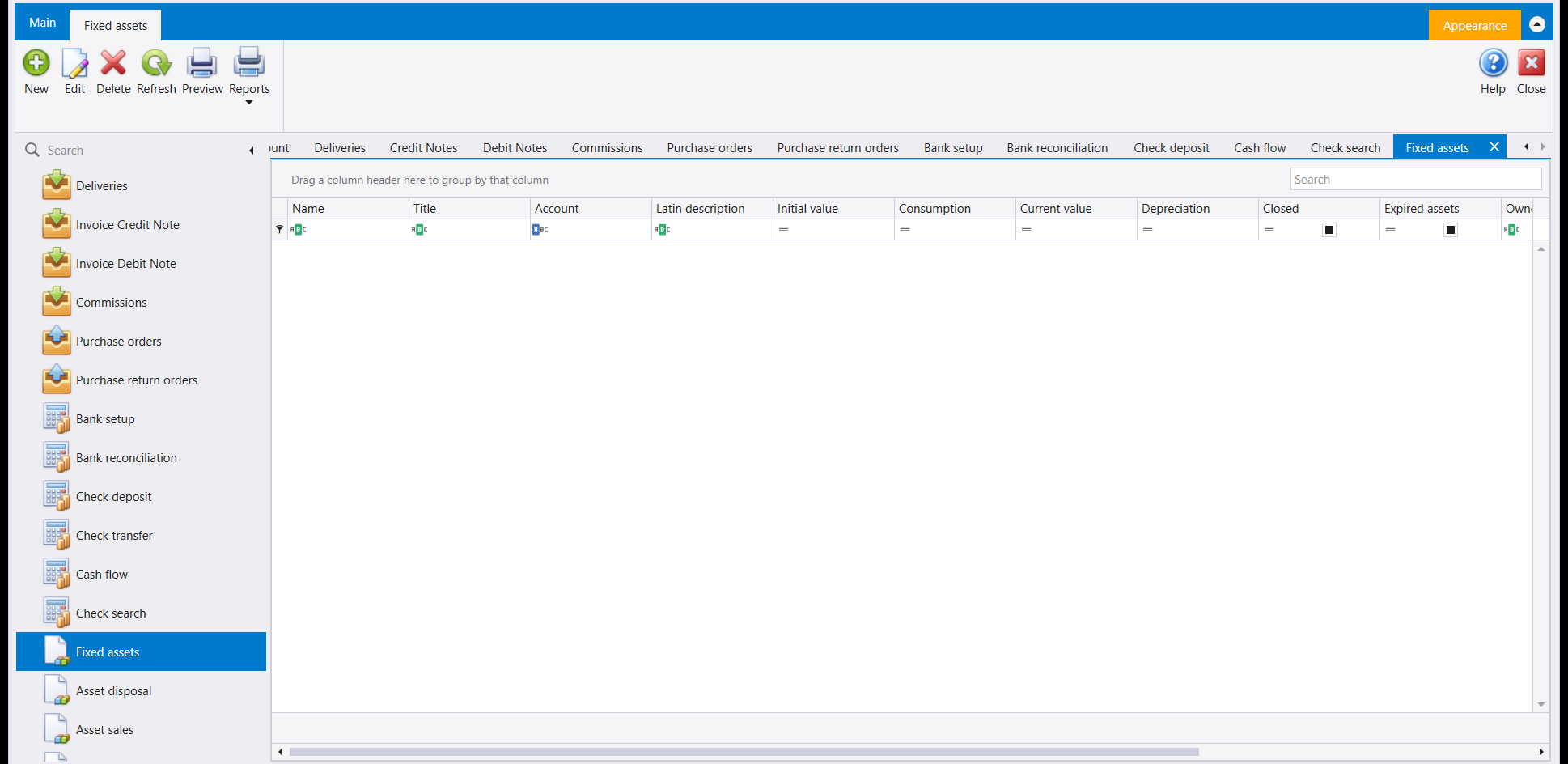
Everything else in this guide reads from here, so this is the screen to get right.
Three of the columns carry the whole life of an asset and they are worth reading as a sentence: Initial value is what it cost you, Consumption and Depreciation are how much of that has been written off so far, and Current value is what is left on the books. The Account column is what ties the asset to your chart of accounts, so an asset without one cannot post anything.
Closed and Expired assets are the two flags that take an asset out of circulation - a closed asset is one you have finished with, an expired one has run out its useful life. Neither deletes the record, which is the point: last year's figures still have to add up.
The grid in the picture is empty because the company these screenshots come from has no assets yet. That is not a coincidence - it is what section 4 is about.
2. Asset disposal - when it is simply gone
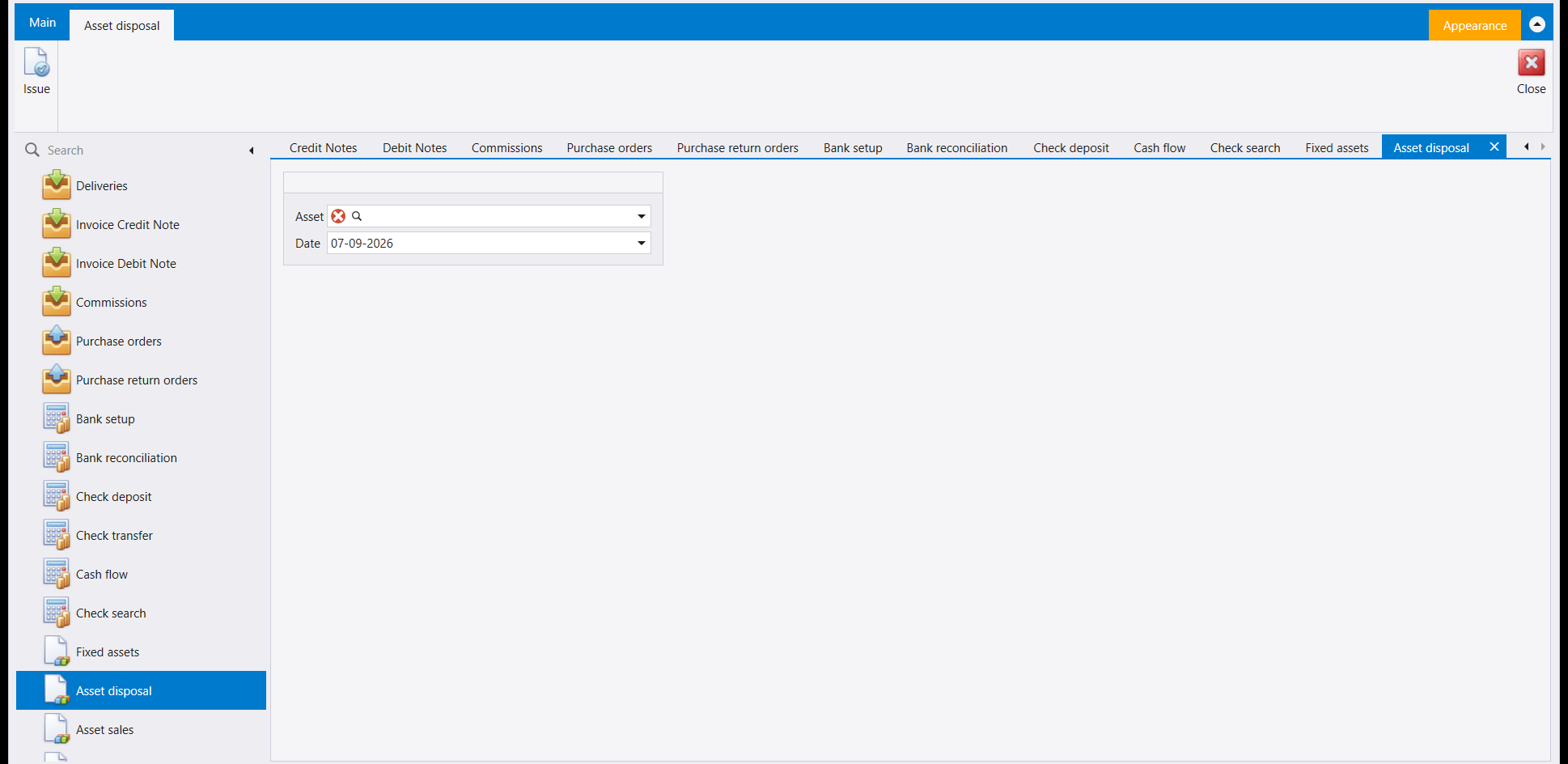
Two fields and one button. That is the entire screen, and the smallness is informative: everything Libra needs is already on the asset record, so the only decisions left are which asset and when.
Use this when the asset leaves without money coming back - scrapped, written off, stolen, worn out. If somebody paid you for it, you want the next screen instead.
Issue writes to your books and this screen has no undo. Check the asset and the date before you press it. A disposal recorded against the wrong asset has to be unpicked by your accountant.
3. Asset sales - when somebody bought it
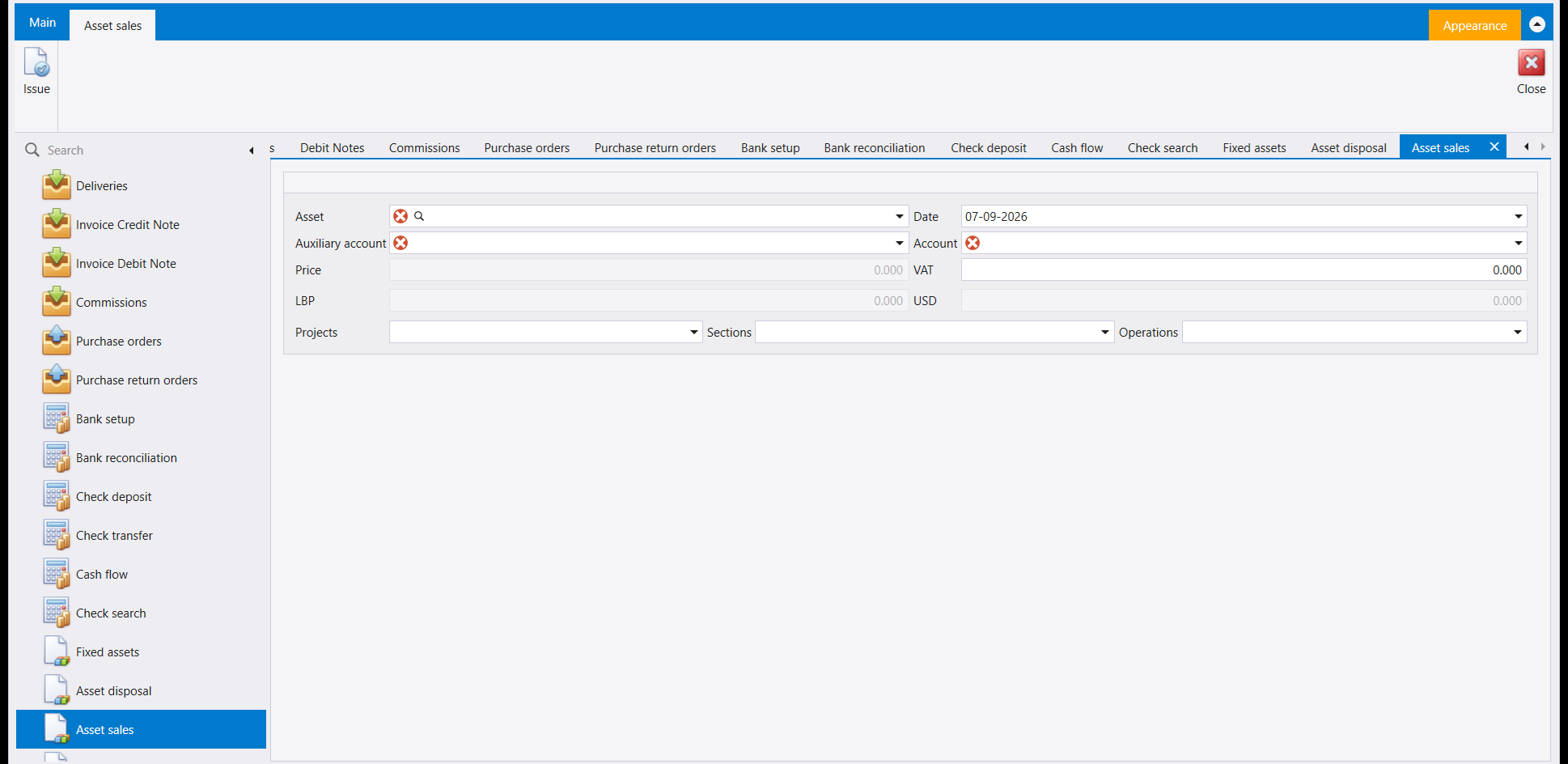
The same idea with the money put back in. Because a sale has another party and a price, this form asks for four things the disposal did not: the Auxiliary account - who bought it - the Account the proceeds land in, the Price, and any VAT. The LBP and USD boxes show the same figure in both currencies rather than asking you twice.
The Projects, Sections and Operations selectors at the bottom are the ordinary cost centre trio: fill them in if this company analyses by cost centre, leave them alone if it does not.
The red markers on Asset, Auxiliary account and Account are Libra telling you those three are required. It will not let you issue without them.
4. Monthly depreciations - and the order the module makes you follow
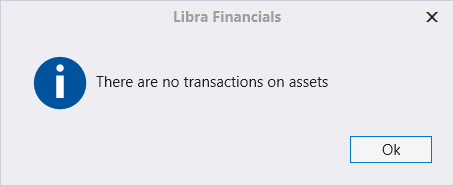
This is what the depreciation run says in a company with no assets, and it is worth showing because it is a good message, not an error. The screen opened; it simply has nothing to work on.
Depreciation is calculated from what your assets have actually done, so the sequence is fixed:
- Register the assets, each with its account and its initial value.
- Let them move - that is what the message is asking for.
- Run the depreciation each month, which writes the vouchers.
- Dispose or sell at the end of the asset's life.
If your depreciation run reports this, the problem is upstream. Nothing is wrong with the depreciation screen - go back to the register and check the assets are there, that each has an account, and that they carry movements for the period you are trying to depreciate.
5. Allocate depreciations to cost centers - splitting the charge
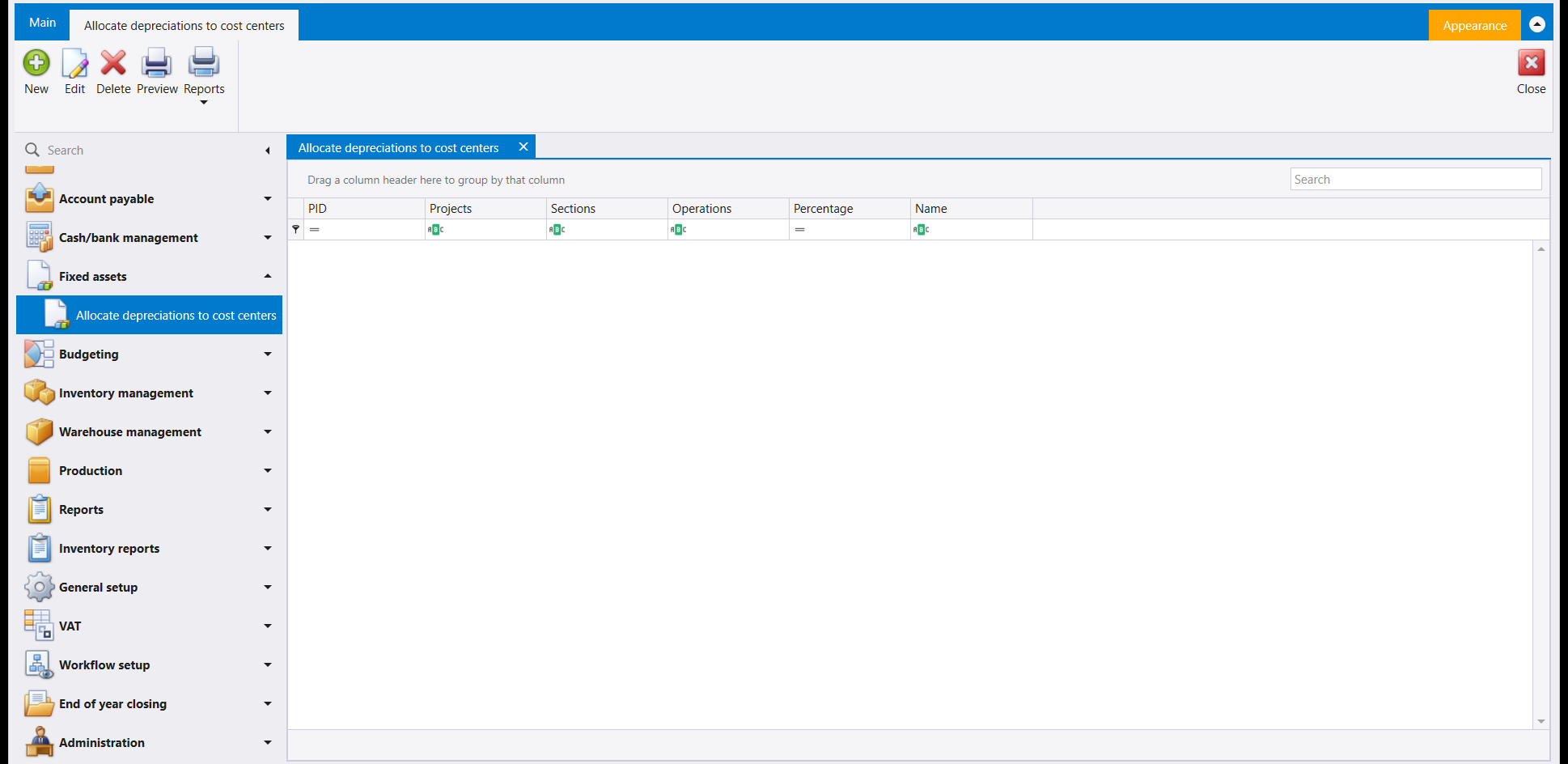
A shared asset does not belong to one part of the business. A delivery van used by two branches, a building housing three departments - the depreciation is one figure and it should land in more than one place.
That is what this table does. Each row names an asset and a Projects / Sections / Operations combination, and gives it a Percentage. When the monthly depreciation runs, the charge is split the way these rows say.
The percentages for one asset should come to 100. Nothing on this screen adds them up for you, so it is worth checking by eye: rows that total 90 quietly leave a tenth of the charge unallocated, and that gap is very hard to find later from a cost-centre report.
Leave it empty if you do not analyse by cost centre. An empty table is not a missing setup.
مجموعة Fixed assets (الأصول الثابتة) صغيرة، وهي تتبع ترتيبًا واحدًا. فأنت تسجّل الأصل، ثم يستهلك شهرًا بعد شهر، ثم يفارقك يومًا ما - إمّا أن تستغني عنه وإمّا أن تبيعه. خمس شاشات، ومعرفة الترتيب هي معظم معرفة الوحدة.
١. السجل - سطر واحد لكل أصل
كل ما عداه في هذا الدليل يقرأ من هنا، فهذه هي الشاشة التي يجب ضبطها.
وثلاثة من الأعمدة تحمل حياة الأصل كلها، وتستحق أن تُقرأ كجملة واحدة: فـInitial value هو ما كلّفك، وConsumption وDepreciation هما مقدار ما أُطفئ منه حتّى الآن، وCurrent value هو ما تبقّى في الدفاتر. أمّا عمود Account فهو ما يربط الأصل بدليل حساباتك، فالأصل بلا حساب لا يستطيع أن يقيّد شيئًا.
وClosed وExpired assets هما العلمان اللذان يخرجان الأصل من التداول - فالمقفل هو ما فرغت منه، والمنتهي هو ما استنفد عمره النافع. ولا يحذف أيّهما السجل، وذلك هو المقصود: فأرقام السنة الماضية لا يزال عليها أن تستقيم.
والشبكة في الصورة فارغة لأن الشركة التي أُخذت منها هذه الصور ليس لديها أصول بعد. وليس هذا مصادفة - فهو موضوع القسم الرابع.
٢. Asset disposal - حين يزول ببساطة
حقلان وزر واحد. هذه هي الشاشة بأكملها، وصغرها مفيد: فكل ما يحتاجه ليبرا موجود أصلًا في سجل الأصل، فلم يبقَ من القرارات إلّا أي أصل ومتى.
استعملها حين يخرج الأصل بلا مال يعود - خُردة، أو شطبًا، أو سرقةً، أو بلًى. فإن دفع لك أحد ثمنه، فمرادك الشاشة التالية.
يكتب Issue في دفاترك وليس لهذه الشاشة تراجُع. تحقّق من الأصل والتاريخ قبل أن تضغطه. فالاستغناء المسجّل على أصل خاطئ يحتاج إلى محاسبك ليفكّه.
٣. Asset sales - حين يشتريه أحد
الفكرة نفسها مع إعادة المال إليها. ولأنّ للبيع طرفًا آخر وثمنًا، يطلب هذا النموذج أربعة أشياء لم يطلبها الاستغناء: Auxiliary account - من اشتراه - وAccount الذي تقع فيه الحصيلة، وPrice، وأيّ VAT. وصندوقا LBP وUSD يُظهران الرقم نفسه بالعملتين بدل أن يسألاك مرتين.
أمّا محدّدات Projects وSections وOperations في الأسفل فهي ثلاثيّ مراكز الكلفة المعتاد: املأها إن كانت الشركة تحلّل بحسب مركز الكلفة، ودعها إن لم تكن.
والعلامات الحمراء على Asset و Auxiliary account و Account هي ليبرا يخبرك أنّ هذه الثلاثة إلزامية، ولن يدعك تُصدر دونها.
٤. Monthly depreciations - والترتيب الذي تفرضه الوحدة
هذا ما يقوله تشغيل الاستهلاك في شركة بلا أصول، ويستحقّ العرض لأنّه رسالة جيدة لا خطأ. فالشاشة فُتحت؛ ولكن ليس لديها ما تعمل عليه.
ويُحسب الاستهلاك ممّا فعلته أصولك فعلًا، فالتسلسل ثابت:
- سجّل الأصول، كلًّا بحسابه وقيمته الابتدائية.
- دعها تتحرّك - وهذا ما تطلبه الرسالة.
- شغّل الاستهلاك كل شهر، فيكتب السندات.
- استغنِ أو بِعْ عند نهاية عمر الأصل.
إن أبلغك تشغيل الاستهلاك بهذا، فالمشكلة قبله. ليس في شاشة الاستهلاك خلل - عُد إلى السجل، وتحقّق من وجود الأصول، ومن أنّ لكلّ منها حسابًا، ومن أنّها تحمل حركة في الفترة التي تحاول استهلاكها.
٥. Allocate depreciations to cost centers - توزيع العبء
الأصل المشترك لا يخصّ جزءًا واحدًا من العمل. فشاحنة توزيع يستعملها فرعان، ومبنى يضمّ ثلاثة أقسام - الاستهلاك رقم واحد وينبغي أن يقع في أكثر من موضع.
وذلك ما يفعله هذا الجدول. فكل سطر يسمّي أصلًا وتركيبة Projects / Sections / Operations، ويعطيها Percentage. وحين يُشغّل استهلاك الشهر، يُقسَم العبء كما تقول هذه السطور.
ونِسَب الأصل الواحد ينبغي أن تبلغ مئة. ولا شيء في هذه الشاشة يجمعها لك، فيستحقّ الأمر تدقيقًا بالعين: فالسطور التي مجموعها تسعون تترك عُشر العبء دون توزيع في صمت، وتلك الفجوة يصعب جدًا إيجادها لاحقًا من تقرير مراكز الكلفة.
اتركه فارغًا إن كنت لا تحلّل بحسب مركز الكلفة. فالجدول الفارغ ليس إعدادًا ناقصًا.