
Reading in Englishالقراءة بالعربية
Budget entry: putting a first figure against every accountBudget entry: وضع أول رقم على كل حساب
Budget entry is where yearly budget figures are set against the chart of accounts, for a period and a currency. To change figures that are already in place, see Budget correction.
1. The screen, read from the top down
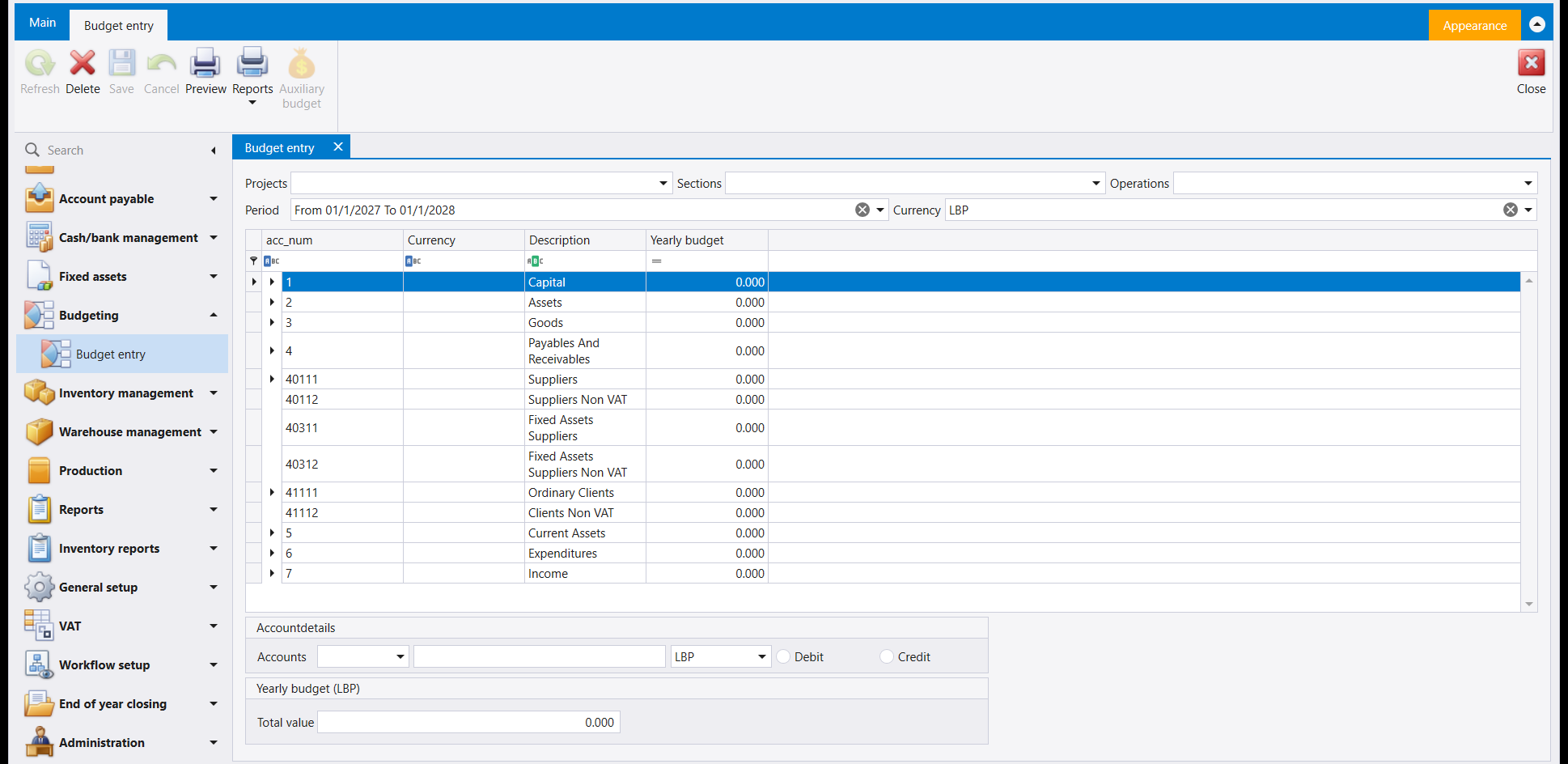
- Projects, Sections and Operations - the cost centres the budget can be narrowed to.
- Period and Currency - the year the figures cover and the currency they are held in.
- The grid - the accounts, with their Currency, Description and Yearly budget. The tree opens level by level with the arrow beside each account. An account with no budget yet shows 0.000.
- Accountdetails - an Accounts picker, a currency box, and a Debit or Credit choice for the selected account.
- Yearly budget - the Total value of the budget, in the chosen currency.
2. The ribbon
Delete, Preview and Reports are available when the screen opens; Refresh, Save, Cancel and Auxiliary budget are greyed. Close is at the far right.
Budget entry هي حيث تُضبط أرقام الموازنة السنوية مقابل دليل الحسابات، لفترة وعملة. ولتغيير أرقام موجودة أصلًا، راجع Budget correction.
١. الشاشة، مقروءةً من أعلى إلى أسفل
- Projects وSections وOperations - مراكز الكلفة التي يمكن حصر الموازنة بها.
- Period وCurrency - السنة التي تغطيها الأرقام والعملة التي تُحفظ بها.
- الجدول - الحسابات مع Currency وDescription وYearly budget. وتُفتح الشجرة مستوًى بعد مستوى بالسهم بجانب كل حساب. والحساب الذي لا موازنة له بعد يُظهر 0.000.
- Accountdetails - أداة اختيار Accounts وصندوق عملة وخيار Debit أو Credit للحساب المحدَّد.
- Yearly budget - Total value للموازنة بالعملة المختارة.
٢. الشريط
Delete وPreview وReports متاحة عند فتح الشاشة؛ وRefresh وSave وCancel وAuxiliary budget مطفأة. وClose في أقصى اليمين.