
Moving stock between warehousesنقل البضاعة بين المستودعات
Under Warehouse management, Inventory item transfers is the list of stock moved from one warehouse to another. Two more entries sit in the same group: Transfer Issue Note and Transfer Receipt Note. Typing Transfer in the navbar's Search box brings all three into view together under Warehouse management.
1. Inventory item transfers
The list's columns are Number, Reference, Date, Type, PID, Account, Currency, Description, Accounting description and Branch, and more follow to the right.
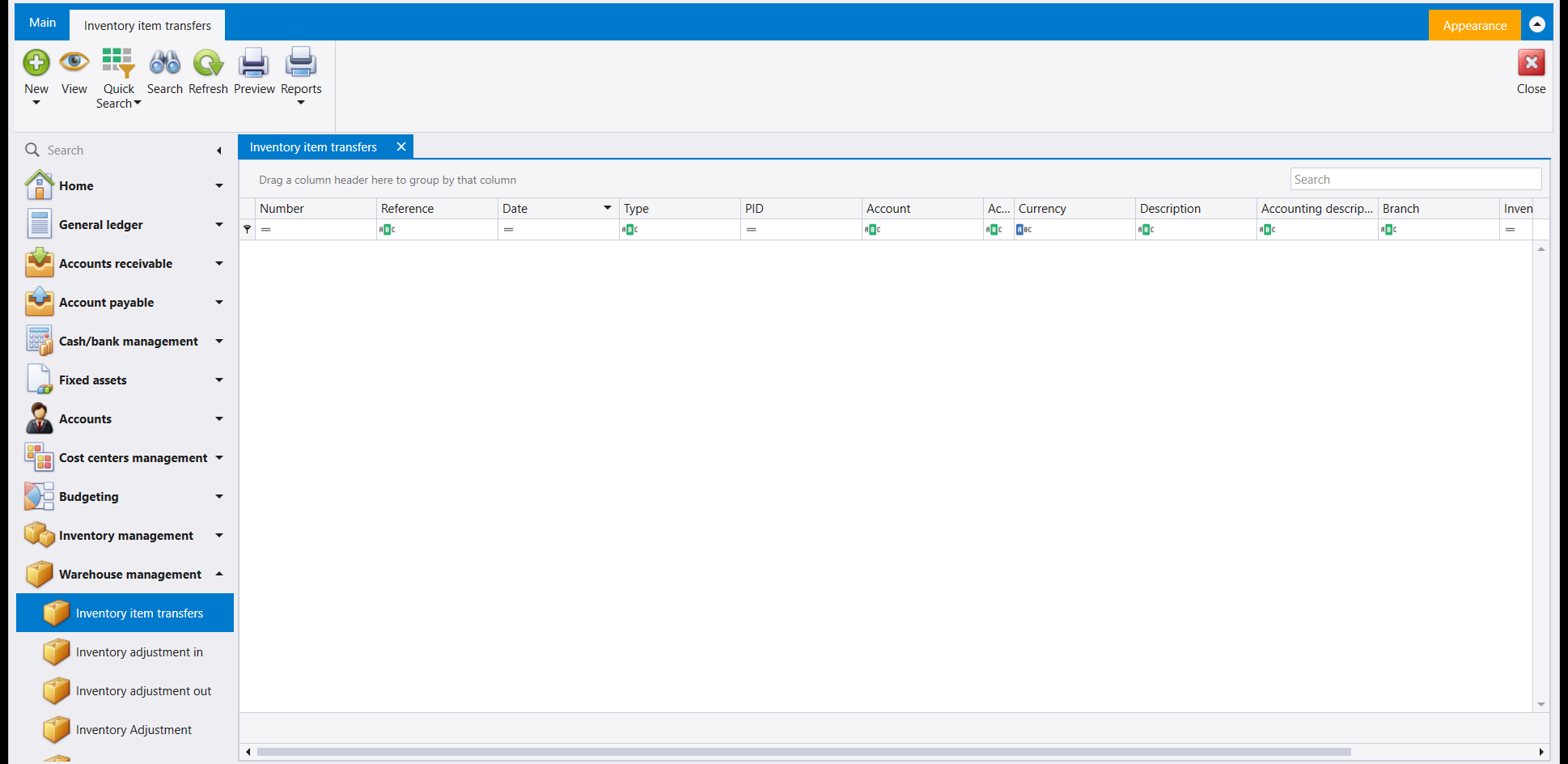
The ribbon carries New, View, Quick Search, Search, Refresh, Preview and Reports, with Close on the far side. New has an arrow under it, as Quick Search and Reports do.
2. Transfer Issue Note and Transfer Receipt Note
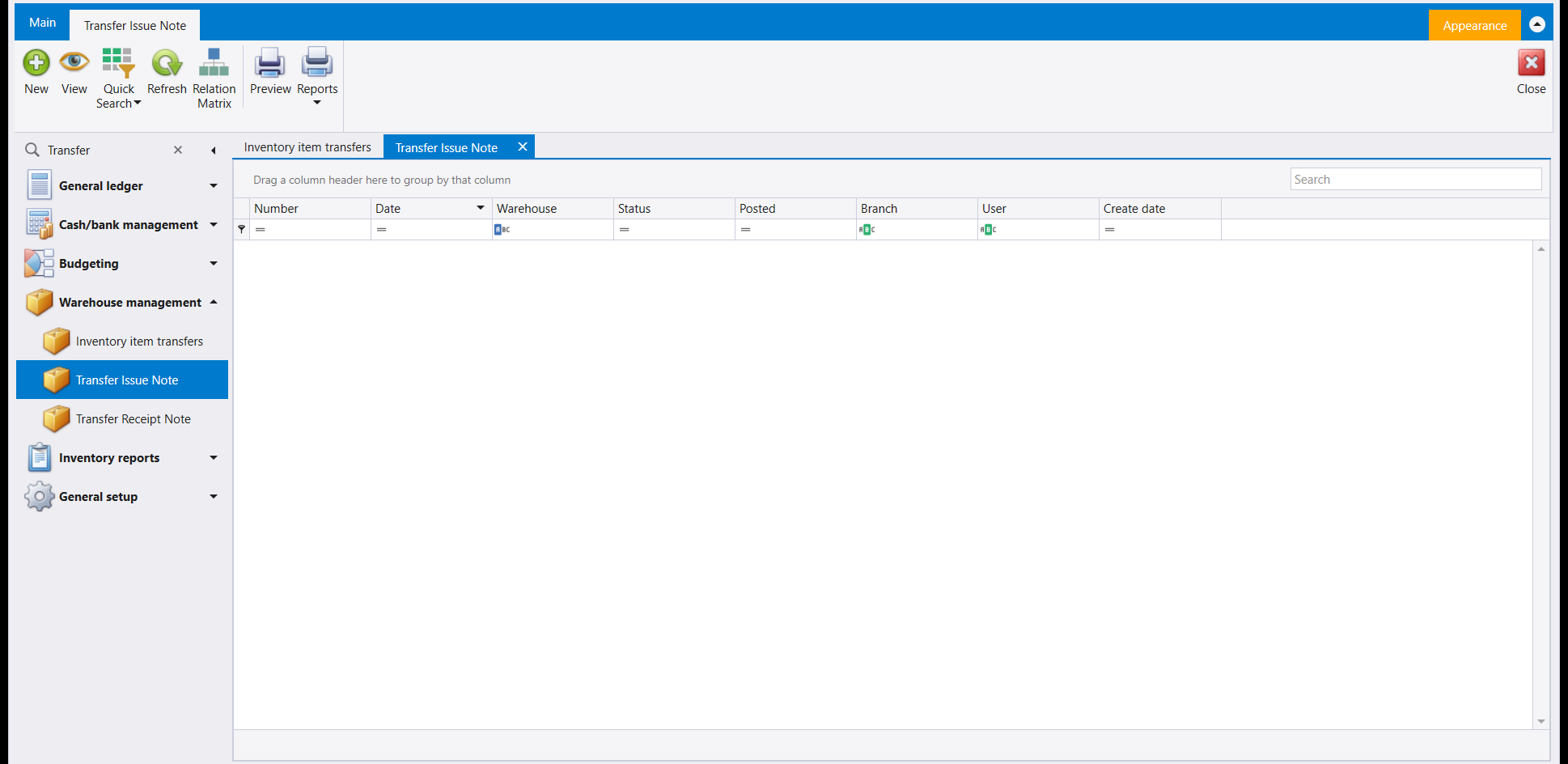
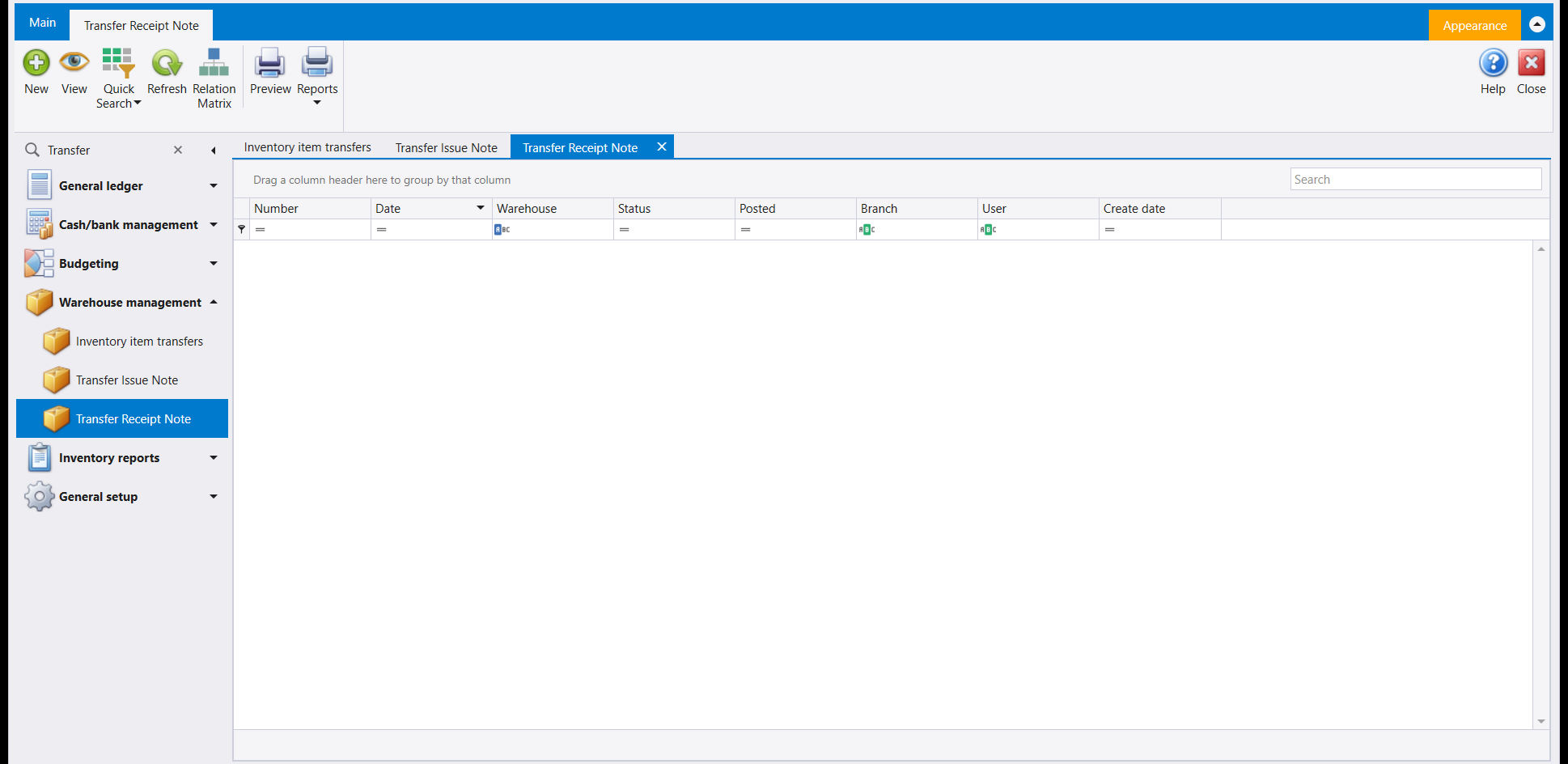
The two lists have the same columns: Number, Date, Warehouse, Status, Posted, Branch, User and Create date. Their ribbon carries New, View, Quick Search, Refresh, Relation Matrix, Preview and Reports, with Close on the far side.
3. Reading the three lists
- Inventory item transfers shows a transfer with its Account and Description.
- Transfer Issue Note and Transfer Receipt Note show each note with its Warehouse, Status, Posted, User and Create date.
4. Starting a transfer
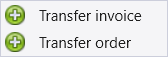
New on Inventory item transfers has an arrow under it: it offers two document types, Transfer invoice and Transfer order.
Transfer invoice opens a blank document. Its Account panel holds an Auxiliary lookup (pick it first, as on the stock documents: the document does not save while its account box is empty), From Warehouse and To Warehouse. Its grid has Quantity, Cost, Onhand/from, Onhand/to, Line Cost, Selling Price and Notes columns; the two Onhand columns show how much of the item each warehouse holds.
Moving goods is rarely free, so the transfer carries its own boxes for what the move cost: Handling, Shipping, Custom, Clearance, Insurance, Commission and Additional fees. What you enter there is added to the cost of the goods arriving at the destination warehouse. That is worth reading twice, because it is what makes the same item carry a different cost in one warehouse than in another: what you paid for it, plus what you paid to get it where it now sits.
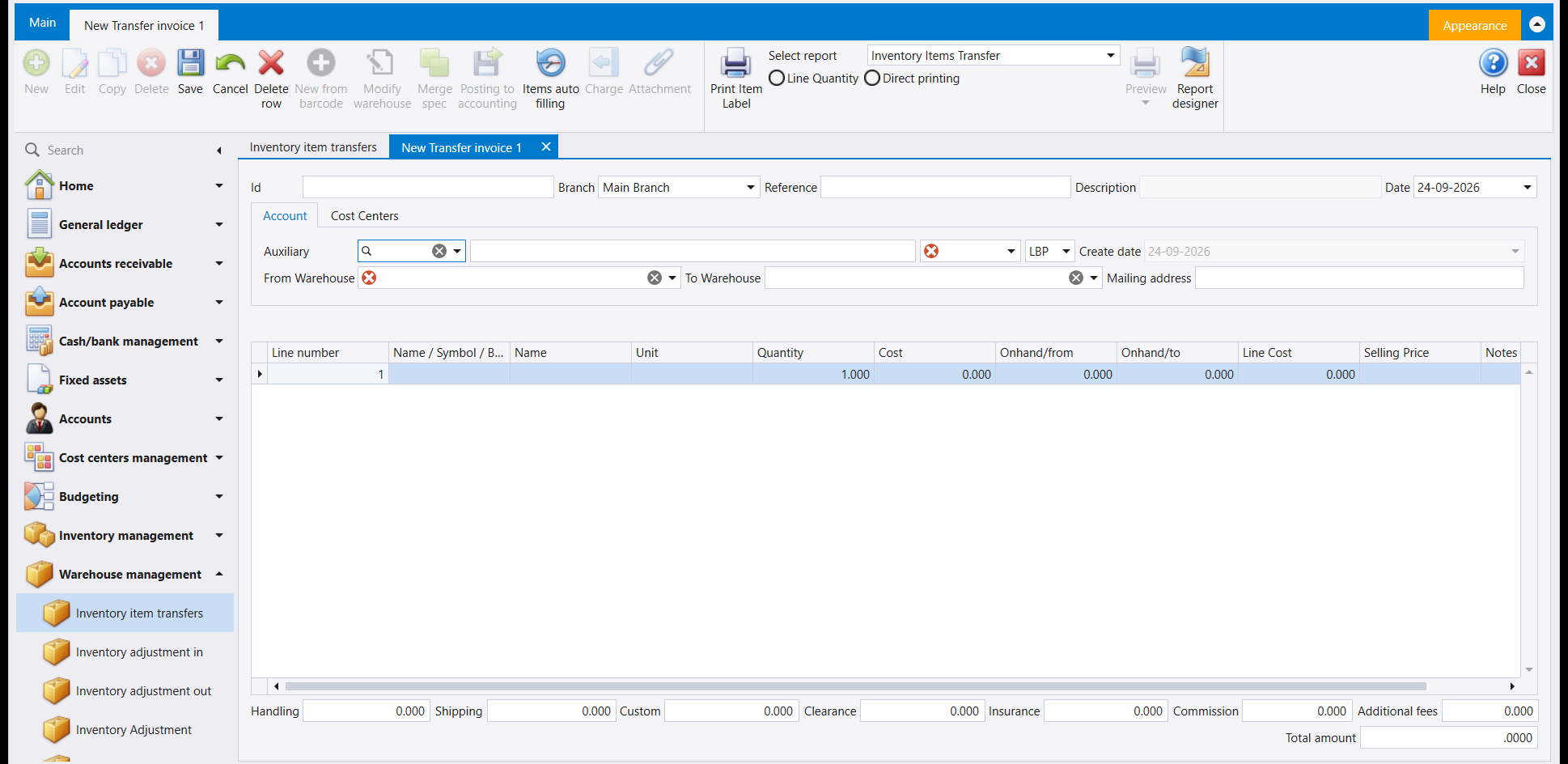
Pick both warehouses while the document is still empty, because that is the moment they answer. From Warehouse and To Warehouse set in one go on a blank transfer; once a line has been entered, the two lists still open and still let you highlight a row, but the boxes go on reading what they read before. That is what Modify warehouse on the ribbon is for, and it is the way the two warehouses are changed from then on. Libra warns you before it does anything: moving the lines to other warehouses can leave a warehouse holding less than nothing, and it asks you to confirm that you want to go ahead.
5. A saved transfer
Fill in the Auxiliary, both warehouses, the item, the quantity and a Reference, then save. The document gets its own number, and its Description fills in by itself from the two warehouse names. Total amount at the bottom shows the line's cost.
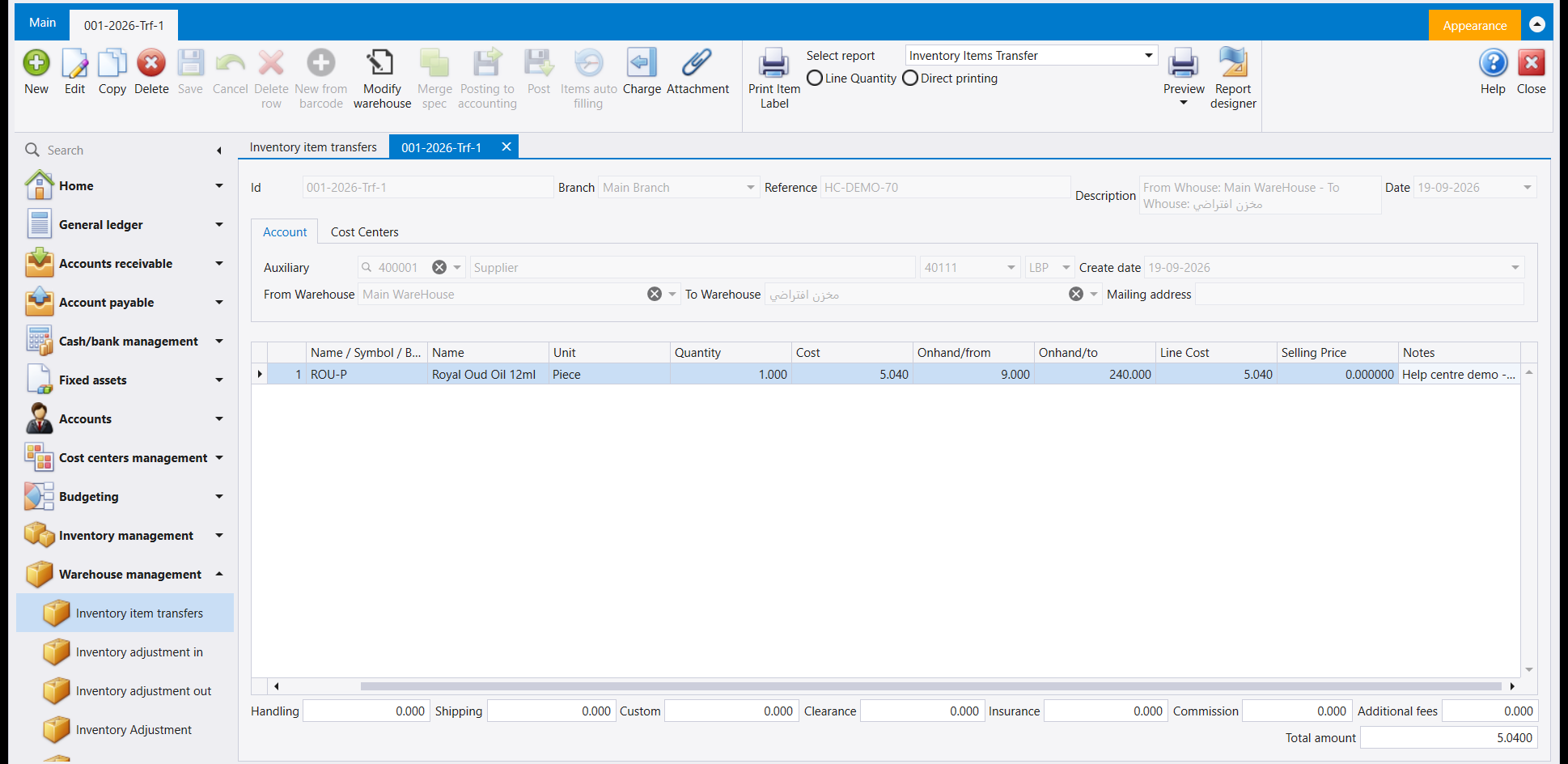
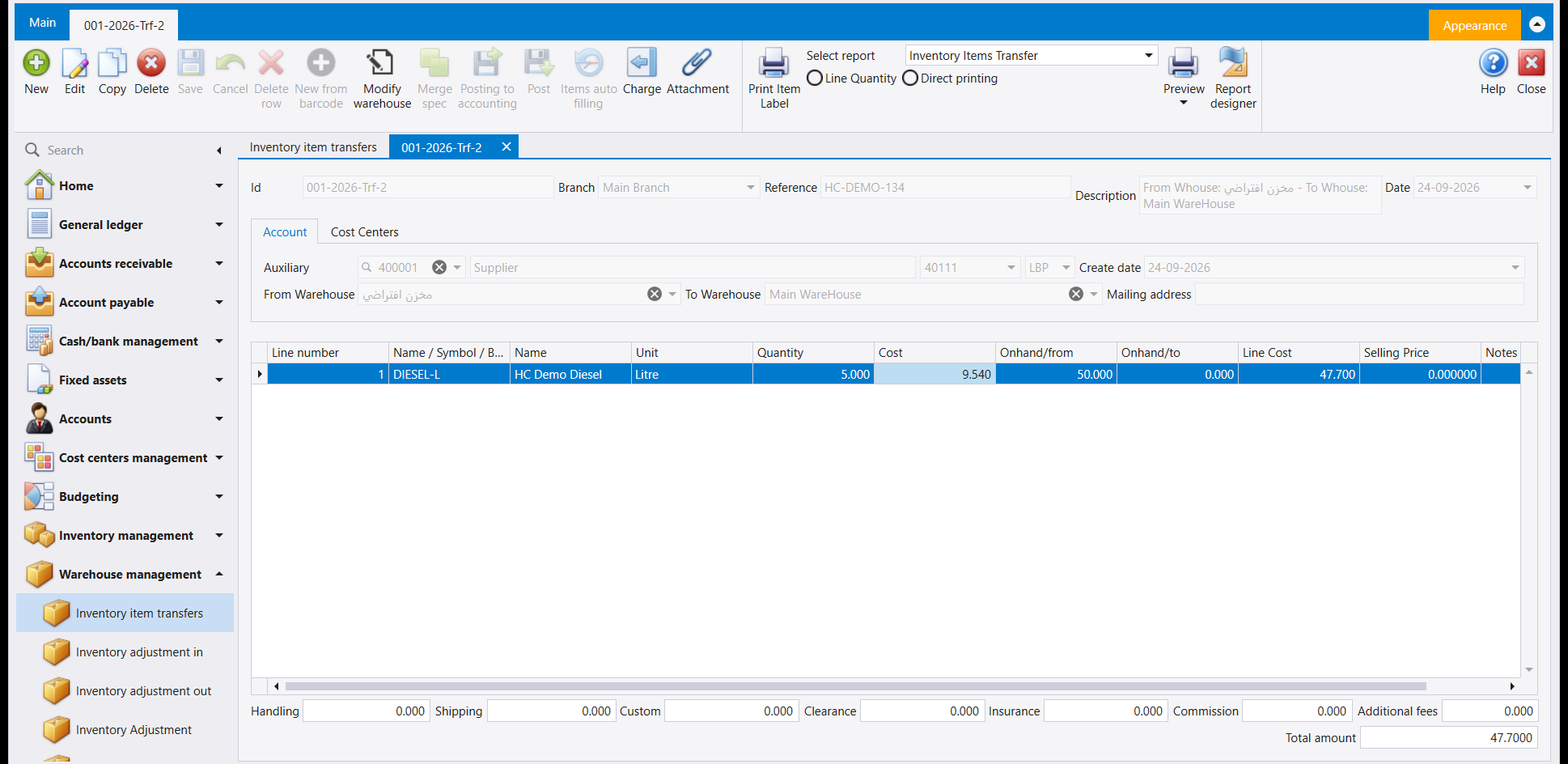
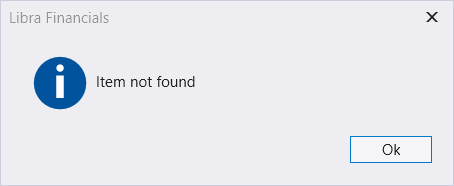
A transfer moves only what the sending warehouse is actually holding. Ask it to move an item whose stock in that warehouse stands at zero and the save is refused, with a small Item not found message on the screen. Two things are worth knowing about that refusal: the message names the trouble in the most general terms it has, so read it as "this warehouse has none of it" rather than as "I cannot find this item"; and the line's Quantity is cleared back to zero on the way out. Check the quantity again before you try the save a second time, or the second attempt fails for a different reason than the first.
6. Finding it on the list
Refresh on the Inventory item transfers list shows the new row with its Number, Reference, Date, Type, PID and Account (the auxiliary), Currency, Description (the auxiliary's account), Accounting description (the From / To text) and Branch.
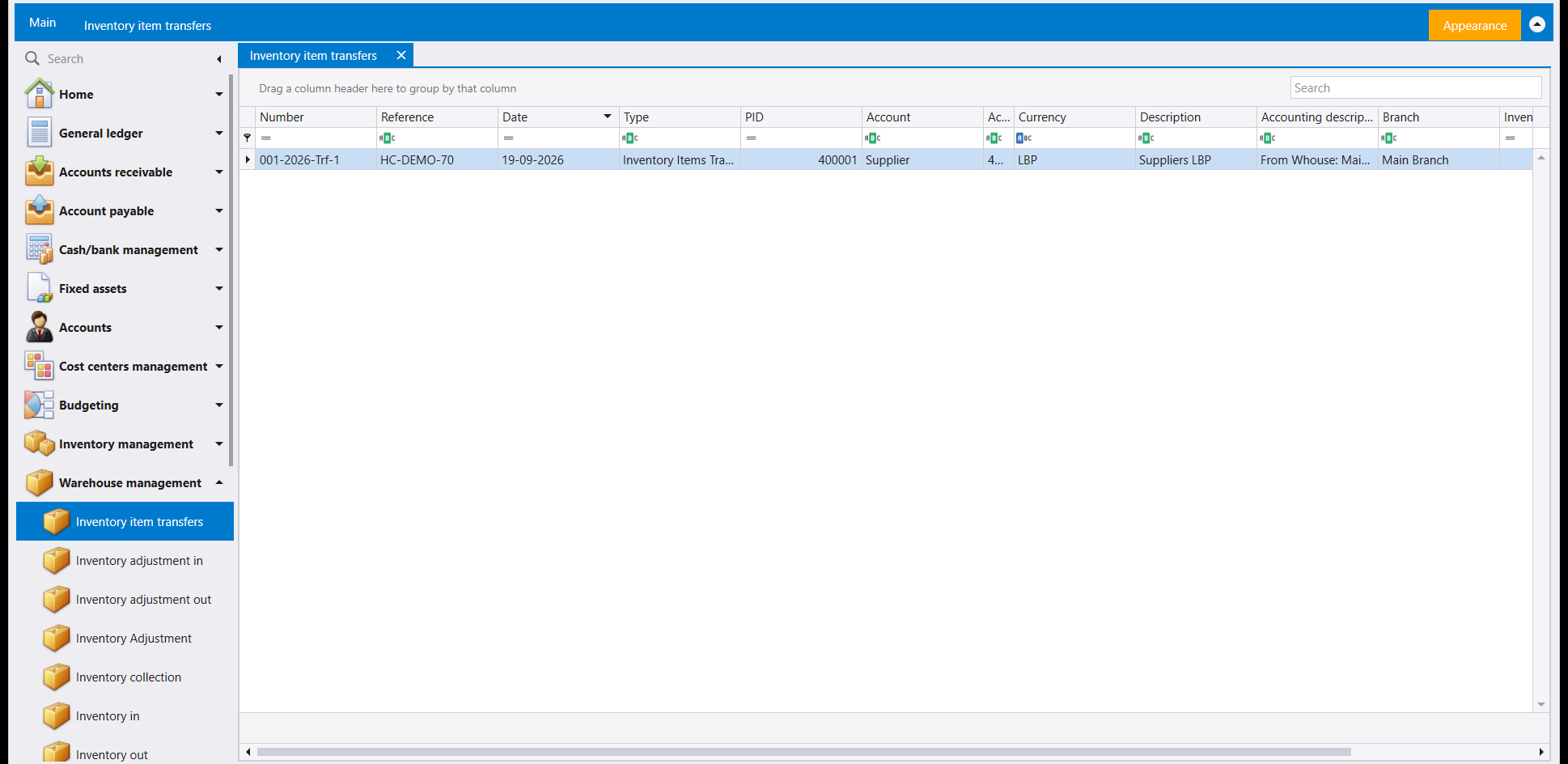
ضمن Warehouse management (إدارة المستودعات)، Inventory item transfers (نقل أصناف المخزون) هي قائمة البضاعة المنقولة من مستودع إلى آخر. ويجاورها في المجموعة نفسها مدخلان آخران: Transfer Issue Note (إشعار إصدار تحويل) وTransfer Receipt Note (إشعار استلام تحويل). وكتابة Transfer في خانة Search بشريط التنقل تُظهر الثلاثة معًا تحت Warehouse management.
١. Inventory item transfers
أعمدة القائمة Number وReference وDate وType وPID وAccount وCurrency وDescription وAccounting description وBranch، وتتبعها أعمدة أخرى إلى اليمين.
يحمل الشريط New وView وQuick Search وSearch وRefresh وPreview وReports، وClose في الجهة الأخرى. وتحت New سهم، كما تحت Quick Search وReports.
٢. Transfer Issue Note و Transfer Receipt Note
للقائمتين الأعمدة نفسها: Number وDate وWarehouse وStatus وPosted وBranch وUser وCreate date. ويحمل شريطهما New وView وQuick Search وRefresh وRelation Matrix وPreview وReports، وClose في الجهة الأخرى.
٣. قراءة القوائم الثلاث
- تُظهر Inventory item transfers التحويل مع Account وDescription الخاصين به.
- وتُظهر Transfer Issue Note وTransfer Receipt Note كل إشعار مع Warehouse وStatus وPosted وUser وCreate date الخاصة به.
٤. بدء تحويل
تحت زر New في Inventory item transfers سهم: فهو يعرض نوعين من المستندات، Transfer invoice وTransfer order.
يفتح Transfer invoice مستندًا فارغًا. تحمل لوحة Account فيه لائحة Auxiliary (اخترها أولًا كما في مستندات المخزون: فالمستند لا يُحفظ ما دامت خانة حسابه فارغة)، وFrom Warehouse وTo Warehouse. وفي شبكته أعمدة Quantity وCost وOnhand/from وOnhand/to وLine Cost وSelling Price وNotes؛ ويُظهر عمودا Onhand ما يحمله كل مستودع من الصنف.
ونقل البضاعة نادرًا ما يكون مجانيًا، لذلك يحمل التحويل صناديقه الخاصة لكلفة النقل: Handling وShipping وCustom وClearance وInsurance وCommission وAdditional fees. وما تُدخله فيها يُضاف إلى كلفة البضاعة الواصلة إلى مستودع الوجهة. وهذا يستحق قراءتين، فهو ما يجعل الصنف نفسه يحمل كلفة في مستودع وكلفة أخرى في مستودع آخر: ما دفعته فيه، زائد ما دفعته لإيصاله إلى حيث هو الآن.
اختر المستودعين والمستند لا يزال فارغًا، فتلك هي اللحظة التي يستجيبان فيها. إذ تُضبط From Warehouse وTo Warehouse دفعةً واحدة على تحويل فارغ؛ وبعد إدخال سطر واحد تُفتح اللائحتان ويمكنك تظليل سطر فيهما، لكن الخانتين تبقيان على ما كانتا تقرآنه. ولهذا وُجد زر Modify warehouse في الشريط، وهو الطريق إلى تغيير المستودعين من تلك اللحظة فصاعدًا. ويحذّرك ليبرا قبل أن يفعل شيئًا: فنقل السطور إلى مستودعات أخرى قد يترك مستودعًا بكمية دون الصفر، ويطلب منك تأكيد رغبتك في المتابعة.
٥. تحويل محفوظ
املأ Auxiliary والمستودعين والصنف والكمية وReference، ثم احفظ. يأخذ المستند رقمه الخاص، ويُملأ Description فيه وحده من اسمَي المستودعين. ويُظهر Total amount في الأسفل تكلفة السطر.
والتحويل لا ينقل إلا ما يحمله المستودع المرسل فعلًا. فاطلب منه نقل صنف رصيده في ذلك المستودع صفر يُرفض الحفظ، وتظهر على الشاشة رسالة صغيرة تقرأ Item not found. وفي هذا الرفض أمران يستحقّان المعرفة: أوّلهما أن الرسالة تسمّي المشكلة بأعمّ عبارة لديها، فاقرأها على أنها "هذا المستودع خالٍ منه" لا على أنها "تعذّر العثور على الصنف"؛ وثانيهما أن Quantity في السطر تُصفَّر في أثناء ذلك. فتحقّق من الكمية مجددًا قبل أن تعيد المحاولة، وإلا فشلت المحاولة الثانية لسبب غير سبب الأولى.
٦. العثور عليه في القائمة
يُظهر Refresh في قائمة Inventory item transfers السطر الجديد بـNumber وReference وDate وType وPID وAccount (الحساب المساعد) وCurrency وDescription (حساب الحساب المساعد) وAccounting description (نص From / To) وBranch.