
Stock documents: recording goods in and out of a warehouseمستندات المخزون: تسجيل دخول وخروج البضاعة من المستودع
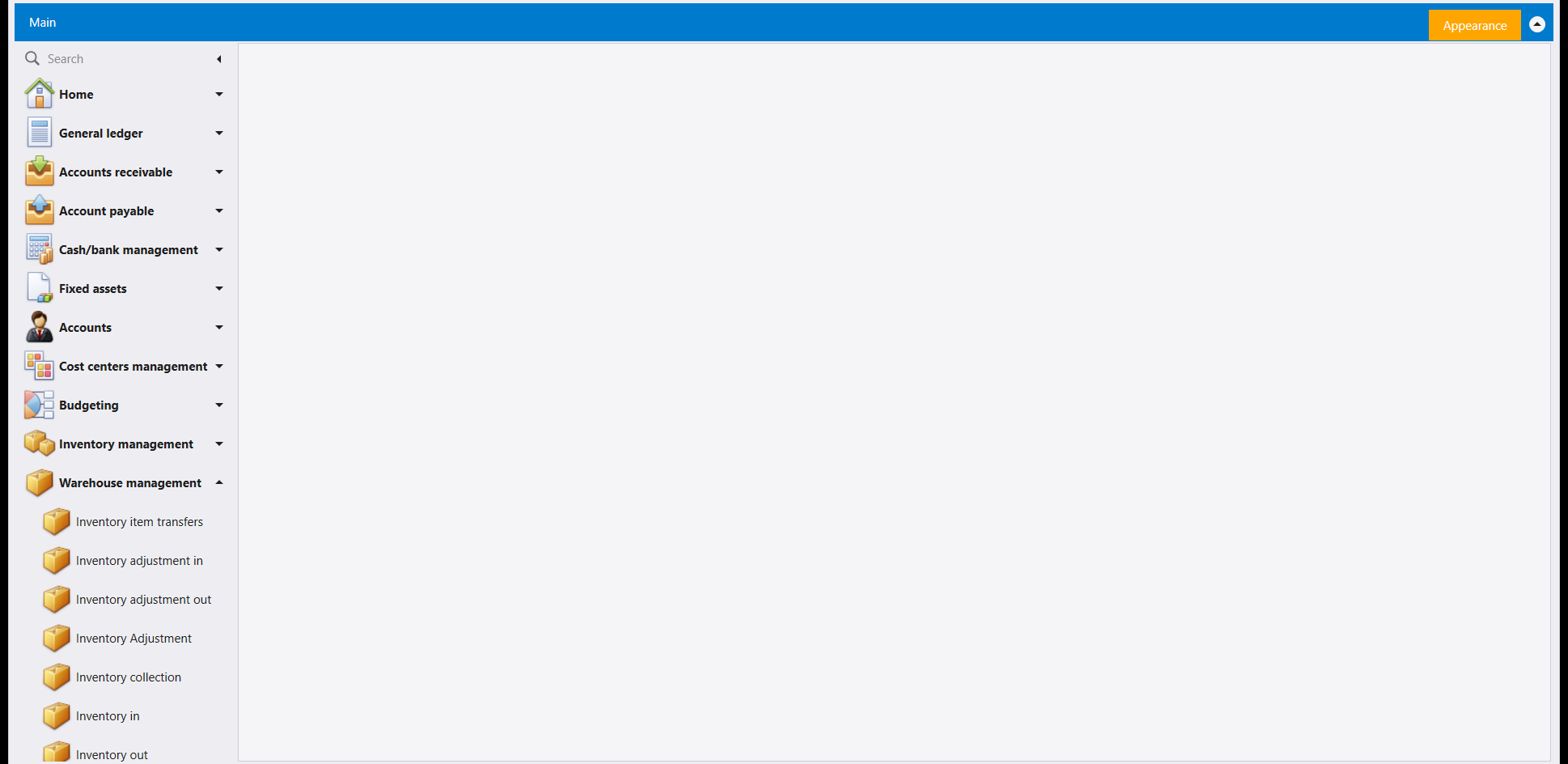
Under Warehouse management, four entries record stock coming into or going out of a warehouse with no purchase or sale behind it: Inventory in, Inventory out, Inventory adjustment in and Inventory adjustment out.
1. The four lists
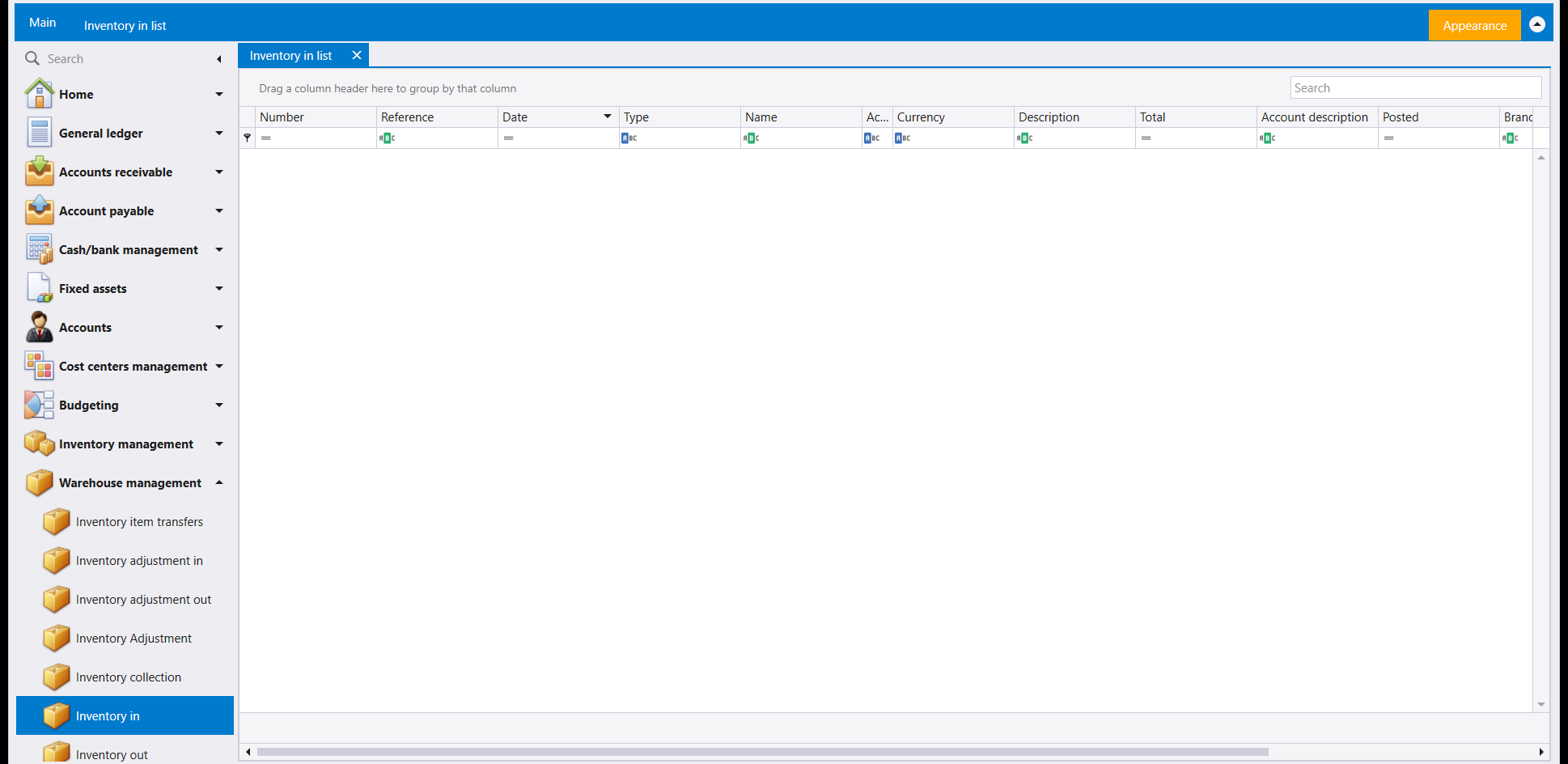
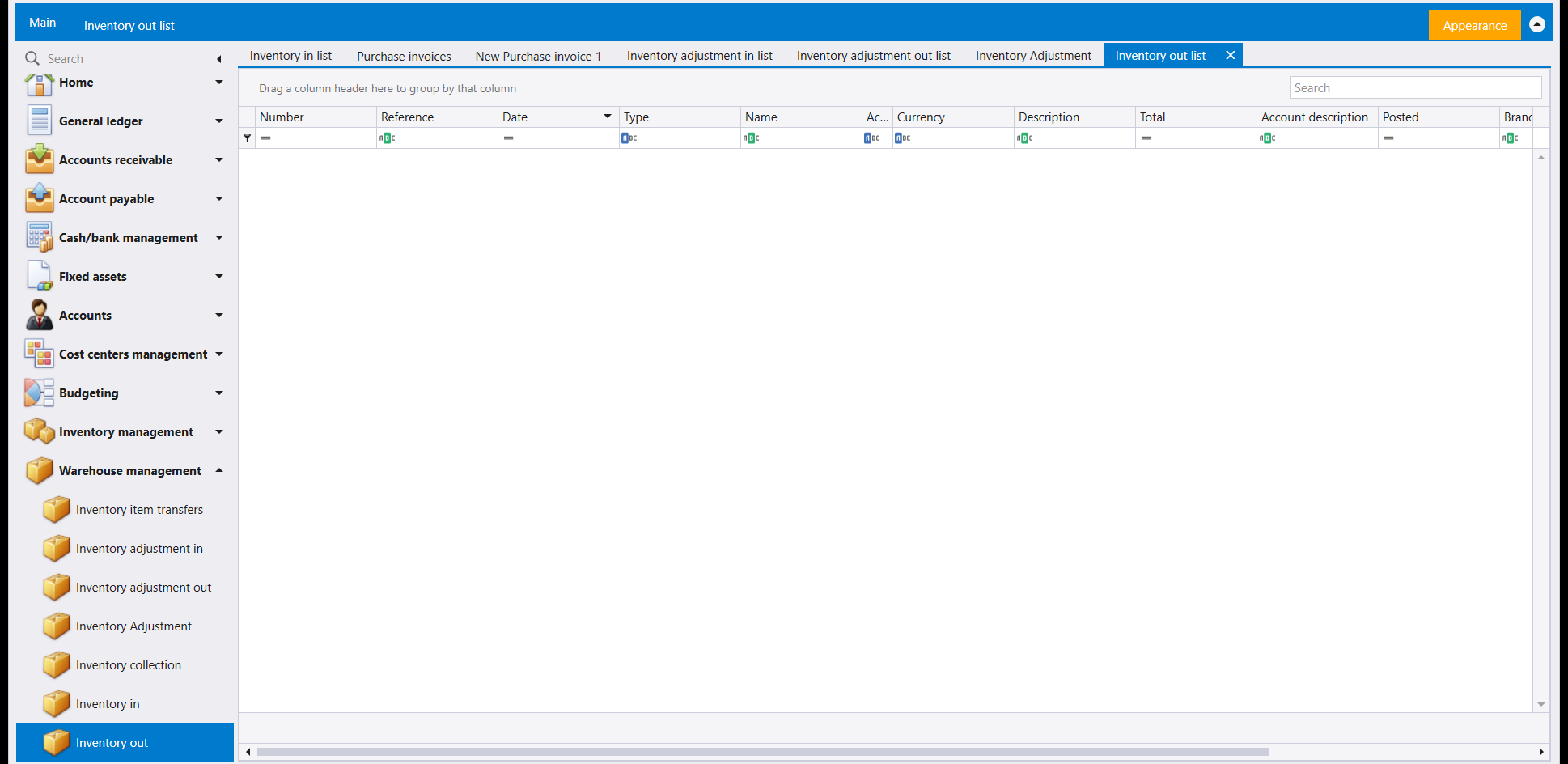
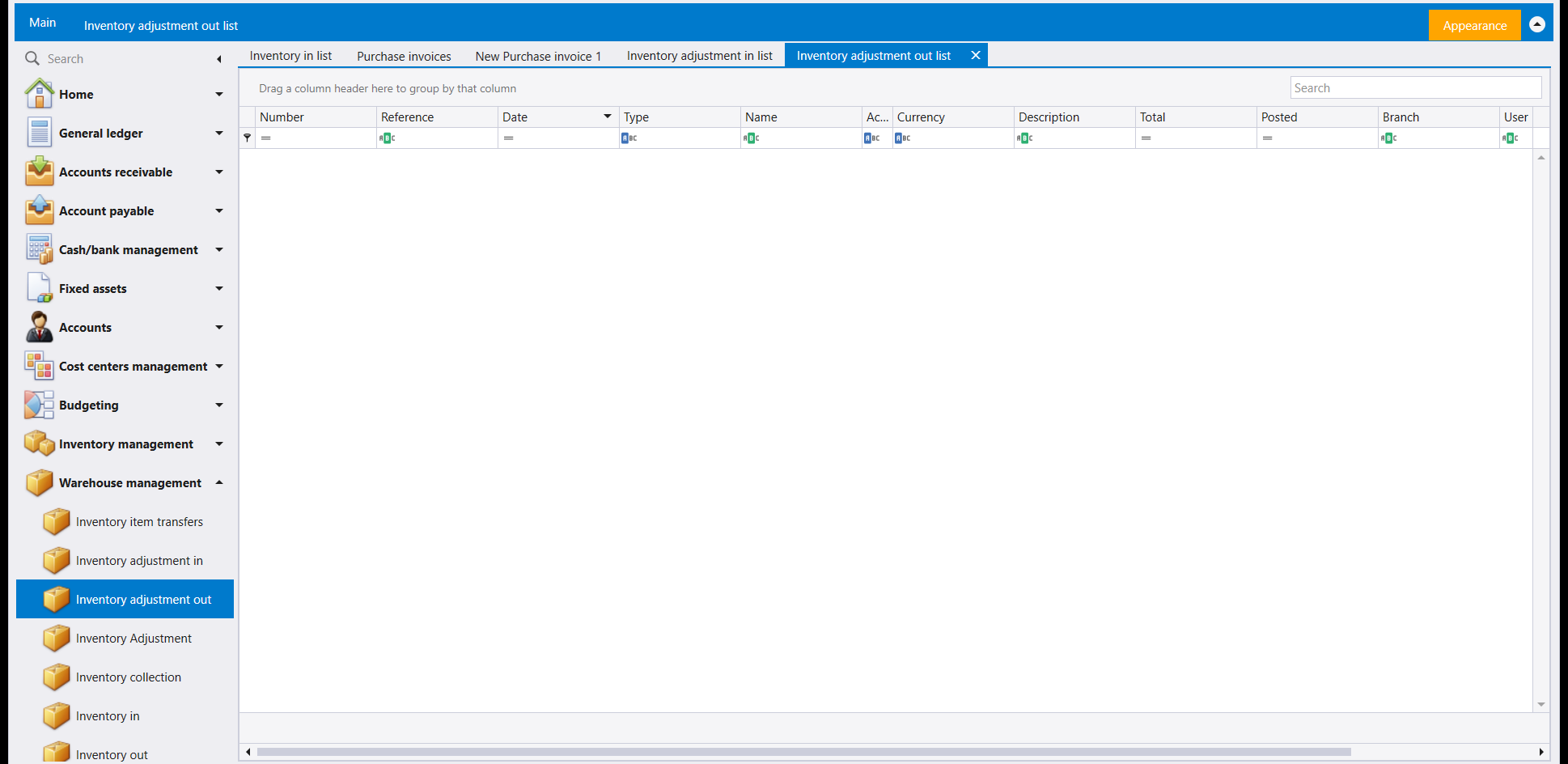
Each entry opens on a list of the documents already recorded. New on the ribbon opens a blank document in a tab of its own, named New Inventory in 1, New Inventory adjustment in 1 and so on, beside the list's tab.
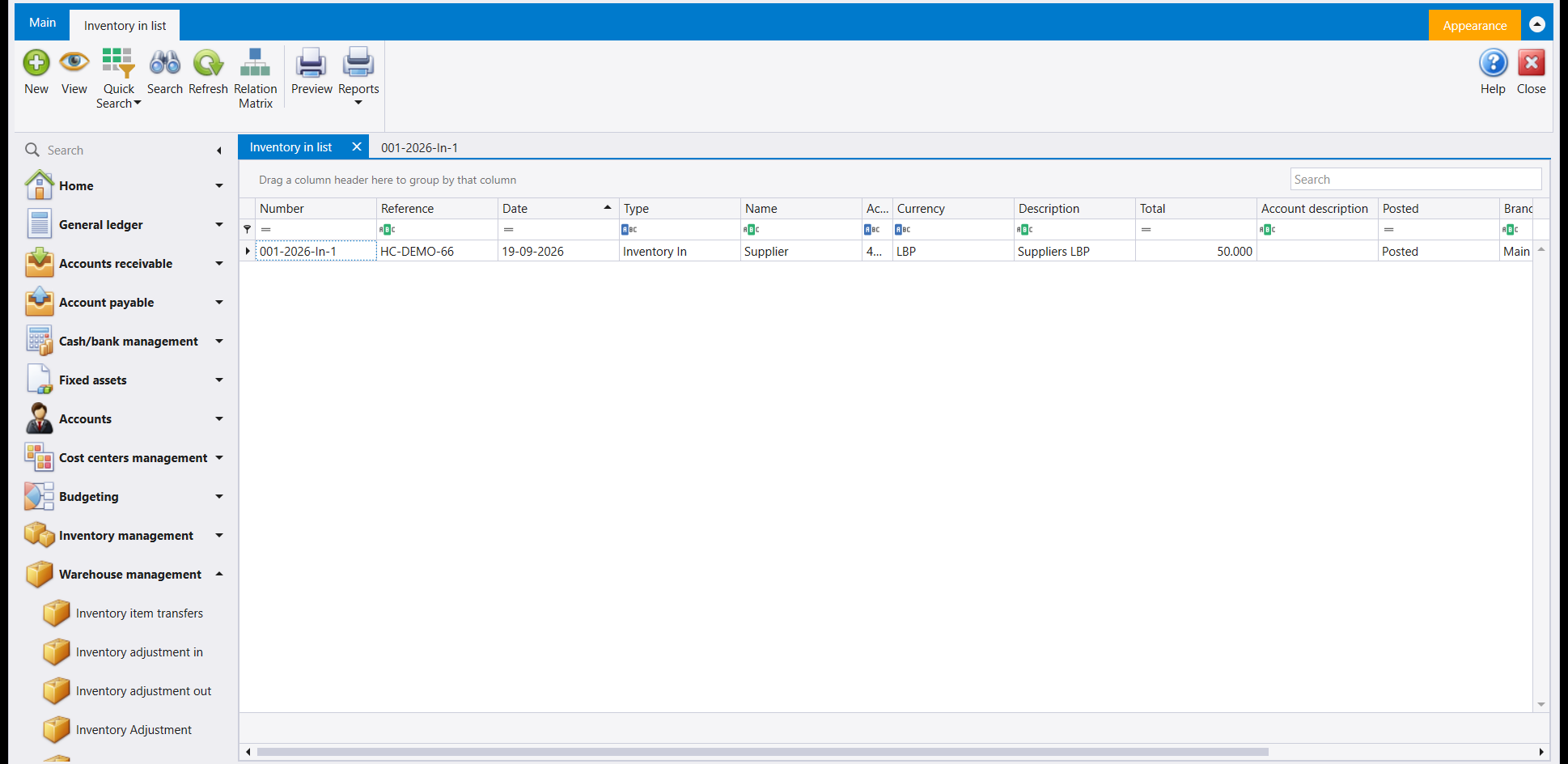
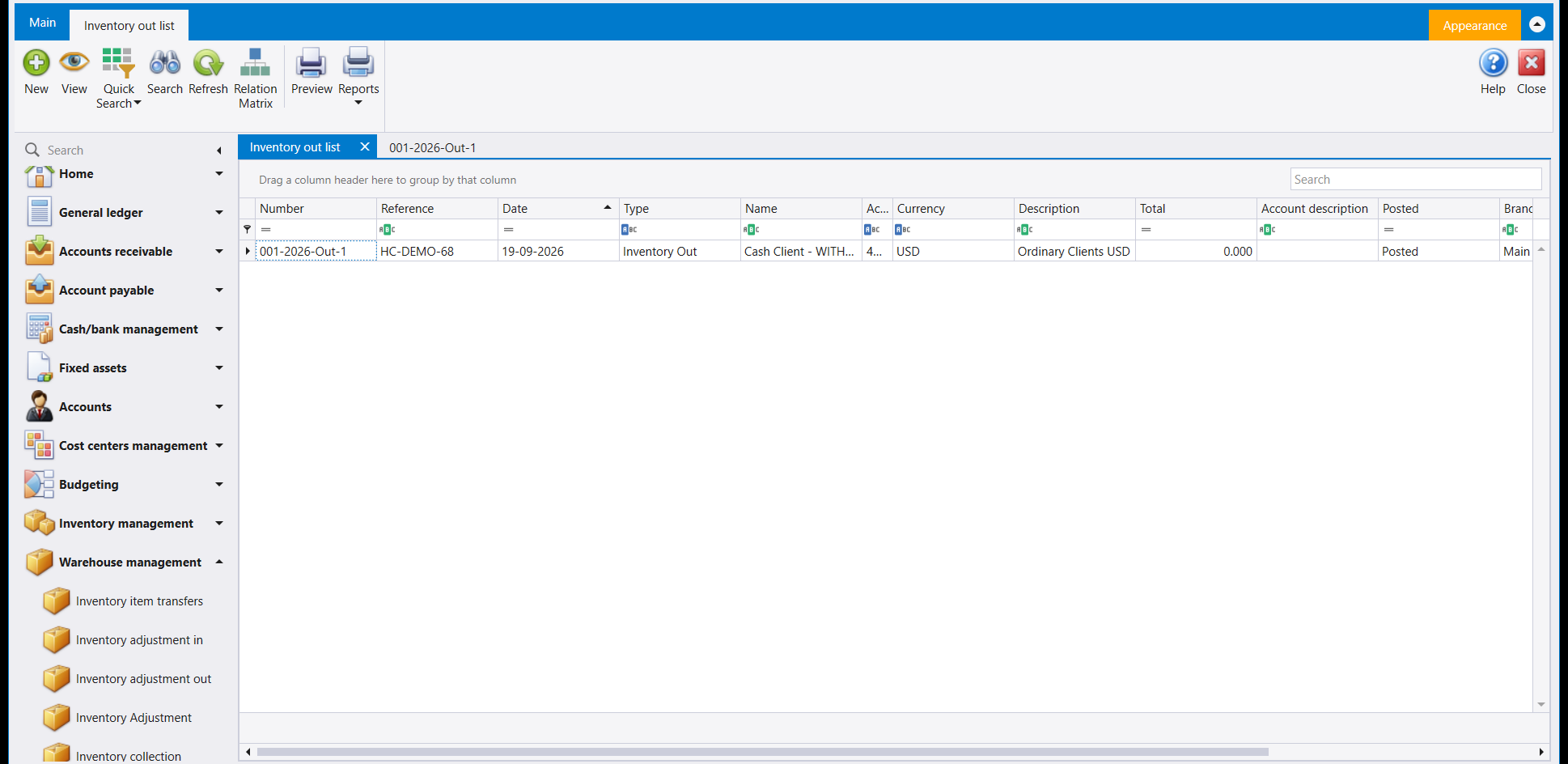
The Inventory in and Inventory out lists show the same columns: Number, Reference, Date, Type, Name, Currency, Description, Total, Account description, Posted and Branch, with more to the right.
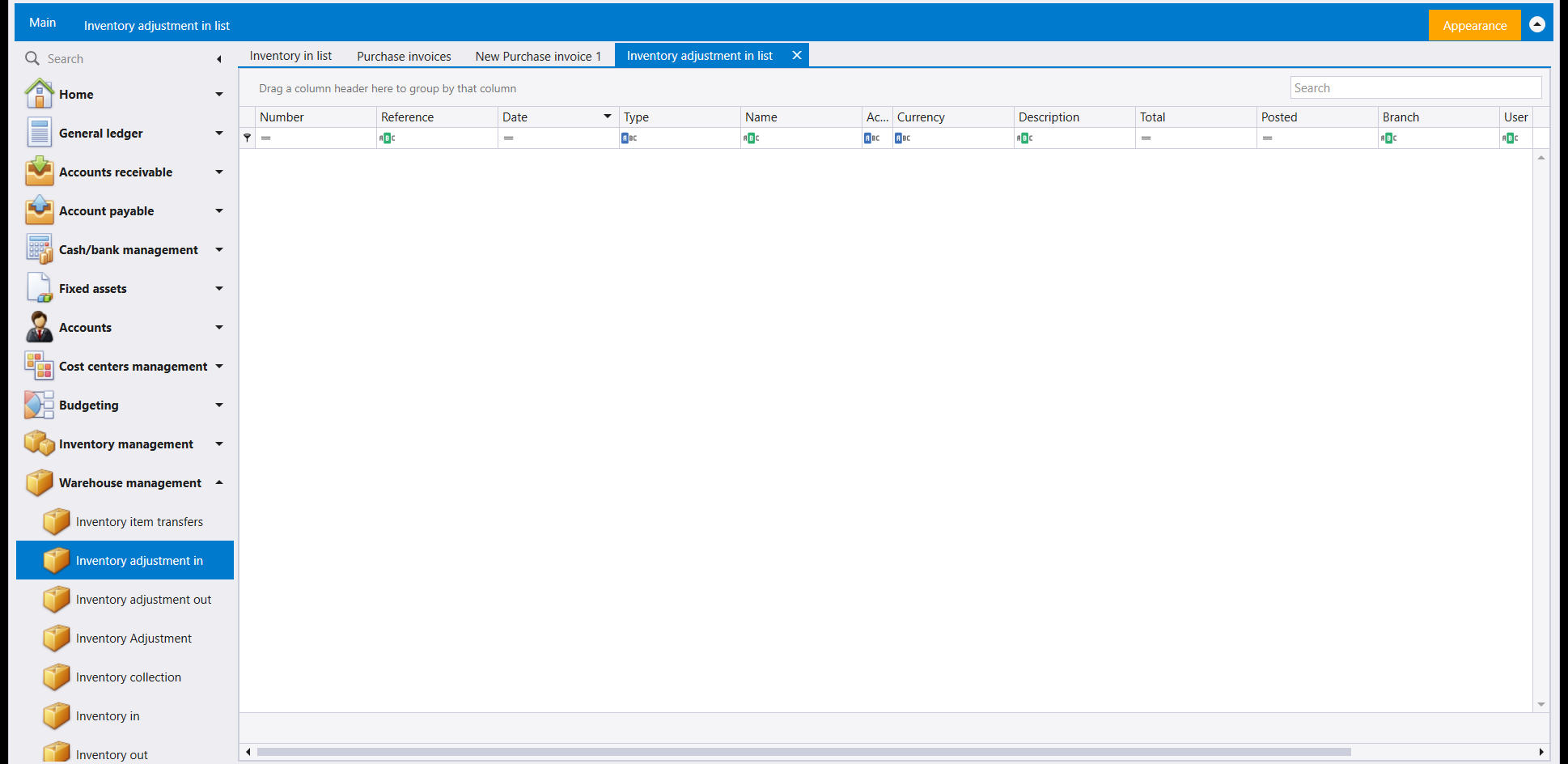
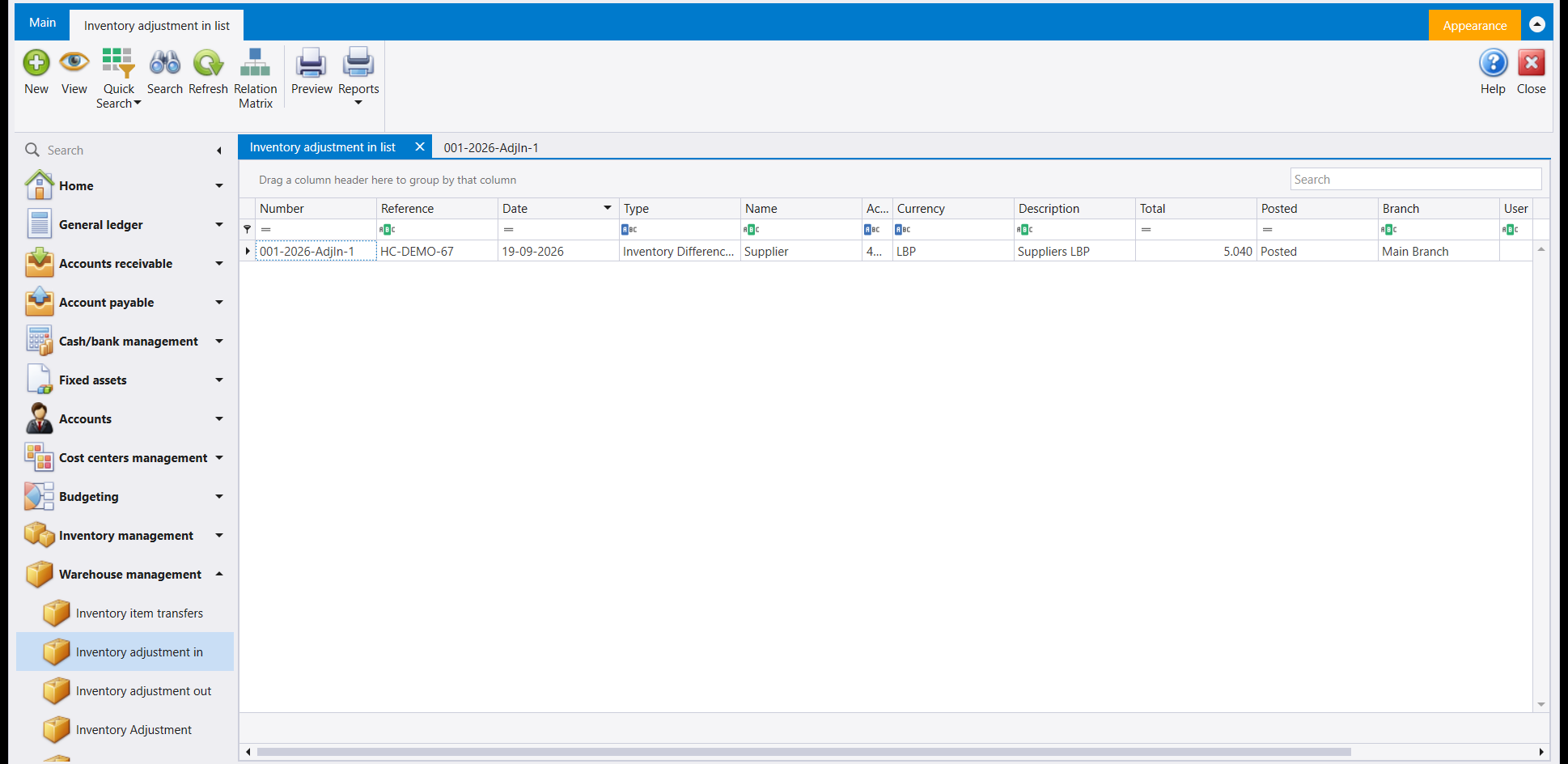
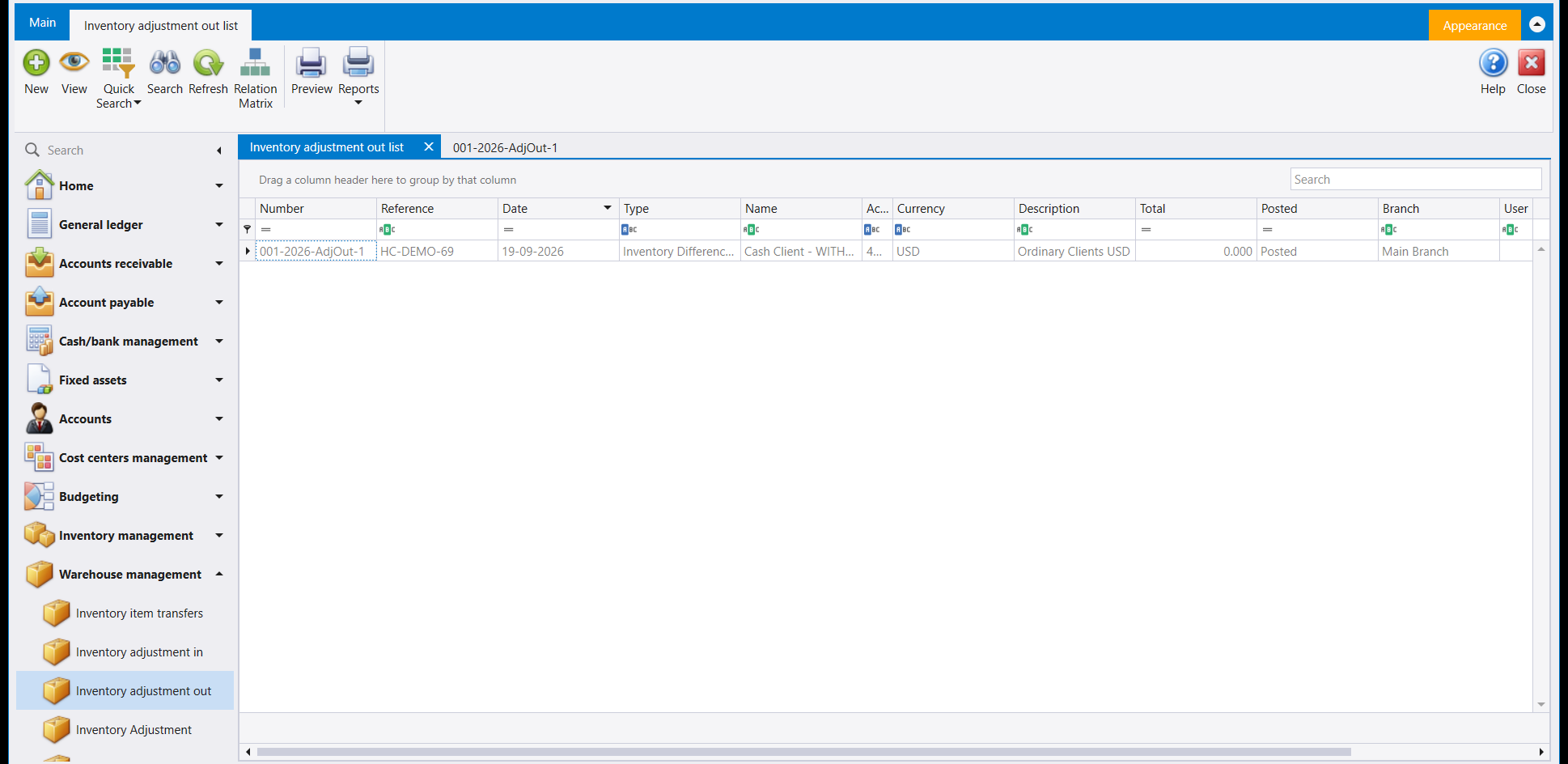
The two adjustment lists show the same columns except Account description, so Posted, Branch and User follow Total.
2. Filling in an Inventory in document
The header holds Id, Branch, Undefined auxiliary, Reference and Date. Id is blank on a new document. Below it, the Account tab holds an Auxiliary lookup, an account box, the currency, and the LBP Rate and USD Rate boxes. Projects, Sections, Operations, Address and Region follow.
The Details grid takes one row per item: Number / Symbol, Name, Unit, Warehouse, Quantity, Price, Total and Notes. Pick the item in Number / Symbol. Its Name and Unit then show beside it. Check the Warehouse and the Price before you type the quantity.
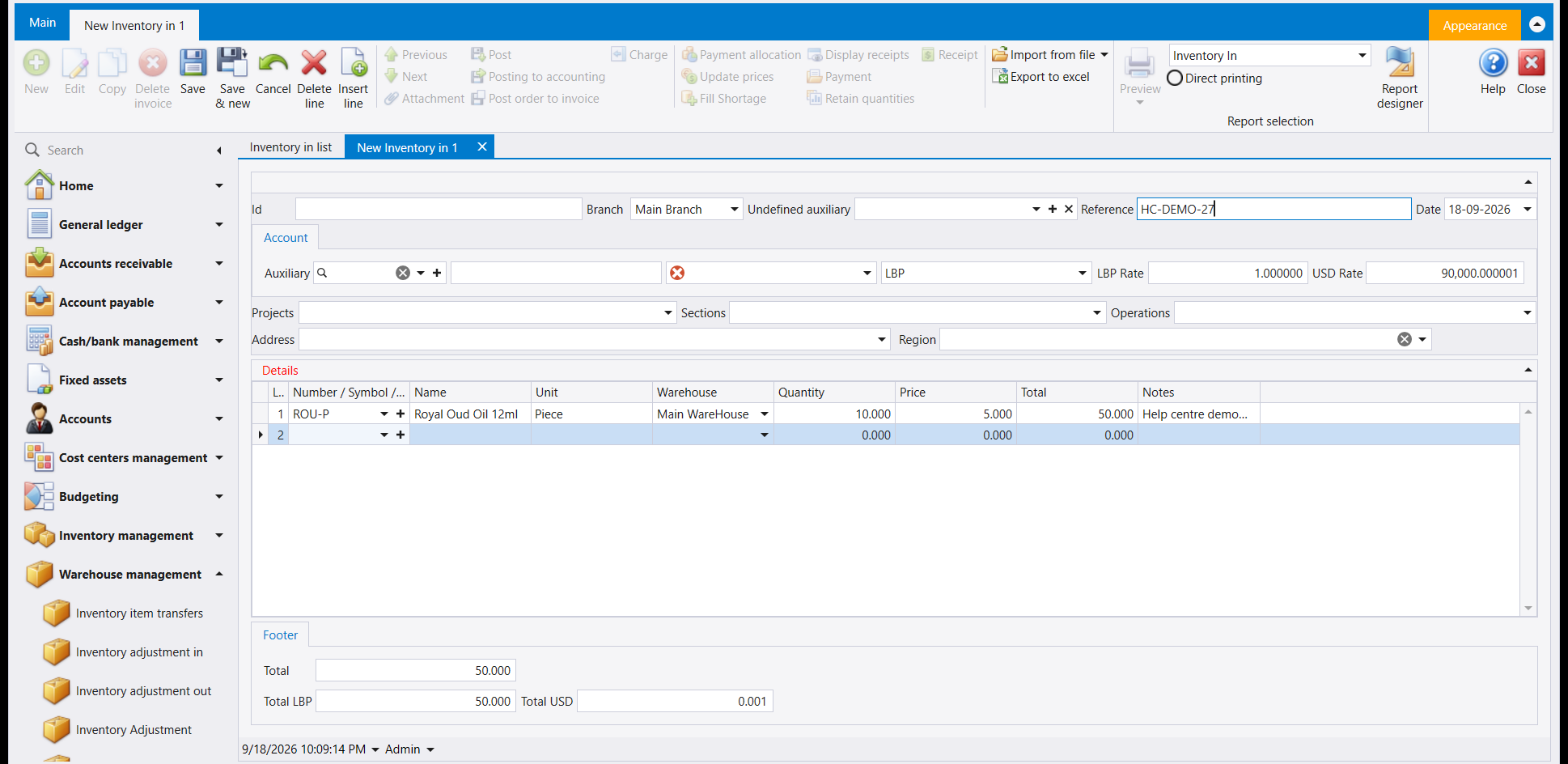
The Footer adds up the lines. With one line of 10 at 5.000, it reads Total 50.000, Total LBP 50.000 and Total USD 0.001.
The account box beside Auxiliary shows a red mark while it is empty.
3. Filling in an Inventory adjustment in document
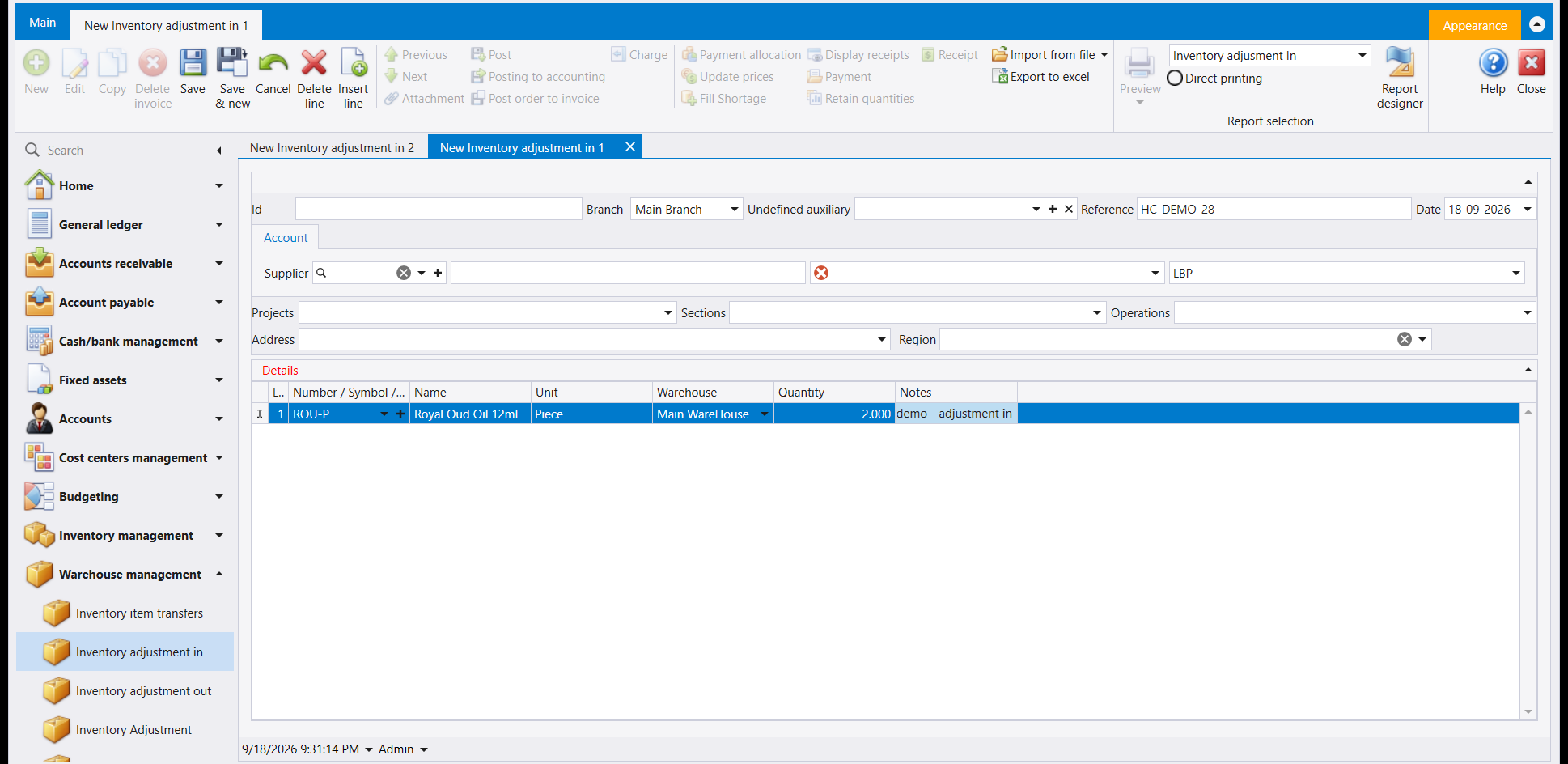
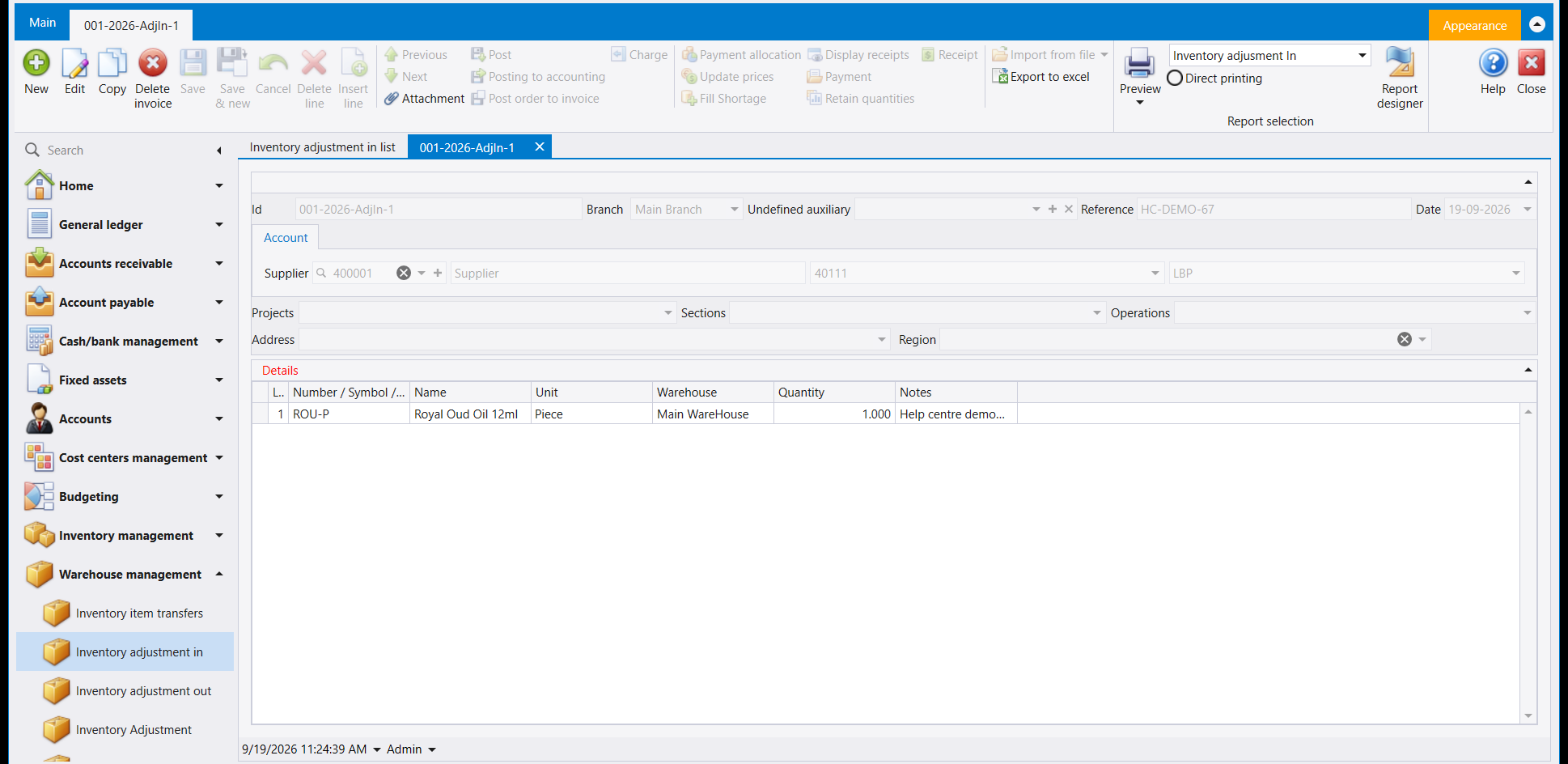
Inventory adjustment in opens with the same header. Its Account tab has a Supplier lookup where Inventory in has Auxiliary, followed by the account box and the currency.
Its Details grid is shorter: Number / Symbol, Name, Unit, Warehouse, Quantity and Notes. The line has no Price or Total, and the document has no Footer.
4. Before you save
- Read the tab caption. It says which of the four documents you are filling in, and the four look alike.
- Check the Warehouse on every line. The goods are counted in and out of the warehouse shown there.
- On Inventory in, check the Price and the Footer's Total.
- Check the account box on the Account tab. A red mark shows while it is empty.
5. Picking the account before you save
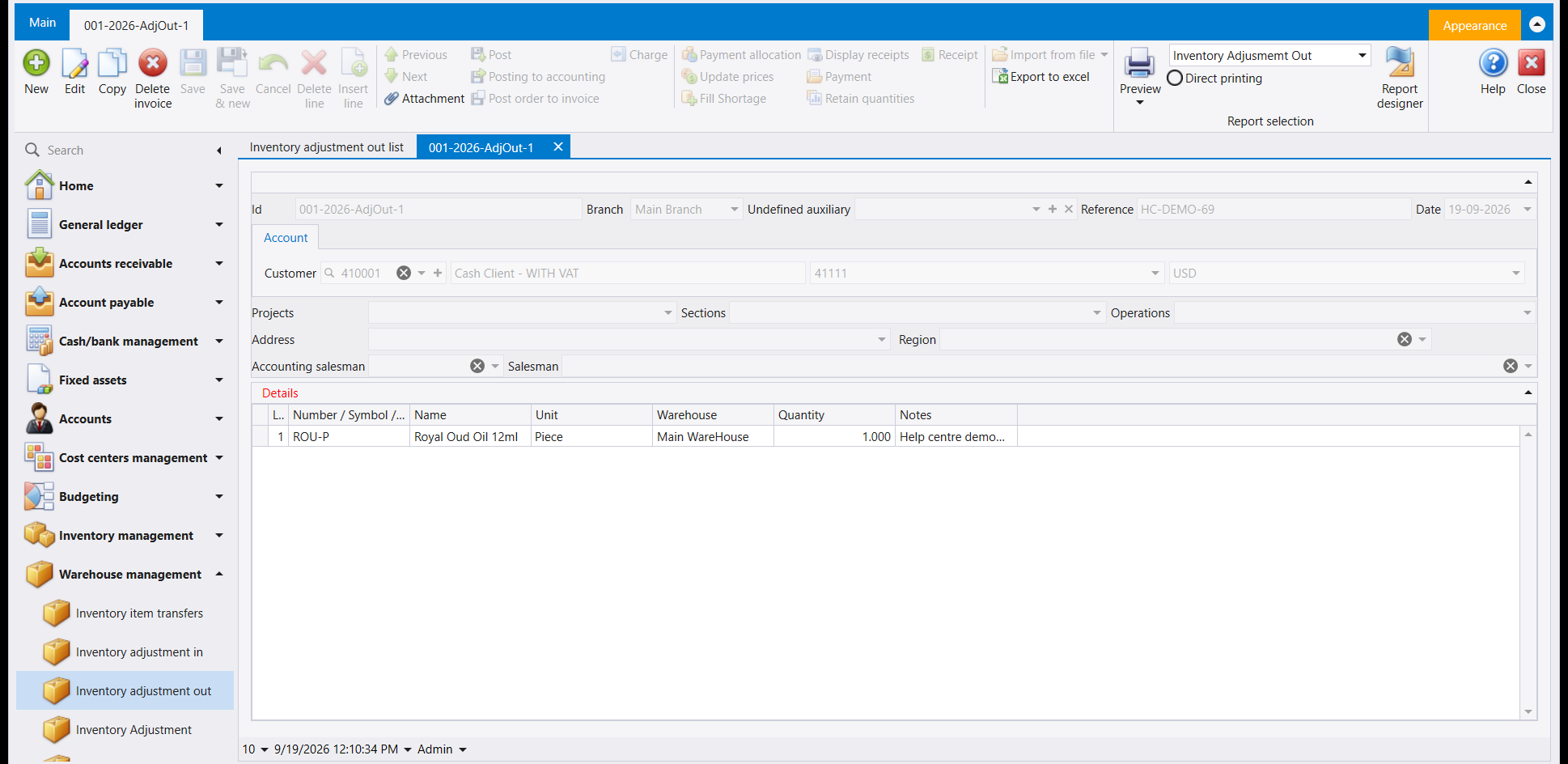
The Account panel at the top of each document holds a lookup: Auxiliary on Inventory in and Inventory out, Supplier on Inventory adjustment in and Customer on Inventory adjustment out. Pick a name there first, and the name, its account and its currency fill in beside it. Do this before the rest of the document: Save makes no visible change at all until the account box holds an account, and shows no message.
6. A saved document
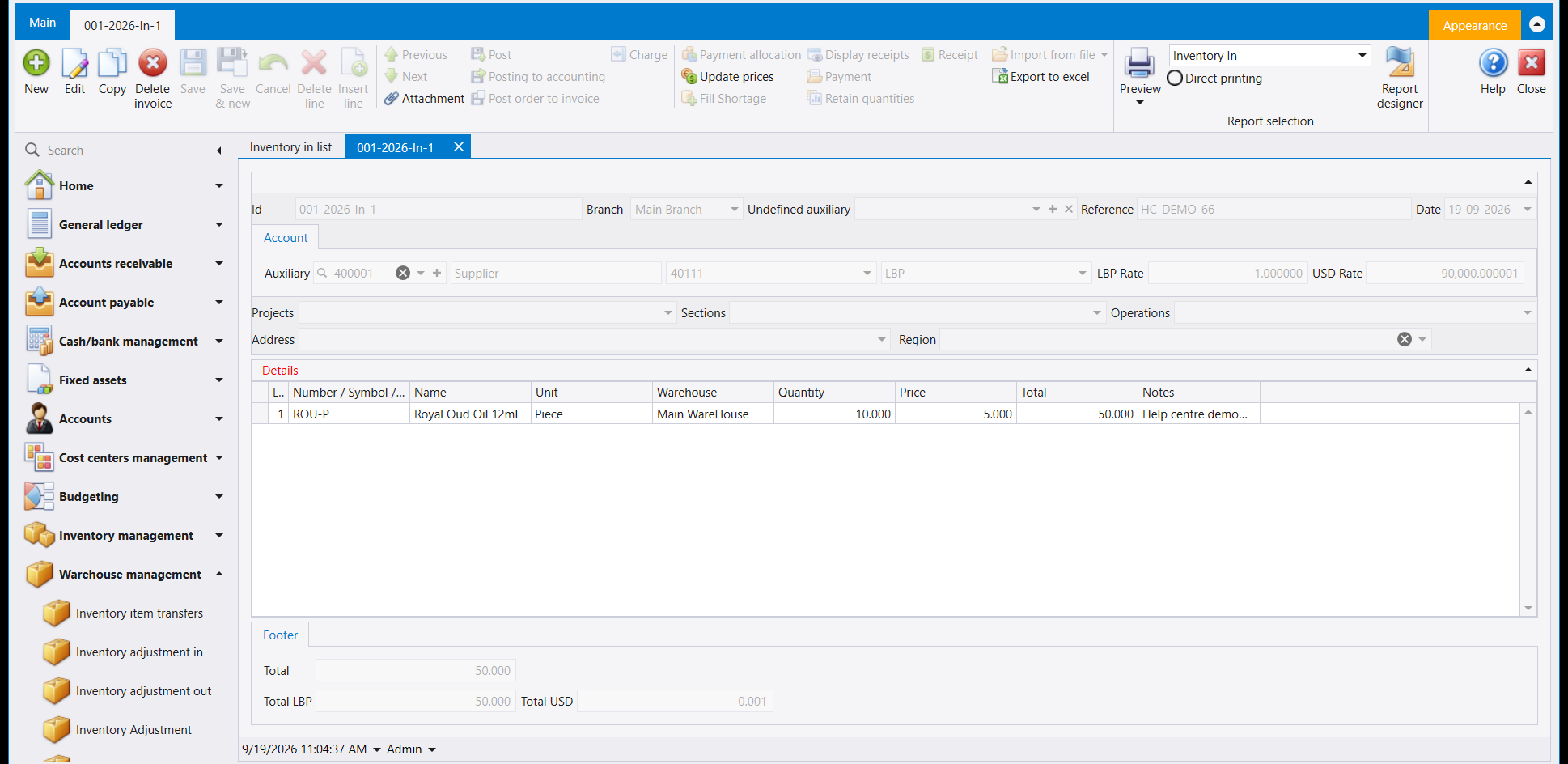
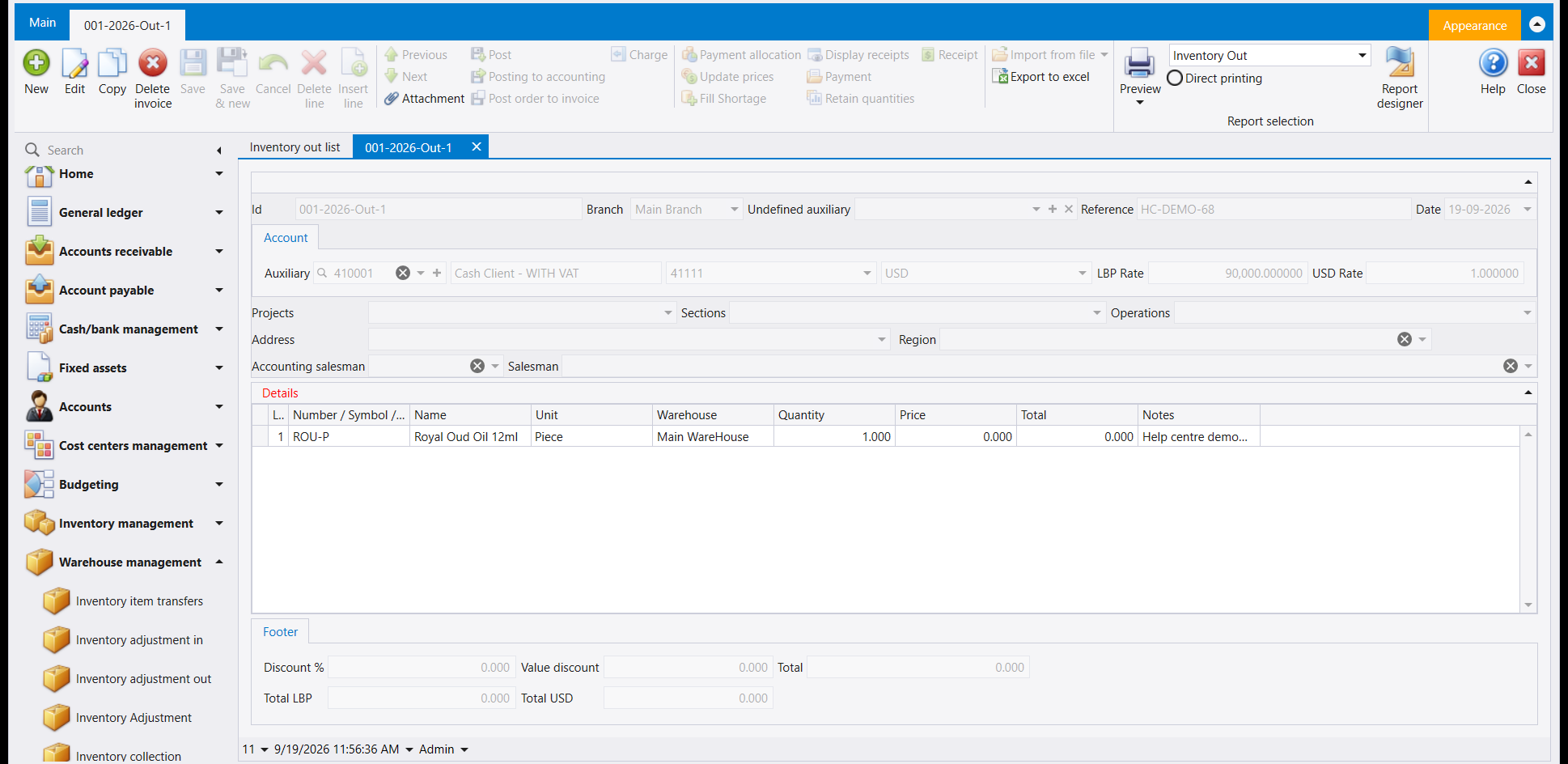
Once it saves, the document's Id fills in with a number and the tab's own caption changes from New ... to that same number - both are your proof the document is saved. The document above is 001-2026-In-1. The other three below were each saved with the same item and warehouse, quantity 1, a Reference and a note starting Help centre demo - in the line's Notes column.
7. Finding it on the list
Go back to the list's own tab and press Refresh - the document now sits in the list with its Number, Reference, Date, Type, the account Name you picked and its Total. The two adjustment lists also show Posted, Branch and User.
ضمن Warehouse management (إدارة المستودعات) أربعة مداخل تسجّل دخول البضاعة إلى المستودع أو خروجها منه من غير أن يكون وراءها شراء أو بيع: Inventory in (إدخال بضاعة) وInventory out (إخراج بضاعة) وInventory adjustment in (تصحيح - إدخال) وInventory adjustment out (تصحيح - إخراج).
١. القوائم الأربع
يفتح كل مدخل على قائمة المستندات المسجّلة. وزر New في الشريط يفتح مستندًا فارغًا في لسان خاص به إلى جانب لسان القائمة، باسم New Inventory in 1 وNew Inventory adjustment in 1 وهكذا.
تُظهر قائمتا Inventory in وInventory out الأعمدة نفسها: Number وReference وDate وType وName وCurrency وDescription وTotal وAccount description وPosted وBranch، وتتبعها أعمدة أخرى إلى اليمين.
وتُظهر قائمتا التصحيح الأعمدة نفسها ما عدا Account description، فتأتي Posted وBranch وUser بعد Total.
٢. تعبئة مستند Inventory in
في الرأس Id وBranch وUndefined auxiliary وReference وDate. ويكون Id فارغًا في المستند الجديد. وتحته لسان Account وفيه لائحة Auxiliary وخانة حساب والعملة وخانتا LBP Rate وUSD Rate. ثم تأتي Projects وSections وOperations وAddress وRegion.
وتأخذ شبكة Details سطرًا لكل صنف: Number / Symbol وName وUnit وWarehouse وQuantity وPrice وTotal وNotes. اختر الصنف في Number / Symbol، فيظهر Name وUnit إلى جانبه. وتحقّق من Warehouse ومن Price قبل أن تكتب الكمية.
ويجمع الذيل Footer السطور. فمع سطر واحد من 10 بسعر 5.000 يقرأ Total 50.000 وTotal LBP 50.000 وTotal USD 0.001.
وتظهر علامة حمراء على خانة الحساب بجانب Auxiliary ما دامت فارغة.
٣. تعبئة مستند Inventory adjustment in
يفتح Inventory adjustment in بالرأس نفسه. وفي لسان Account لائحة Supplier حيث يضع Inventory in لائحة Auxiliary، تليها خانة الحساب والعملة.
وشبكة Details فيه أقصر: Number / Symbol وName وUnit وWarehouse وQuantity وNotes. فلا Price ولا Total على السطر، ولا Footer في المستند.
٤. قبل الحفظ
- اقرأ عنوان اللسان. فهو يقول أي المستندات الأربعة تعبّئ، والأربعة متشابهة.
- تحقّق من Warehouse على كل سطر. فالبضاعة تُحسب داخلة إلى المستودع الظاهر هناك أو خارجة منه.
- في Inventory in، تحقّق من Price ومن Total في الذيل.
- تحقّق من خانة الحساب في لسان Account. فعليها علامة حمراء ما دامت فارغة.
٥. اختيار الحساب قبل الحفظ
تحمل لوحة Account أعلى كل مستند لائحة اختيار: Auxiliary في Inventory in وInventory out، وSupplier في Inventory adjustment in، وCustomer في Inventory adjustment out. اختر اسمًا منها أولًا، فيُملأ بجانبه الاسم وحسابه وعملته. افعل ذلك قبل بقية المستند: فالحفظ لا يُحدث أي تغيير ظاهر إطلاقًا ما دامت خانة الحساب فارغة، ولا يعرض أي رسالة.
٦. المستند بعد حفظه
بعد الحفظ، تُملأ خانة Id برقم، ويتغيّر عنوان اللسان من New ... إلى الرقم نفسه - وكلاهما دليلك على أن المستند محفوظ. المستند أعلاه هو 001-2026-In-1. وحُفظت المستندات الثلاثة الأخرى أدناه بالصنف والمستودع نفسيهما، وبكمية 1، مع Reference وملاحظة تبدأ بـ Help centre demo - في عمود Notes بالسطر.
٧. العثور عليه في القائمة
عُد إلى لسان القائمة واضغط Refresh - فيظهر المستند في القائمة بـNumber وReference وDate وType واسم الحساب الذي اخترته (Name) ومجموعه (Total). وتُظهر قائمتا التصحيح أيضًا Posted وBranch وUser.