
Recurring vouchers managementإدارة السندات المتكررة
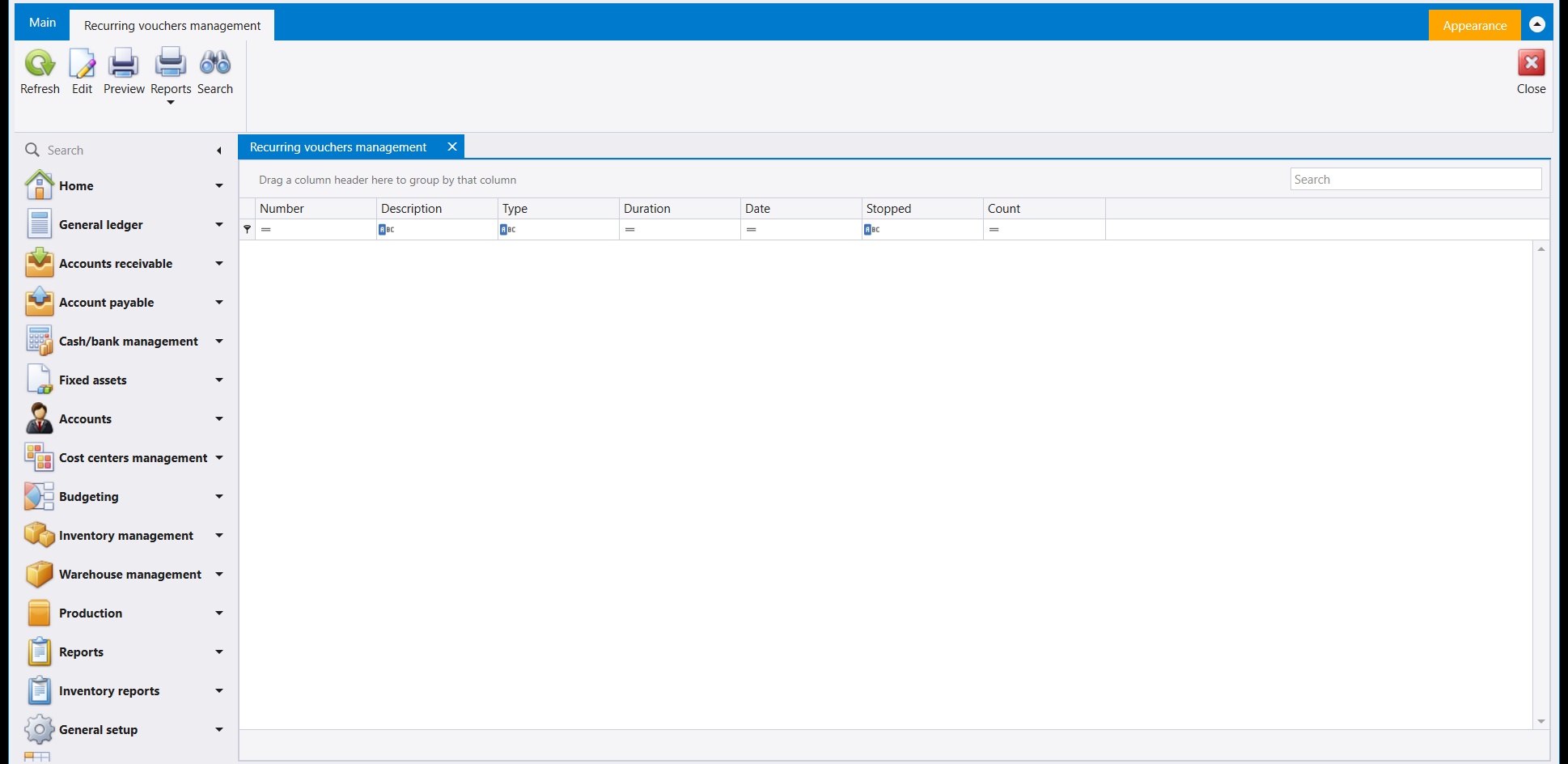
Recurring vouchers management, under General ledger, lists the company's repeating voucher schedules, one row per schedule. It appears under General ledger only in a company that has recurring vouchers switched on. If you do not see it there, ask whoever administers your company's settings.
1. The list
The columns are Number, Description, Type, Duration, Date, Stopped and Count.
2. The ribbon
The ribbon carries Refresh, Edit, Preview, Reports and Search, with Close on the far side. Reports has an arrow under it.
3. Setting one up from a voucher
A schedule is not built on this screen. It is built on the voucher it repeats. Take a contract you bill once but earn month by month: book one journal voucher for a single month's share, save it, then open that saved voucher again and press Recurring transactions on its ribbon. Libra asks how to repeat it.
The dialog carries Number, Next date, Description and Count, then a choice of how the vouchers are generated - Fixed date or Fixed period - and under it an On box for the day, read as On (day) Of every month.
Set Count to the repeats still to come, not to the length of the contract. A twelve-month contract whose first month you have just booked by hand needs 11.
For Fixed date, prefer a day from 1 to 28. Months are not the same length, so a 29th, a 30th or a 31st does not fall in every one of them, and a day inside the first 28 always does. Fixed period works differently: it counts a fixed number of days from one voucher to the next, which drifts across the calendar as the months pass.
Save, and the schedule appears as a row on the list above, with its own Type, Duration, Date and Count.
تعرض Recurring vouchers management (إدارة السندات المتكررة)، تحت General ledger (دفتر الأستاذ العام)، جداول السندات المتكررة في الشركة، سطرًا لكل جدول. وتظهر تحت General ledger فقط في شركة فُعّلت فيها السندات المتكررة. فإن لم تجدها هناك، فاسأل من يدير إعدادات شركتك.
١. القائمة
أعمدتها Number وDescription وType وDuration وDate وStopped وCount.
٢. الشريط
يحمل الشريط Refresh وEdit وPreview وReports وSearch، وClose في الجهة الأخرى. وتحت Reports سهم.
٣. إنشاء جدول من سند
لا يُبنى الجدول في هذه الشاشة، بل في السند الذي يتكرّر. خذ عقدًا تُفوتره مرة واحدة وتكسبه شهرًا بعد شهر: قيّد سند قيد واحدًا بحصة شهر واحد واحفظه، ثم افتح السند المحفوظ مرة أخرى واضغط Recurring transactions في شريطه، فيسألك ليبرا كيف يكرّره.
يحمل الصندوق Number وNext date وDescription وCount، ثم اختيارًا لطريقة توليد السندات - Fixed date أو Fixed period - وتحته خانة On لليوم، تُقرأ On (اليوم) Of every month.
اضبط Count على عدد التكرارات الباقية لا على طول العقد. فعقدٌ من اثني عشر شهرًا قيّدت شهره الأول بيدك يحتاج 11.
ومع Fixed date يُفضَّل يوم بين 1 و28. فالشهور ليست بالطول نفسه، ولا يقع التاسع والعشرون ولا الثلاثون ولا الحادي والثلاثون في كل شهر منها، بينما يقع أي يوم ضمن الثمانية والعشرين الأولى دائمًا. أما Fixed period فيعمل بطريقة أخرى: يعدّ عددًا ثابتًا من الأيام من سند إلى الذي يليه، وهو ما يزحف على الرزنامة مع مرور الشهور.
احفظ، فيظهر الجدول سطرًا في القائمة أعلاه بـType وDuration وDate وCount الخاصة به.