
System parameters: the two company-wide settings formsمعايير النظام: نموذجا الإعدادات العامة للشركة
Under General setup, Setup system parameters opens a page of two tiles: Accounting parameters and Inventory parameters. Each tile opens a form of tabs. Every field is read-only until you press Edit; Save keeps a change and Cancel drops it.
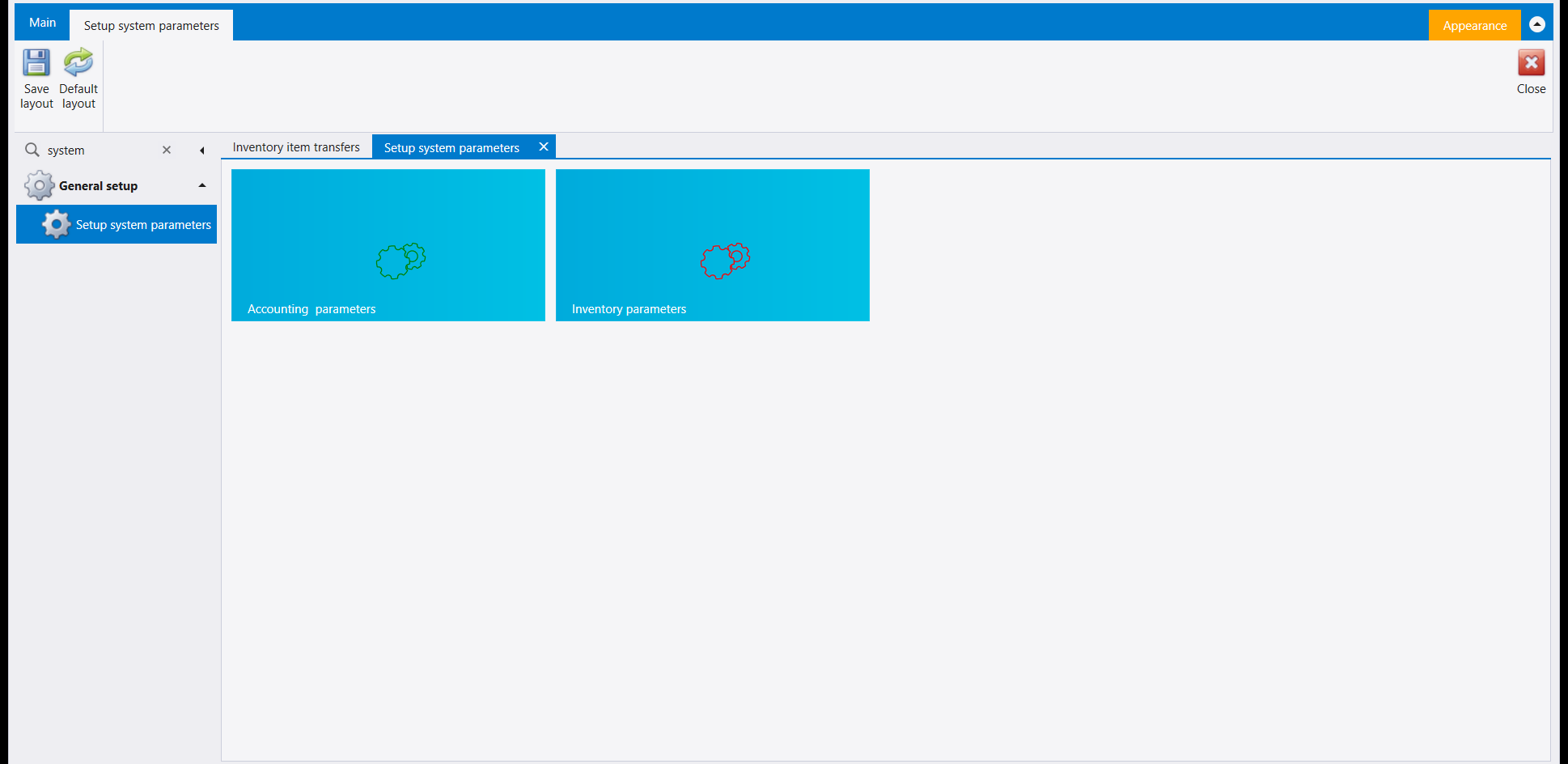
1. Accounting parameters
The tabs are Voucher, Serials, Accounts, Cost Centers, Audit, Miscellenous, VAT, End of year closing and Server settings.
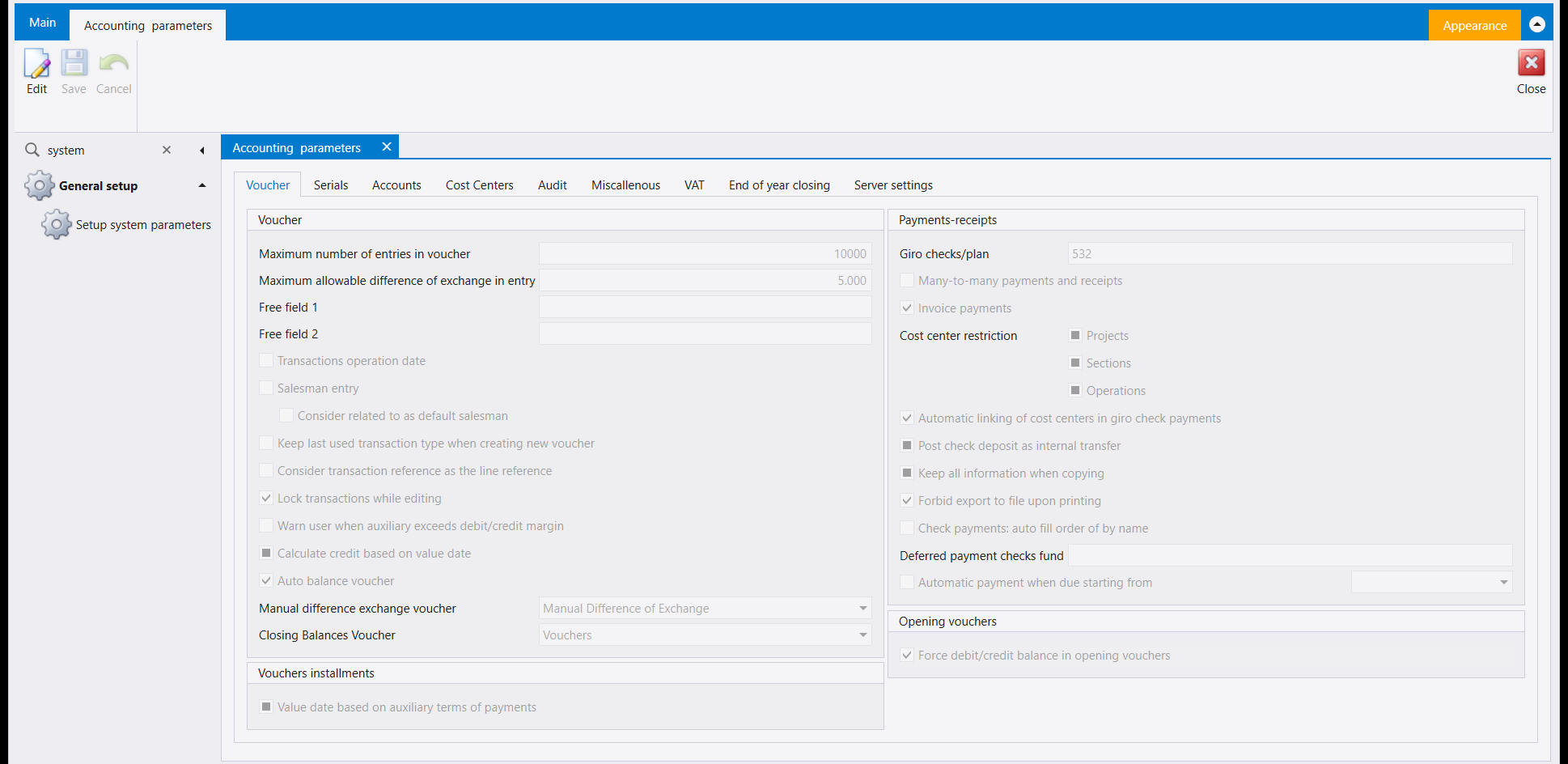
The Voucher tab has two panels:
- Voucher: Maximum number of entries in voucher, Maximum allowable difference of exchange in entry, a set of tick boxes such as Lock transactions while editing and Auto balance voucher, and two voucher types, Manual difference exchange voucher and Closing Balances Voucher;
- Payments-receipts: Giro checks/plan, Cost center restriction and the check options.
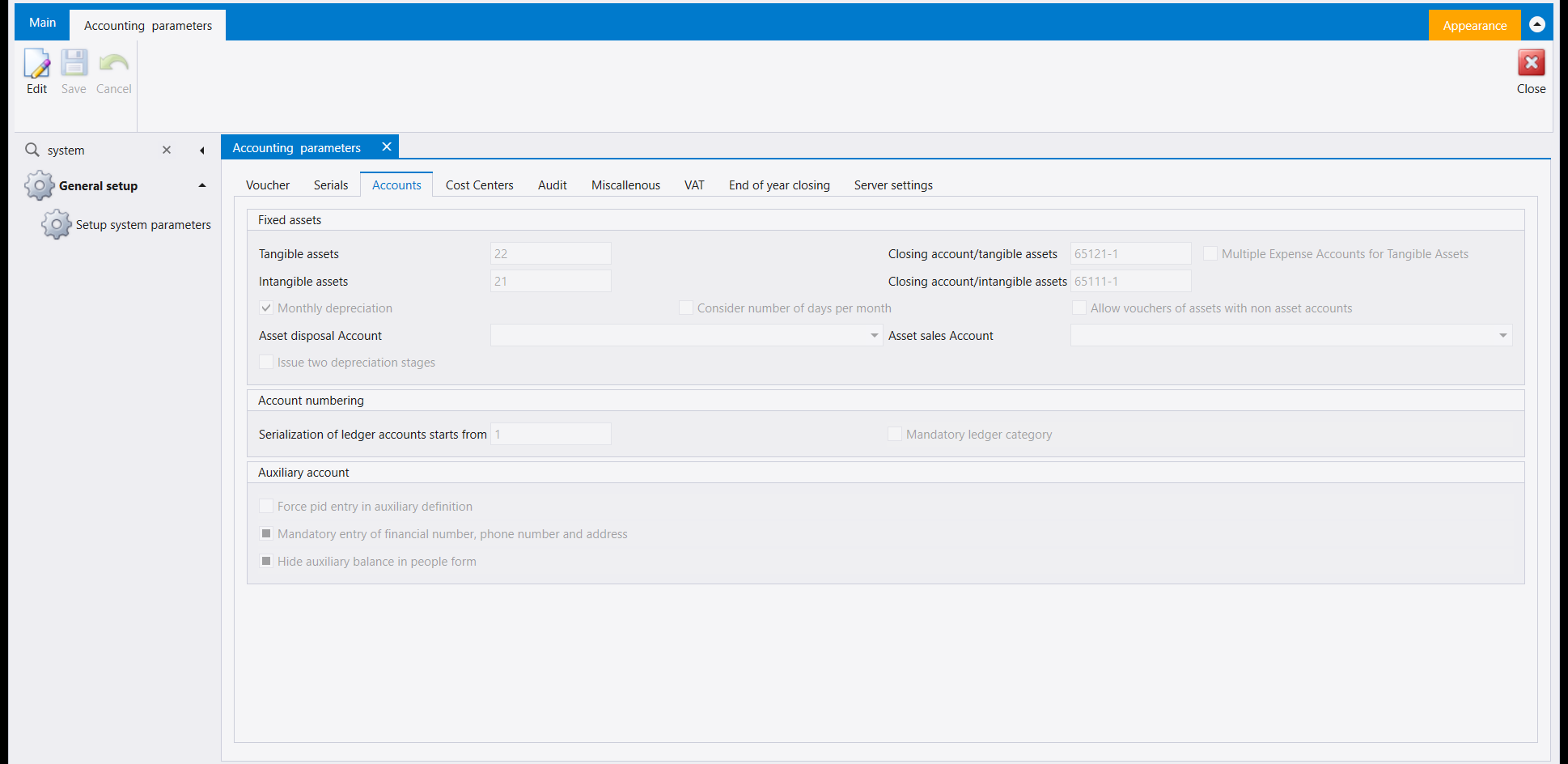
The Accounts tab holds the Fixed assets accounts (Tangible assets, Intangible assets and their closing accounts), Account numbering and the Auxiliary account options.
2. Inventory parameters
The tabs are General, Invoice details, Purchases, Sales, Items, Accounts, Inventory closing, Posting to accounting, Serial numbers and Station specific.
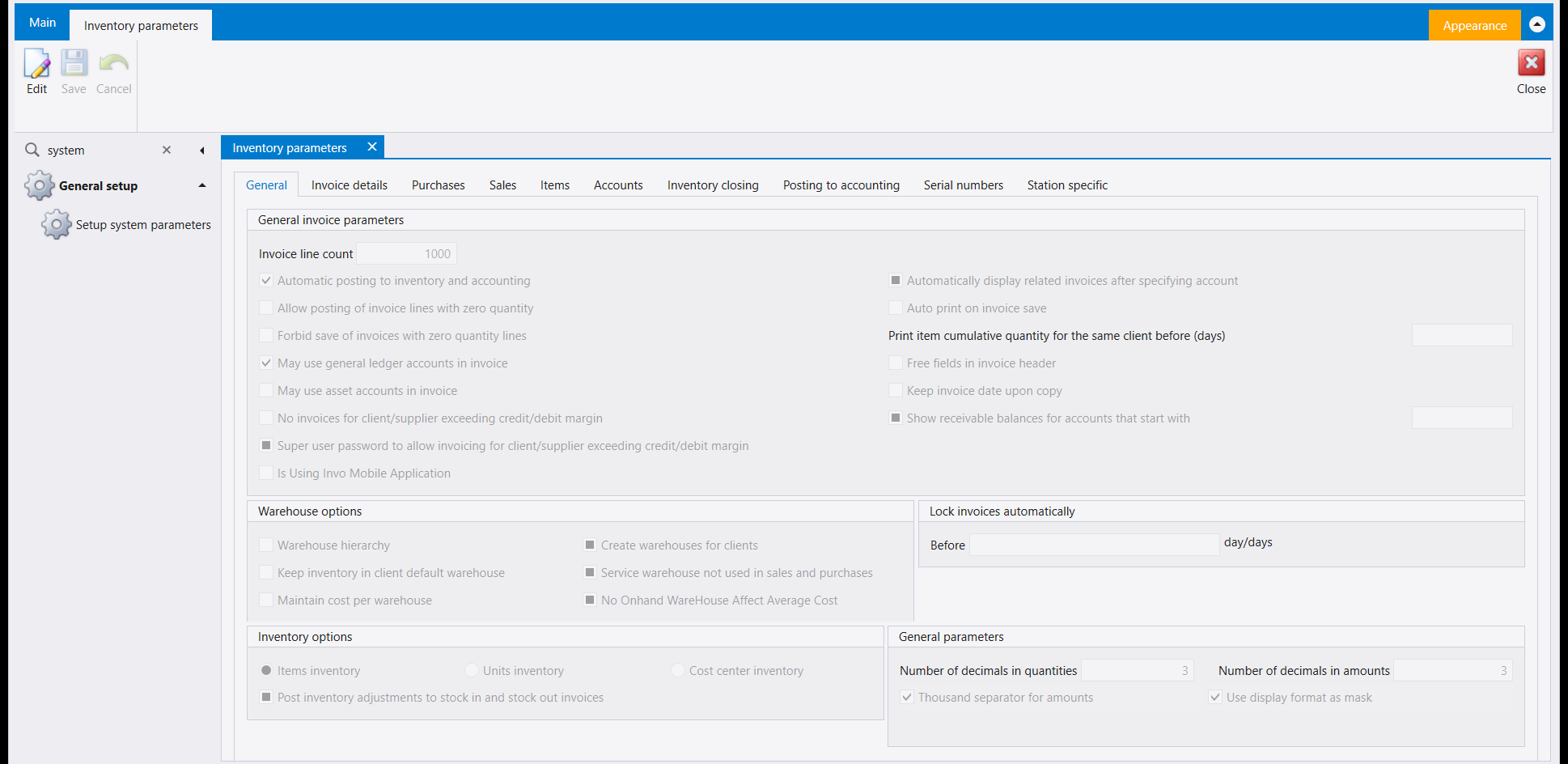
The General tab opens with General invoice parameters (for example Invoice line count and Automatic posting to inventory and accounting), then Warehouse options, Inventory options, Lock invoices automatically and General parameters (the number of decimals in quantities and in amounts).
The Invoice details tab is about the line grid of an invoice rather than the invoice as a whole: it is where the per-line discount column is switched on, where the value discount is allowed, and where cost centres are asked for on each line instead of only on the header. A box ticked here changes what the grid offers the next time an invoice is opened, so it is the place to look when a column someone describes is not the one in front of you.
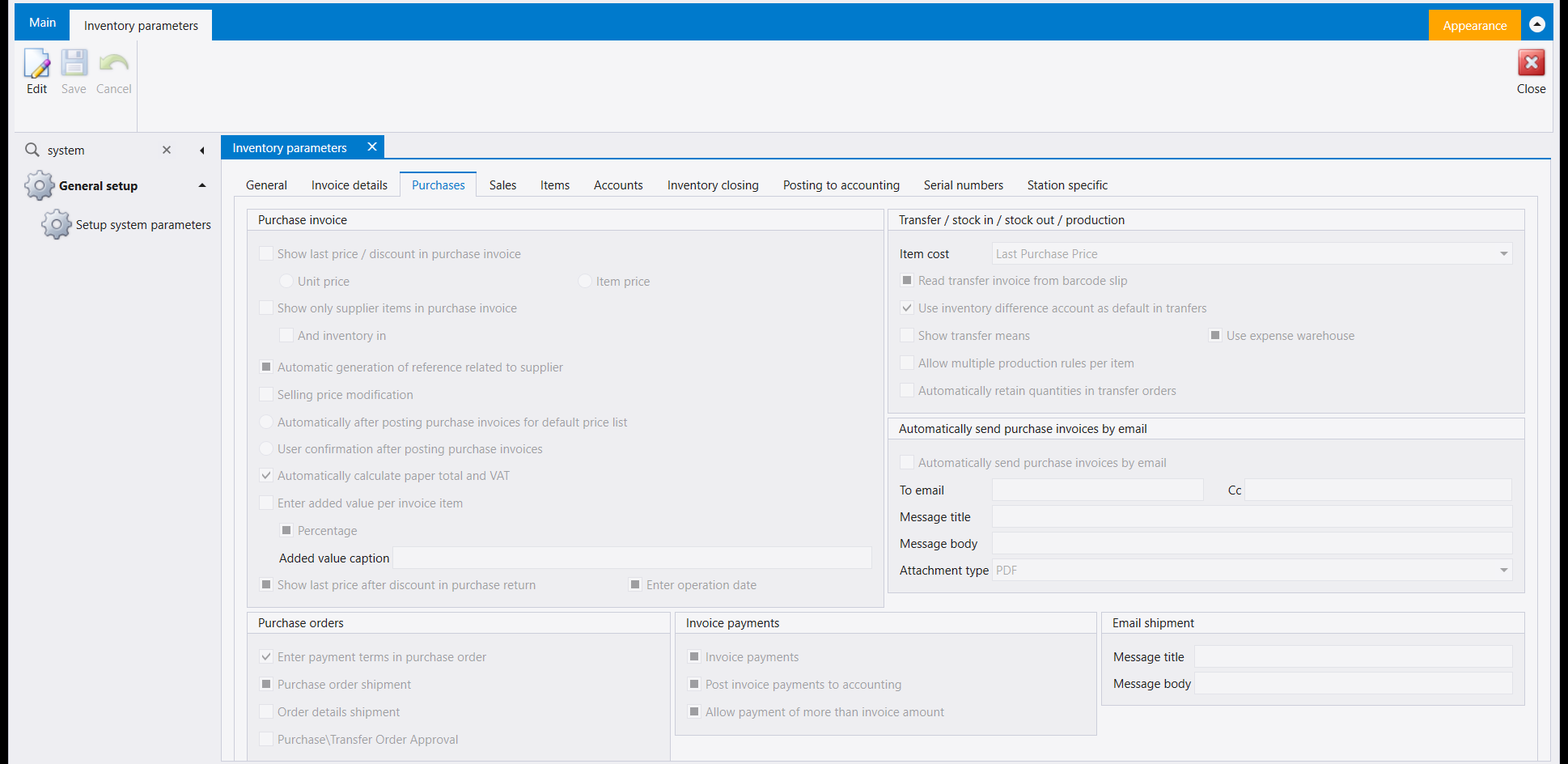
On the Purchases tab, the Transfer / stock in / stock out / production panel holds Item cost (here Last Purchase Price) and a box labelled Use inventory difference account as default in tranfers (spelled that way on screen).
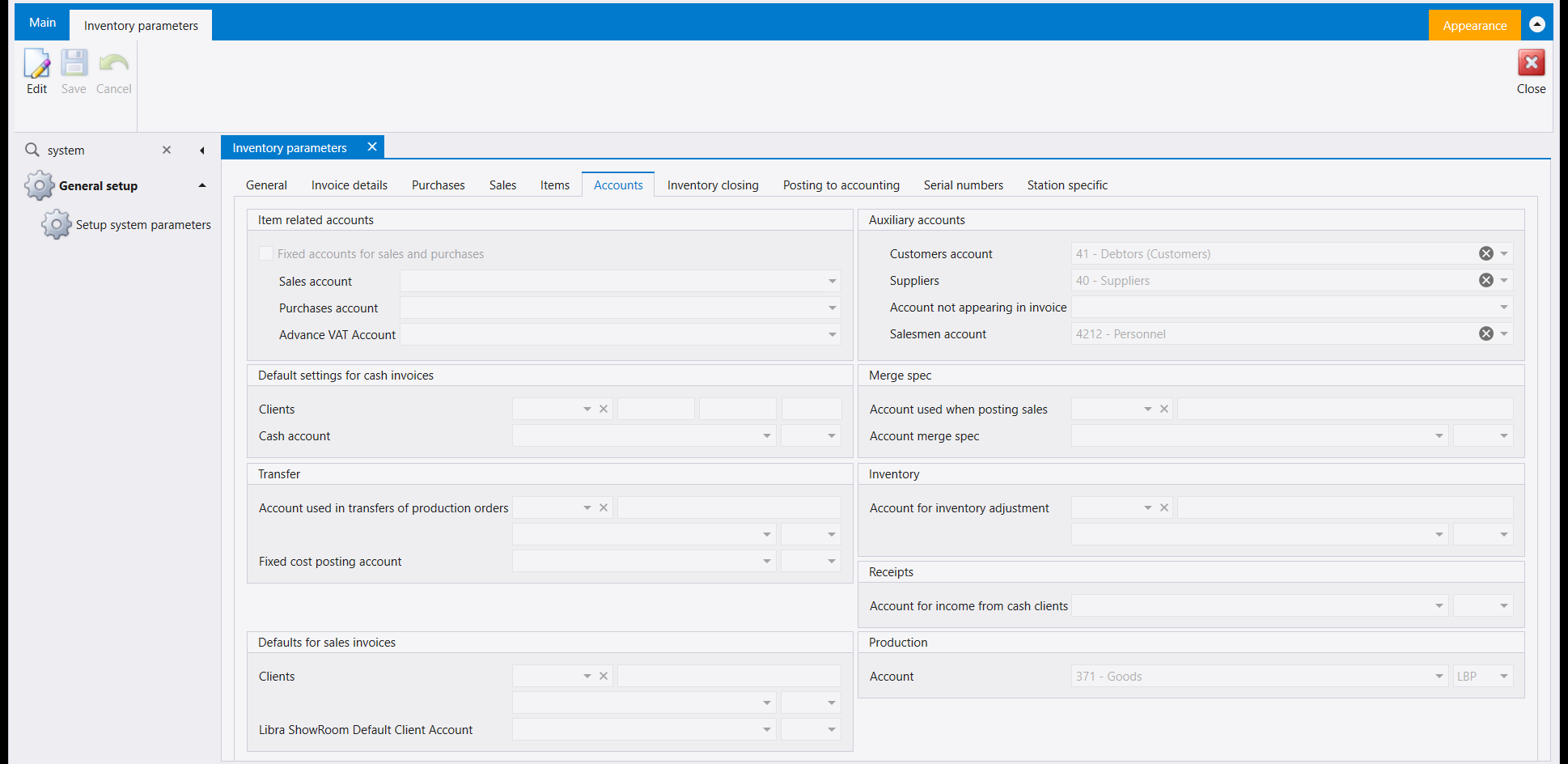
The Accounts tab groups its fields into panels: Item related accounts, Auxiliary accounts (Customers account, Suppliers, Salesmen account), Default settings for cash invoices, Transfer, Merge spec, Inventory (Account for inventory adjustment), Receipts, Defaults for sales invoices and Production.
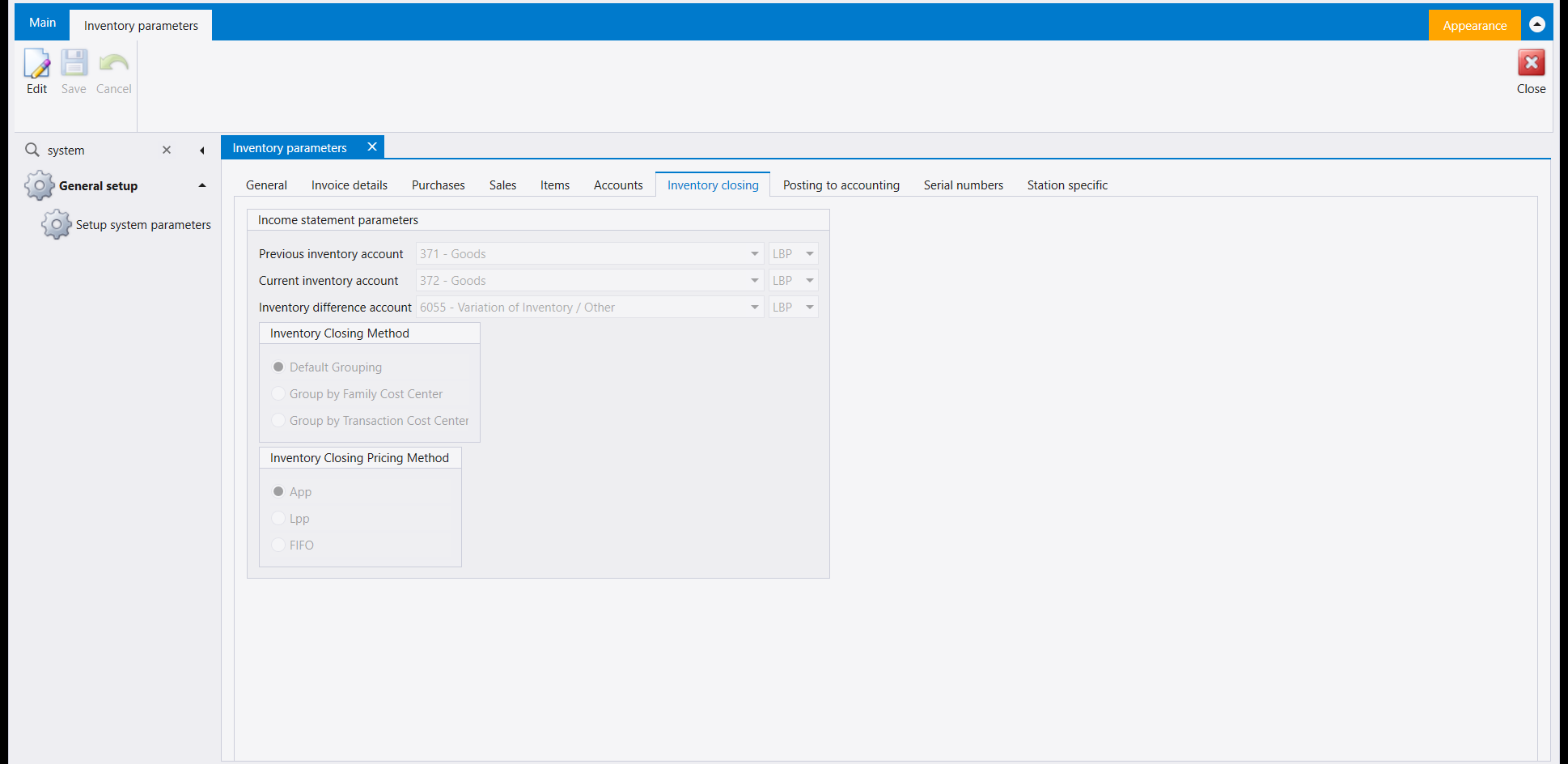
The Inventory closing tab is where a company says how its stock is valued and closed at the end of a period, and it is also where the account a stock count needs is kept. It holds the Income statement parameters: Previous inventory account, Current inventory account and Inventory difference account, then the Inventory Closing Method and the Inventory Closing Pricing Method (App, Lpp or FIFO).
ضمن General setup يفتح Setup system parameters صفحة من مربّعين: Accounting parameters وInventory parameters. ويفتح كل مربّع نموذجًا من ألسنة. كل الحقول للقراءة فقط إلى أن تضغط Edit؛ يحفظ Save التغيير ويتخلّى عنه Cancel.
١. Accounting parameters
الألسنة هي Voucher وSerials وAccounts وCost Centers وAudit وMiscellenous وVAT وEnd of year closing وServer settings.
في لسان Voucher لوحتان:
- Voucher: Maximum number of entries in voucher وMaximum allowable difference of exchange in entry، ومجموعة خانات تأشير مثل Lock transactions while editing وAuto balance voucher، ونوعا قيد هما Manual difference exchange voucher وClosing Balances Voucher؛
- Payments-receipts: Giro checks/plan وCost center restriction وخيارات الشيكات.
ويحمل لسان Accounts حسابات Fixed assets (Tangible assets وIntangible assets وحسابي إقفالهما)، وAccount numbering، وخيارات Auxiliary account.
٢. Inventory parameters
الألسنة هي General وInvoice details وPurchases وSales وItems وAccounts وInventory closing وPosting to accounting وSerial numbers وStation specific.
يبدأ لسان General بـGeneral invoice parameters (مثل Invoice line count وAutomatic posting to inventory and accounting)، ثم Warehouse options وInventory options وLock invoices automatically وGeneral parameters (عدد الخانات العشرية في الكميات وفي المبالغ).
أما لسان Invoice details فيخصّ شبكة سطور الفاتورة لا الفاتورة كلّها: فمنه يُفعَّل عمود الحسم (discount) على كل سطر، ويُسمح بالحسم بالقيمة (value discount)، وتُطلب مراكز الكلفة على كل سطر بدل الرأس وحده. والخانة المؤشَّرة هنا تغيّر ما تعرضه الشبكة في المرة التالية التي تُفتح فيها فاتورة، فهو الموضع الذي تنظر فيه حين لا يكون العمود الذي يصفه أحدهم هو العمود الذي أمامك.
وفي لسان Purchases تحمل لوحة Transfer / stock in / stock out / production الحقل Item cost (هنا Last Purchase Price) وخانة بعنوان Use inventory difference account as default in tranfers (هكذا تُكتب على الشاشة).
ويجمع لسان Accounts حقوله في لوحات: Item related accounts، وAuxiliary accounts (Customers account وSuppliers وSalesmen account)، وDefault settings for cash invoices، وTransfer، وMerge spec، وInventory (Account for inventory adjustment)، وReceipts، وDefaults for sales invoices، وProduction.
ولسان Inventory closing هو موضع قول الشركة كيف يُقوَّم مخزونها ويُقفَل في نهاية المدة، وفيه أيضًا الحساب الذي يحتاجه عدّ المخزون. يحمل الـIncome statement parameters: Previous inventory account وCurrent inventory account وInventory difference account، ثم Inventory Closing Method وInventory Closing Pricing Method (App أو Lpp أو FIFO).