
How to set up the Quick List (home)كيفية إعداد القائمة السريعة (الشاشة الرئيسية)
The Quick List builds the Home group at the top of the left menu - the screens you use every day, in your own order, so you do not hunt through the menus each time. It is set from the Main ribbon tab with your company open, and you can reopen it at any time to change it.
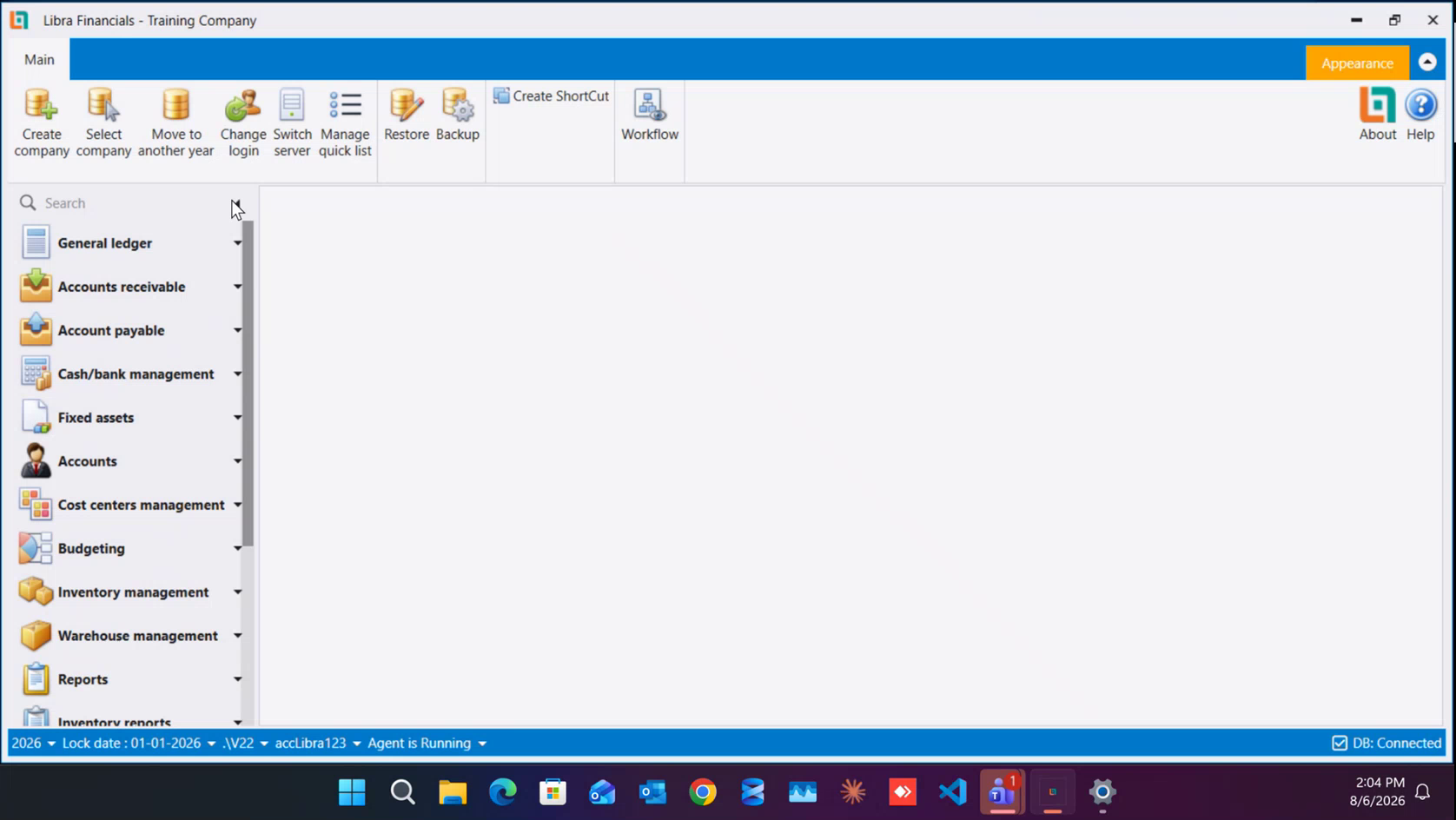
- On the Main ribbon tab, click Manage quick list. Before you build it, the left menu has no Home group at all - it starts straight at General ledger.
- The window has two panes: Available items on the left (every screen in Libra) and Current items on the right (what Home will show). Each pane has a blank filter row above the list - type part of a screen name there to narrow it down.
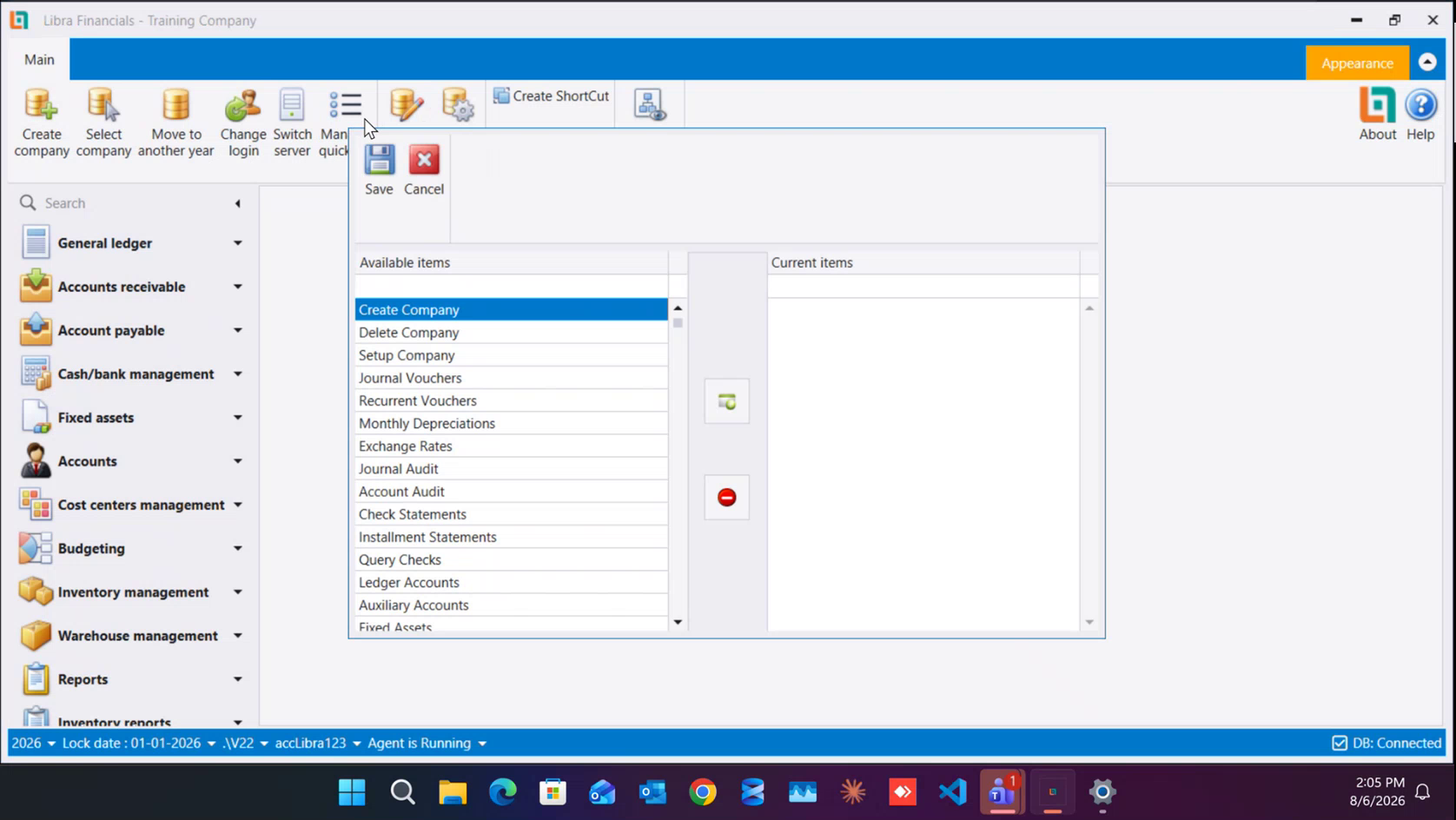
- To add a screen, double-click it in Available items, or select it and click the green add button in the middle column. To take one back out, select it in Current items and click the red remove button below it.
- Add the screens you use daily. A good starting set, in this order:
- Chart of Accounts
- Auxiliary Accounts
- Journal Vouchers
- Item Definition
- Purchase Invoice
- Purchase Returns
- Payments
- Sales Invoice
- Sales Returns
- Receipts
- Statement Of Accounts
- General Ledger Statement
- Trial Balance
- Journal Audit
- Account Audit
- Audit Trail
- Cost Center Home follows the order of Current items, so add them in the order you want to work in.
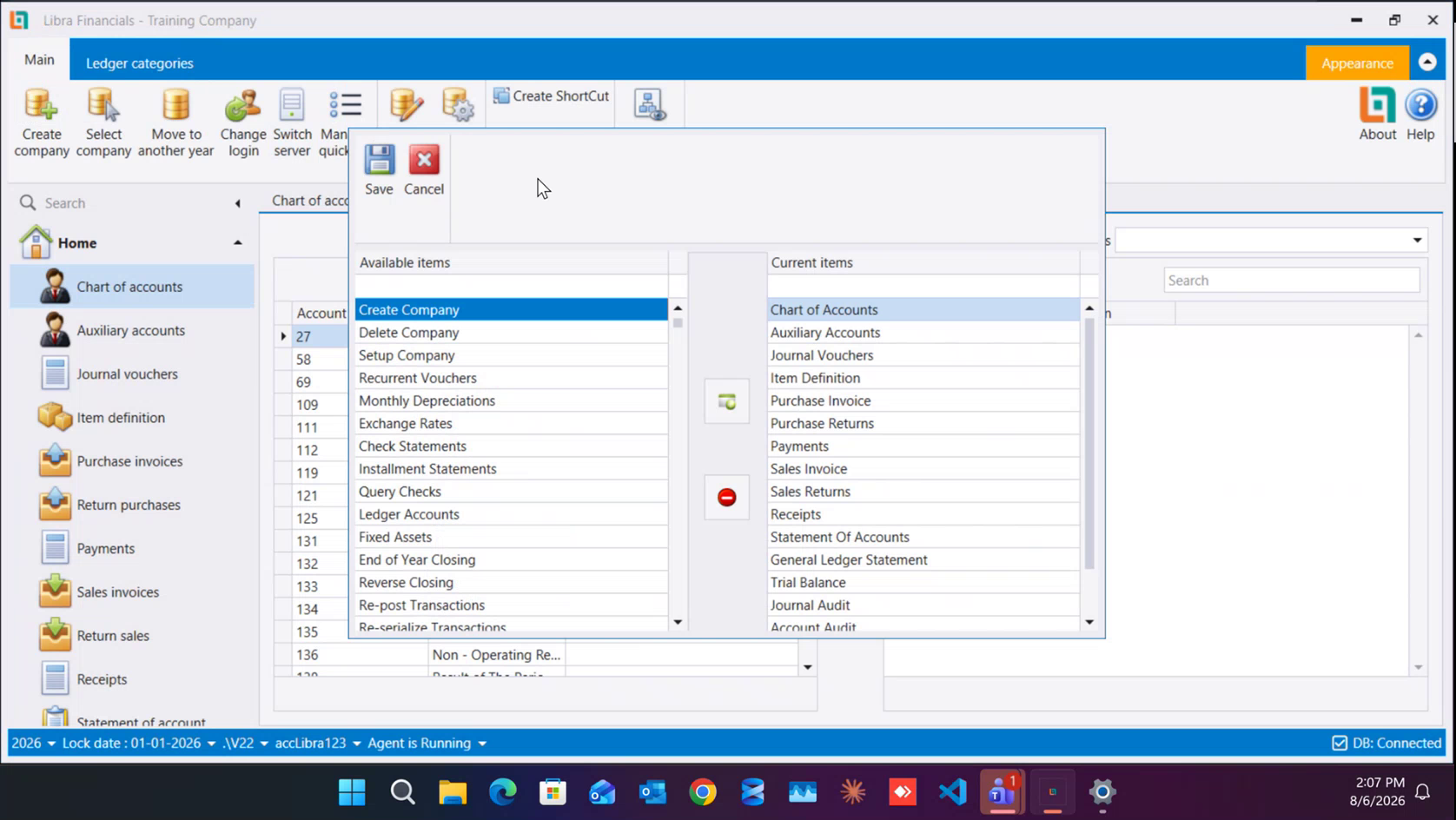
- Click Save in the window's own toolbar (top-left) to keep the list, or Cancel to discard your changes.
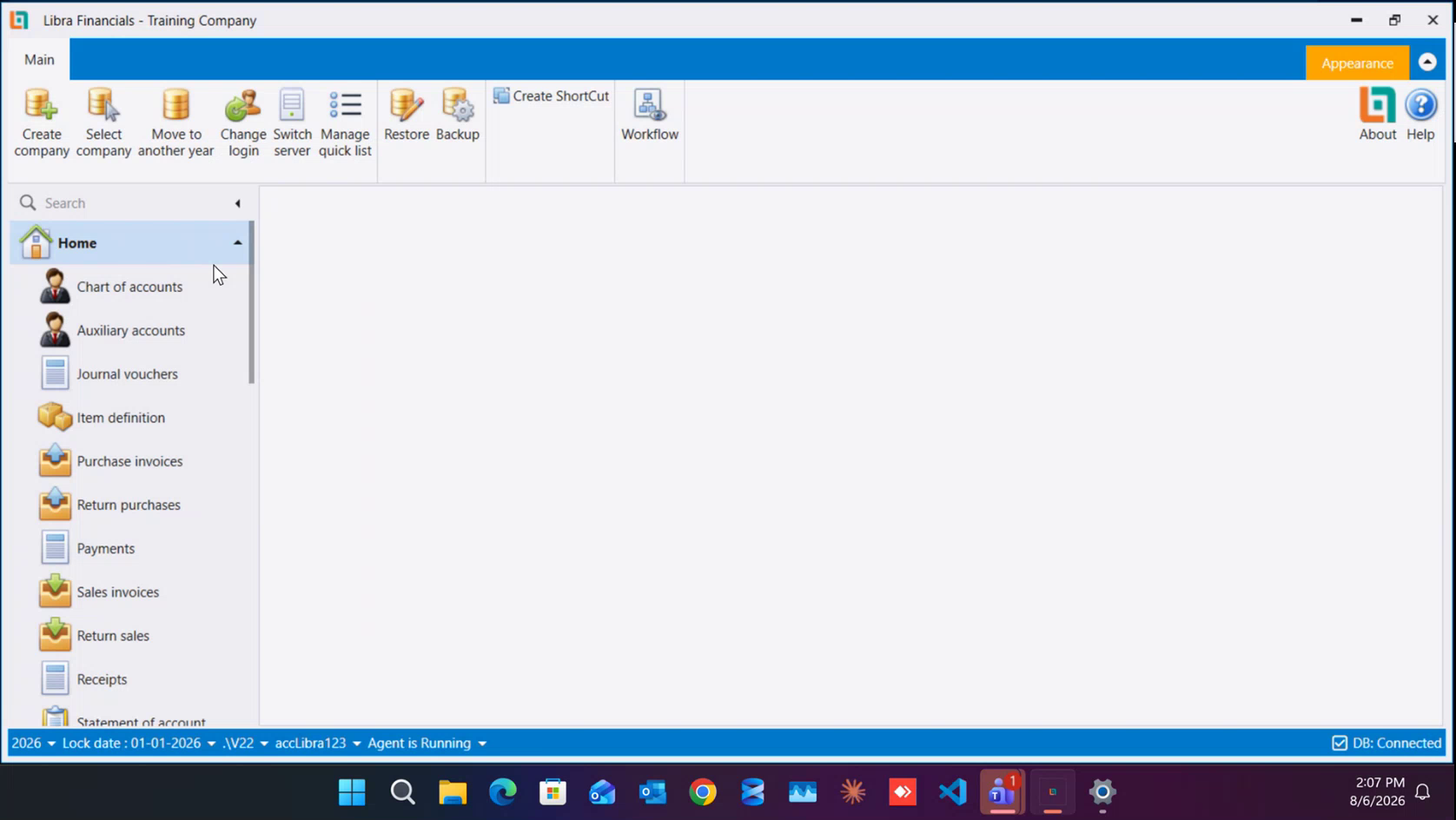
The Home group at the top of the left menu now lists exactly those screens, in that order. Open Manage quick list again at any time to add or remove entries.
Next: Chart of accounts - the 7 classes of accounts, and the rule that decides how you structure them.
القائمة السريعة تبني مجموعة الرئيسية (Home) أعلى القائمة اليسرى - أي الشاشات التي تستخدمها يوميًا بترتيبك أنت، فلا تبحث في القوائم كل مرة. تُضبط من تبويب الرئيسي (Main) في الشريط العلوي والشركة مفتوحة، ويمكنك إعادة فتحها في أي وقت لتغييرها.
- من تبويب الرئيسي (Main) اضغط إدارة القائمة السريعة (Manage quick list). قبل بنائها لا تحوي القائمة اليسرى مجموعة الرئيسية أصلًا، بل تبدأ مباشرة من دفتر الأستاذ العام.
- تحتوي النافذة على جزأين: العناصر المتاحة (Available items) على اليسار (كل شاشات ليبرا) والعناصر الحالية (Current items) على اليمين (ما ستعرضه الرئيسية). ولكل جزء صف بحث فارغ فوق القائمة - اكتب فيه جزءًا من اسم الشاشة لتصفيتها.
- لإضافة شاشة، انقر عليها نقرًا مزدوجًا في العناصر المتاحة، أو حدّدها واضغط زر الإضافة الأخضر في العمود الأوسط. ولإخراج شاشة، حدّدها في العناصر الحالية واضغط زر الحذف الأحمر أسفله.
- أضف الشاشات التي تستخدمها يوميًا. مجموعة بداية جيدة، بهذا الترتيب:
- شجرة الحسابات (Chart of Accounts)
- الحسابات المساعدة (Auxiliary Accounts)
- قسائم القيد (Journal Vouchers)
- تعريف الأصناف (Item Definition)
- فاتورة الشراء (Purchase Invoice)
- مرتجعات الشراء (Purchase Returns)
- الدفعات (Payments)
- فاتورة البيع (Sales Invoice)
- مرتجعات البيع (Sales Returns)
- سندات القبض (Receipts)
- كشف الحسابات (Statement Of Accounts)
- كشف الأستاذ العام (General Ledger Statement)
- ميزان المراجعة (Trial Balance)
- تدقيق القيود (Journal Audit)
- تدقيق الحسابات (Account Audit)
- سجل التدقيق (Audit Trail)
- مركز التكلفة (Cost Center) تتبع الرئيسية ترتيب العناصر الحالية، فأضفها بالترتيب الذي تريد العمل به.
- اضغط حفظ (Save) في شريط أدوات النافذة نفسها (أعلى اليسار) للاحتفاظ بالقائمة، أو إلغاء (Cancel) لرفض التغييرات.
تعرض الآن مجموعة الرئيسية (Home) أعلى القائمة اليسرى تلك الشاشات بالضبط وبالترتيب نفسه. افتح إدارة القائمة السريعة مرة أخرى في أي وقت للإضافة أو الحذف.
التالي: شجرة الحسابات - أصناف الحسابات السبعة، والقاعدة التي تحدد كيفية هيكلتها.