
How to create a supplierكيفية إنشاء مورد
Suppliers are created on the Auxiliary Accounts screen. This is the short version; the Auxiliary Accounts screen explains every field.
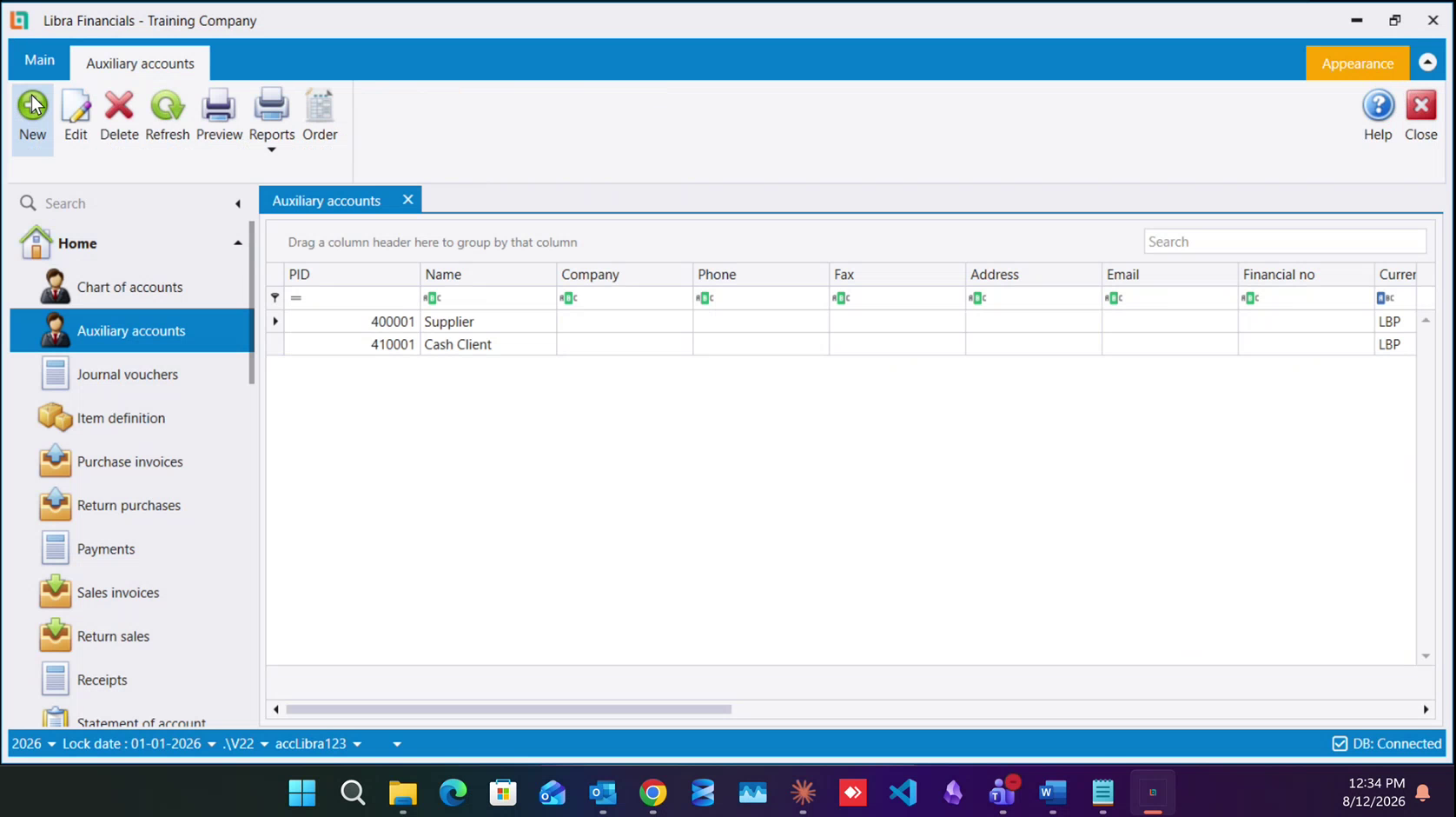
Step 1 - New. Open Auxiliary accounts from the left menu. The screen lists every party record you already have. Click New.
Step 2 - Set List before you touch Account. Choosing the supplier list first is what cuts the Account dropdown down from the whole chart to the nine accounts a supplier may sit on. Then pick the account:
40111 Suppliersif they are VAT-registered,40112 Suppliers Non VATif not;40311 Fixed Assets Suppliers/40312 Fixed Assets Suppliers Non VATfor a supplier of fixed assets ( a computer, a vehicle, machinery ) rather than of stock.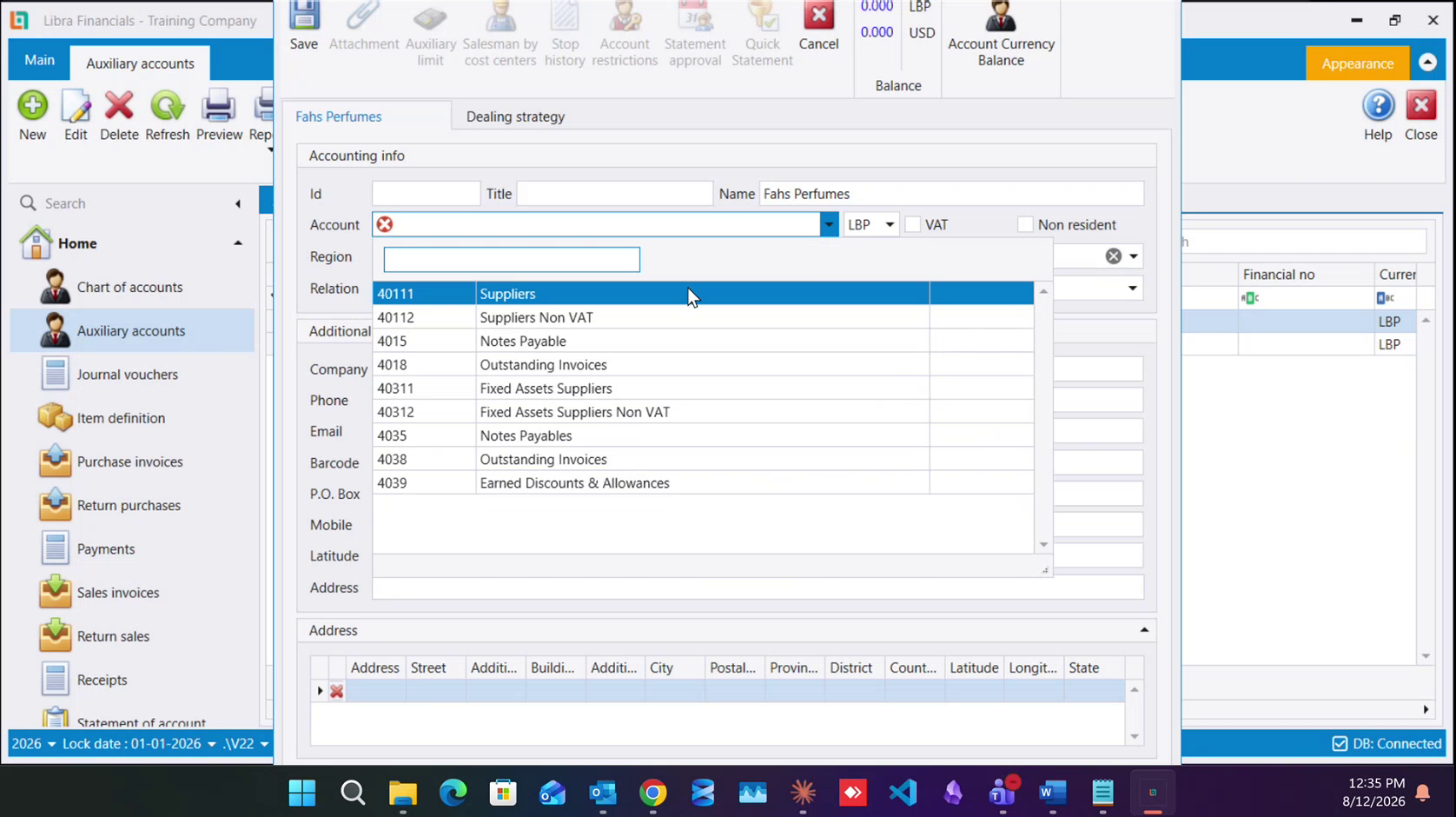
Step 3 - Fill the record.
- Name: Short, the name you will search by.
- Company: The official registered name. This is what the top-10 suppliers report prints.
- Currency: The dropdown beside the account.
- VAT: Do not tick this yourself. It arrives already set from the account you picked, which is the whole point of the VAT / non-VAT pairing.
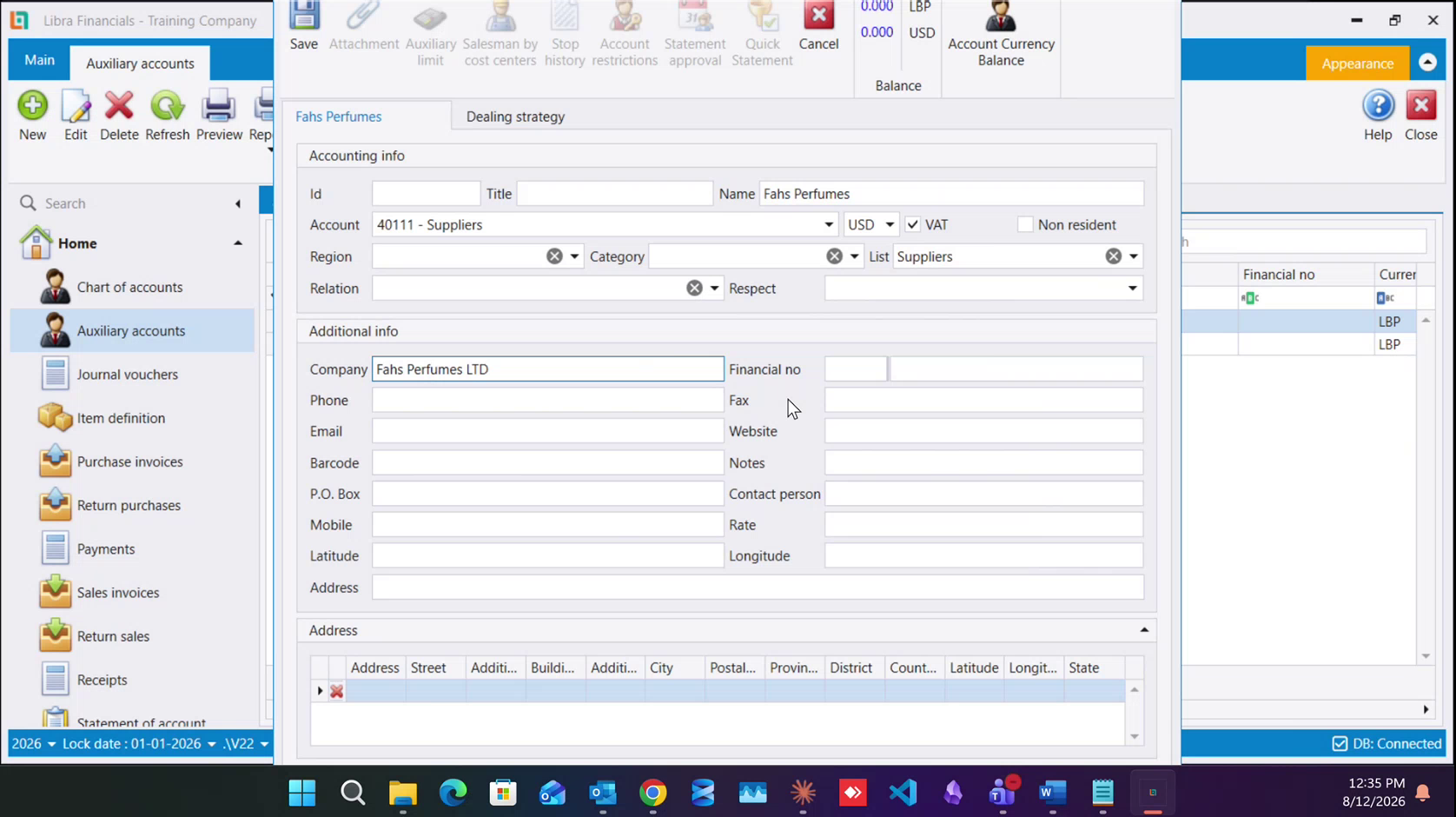
One address or several. The record carries an Address field in the contact block and, below it, an Address grid [Address, Street, Building, City, Postal, Province, District, Country, Latitude, Longitude, State]. Use the single field for a party with one address, and add rows to the grid for one with several, a supplier with a showroom and a depot, a client who wants delivery somewhere other than the billing address. The grid is on clients and suppliers alike.
Step 4 - financial number and non-resident. Financial no is two boxes: the small one takes the 601 / 604 / 605 prefix when the supplier is VAT-registered, the large one takes the number itself. Leave both empty if they have none, and then tick Non resident, which is also what you tick for any supplier abroad. See the non-resident rule for why it matters.
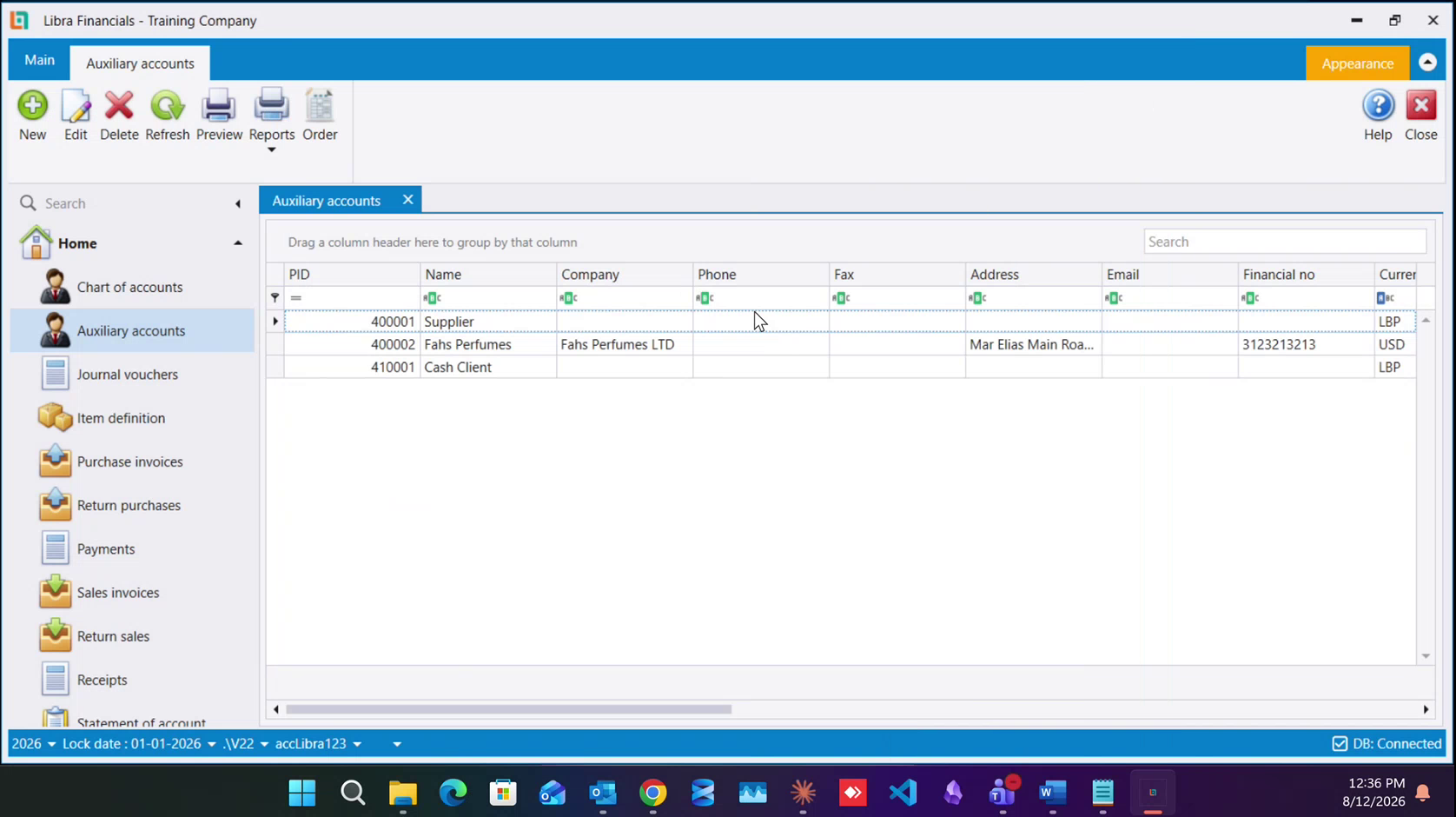
Step 5 - Save. Libra assigns the Id [Supplier records run from 400001 upward] List greys out for good, and the supplier is available on purchase invoices.
See Suppliers for the full account list and the non-resident rule.
يُنشأ الموردون في شاشة الحسابات المساعدة (Auxiliary accounts). وهذه النسخة المختصرة؛ أما شاشة الحسابات المساعدة فتشرح كل حقل.
الخطوة 1 - جديد. افتح الحسابات المساعدة (Auxiliary accounts) من القائمة اليسرى. تعرض الشاشة كل سجلات الأطراف الموجودة عندك. اضغط جديد (New).
الخطوة 2 - اضبط القائمة (List) قبل أن تلمس الحساب (Account). فاختيار قائمة الموردين أولًا هو ما يقلّص قائمة الحساب من الشجرة كلها إلى الحسابات التسعة التي يجوز للمورد الجلوس عليها. ثم اختر الحساب:
40111 Suppliersإن كان مسجلًا بالضريبة، و40112 Suppliers Non VATإن لم يكن؛- و
40311 Fixed Assets Suppliers/40312 Fixed Assets Suppliers Non VATلمورد الأصول الثابتة - حاسوب أو سيارة أو آلة - لا مورد البضاعة.
الخطوة 3 - املأ السجل.
- الاسم (Name): قصير، وهو ما ستبحث به.
- الشركة (Company): الاسم الرسمي المسجَّل. وهو ما يطبعه تقرير أكبر 10 موردين.
- العملة (Currency): القائمة بجانب الحساب.
- الضريبة (VAT): لا تضع هذه العلامة بنفسك. فهي تأتي مضبوطة من الحساب الذي اخترته، وهذا هو كل الغرض من اقتران الخاضع وغير الخاضع.
عنوان واحد أو عدة عناوين. يحمل السجل حقل العنوان (Address) في كتلة بيانات الاتصال، وتحته جدول العناوين (Address) - Address وStreet وBuilding وCity وPostal وProvince وDistrict وCountry وLatitude وLongitude وState. استعمل الحقل المفرد لطرف له عنوان واحد، وأضف أسطرًا إلى الجدول لمن له عدة عناوين - مورد له صالة عرض ومستودع، أو زبون يريد التسليم في غير عنوان الفوترة. والجدول موجود على الزبائن والموردين سواء.
الخطوة 4 - الرقم المالي وغير المقيم. الرقم المالي (Financial no) خانتان: الصغيرة للبادئة 601 أو 604 أو 605 إن كان المورد مسجلًا بالضريبة، والكبيرة للرقم نفسه. واتركهما فارغتين إن لم يكن له رقم - وعندها ضع علامة غير مقيم (Non resident)، وهي العلامة نفسها التي تضعها لأي مورد في الخارج. وراجع قاعدة غير المقيم لمعرفة أهميتها.
الخطوة 5 - احفظ. يضع ليبرا المعرّف (Id) - وسجلات الموردين تبدأ من 400001 صعودًا - وتصير List معطّلة إلى الأبد، ويصبح المورد متاحًا في فواتير الشراء.
وراجع الموردين لقائمة الحسابات الكاملة وقاعدة غير المقيم.