
Report setup and mail: ad hoc reports, report order, the designer and emailإعداد التقارير والبريد: التقارير حسب الطلب وترتيب التقارير والمصمّم والبريد
Four screens shape how reports are built and laid out and how the program sends mail:
- Ad hoc report setup and Reports order are under General setup;
- Report designer and Email settings are under Administration.
See also Logs and checks: who changed what, and what needs fixing.
1. Ad hoc report setup
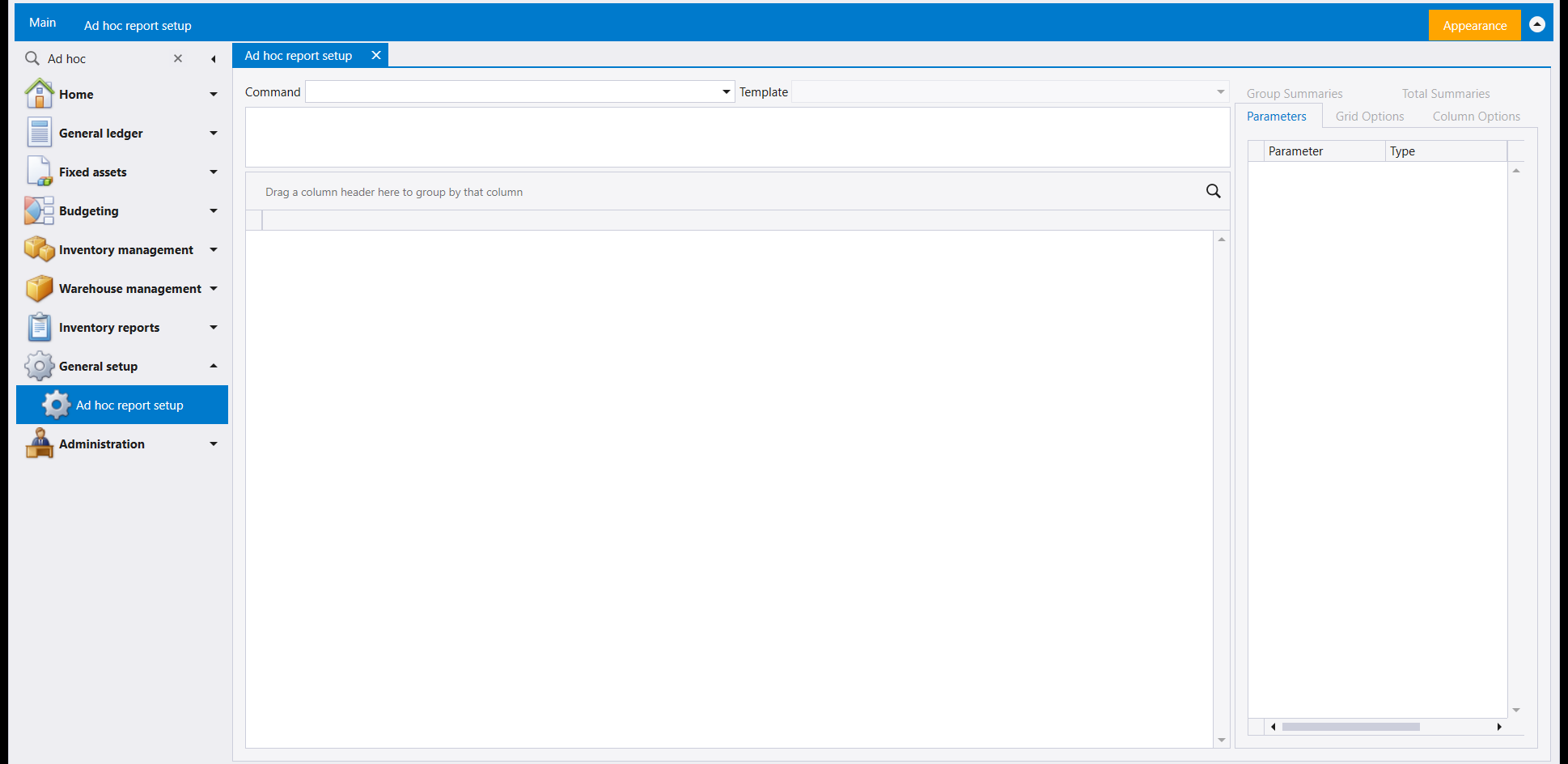
Ad hoc report setup is where the reports listed under Ad hoc reports in the navigation pane are set up. At the top are a Command list and a Template list, with an editing pane under them and a grid below that. The tabs on the right are Parameters (a Parameter / Type list), Group Summaries, Total Summaries, Grid Options and Column Options.
2. Reports order
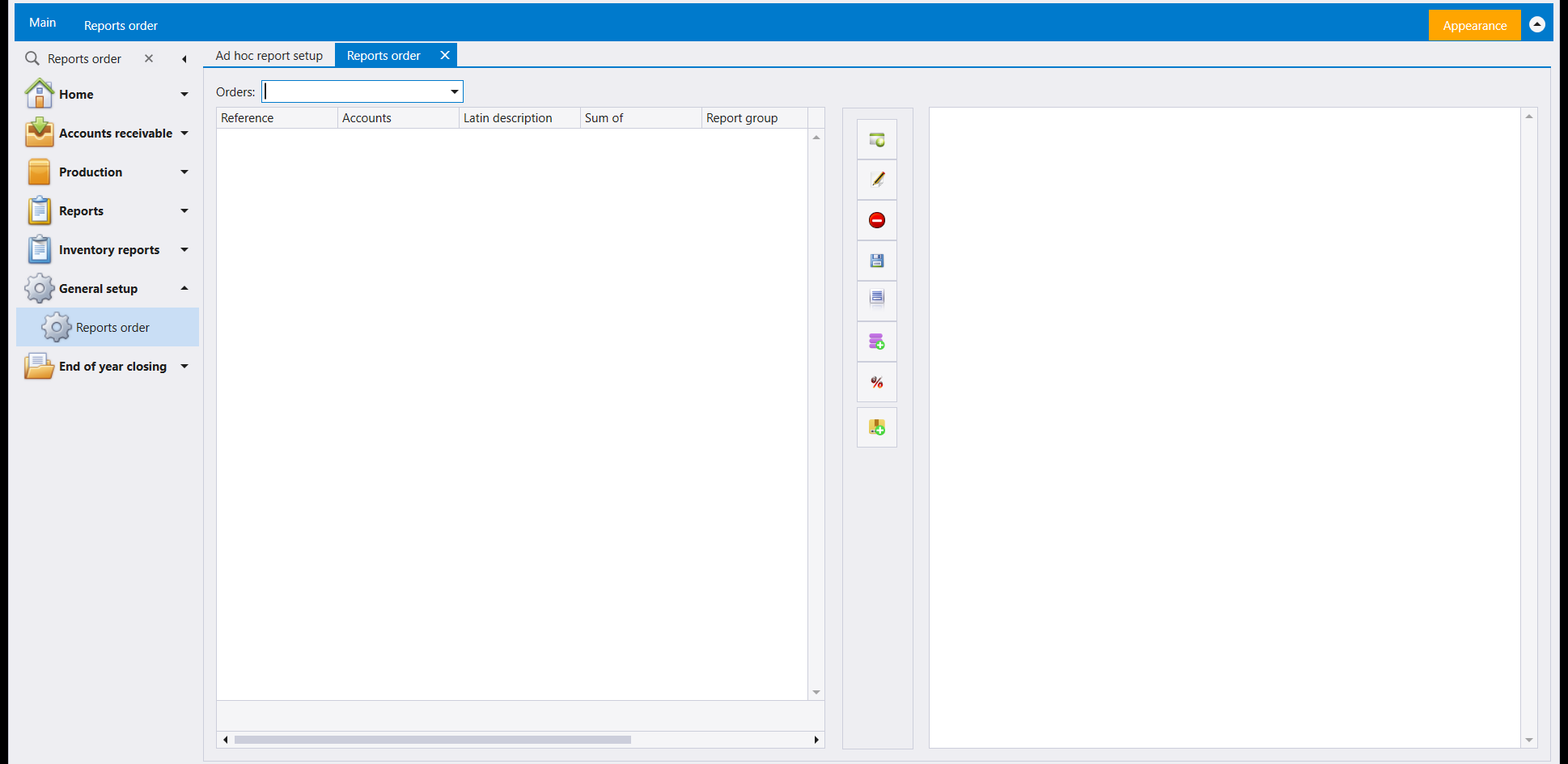
Reports order starts from the Orders list. Its grid reads Reference, Accounts, Latin description, Sum of and Report group, and a column of buttons beside the grid works on its rows.
3. Report designer
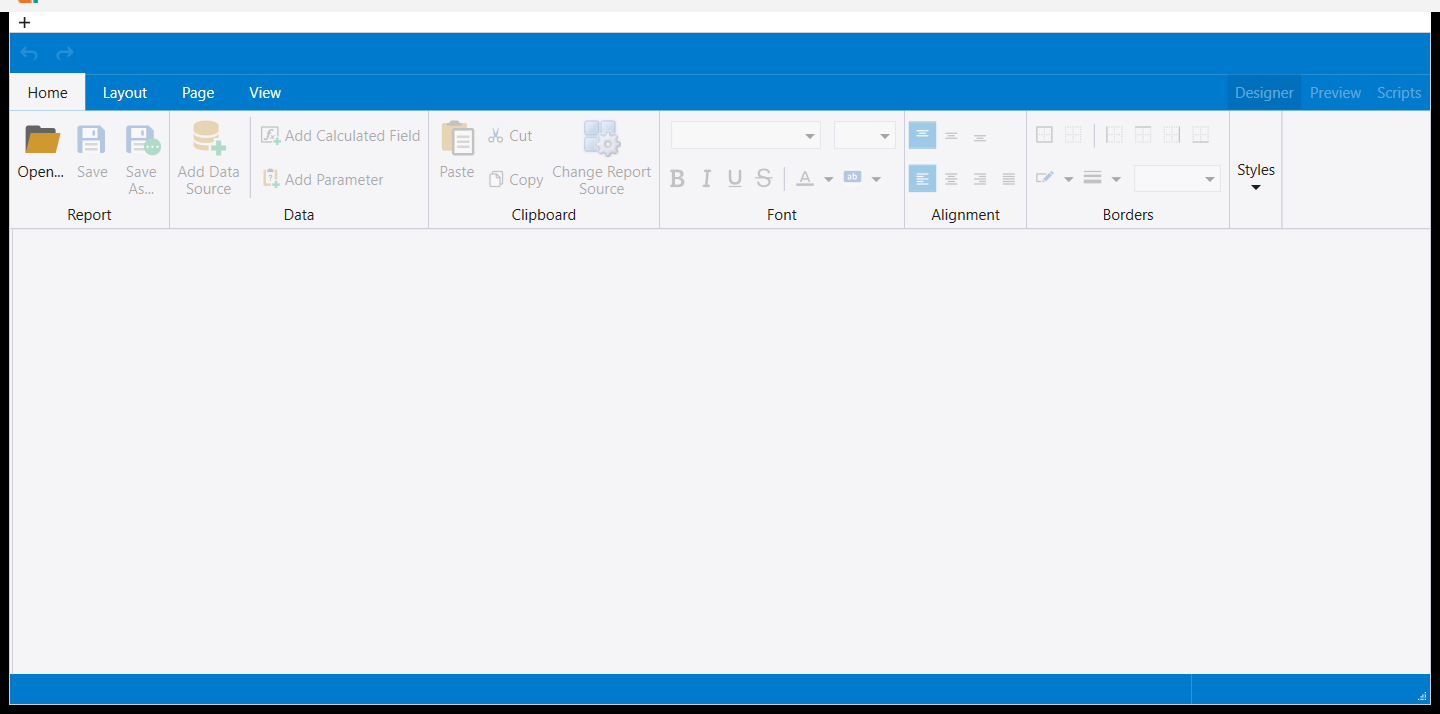
Report designer opens in a window of its own, separate from the main one. Its Home tab holds:
- Open…, Save and Save As… in the Report group;
- Add Data Source, Add Calculated Field and Add Parameter in the Data group;
- the Clipboard, Font, Alignment and Borders groups.
Layout, Page and View are the other ribbon tabs, and Designer, Preview and Scripts sit on the right. It opens on a blank report: start with Open….
4. Email settings
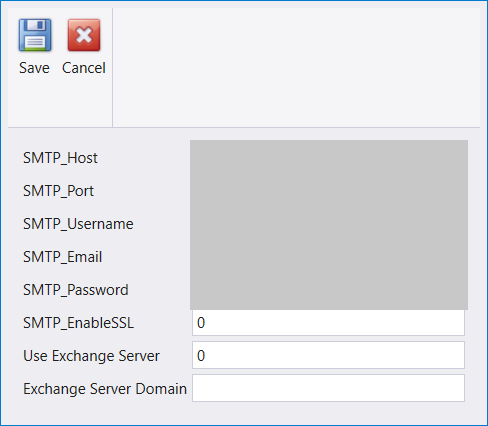
Email settings holds the outgoing mail connection the program uses:
- five fields for the mail server: its host, its port, the user name, the sender address and the password;
- a secure-connection switch;
- Use Exchange Server and Exchange Server Domain.
Save keeps a change and Cancel leaves the settings as they were. Fill it in with the details your mail provider gives you. The values in the picture above are hidden on purpose.
أربع شاشات تحدّد طريقة بناء التقارير وتنسيقها وطريقة إرسال البرنامج للبريد:
- Ad hoc report setup وReports order ضمن General setup؛
- Report designer وEmail settings ضمن Administration.
راجع أيضًا Logs and checks: مَن غيّر ماذا، وما الذي يحتاج إلى إصلاح.
١. Ad hoc report setup
في Ad hoc report setup تُجهَّز التقارير التي تظهر تحت Ad hoc reports في لوحة التنقل. في الأعلى قائمة Command وقائمة Template، وتحتهما لوحة تحرير ثم جدول. والتبويبات على اليمين هي Parameters (لائحة Parameter / Type) وGroup Summaries وTotal Summaries وGrid Options وColumn Options.
٢. Reports order
تبدأ Reports order من قائمة Orders. ويقرأ جدولها Reference وAccounts وLatin description وSum of وReport group، وبجانب الجدول عمود أزرار يعمل على صفوفه.
٣. Report designer
يفتح Report designer في نافذة خاصة به منفصلة عن النافذة الرئيسية. يضم تبويب Home:
- Open… وSave وSave As… في مجموعة Report؛
- Add Data Source وAdd Calculated Field وAdd Parameter في مجموعة Data؛
- مجموعات Clipboard وFont وAlignment وBorders.
Layout وPage وView هي تبويبات الشريط الأخرى، وDesigner وPreview وScripts على اليمين. يفتح على تقرير فارغ: ابدأ بـOpen….
٤. Email settings
تحمل Email settings اتصال البريد الصادر الذي يستخدمه البرنامج:
- خمسة حقول لخادم البريد: عنوانه ومنفذه واسم المستخدم وعنوان المرسل وكلمة المرور؛
- مفتاح للاتصال الآمن؛
- Use Exchange Server وExchange Server Domain.
يحفظ Save التغيير، ويترك Cancel الإعدادات كما كانت. املأها بالبيانات التي يعطيك إياها مزوّد البريد. القيم في الصورة أعلاه مخفية عمدًا.