
Posting and default accountsالترحيل والحسابات الافتراضية
Next to the screens you fill in every day sits a set of account setup screens you visit far less often. General setup gathers eight of them on one page.
1. Where it lives
Open General setup and its own Accounts leaf. The page that opens is a row of tiles, one per rule.
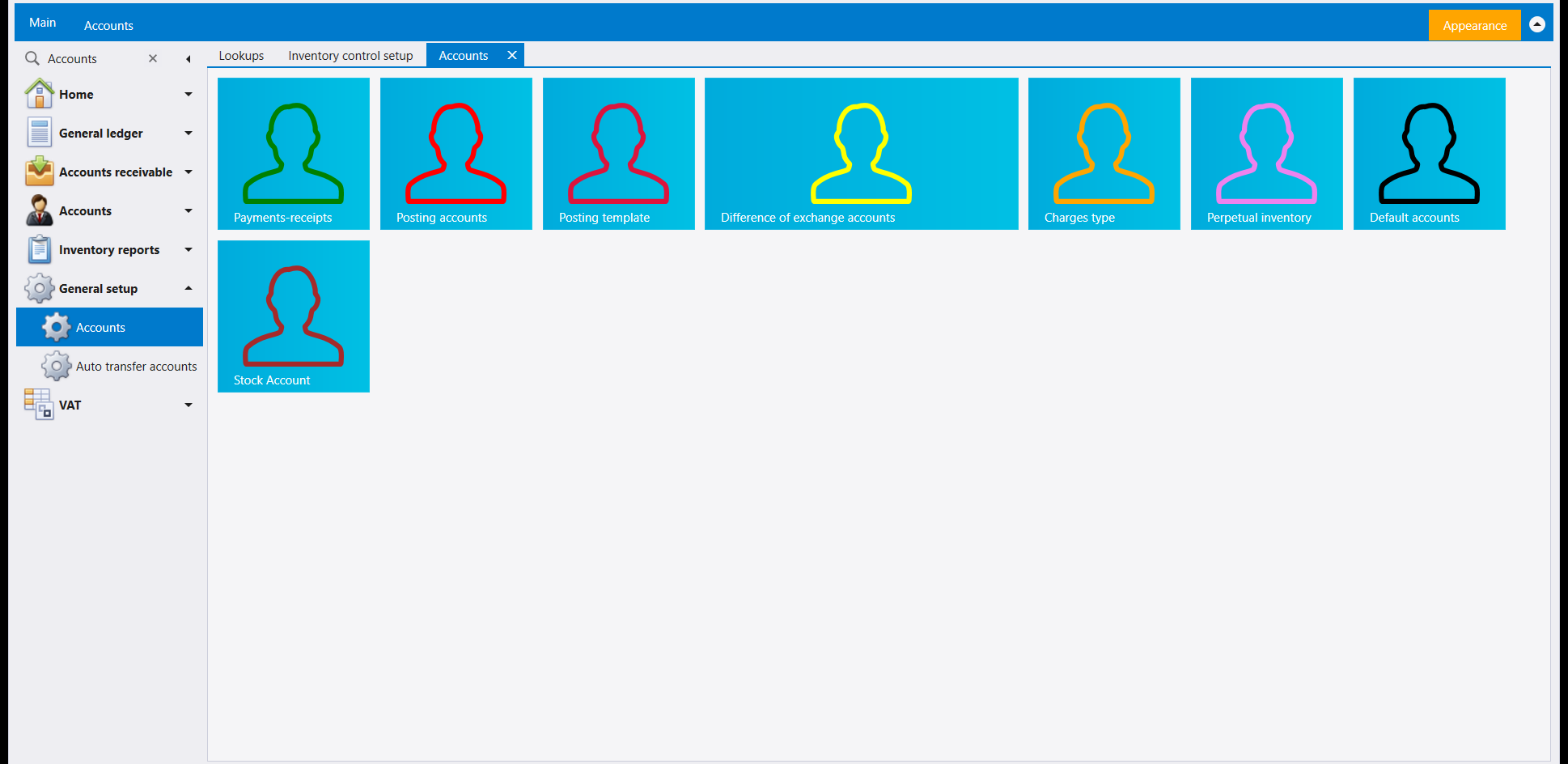
The receipts-and-payments guide already covers the first tile, Payments-receipts - see Receipts, payments and transfers. This page picks up the rest.
2. Posting accounts
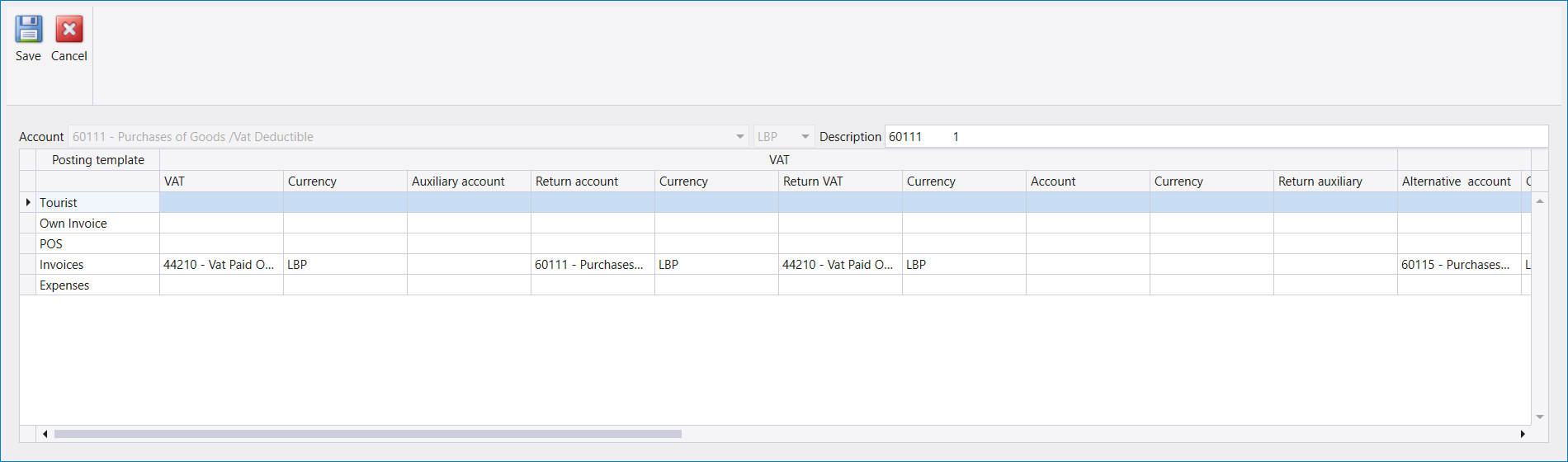
A list of accounts by Number, Description, Account description and Currency. An account held in two currencies has one row for each.
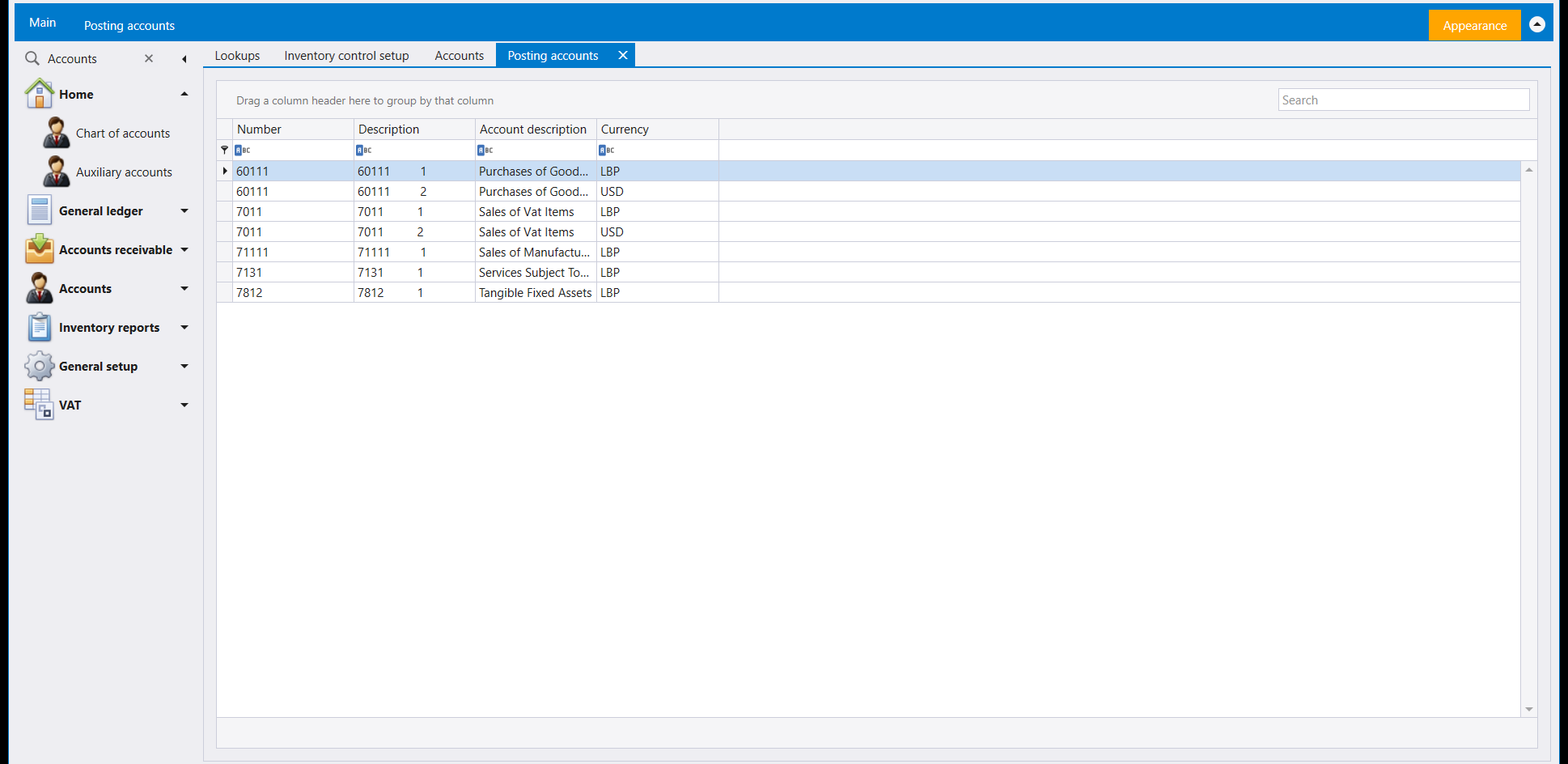
Read the list as one row per account per currency rather than one row per account. A purchases account kept in pounds and in dollars takes two rows here, the same number twice with a different Currency beside it, and each row is set up on its own - so a change made against the pound row leaves the dollar row as it was.
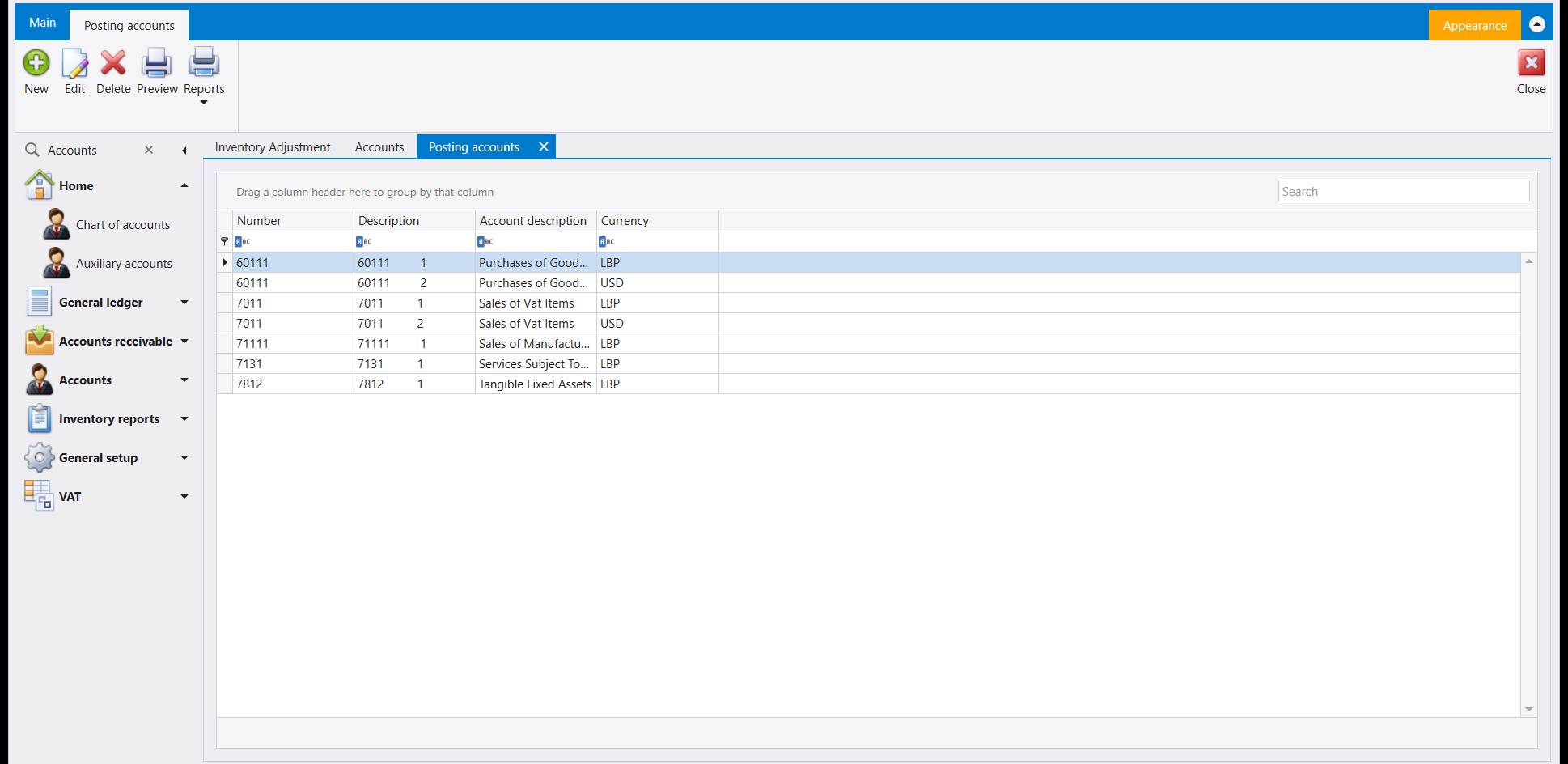
Open a row to edit it and one column is worth knowing about before you meet it on an invoice: the Alternative account. It lives on that account's own edit dialog, out along the row of the posting template it belongs to, rather than on the list you just came from - widen the dialog if the column sits off the right edge. An account set up here can carry a stand-in, and Libra uses the stand-in by itself in the cases the setup describes, without asking and without you choosing it on the document.
The consequence shows up at the other end. When the account an item posts to has no alternative set against it, saving the invoice still goes ahead - but Libra puts a confirmation on the screen first, and that message names the account it is about to use. Read it rather than clicking through it: it is telling you exactly which account your setup has left without a stand-in, which is usually a gap worth filling here rather than a reason to stop.
3. Posting template and Transaction template
Two separate tiles, and they open two different screens - worth saying plainly, because their names invite mixing them up.
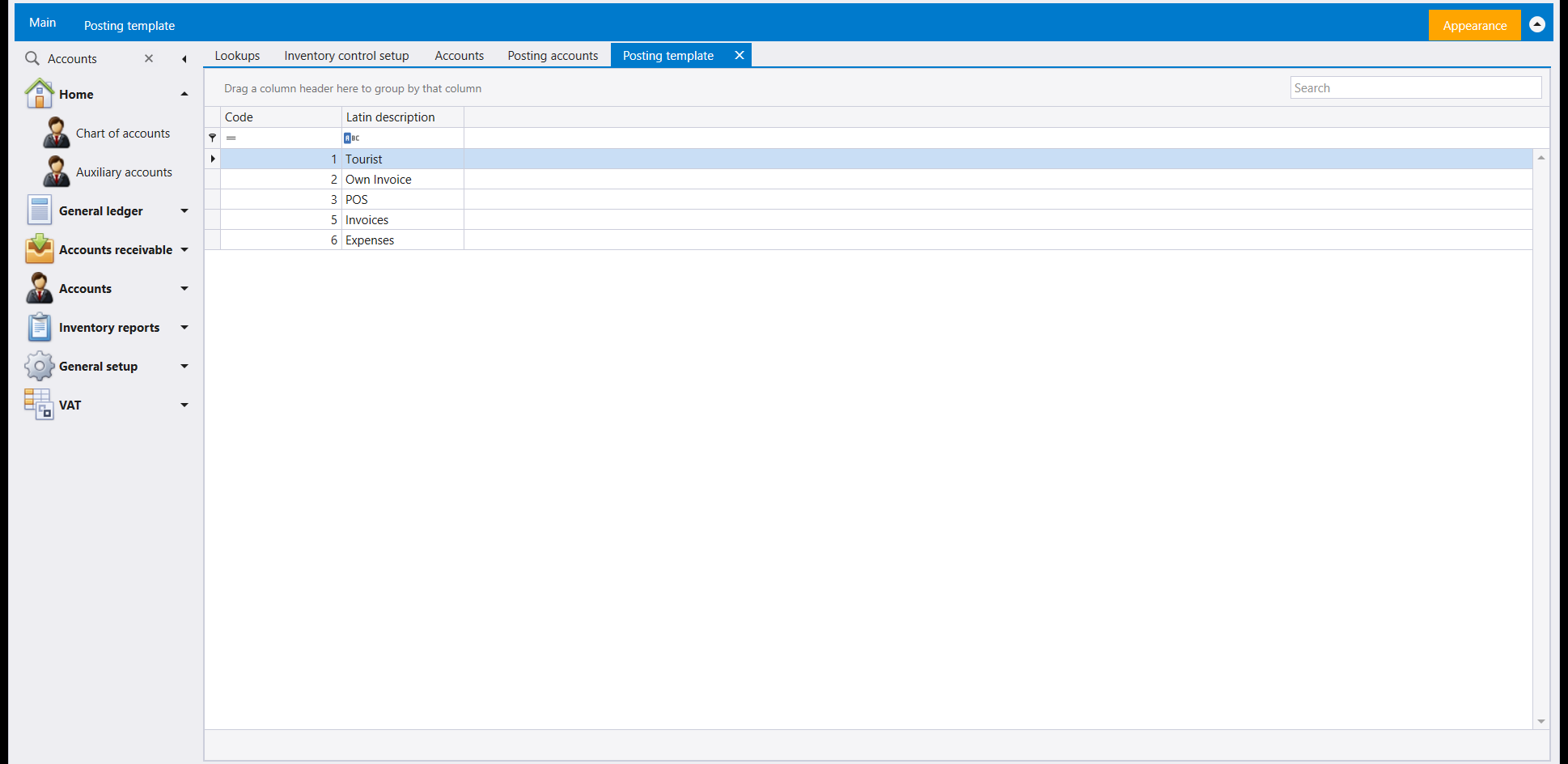
Posting template already carries five rows: Tourist, Own Invoice, POS, Invoices, Expenses.
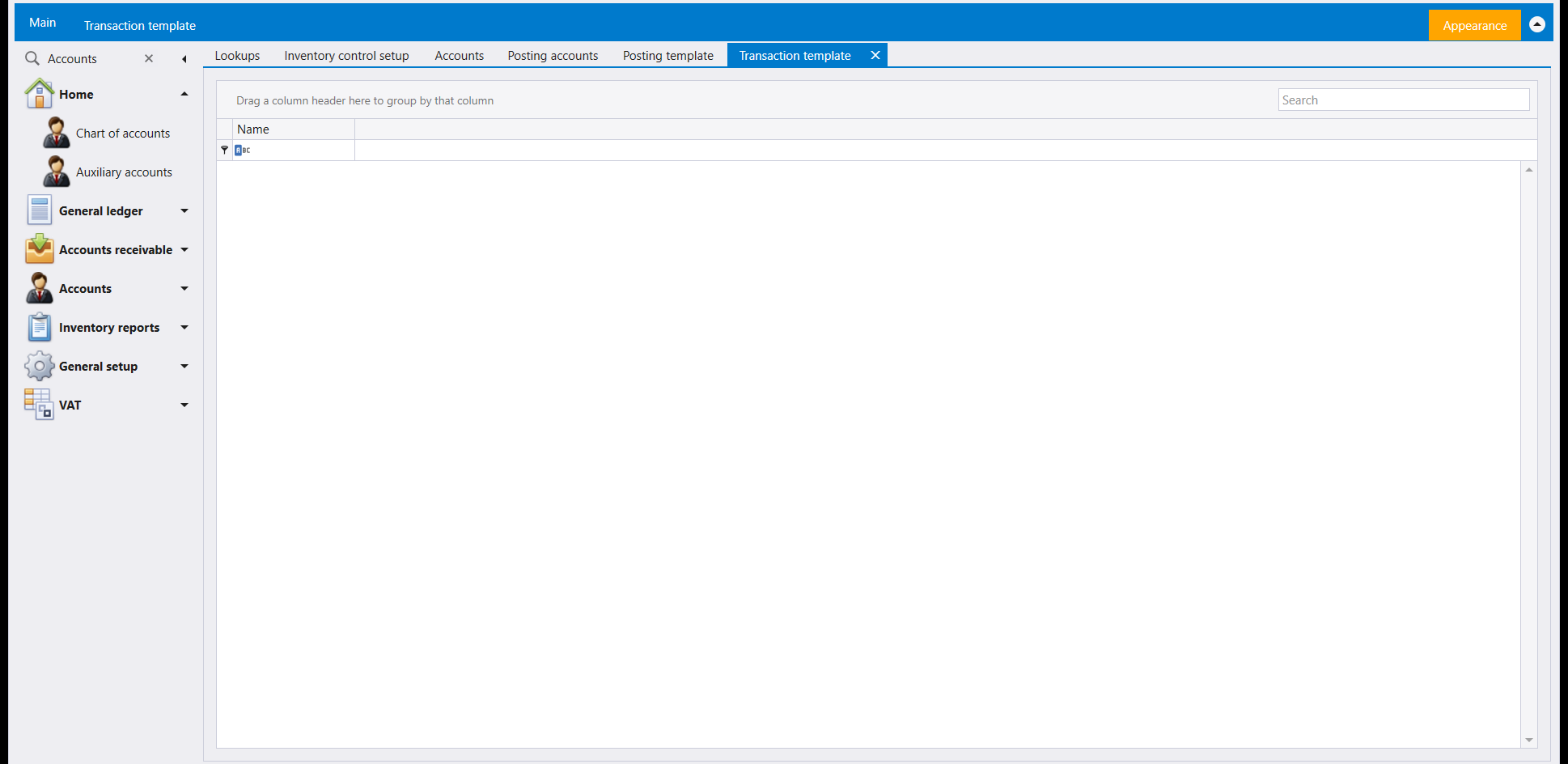
Transaction template opens empty, with a single Name column.
4. Default accounts
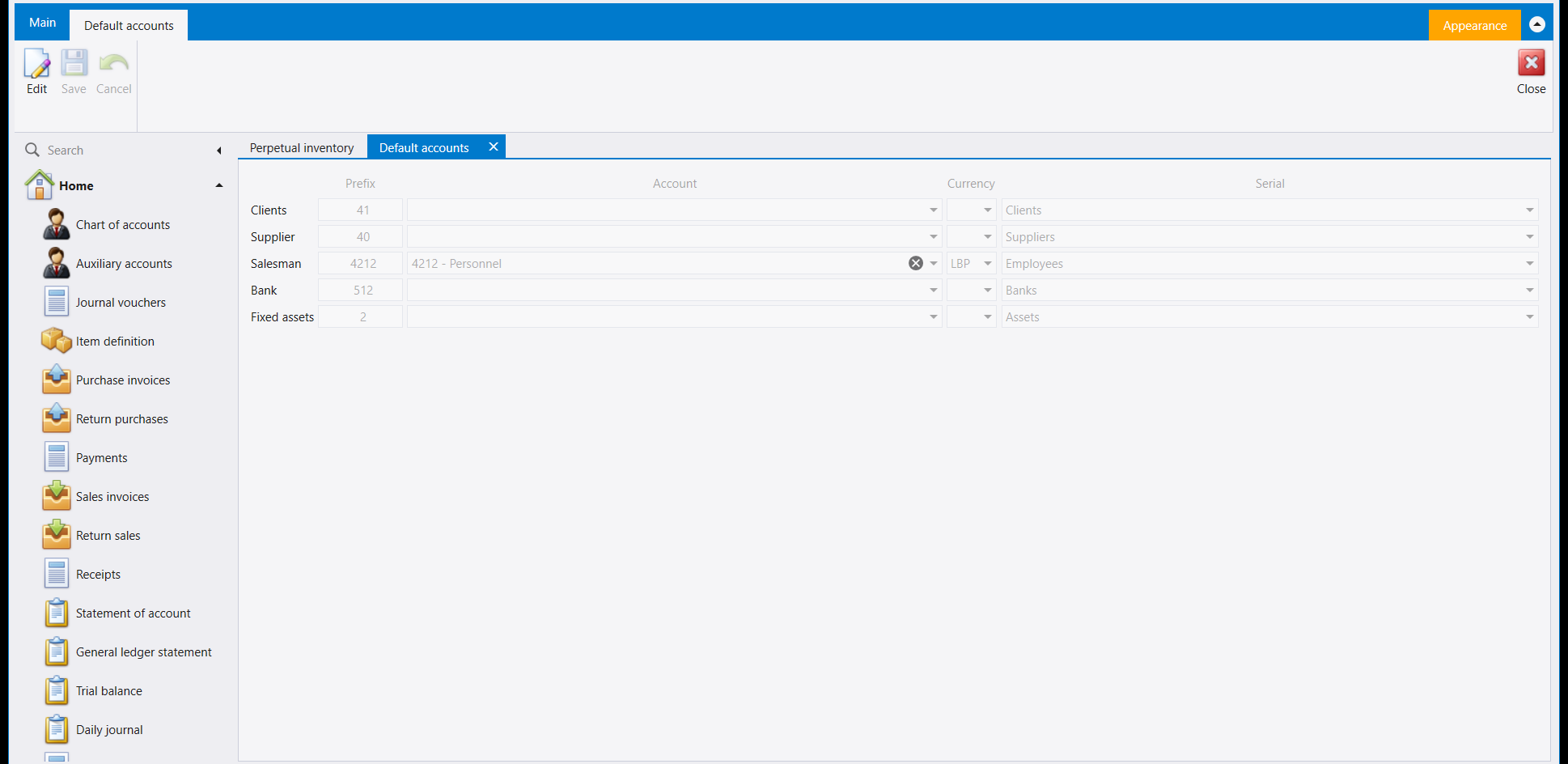
One screen with five fixed rows - Clients, Supplier, Salesman, Bank and Fixed assets - and four columns: Prefix, Account, Currency and Serial. Edit unlocks it and Save keeps the change. In the company shown, Salesman already reads 4212 - Personnel in LBP, and the other four accounts are empty.
5. The remaining tiles
The rest open empty, ready for the first row your company needs:
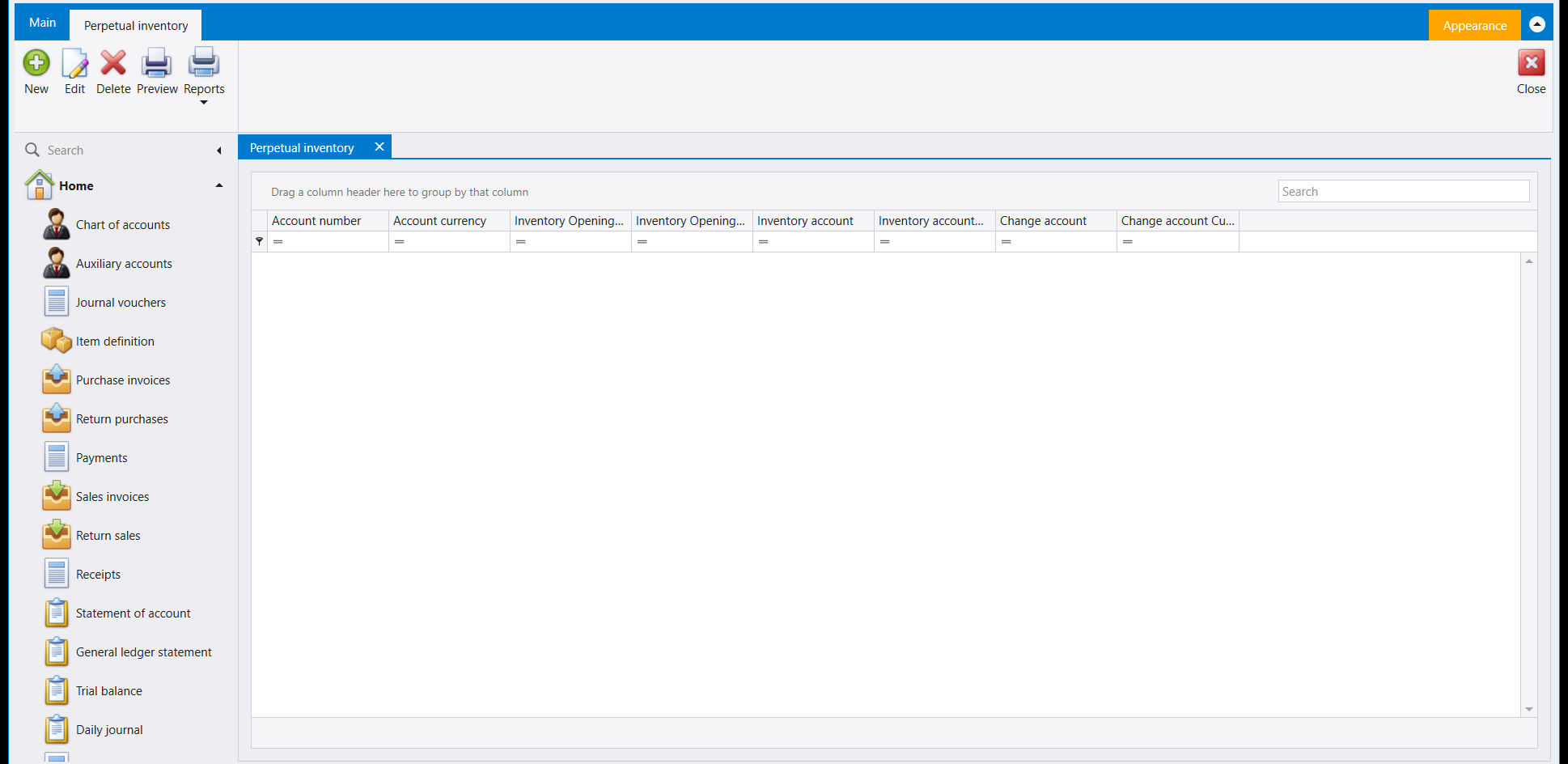
- Perpetual inventory - a grid of Account number, Account currency, Inventory Opening, Inventory account and Change account columns, with New, Edit and Delete on its ribbon.
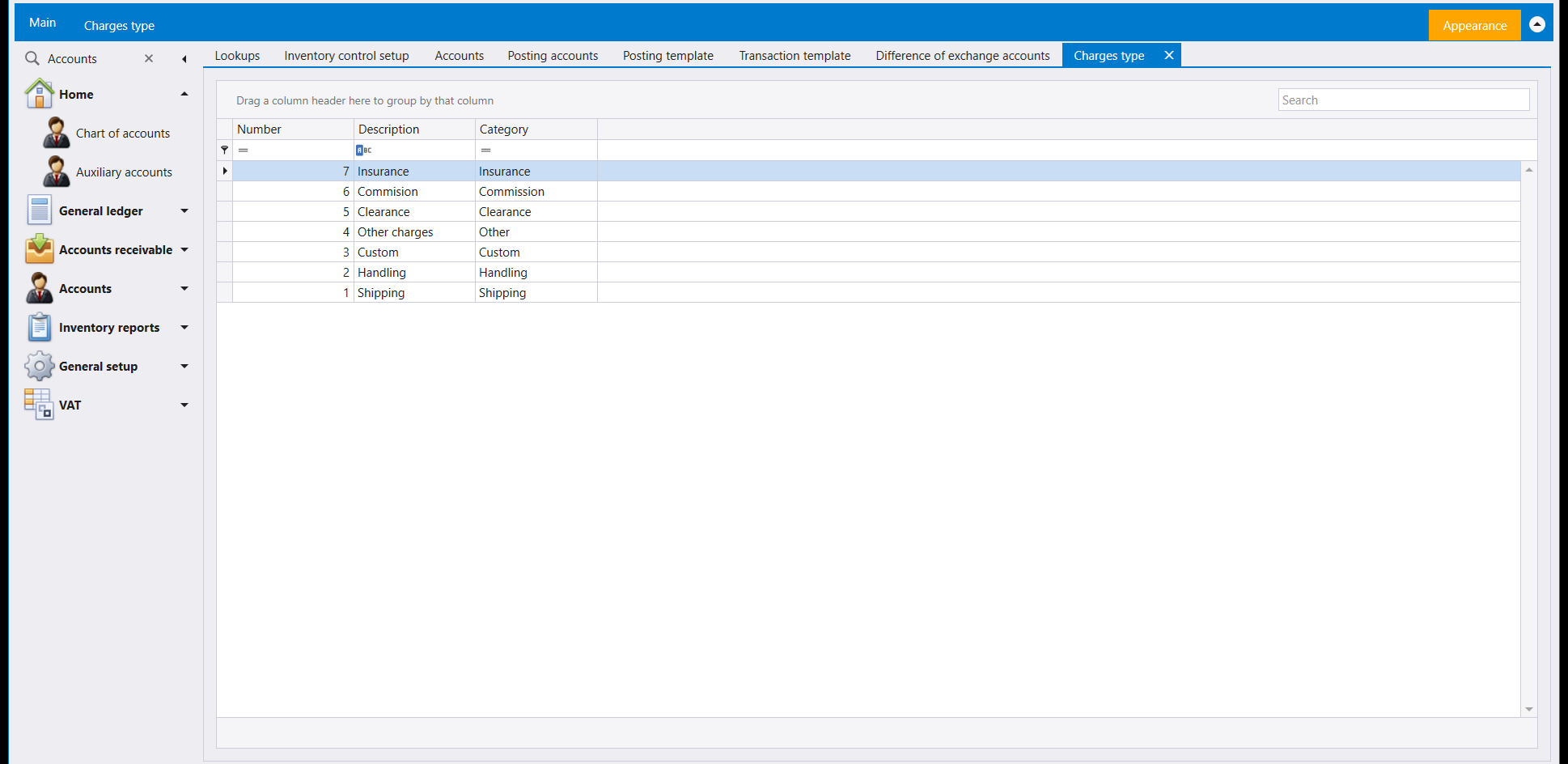
- Charges type - already carries seven rows (Shipping, Handling, Custom, Other charges, Clearance, Commision, Insurance), each with its own Category.
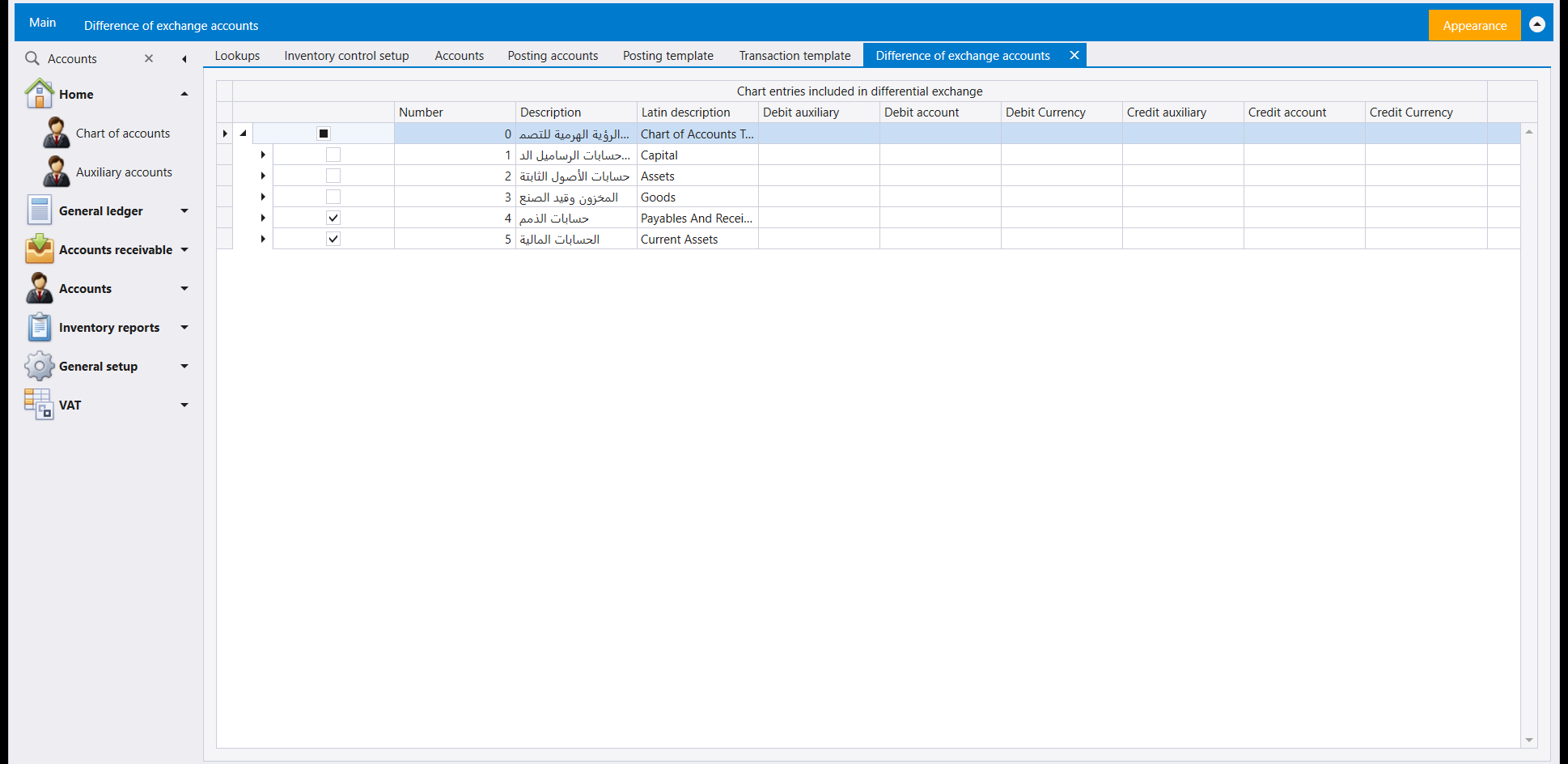
- Difference of exchange accounts - the chart of accounts as a tree, headed Chart entries included in differential exchange, with a tick box on each branch. In this company Payables And Receivables and Current Assets are ticked.
One more screen sits outside this page, as its own leaf next to Accounts in General setup:
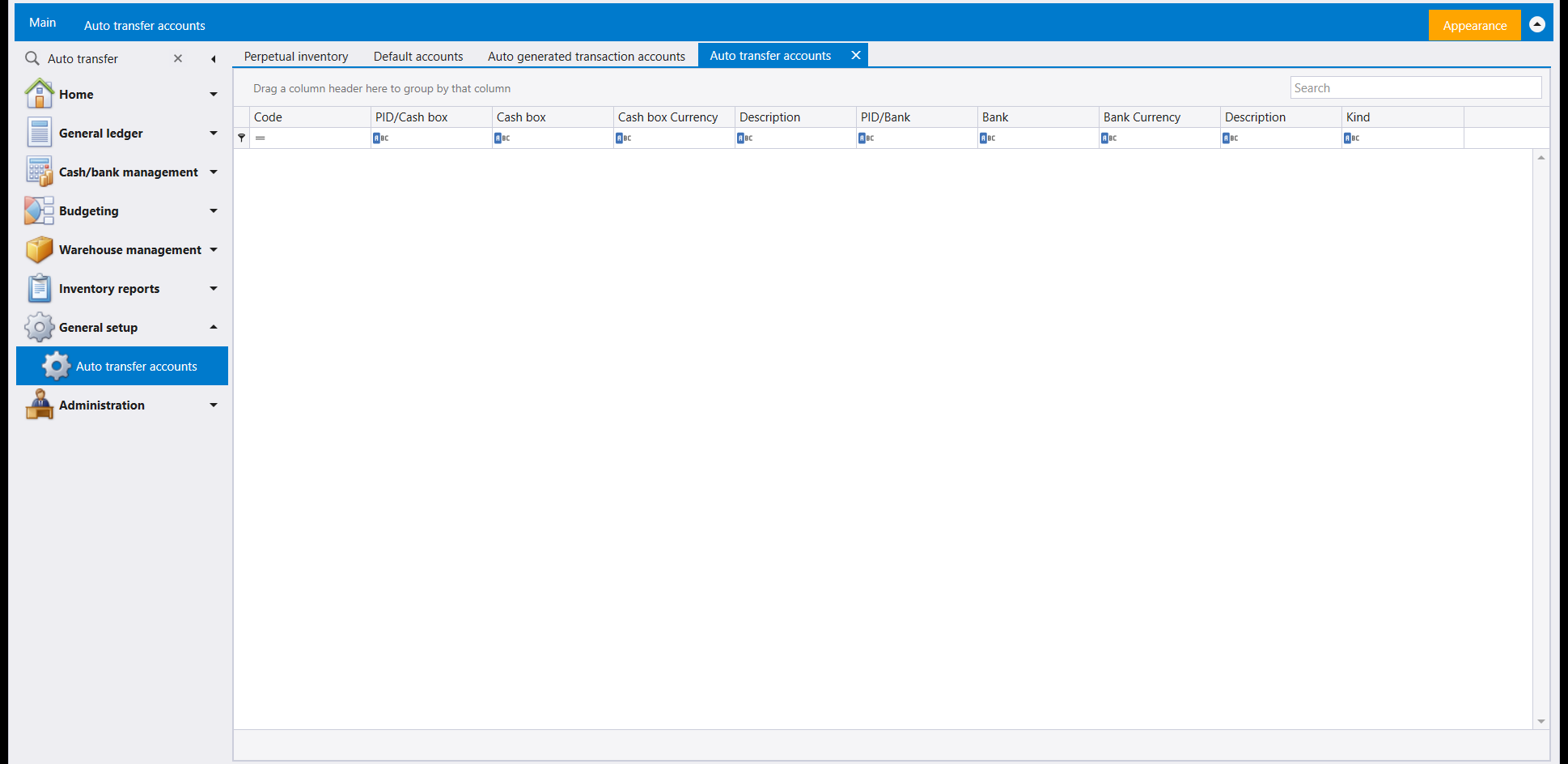
- Auto transfer accounts - a grid of Code, PID/Cash box, Cash box, Cash box Currency, Description, PID/Bank, Bank, Bank Currency, Description and Kind.
Type the name of a second one in the navigation pane's Search box to open it:
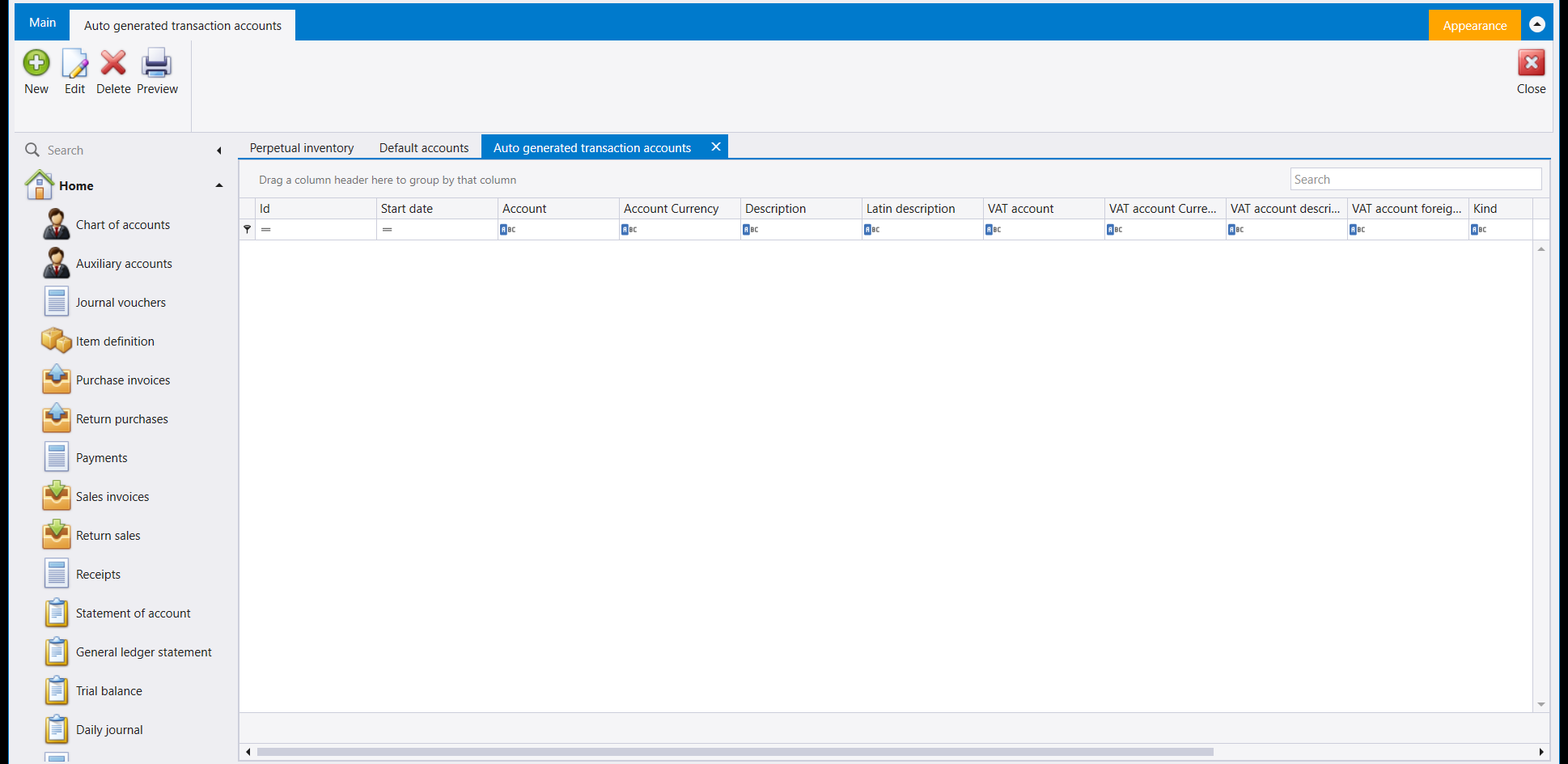
- Auto generated transaction accounts - a grid of Id, Start date, Account, Account Currency, Description, Latin description, the VAT account columns and Kind, with New, Edit, Delete and Preview on its ribbon.
6. A Payment/Receipt kind, saved
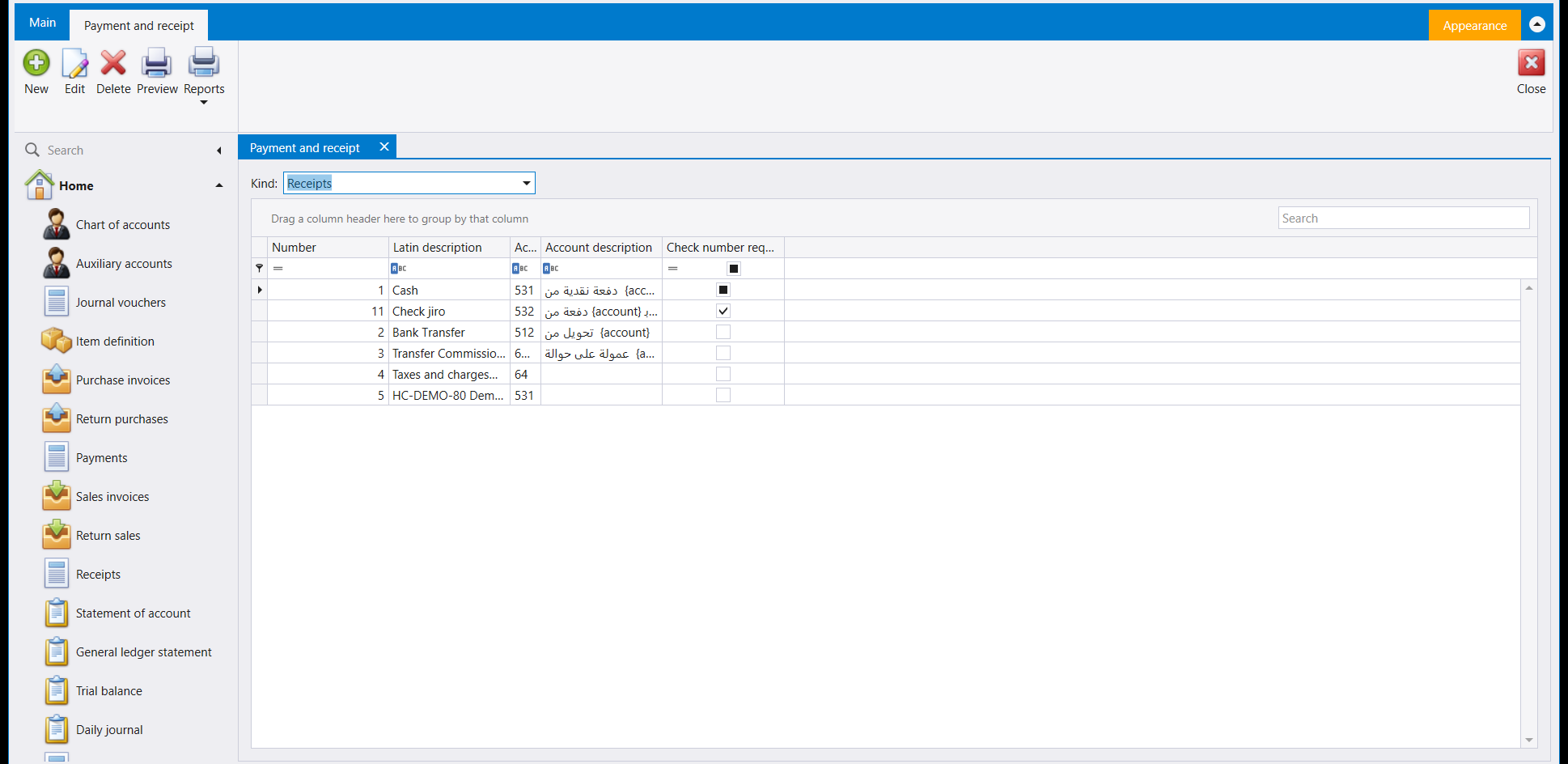
Receipts, payments and transfers already explains what each column of the Payment and receipt screen means. Adding a kind is a New, a Description, a Latin description, and an Account number. Saved here, row 5 reads back exactly what was typed, below the five kinds the company already had:
إلى جانب الشاشات التي تملأها كل يوم مجموعة من شاشات إعداد الحسابات تزورها أقل بكثير. يجمع General setup ثمانية منها في صفحة واحدة.
١. أين تجدها
افتح General setup ولسانه الخاص Accounts. الصفحة التي تُفتح صفٌّ من المربّعات، مربّع لكل قاعدة.
دليل المقبوضات والمدفوعات يغطّي المربّع الأول، Payments-receipts، سلفًا - راجع المقبوضات والمدفوعات والتحويلات. هذه الصفحة تكمل الباقي.
٢. حسابات الترحيل (Posting accounts)
لائحة حسابات بأعمدة Number وDescription وAccount description وCurrency. وللحساب المحفوظ بعملتين سطر لكل عملة.
واقرأ اللائحة على أنها سطر لكل حساب لكل عملة، لا سطر لكل حساب. فحساب المشتريات الممسوك بالليرة وبالدولار يأخذ هنا سطرين، الرقم نفسه مرّتين وبجانبه Currency مختلفة، ولكل سطر إعداده الخاص - فالتغيير على سطر الليرة يترك سطر الدولار على حاله.
افتح سطرًا للتعديل، وثمّة عمود يستحق أن تعرفه قبل أن تصادفه في فاتورة: Alternative account. وموضعه نافذة تعديل ذلك الحساب نفسه، على امتداد سطر نموذج الترحيل الذي يخصّه، لا اللائحة التي جئت منها - ووسّع النافذة إن كان العمود واقعًا خارج حافتها اليمنى. فالحساب المُعدّ هنا يمكن أن يحمل حسابًا بديلًا، ويستعمله ليبرا من تلقاء نفسه في الحالات التي يصفها الإعداد، دون أن يسألك ودون أن تختاره أنت على المستند.
وتظهر النتيجة في الطرف الآخر. فحين يكون الحساب الذي يرحّل إليه الصنف بلا حساب بديل مُعدّ بجانبه، يمضي حفظ الفاتورة رغم ذلك - لكن ليبرا يضع على الشاشة رسالة تأكيد أولًا، وتسمّي تلك الرسالة الحساب الذي يوشك أن يستعمله. اقرأها بدل أن تنقر خلالها: فهي تخبرك بالضبط أي حساب تركه إعدادك بلا بديل، وهي في الغالب ثغرة يُستحسن سدّها هنا لا سببًا للتوقّف.
٣. نموذج الترحيل (Posting template) ونموذج القيد (Transaction template)
مربّعان منفصلان، ويفتحان شاشتين مختلفتين - يستحق قوله بوضوح، لأن اسميهما يغريان بالخلط بينهما.
Posting template يحمل سلفًا خمسة أسطر: Tourist وOwn Invoice وPOS وInvoices و Expenses.
أما Transaction template فيُفتح فارغًا، بعمود Name وحيد.
٤. الحسابات الافتراضية (Default accounts)
شاشة واحدة بخمسة أسطر ثابتة - Clients وSupplier وSalesman وBank وFixed assets - وأربعة أعمدة: Prefix وAccount وCurrency وSerial. يفتحها Edit للتعديل ويحفظ Save التغيير. في الشركة المعروضة يقرأ Salesman سلفًا 4212 - Personnel بالـLBP، وحسابات الأربعة الباقية فارغة.
٥. بقية المربّعات
تُفتح بقية المربّعات فارغة، جاهزة لأول سطر تحتاجه شركتك:
- Perpetual inventory - جدول بأعمدة Account number وAccount currency وInventory Opening وInventory account وChange account، وعلى شريطه New وEdit وDelete.
- Charges type - يحمل سلفًا سبعة أسطر (Shipping حتى Insurance)، لكل منها Category مطابقة.
- Difference of exchange accounts - دليل الحسابات على شكل شجرة بعنوان Chart entries included in differential exchange، بخانة تأشير على كل فرع. في هذه الشركة Payables And Receivables وCurrent Assets مؤشَّران.
وشاشة أخرى تقع خارج هذه الصفحة، كلسان خاص بها بجانب Accounts في General setup:
- Auto transfer accounts - جدول بأعمدة Code وPID/Cash box وCash box وCash box Currency وDescription وPID/Bank وBank وBank Currency وDescription وKind.
واكتب اسم شاشة ثانية في صندوق Search في لوحة التنقل لفتحها:
- Auto generated transaction accounts - جدول بأعمدة Id وStart date وAccount وAccount Currency وDescription وLatin description وأعمدة VAT account وKind، وعلى شريطه New وEdit وDelete وPreview.
٦. حفظ نوع مقبوض/مدفوع
المقبوضات والمدفوعات والتحويلات يشرح سلفًا معنى كل عمود في شاشة Payment and receipt. إضافة نوع هي New وDescription وLatin description و Account number. المحفوظ هنا، السطر 5، يُقرأ بالضبط كما كُتب، تحت الأنواع الخمسة الموجودة في الشركة: