
How to record a receiptكيفية تسجيل مقبوض
This guide records one receipt from an empty form to a saved, numbered document. For why the screen is shaped the way it is, read Receipts, payments and transfers first.
The example: a client pays 1,000,000 LBP in cash.
1. Open a new receipt
Open Receipts from the left menu, then click New in the ribbon. A tab opens called New Receipt # 1 and keeps that name until you save.
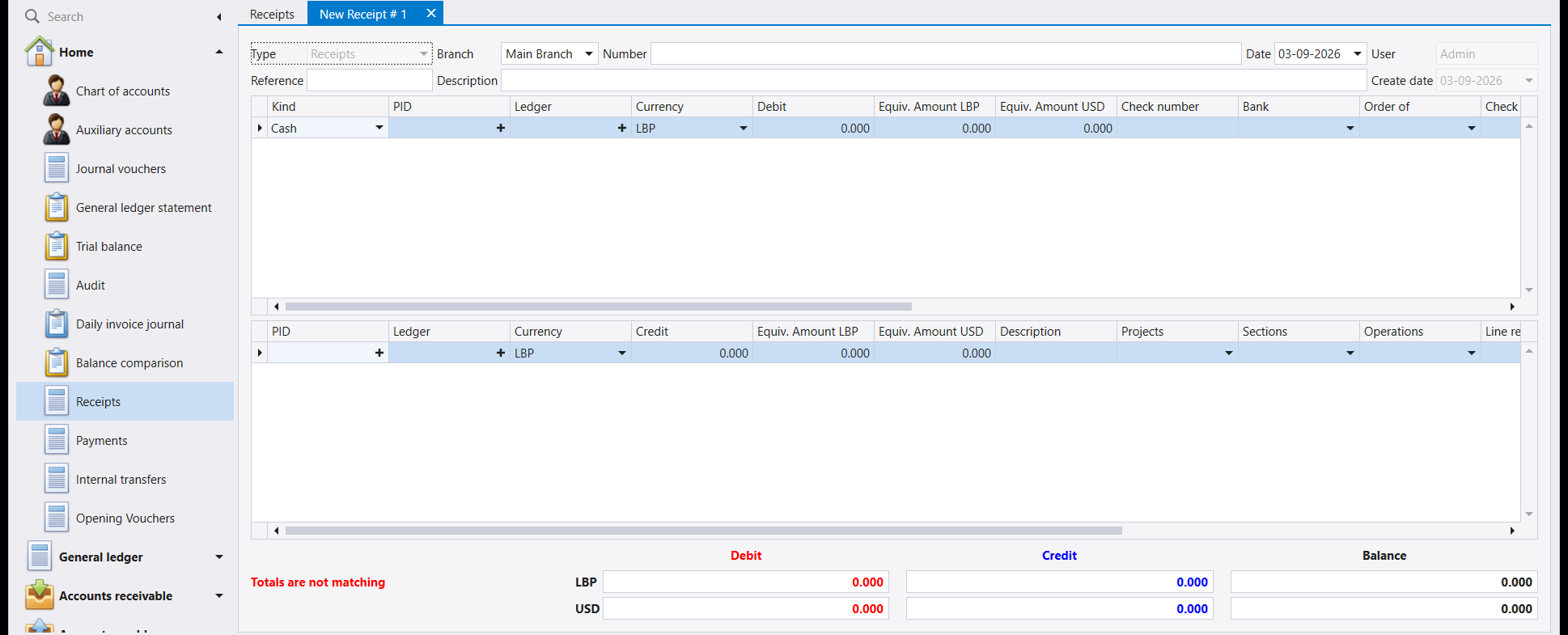
Fill in Reference and Description in the header the same way you would on a voucher - the reference is your own document number, and the description is what you will read in a statement a year from now.
2. Top grid - what you received
This grid is the money arriving. Two fields matter:
- Kind - how the money came in. It opens on
Cash; change it if the client paid by cheque or by bank transfer. Choosing the kind is what fills in the account, so do this first. - Debit - the amount.
Typing the account number directly into Ledger also works, and completes it for you: 531 becomes 531 - Cash.
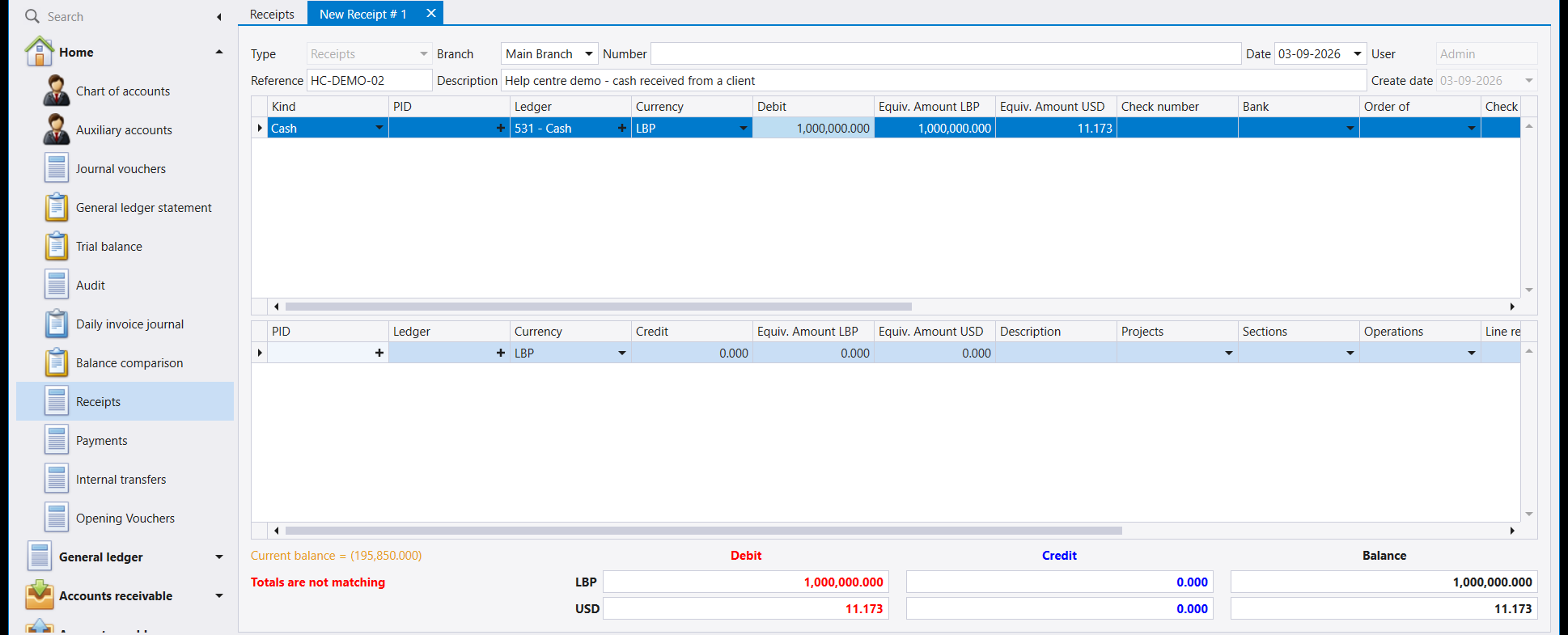
Totals are not matching is showing, and that is correct - nothing has been credited yet, so the document is genuinely incomplete.
If your kind needs a cheque number, fill it in now. The Check number column is in this same grid, along with Bank and Order of. A kind that requires one will refuse to save without it.
3. Bottom grid - who paid you
This grid is the other side: whose debt is being settled.
- PID - the client. This is the auxiliary record, and it is what makes the receipt show up against that client's own account.
- Ledger - the client's account,
41111for an ordinary client. - Credit - the same amount.
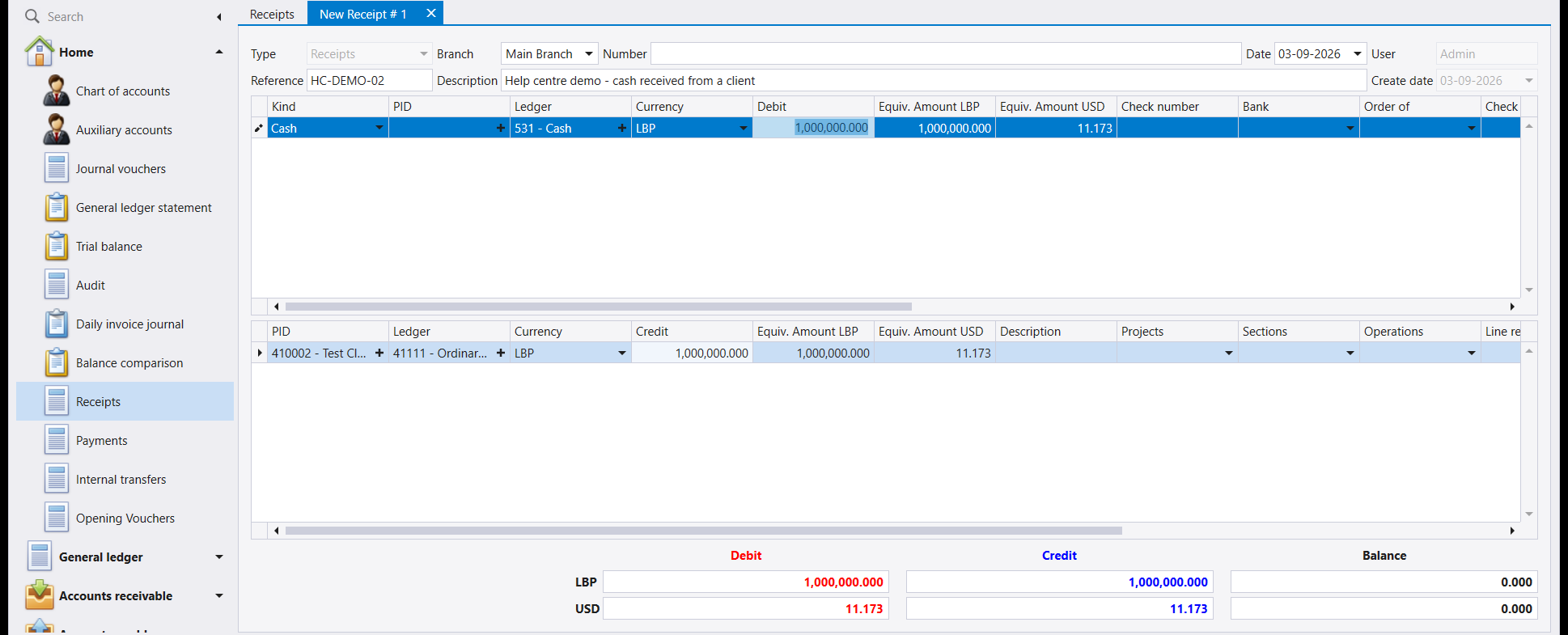
The warning has gone and Balance reads 0.000 on both rows. The receipt is complete.
A receipt is not limited to one line each side. One cash amount can settle several clients, or one client can pay in cash and by cheque at once - add lines to whichever grid needs them. All that matters is that both currency rows end at zero.
4. Save
Press F12.
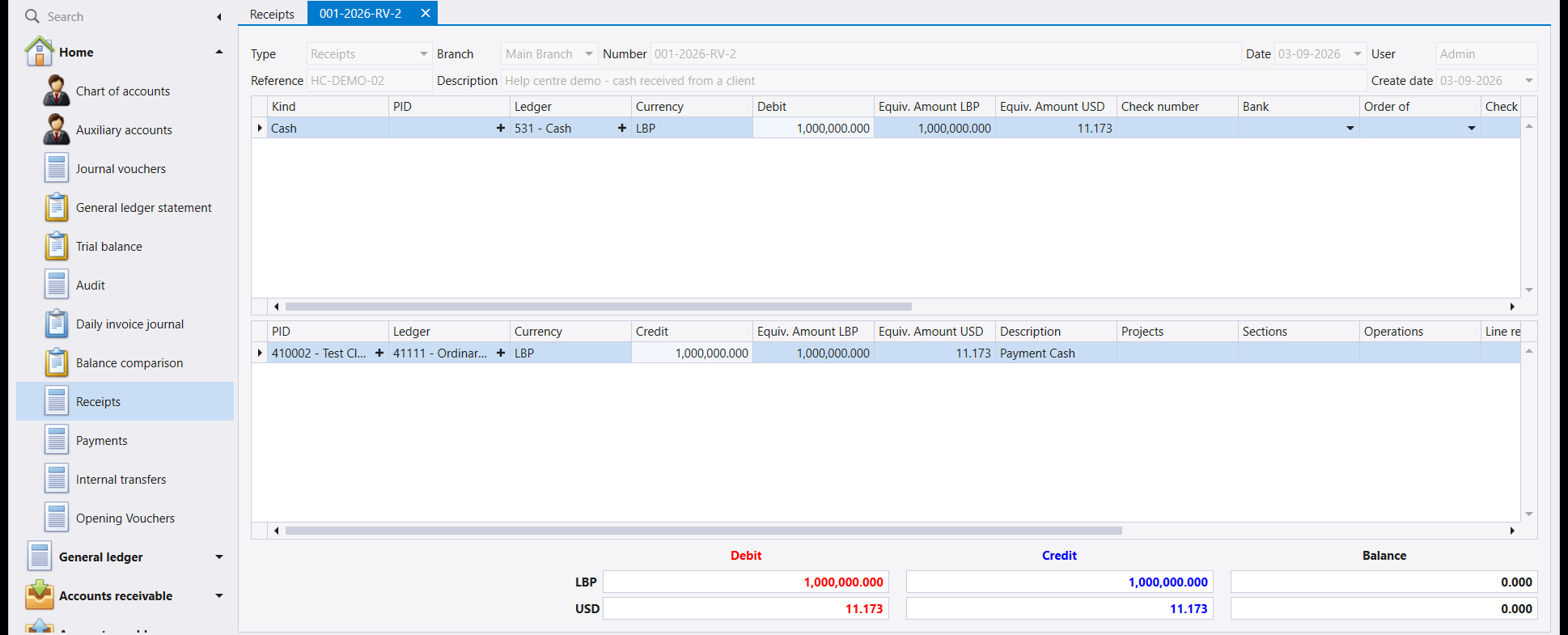
Two things confirm it, and one is worth noticing:
- The tab now carries the receipt's number, here
001-2026-RV-2- RV for a receipt. - The Description on the money line filled itself in. Nobody typed it: it came from the template on the kind you chose, set up on the Payment and receipt screen.
5. If something is wrong
- Invalid input on save. Check the Currency cell on every line - a line with no currency cannot be converted, so it contributes nothing to the totals and the document will not save.
- Enter Check number. The kind you chose requires one. Fill in the Check number column and save again; nothing has been lost.
- Totals will not balance. Check each line's currency before checking the amounts. A line entered against an account held in the other currency balances one row and not the other.
- The client does not appear in PID. They may not have an auxiliary record yet - see How to create a client.
يسجّل هذا الدليل مقبوضًا واحدًا من نموذج فارغ إلى مستند محفوظ ومرقّم. ولمعرفة سبب الشكل الذي عليه الشاشة، اقرأ أولًا المقبوضات والمدفوعات والتحويلات.
والمثال: زبون يدفع 1,000,000 ل.ل. نقدًا.
١. افتح مقبوضًا جديدًا
افتح المقبوضات (Receipts) من القائمة اليسرى، ثم اضغط جديد (New) في الشريط. تُفتح صفحة باسم New Receipt # 1 تحمل هذا الاسم حتى تحفظ.
املأ المرجع (Reference) والشرح (Description) في الرأس كما تفعل في القيد - فالمرجع رقم مستندك أنت، والشرح ما ستقرأه في كشف حساب بعد سنة.
٢. الجدول العلوي - ما قبضته
هذا الجدول هو المال الداخل. وحقلان فيه هما المهمّان:
- النوع (Kind) - كيف دخل المال. يُفتح على
Cash؛ غيّره إن دفع الزبون بشيك أو بحوالة مصرفية. واختيار النوع هو ما يملأ الحساب، فابدأ به. - مدين (Debit) - المبلغ.
وتستطيع أيضًا كتابة رقم الحساب مباشرة في خانة الحساب (Ledger) فيكتمل لك: فـ531 تصير 531 - Cash.
عبارة Totals are not matching ظاهرة، وهذا صحيح - إذ لم يُجعل شيء دائنًا بعد، فالمستند ناقص فعلًا.
وإن كان نوعك يشترط رقم شيك فاملأه الآن. فعمود رقم الشيك (Check number) في هذا الجدول نفسه، ومعه المصرف (Bank) ولأمر (Order of). والنوع الذي يشترطه يرفض الحفظ من دونه.
٣. الجدول السفلي - من دفع لك
هذا الجدول هو الجهة الأخرى: ذمّة من تُسدَّد.
- الذمة (PID) - الزبون. وهو السجل المساعد، وهو ما يجعل المقبوض يظهر في حساب ذلك الزبون نفسه.
- الحساب (Ledger) - حساب الزبون، وهو
41111للزبون العادي. - دائن (Credit) - المبلغ نفسه.
اختفى التنبيه وصار الرصيد (Balance) يساوي 0.000 في السطرين. والمقبوض الآن كامل.
المقبوض لا يقتصر على سطر واحد في كل جهة. فقد يسدّد مبلغ نقدي واحد عدة زبائن، وقد يدفع زبون واحد نقدًا وبشيك معًا - أضف سطورًا إلى الجدول الذي يحتاجها. وكل ما يهم أن ينتهي سطرا العملتين إلى الصفر.
٤. احفظ
اضغط F12.
وأمران يؤكدانه، وأحدهما يستحق الانتباه:
- صارت الصفحة تحمل رقم المقبوض، وهو هنا
001-2026-RV-2- وRV للمقبوض. - امتلأ الوصف (Description) على سطر المال تلقائيًا. ولم يكتبه أحد: بل جاء من النموذج المرتبط بالنوع الذي اخترته، والمجهَّز على شاشة الدفع والقبض.
٥. إذا حدث خطأ
- رسالة Invalid input عند الحفظ. تحقق من خانة العملة (Currency) في كل سطر - فالسطر الذي لا عملة له لا يمكن تحويله، فلا يضيف شيئًا إلى المجاميع ولا يُحفظ المستند.
- رسالة Enter Check number. النوع الذي اخترته يشترط رقم شيك. املأ عمود رقم الشيك واحفظ مجددًا؛ ولم يضع شيء.
- المجاميع لا تتوازن. تحقق من عملة كل سطر قبل التحقق من المبالغ. فالسطر المُدخَل على حساب بالعملة الأخرى يوازن سطرًا واحدًا دون الآخر.
- الزبون لا يظهر في خانة الذمة. قد لا يكون له سجل مساعد بعد - انظر كيفية إنشاء زبون.