
Users, roles and rightsالمستخدمون والأدوار والصلاحيات
Permission settings, a tile inside General setup, is the hub for everything about who can sign in and what they can reach: roles, users, per-user defaults, and six separate rights screens, one per kind of account or list a right can be scoped to.
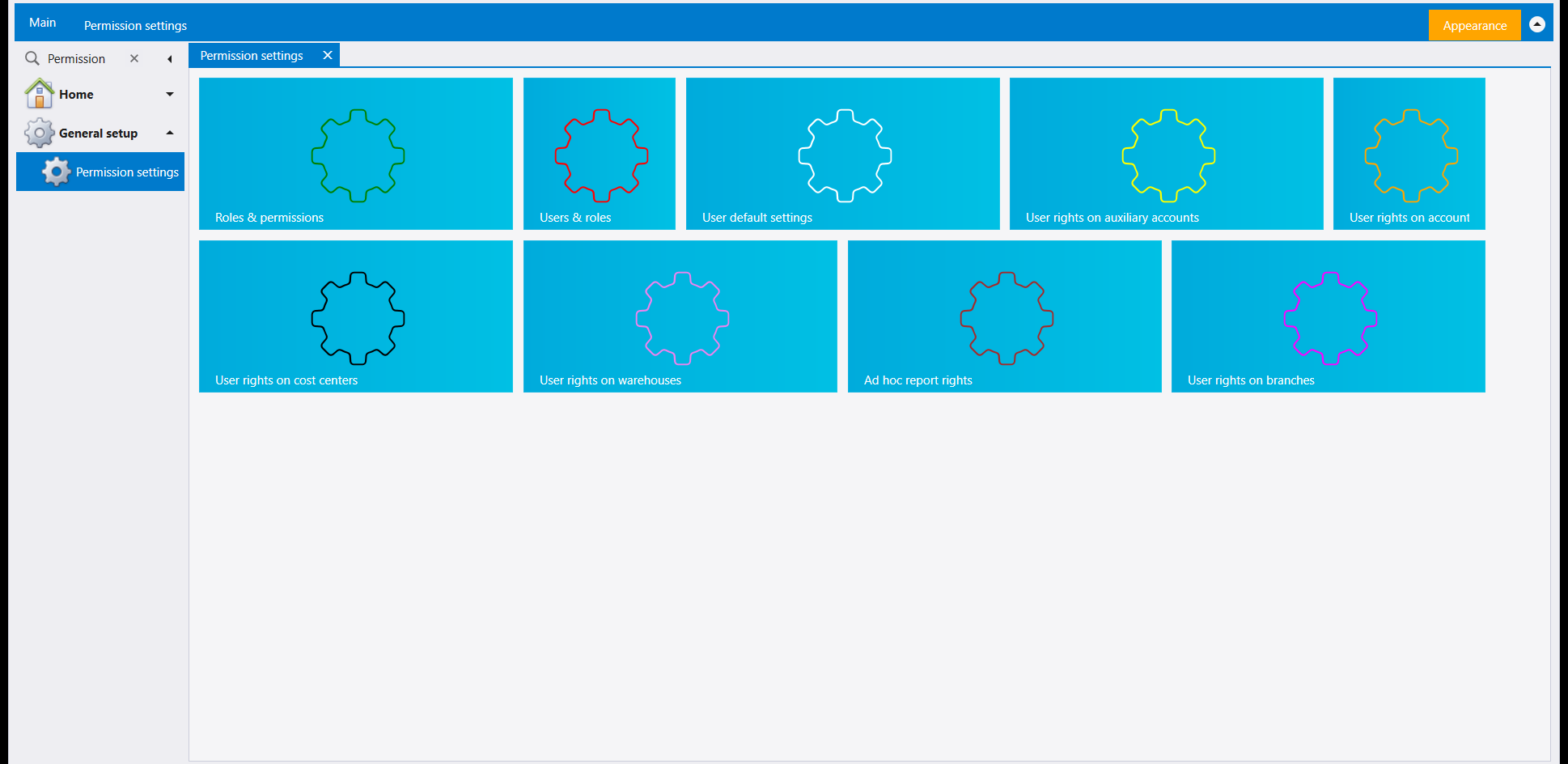
1. Roles & permissions
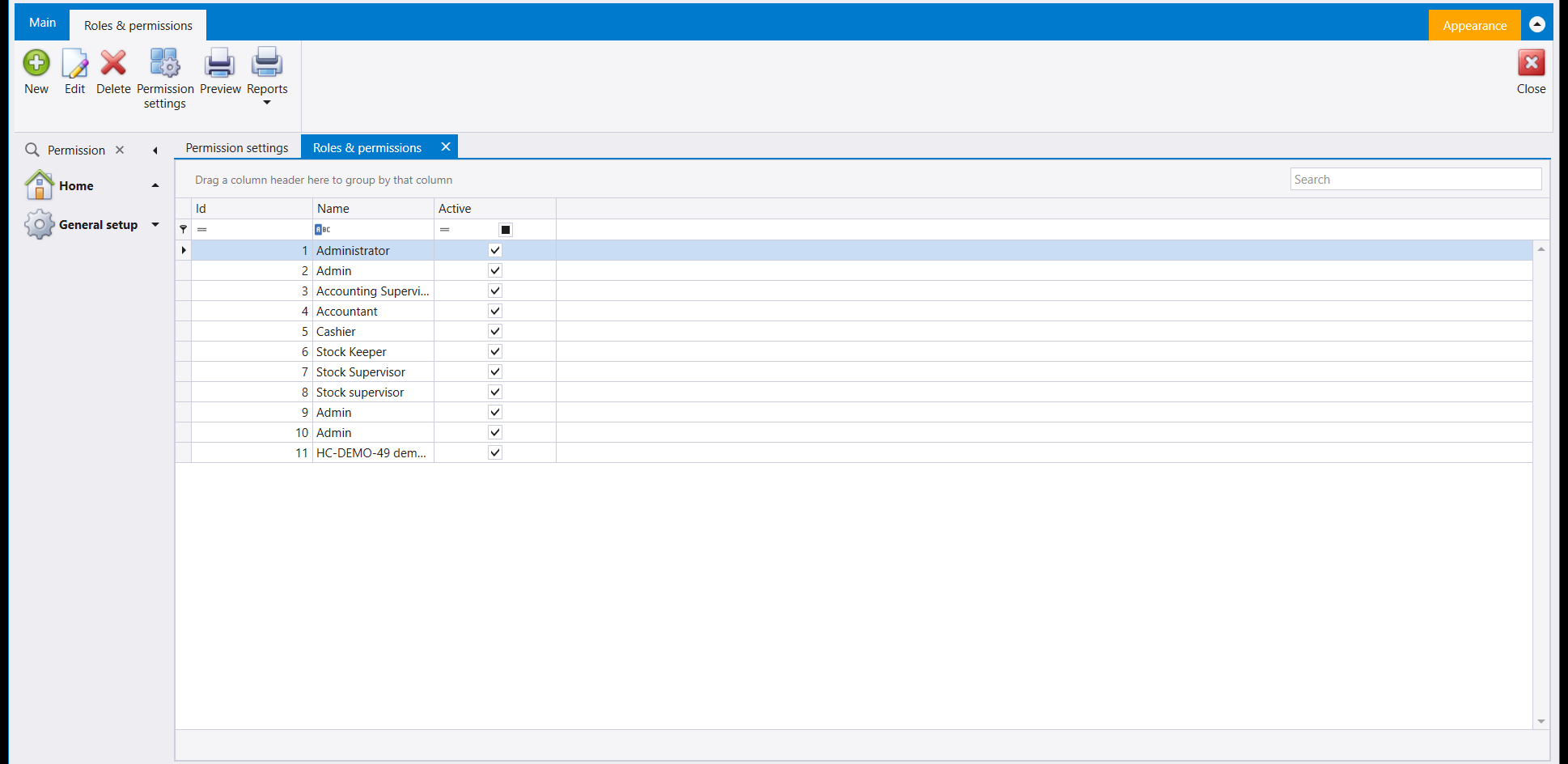
Roles & permissions lists every role already set up - a plain grid of Id, Name and Active, with a role's name doubling as its label everywhere else in the security screens. A role carries no accounts or screens of its own here; it is the name a set of rights is granted to.
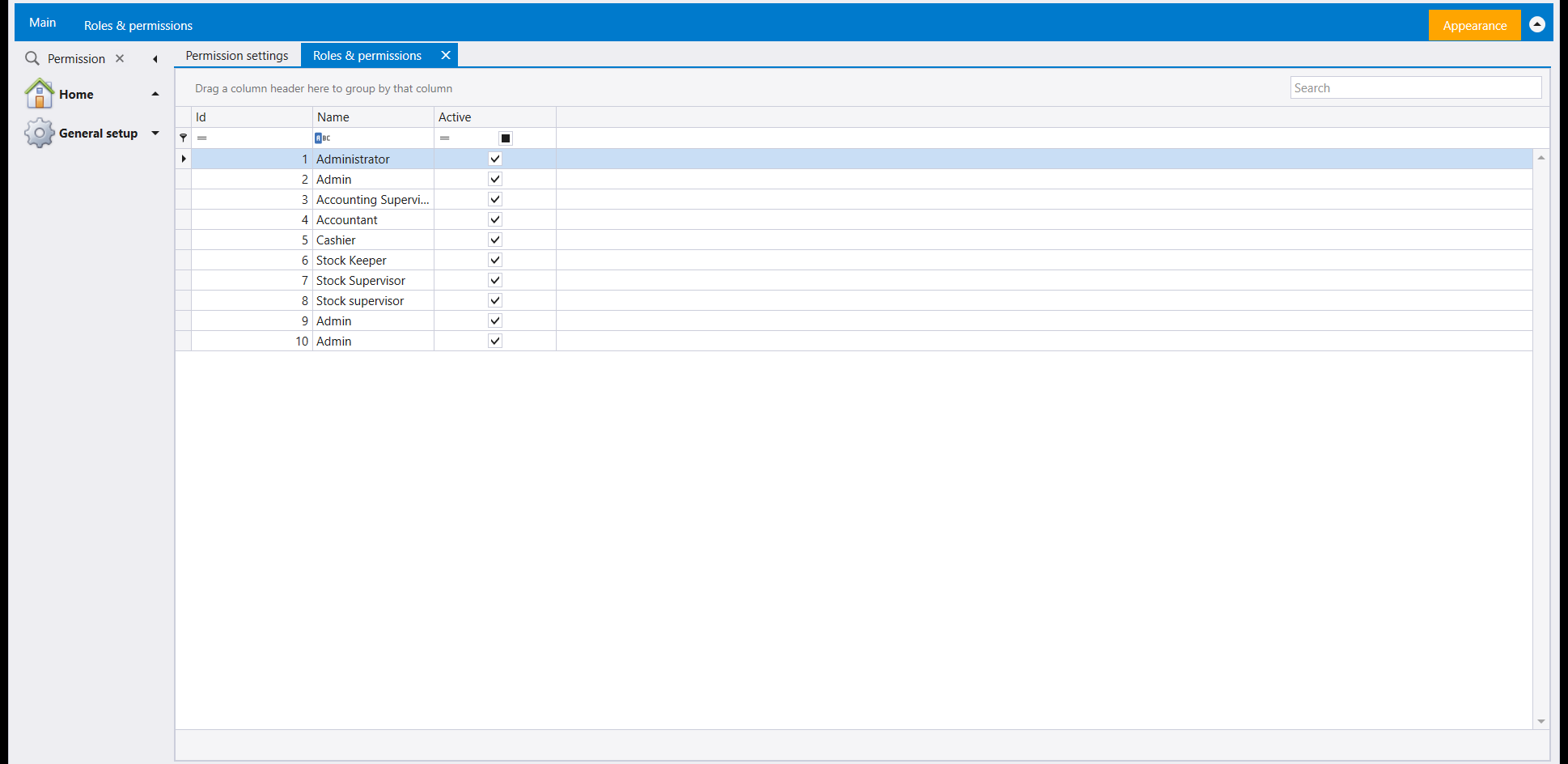
2. Creating a role
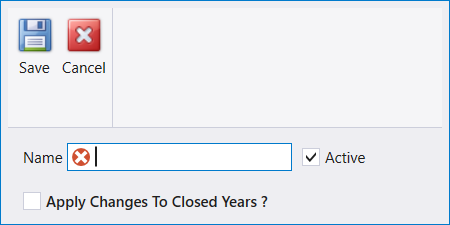
New opens a small form: a Name, an Active switch (ticked by default) and an Apply Changes To Closed Years? switch, unticked by default and worth leaving that way - it reaches into every closed year at once.
Name it and Save:
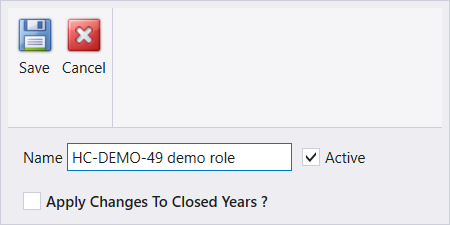
The new role appears at the bottom of the list straight away:
3. Users & roles
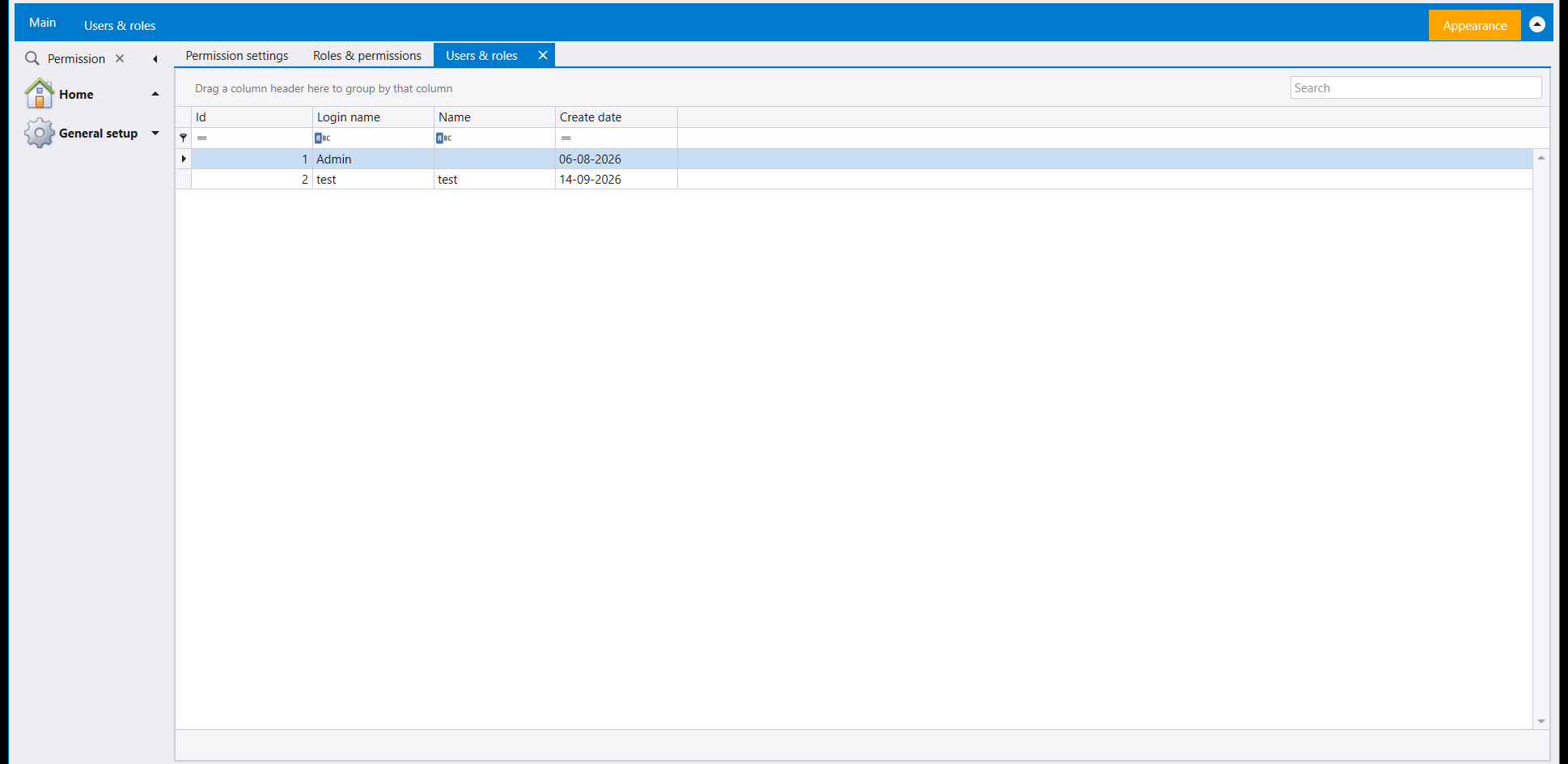
Users & roles lists every login this company has - Id, Login name, Name and Create date. Signing in as another of them is Change login, in Companies, years and sessions.
4. Creating a user
New on Users & roles opens a wider form: Id (filled in once saved), Name, Password, a Disabled switch, Create date (defaults to today), the required Login name, Confirm password, and the same Apply Changes To Closed Years? switch - again worth leaving unticked.
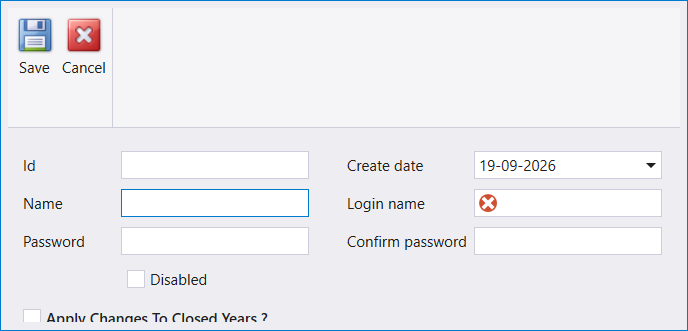
A Login name and a Name are enough to fill in; Password is the field still left blank here:
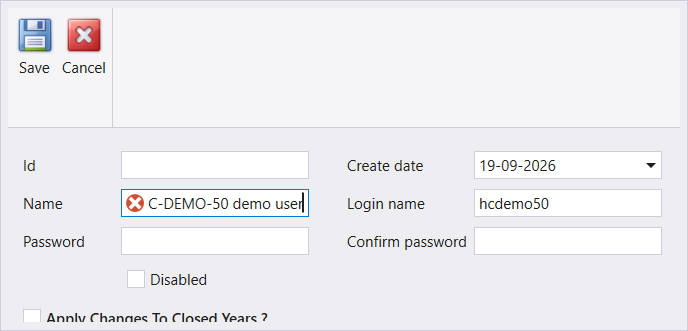
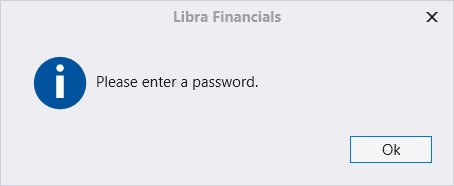
Saving without one brings up Libra's own prompt, «Please enter a password.»:
5. User default settings
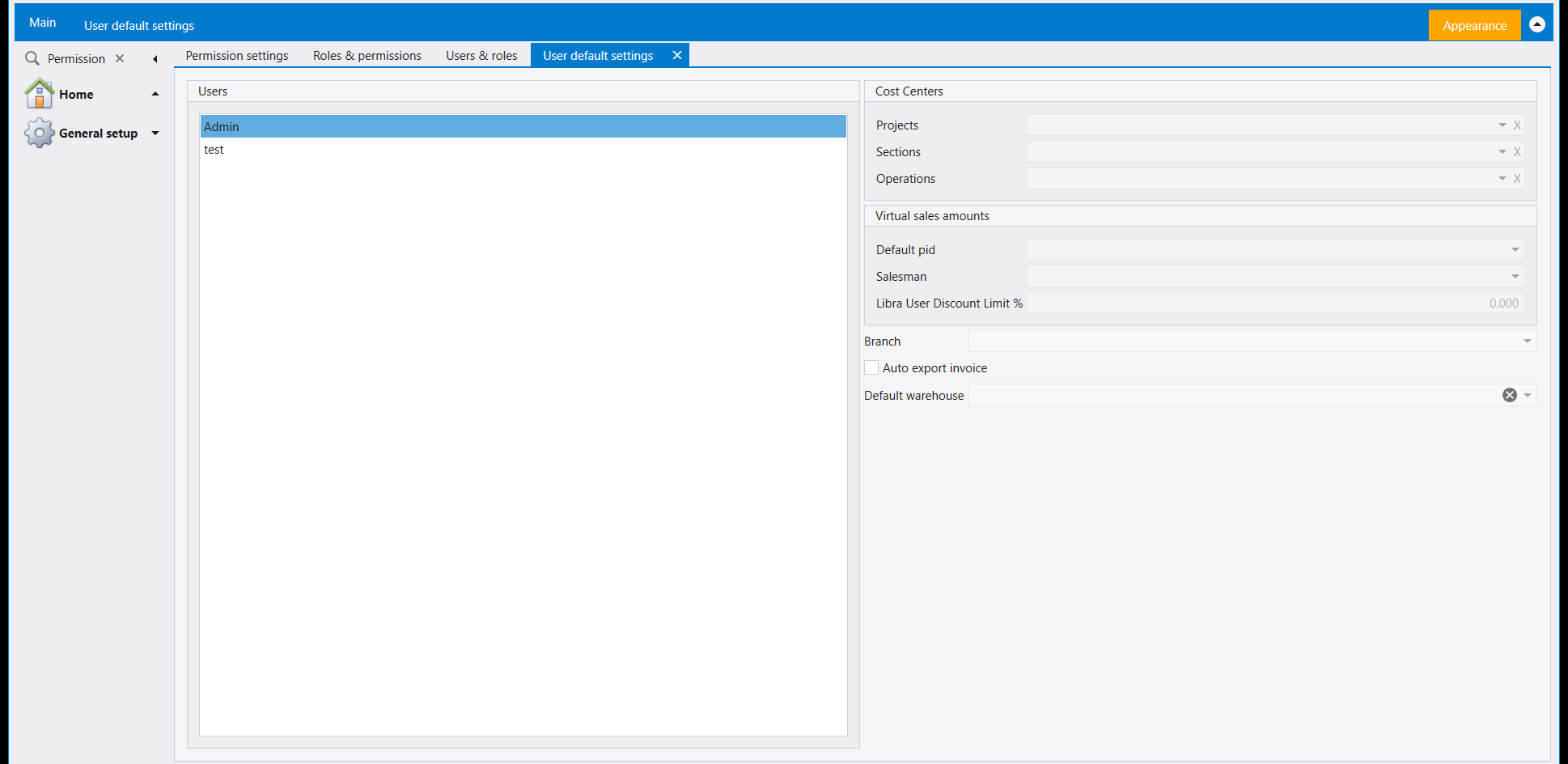
User default settings picks up where a plain user list leaves off: select a user on the left and its own defaults fill in on the right - the Cost Centers it starts on (Projects, Sections, Operations), a Virtual sales amounts block (Default pid, Salesman, a discount limit), a default Branch, an Auto export invoice switch and a Default warehouse. These are the values a document opens with for that user, not a permission - they save time re-picking the same warehouse or cost centre on every document.
6. The six rights screens
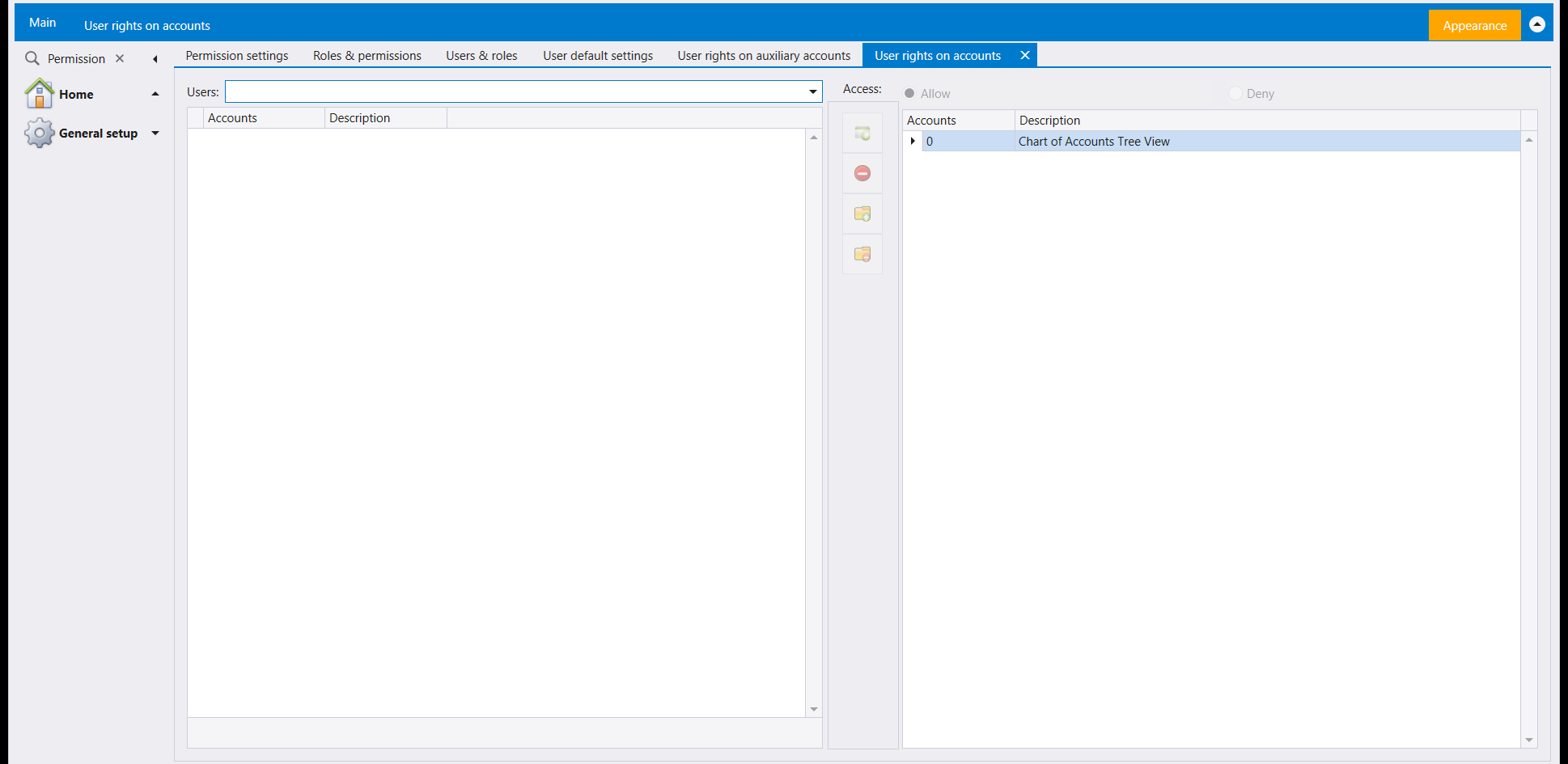
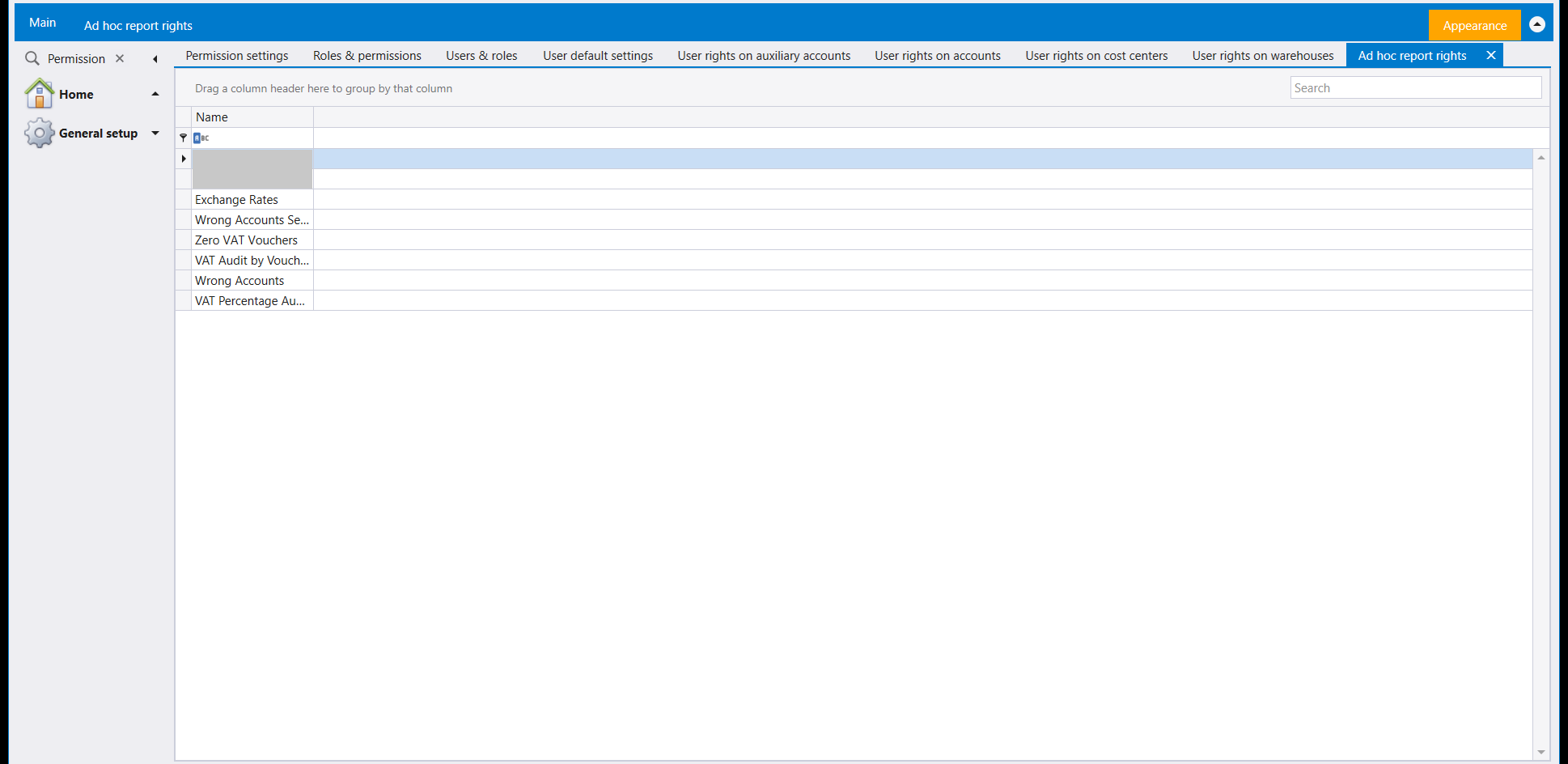
Four of them share one shape - a Users picker, an Allow/Deny choice, and a list of whatever the screen is scoped to: User rights on auxiliary accounts (clients, suppliers, banks and the like), User rights on accounts (the chart of accounts), User rights on cost centers (with its own Projects / Sections / Operations switch) and User rights on warehouses. Ad hoc report rights is a list of the ad hoc reports by Name, with a Search box. A sixth tile on the same hub, User rights on branches, sits alongside them.
7. Branches
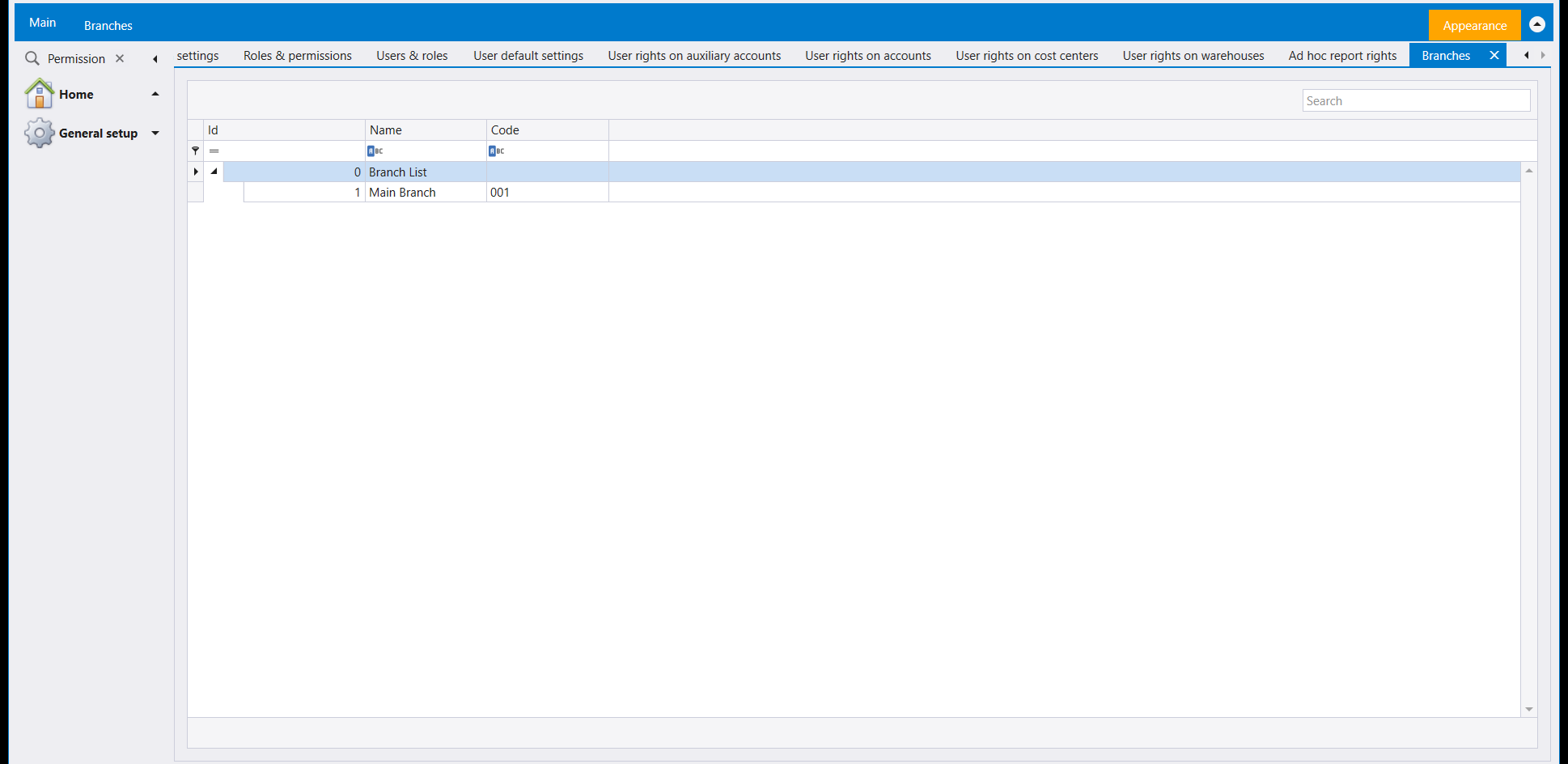
Branches (reached from the Lookups tile, alongside lookups and custom fields) lists the company's branches as a small tree - a Branch List root over one row per branch, each with its own Id, Name and Code.
8. User check numbers
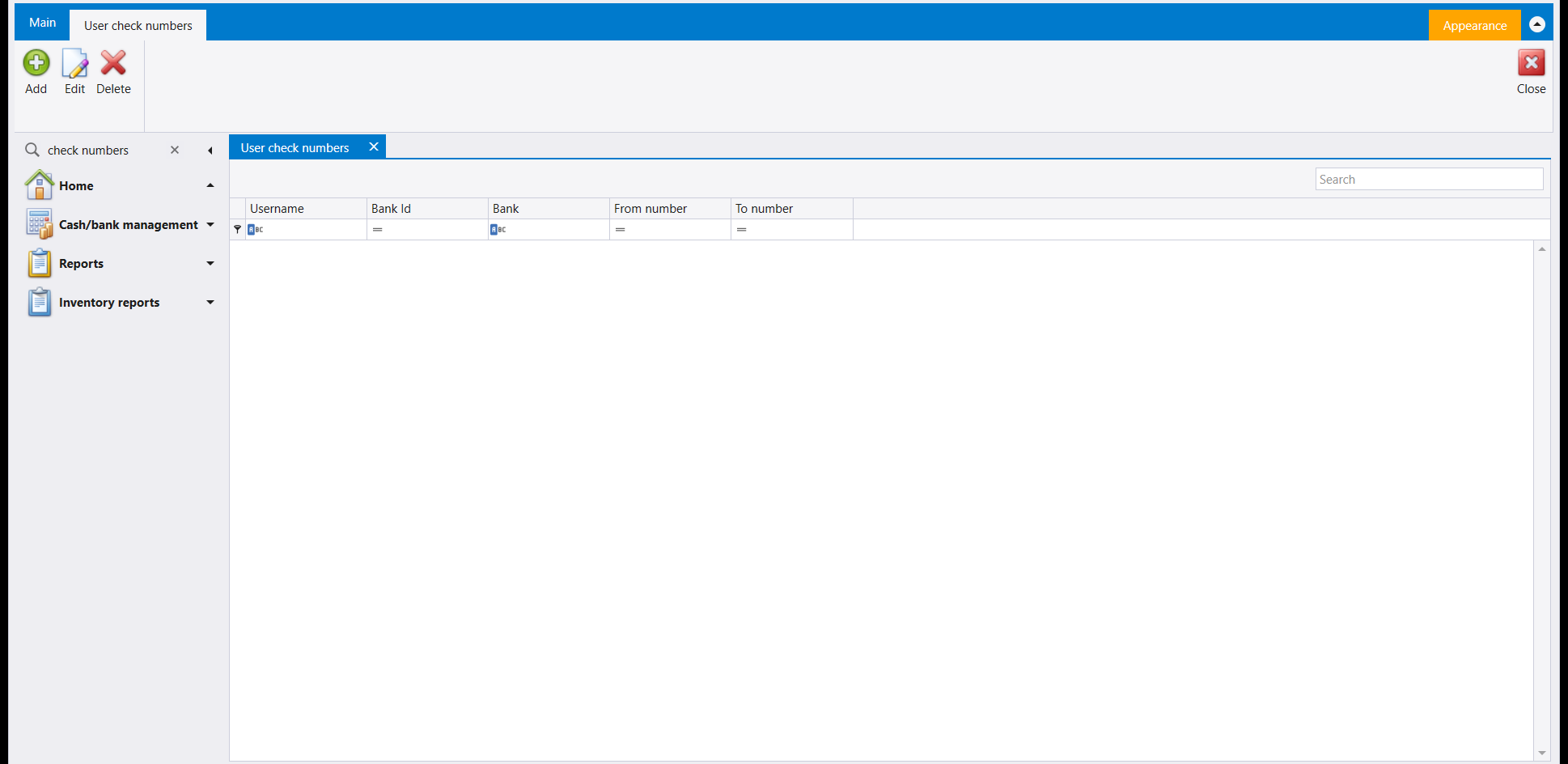
User check numbers lists check number ranges by user and bank: Username, Bank Id, Bank, From number and To number. It is one of the screens you can add to Home with Manage quick list (Adding a screen to the quick list).
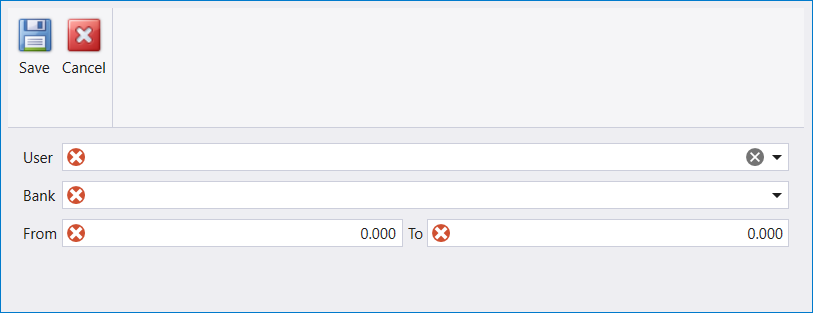
Add opens a small form with User, Bank and a From / To number range, all four marked as required, then Save or Cancel. The Bank list offers the banks already set up in the company.
إعدادات الصلاحيات (Permission settings)، إحدى بلاطات الإعداد العام، هي محور كل ما يتعلق بمن يستطيع الدخول وما يصل إليه: الأدوار والمستخدمون والقيم الافتراضية لكل مستخدم، وست شاشات صلاحيات منفصلة، واحدة لكل نوع من الحسابات أو اللوائح التي يمكن تحديد صلاحية عليها.
١. الأدوار والصلاحيات
تسرد الأدوار والصلاحيات (Roles & permissions) كل دور مُعدّ مسبقًا - جدول بسيط من المعرف (Id) والاسم (Name) ونشِط (Active)، واسم الدور هو ما يظهر به في كل شاشات الأمان الأخرى. ولا يحمل الدور هنا حسابات ولا شاشات خاصة به؛ فهو فقط الاسم الذي تُمنح له مجموعة من الصلاحيات.
٢. إنشاء دور
يفتح جديد (New) استمارة صغيرة: الاسم (Name)، ومفتاح نشِط (Active) (مفعّل افتراضيًا)، ومفتاح تطبيق على السنوات المقفلة؟ (Apply Changes To Closed Years?) غير مفعّل افتراضيًا ويستحق أن يبقى كذلك - فهو يصل إلى كل سنة مقفلة دفعة واحدة.
سمِّه واحفظ:
ويظهر الدور الجديد أسفل اللائحة فور الحفظ:
٣. المستخدمون والأدوار
تسرد المستخدمون والأدوار (Users & roles) كل حساب دخول في هذه الشركة - المعرف (Id) واسم الدخول (Login name) والاسم (Name) وتاريخ الإنشاء (Create date). والدخول باسم مستخدم آخر منها هو تغيير المستخدم (Change login)، في الشركات والسنوات والجلسات.
٤. إنشاء مستخدم
يفتح جديد (New) في المستخدمون والأدوار استمارة أوسع: المعرف (Id) (يُملأ بعد الحفظ)، والاسم (Name)، وكلمة المرور (Password)، ومفتاح معطَّل (Disabled)، وتاريخ الإنشاء (Create date) (يبدأ باليوم)، واسم الدخول (Login name) الإلزامي، وتأكيد كلمة المرور (Confirm password)، والمفتاح نفسه تطبيق على السنوات المقفلة؟ - ويستحق أيضًا أن يبقى غير مفعّل.
يكفي اسم دخول واسم لتعبئة الاستمارة؛ كلمة المرور هي الحقل الذي يبقى فارغًا هنا:
الحفظ من دونها يعرض رسالة ليبرا نفسها، «Please enter a password.»:
٥. القيم الافتراضية للمستخدمين
تكمل القيم الافتراضية للمستخدمين (User default settings) ما تتركه لائحة المستخدمين البسيطة: اختر مستخدمًا في اليسار فتُملأ قيمه الافتراضية في اليمين - مراكز التكلفة (Cost Centers) التي يبدأ بها (المشاريع (Projects) والأقسام (Sections) والعمليات (Operations))، وقسم مبالغ المبيعات الافتراضية (Virtual sales amounts) (pid افتراضي، مندوب المبيعات، سقف خصم)، وفرع (Branch) افتراضي، ومفتاح تصدير الفاتورة تلقائيًا (Auto export invoice)، ومخزن افتراضي (Default warehouse). هذه قيم يبدأ بها المستند لذلك المستخدم لا صلاحية - توفر عليك اختيار المخزن أو مركز التكلفة نفسه في كل مستند.
٦. شاشات الصلاحيات الست
تشترك أربع منها في شكل واحد - منتقي مستخدمين (Users)، وخيار سماح (Allow) أو منع (Deny)، ولائحة بما تُحدَّد الشاشة عليه: صلاحيات المستخدم على الحسابات المساعدة (الزبائن والموردون والمصارف وما شابه)، وصلاحيات المستخدم على الحسابات (شجرة الحسابات)، وصلاحيات المستخدم على مراكز التكلفة (ولها مفتاحها الخاص المشاريع/الأقسام/ العمليات)، وصلاحيات المستخدم على المخازن. أما صلاحيات التقارير حسب الطلب فلائحة بالتقارير حسب الطلب باسمها (Name) مع صندوق Search. ومربّع سادس على المحور نفسه، صلاحيات المستخدم على الفروع (User rights on branches)، يقف إلى جانبها.
٧. الفروع
تسرد الفروع (Branches) (تُفتح من بلاطة اللوائح، إلى جانب اللوائح والحقول الحرة) فروع الشركة كشجرة صغيرة - جذر لائحة الفروع (Branch List) فوق صف لكل فرع، ولكل فرع معرفه (Id) واسمه (Name) ورمزه (Code) الخاصة به.
٨. أرقام شيكات المستخدم
تسرد أرقام شيكات المستخدم (User check numbers) مجالات أرقام الشيكات حسب المستخدم والمصرف: Username وBank Id وBank وFrom number وTo number. وهي من الشاشات التي يمكنك إضافتها إلى Home عبر Manage quick list (إضافة شاشة إلى القائمة السريعة).
يفتح Add استمارة صغيرة فيها User وBank ومجال أرقام From / To، والأربعة كلها معلَّمة كإلزامية، ثم Save أو Cancel. وتعرض لائحة Bank المصارف المُعدّة سلفًا في الشركة.