
Document numberingترقيم المستندات
Every voucher, invoice and note Libra saves carries a running number - the branch-year-kind sequence the journal voucher guide and receipts and payments guide both describe. These screens are where that numbering itself is set up.
1. Where it lives
Open General setup → Serials. Three tiles.
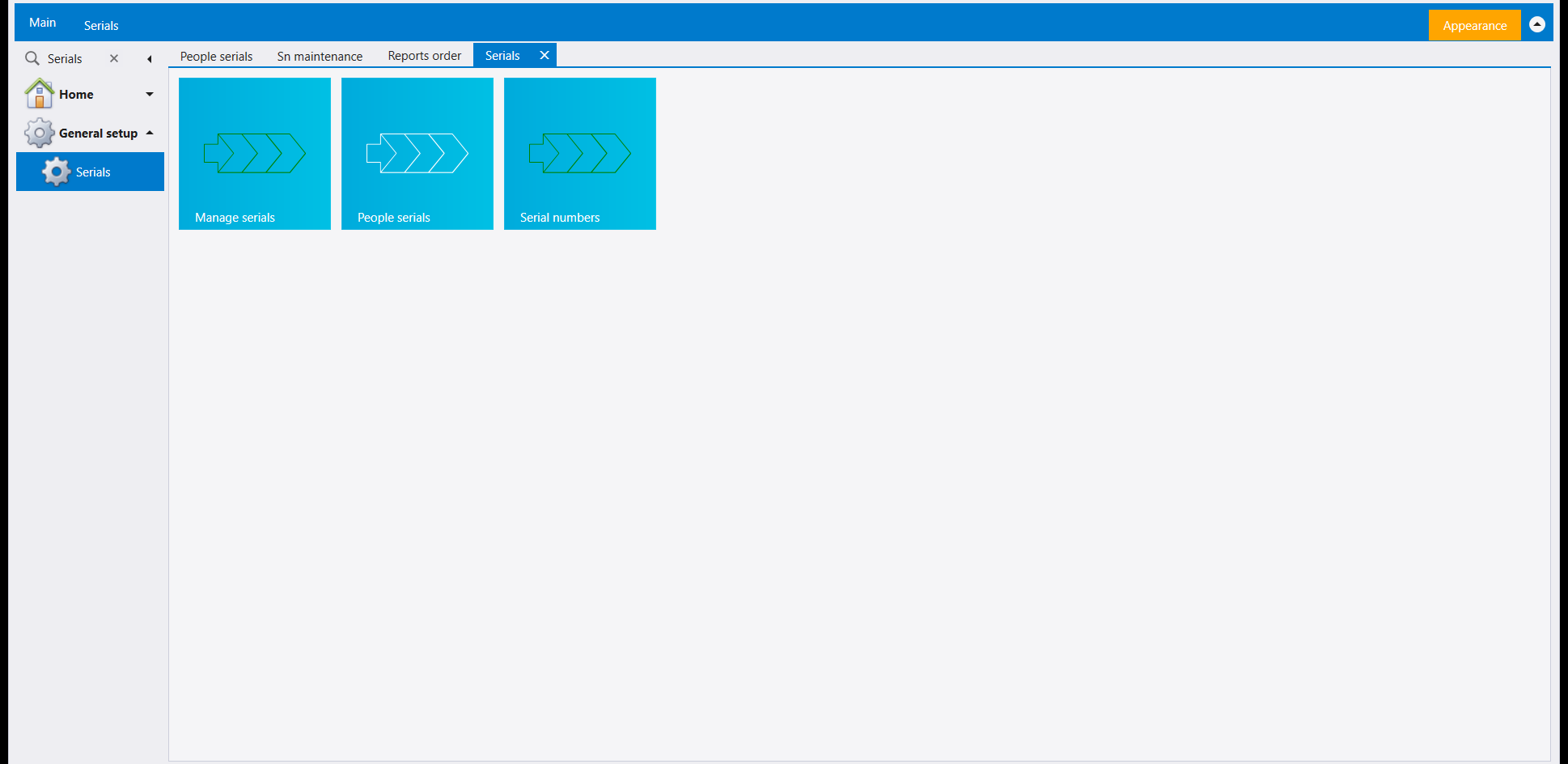
Two more numbering screens sit outside this page, reached from Home → search instead: Special series and Sn maintenance. Reports order is a separate leaf again, next to Serials in General setup. All six are covered below.
2. Manage serials
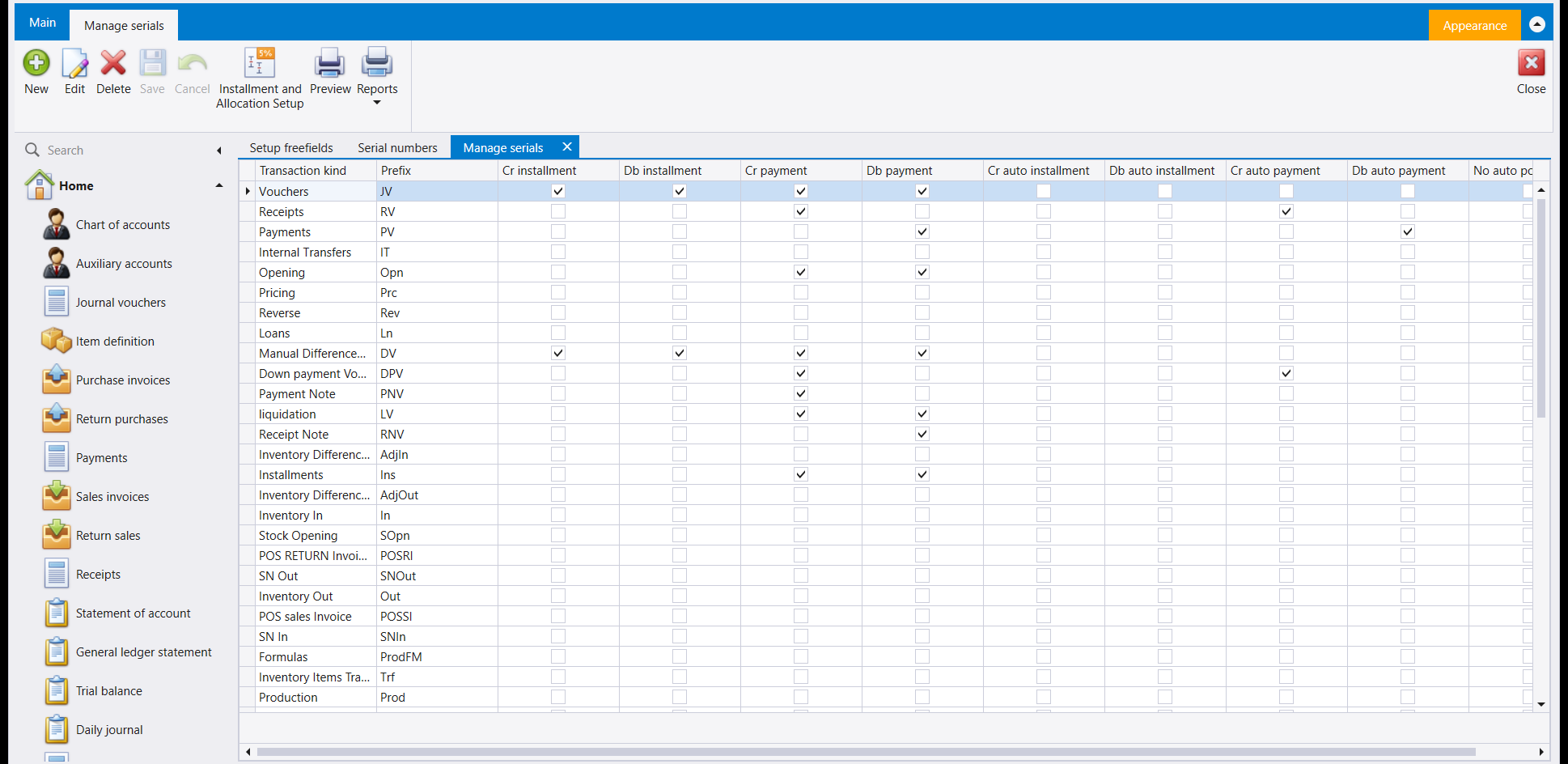
One row per document kind Libra can raise - Vouchers, Receipts, Payments, Internal Transfers, Opening, and on down to Production - each with its own letter prefix (JV, RV, PV, IT...). The columns to its right are Cr/Db installment and Cr/Db payment, plus their auto variants - a tick box for each combination; Receipts, for example, has its Cr payment box ticked.
3. Special series
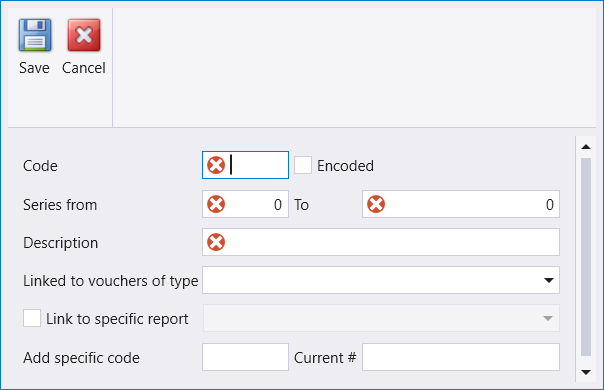
A company can add its own numbering ranges on top of the standard ones - useful for a batch of pre-printed forms, or a range reserved for one branch. New opens a form asking for a Code, the Series from / To range, a Description, and, optionally, which voucher type the range is linked to and which report should print it:
4. Serial numbers
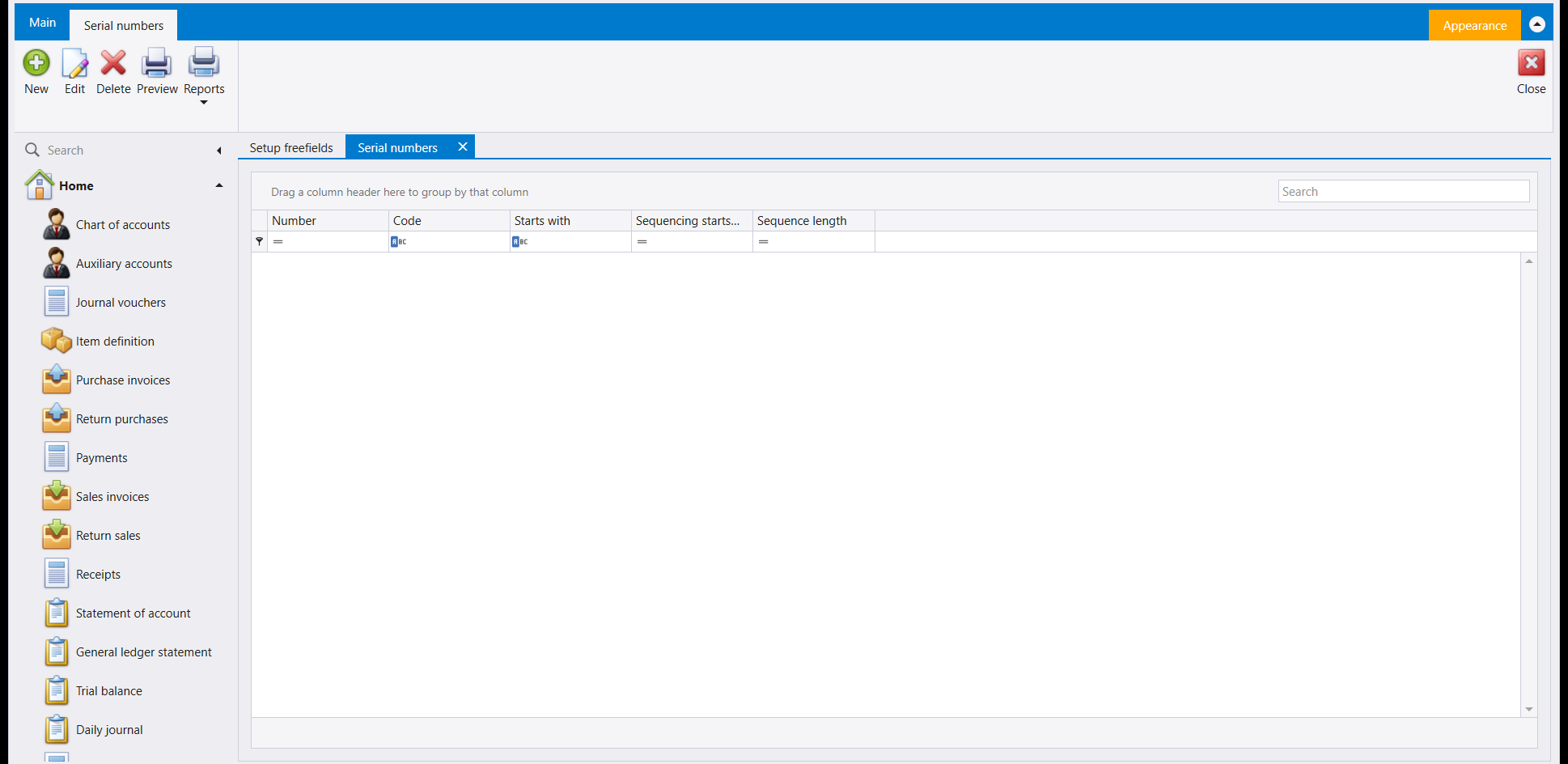
Also labelled Serial Display on the navbar's own quick-list pool - both open the same screen. It defines how a serial number for an item is built: a Code, what the serial Starts with, and where in the string its own sequencing begins and how long it runs.
5. People serials
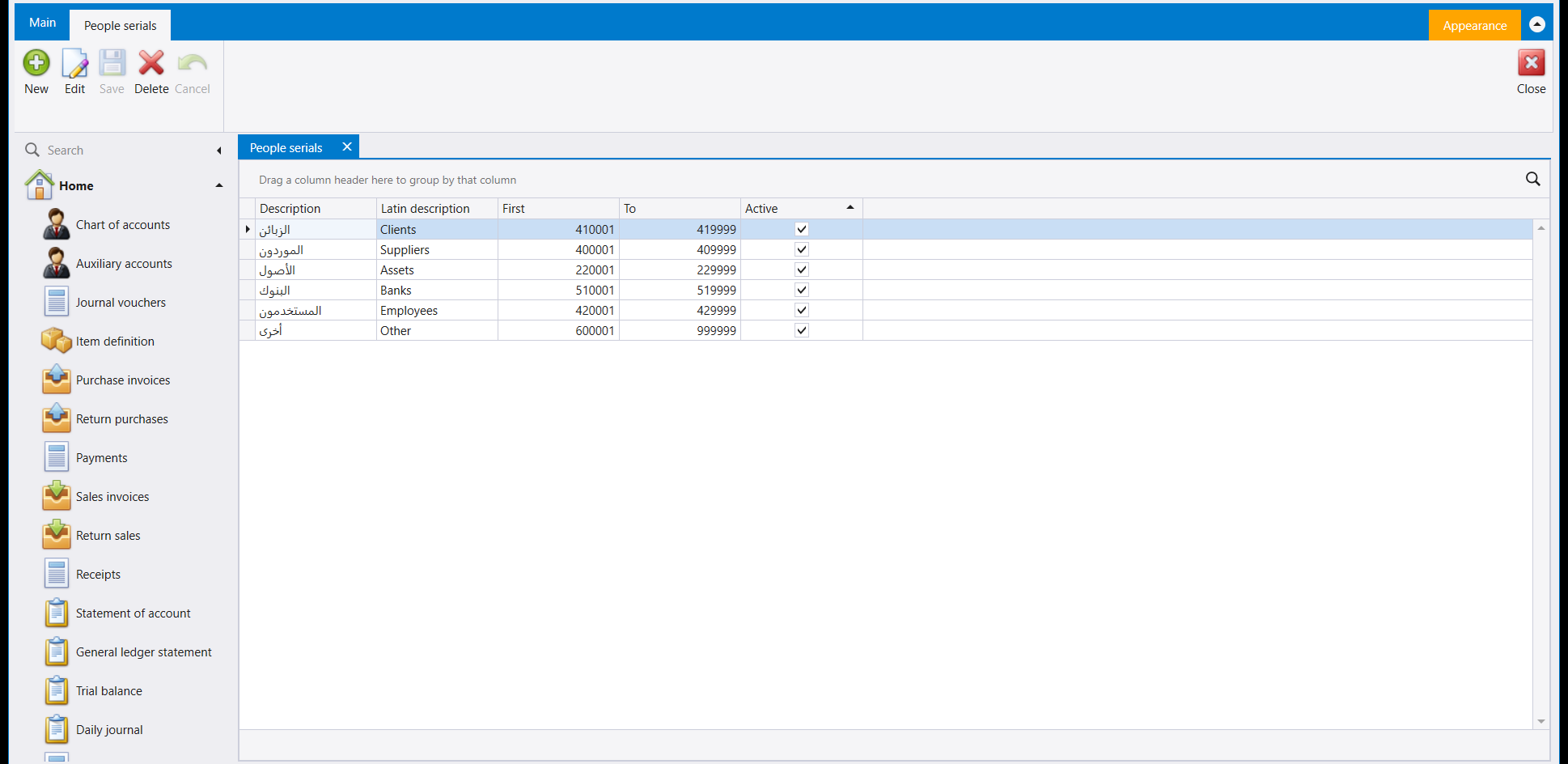
The same prefix-range idea Default accounts uses (see Posting and default accounts), but for every auxiliary account role at once. The six roles are fixed, so Edit is how you adjust a range here rather than adding a new one. This company's ranges:
| Role | Range |
|---|---|
| Clients | 410001 - 419999 |
| Suppliers | 400001 - 409999 |
| Assets | 220001 - 229999 |
| Banks | 510001 - 519999 |
| Employees | 420001 - 429999 |
| Other | 600001 - 999999 |
6. Reports order
Groups the reports a Special series range can print into named orders - covered in Report setup and mail: ad hoc reports, report order, the designer and email.
7. Sn maintenance
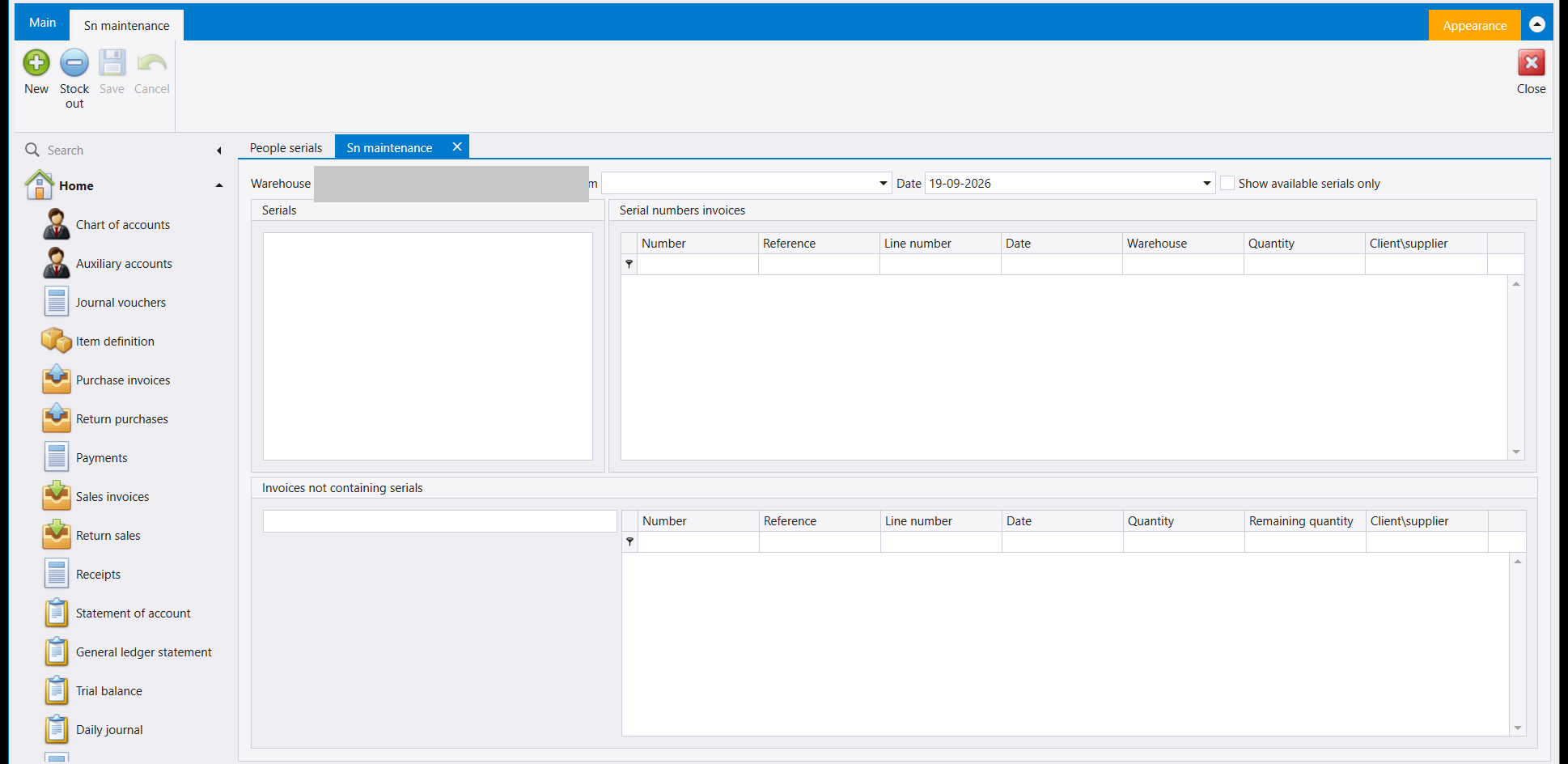
A reconciliation screen for serialised items: pick a warehouse and, optionally, an item and a date, and it lines up three panels - the serials on hand, the invoices that carry serial numbers, and the invoices that still need one assigned. With no item chosen yet, all three stay empty:
كل قيد وفاتورة ومذكّرة يحفظها ليبرا يحمل رقمًا متسلسلًا - تسلسل الفرع-السنة-النوع الذي يشرحه كل من دليل القيد المحاسبي و دليل المقبوضات والمدفوعات. هذه الشاشات هي حيث يُعَدّ هذا الترقيم نفسه.
١. أين تجدها
افتح General setup ← Serials. ثلاثة مربّعات.
وشاشتا ترقيم أخريان تقعان خارج هذه الصفحة، تُبلغان من Home ← البحث بدلًا من ذلك: Special series وSn maintenance. أما Reports order فلسان منفصل مجددًا، بجانب Serials في General setup. الست جميعًا مشروحة أدناه.
٢. تجهيز التسلسلات (Manage serials)
سطر لكل نوع مستند يستطيع ليبرا إصداره - Vouchers وReceipts وPayments و Internal Transfers وOpening وصولًا إلى Production - لكل منها حرف بادئة خاص (JV وRV وPV وIT...). الأعمدة إلى يمينها هي Cr/Db installment وCr/Db payment، وصيغتاهما التلقائيتان - خانة تأشير لكل توليفة؛ فـReceipts مثلًا خانة Cr payment فيها مؤشَّرة.
٣. التسلسلات الخاصة (Special series)
تستطيع الشركة إضافة نطاقات ترقيم خاصة بها فوق النطاقات القياسية - مفيد لدفعة نماذج مطبوعة سلفًا، أو نطاق محجوز لفرع واحد. يفتح New نموذجًا يسأل عن Code ونطاق Series from / To و Description، واختياريًا أي نوع قيد يرتبط به النطاق وأي تقرير يطبعه:
٤. الأرقام التسلسلية (Serial numbers)
تحمل أيضًا اسم Serial Display في مجموعة القائمة السريعة الخاصة بالشريط الجانبي - وكلاهما يفتح الشاشة نفسها. تحدّد كيف يُبنى الرقم التسلسلي للصنف: Code، وبم Starts with الرقم التسلسلي، وأين يبدأ تسلسله الخاص ضمن السلسلة وكم يمتد.
٥. تسلسلات الحسابات (People serials)
الفكرة نفسها لنطاقات البادئة التي تستعملها Default accounts (راجع الترحيل والحسابات الافتراضية)، لكن لكل دور حساب مساعد في آن واحد. الأدوار الستة ثابتة، لذا Edit هو وسيلتك لتعديل نطاق هنا بدل إضافة نطاق جديد. نطاقات هذه الشركة:
| الدور | النطاق |
|---|---|
| الزبائن | 410001 - 419999 |
| الموردون | 400001 - 409999 |
| الأصول | 220001 - 229999 |
| البنوك | 510001 - 519999 |
| المستخدمون | 420001 - 429999 |
| أخرى | 600001 - 999999 |
٦. ترتيب التقارير (Reports order)
يجمع التقارير التي يستطيع نطاق Special series طباعتها في ترتيبات مسمّاة - وهذا مشروح في إعداد التقارير والبريد: التقارير حسب الطلب وترتيب التقارير والمصمّم والبريد.
٧. صيانة التسلسلات (Sn maintenance)
شاشة تسوية للأصناف المسلسلة: اختر مستودعًا، واختياريًا صنفًا وتاريخًا، فتصطف ثلاث لوحات - الأرقام التسلسلية المتوفرة، والفواتير التي تحمل أرقامًا تسلسلية، والفواتير التي ما زالت بحاجة إلى تعيين رقم. من دون اختيار صنف بعد، تبقى اللوحات الثلاث فارغة: