
Opening a screen from the Search boxفتح شاشة من صندوق Search
The Search box at the top of the navigation pane does more than filter the menu. Type a word from a screen's name, press the Down arrow, then Enter, and the screen opens in a tab of its own. That includes screens your menu does not list: every screen in this guide was opened this way, and all but the last (Down payment, which has a row of its own under Accounts receivable) in a company whose menu shows no row for it.
1. Type one word
Type one word that belongs to the screen you want, not its whole name. Typing Production Calculator opened Production order, while typing Calculator opened Production calculator. Capitals count too: signature opened Accountant signature, while Signature opened nothing. Once the screen is open, the pane still shows only the group the word matched.
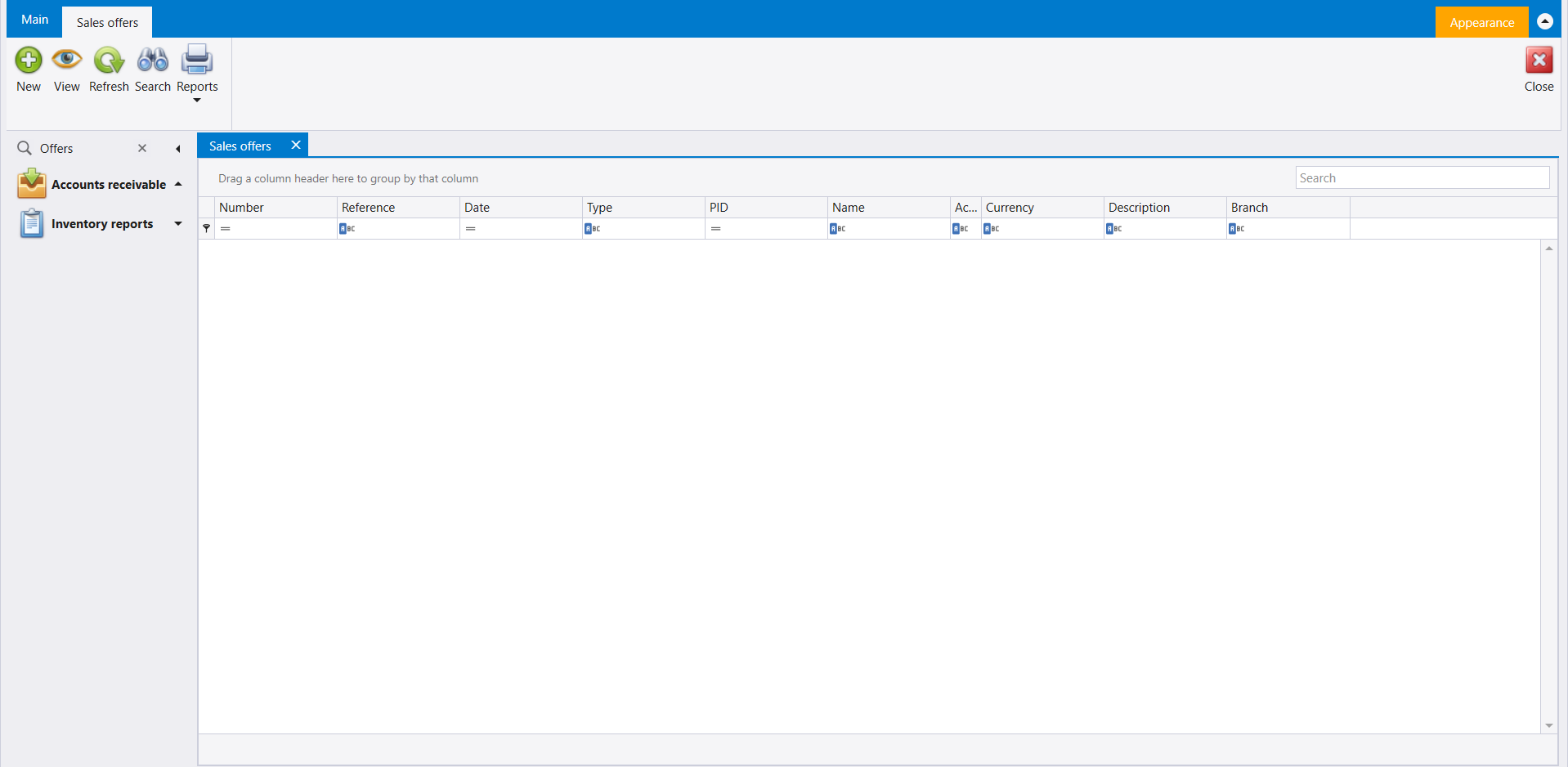
2. Sales offers
Word: Offers. Sales offers opens on a list with the columns Number, Reference, Date, Type, PID, Name, Currency, Description and Branch. Its ribbon carries New, View, Refresh, Search and Reports, with Close on the far side.
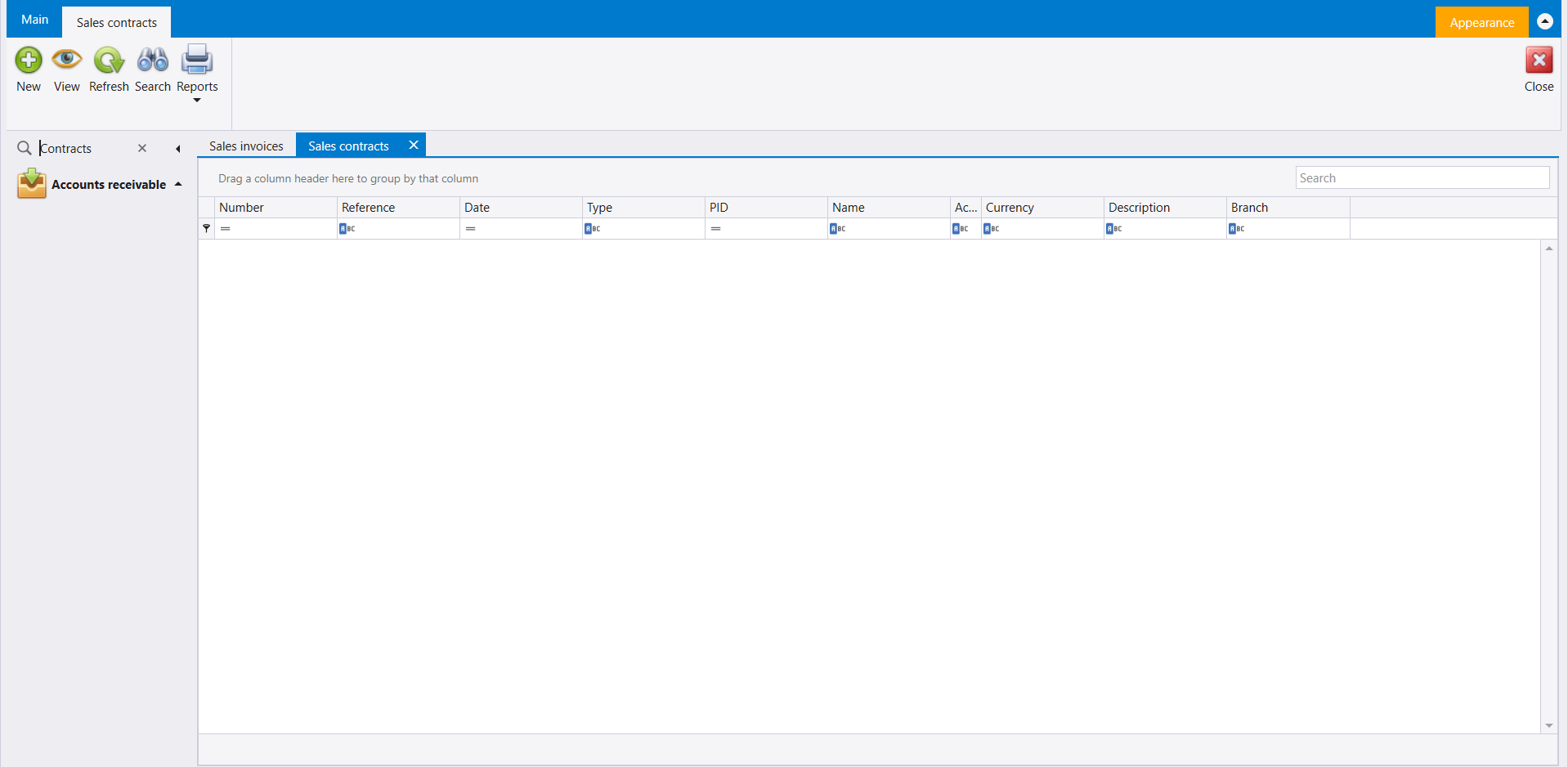
3. Sales contracts
Word: Contracts. Sales contracts opens on a list with the same columns and the same ribbon as Sales offers.
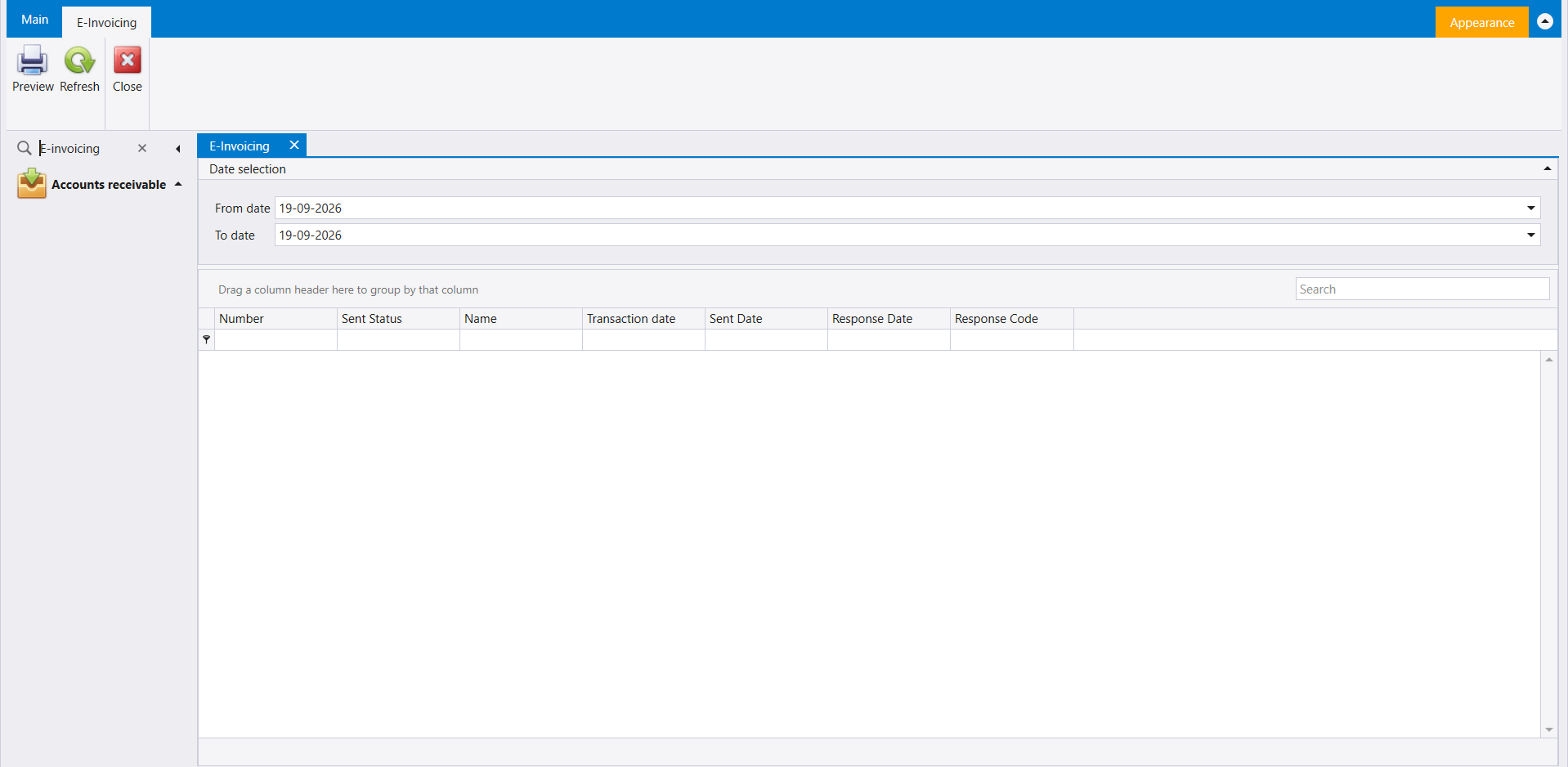
4. E-Invoicing
Word: E-invoicing. E-Invoicing opens with a Date selection panel (From date and To date) above a list with the columns Number, Sent Status, Name, Transaction date, Sent Date, Response Date and Response Code. Its ribbon carries Preview, Refresh and Close.
5. Shipments
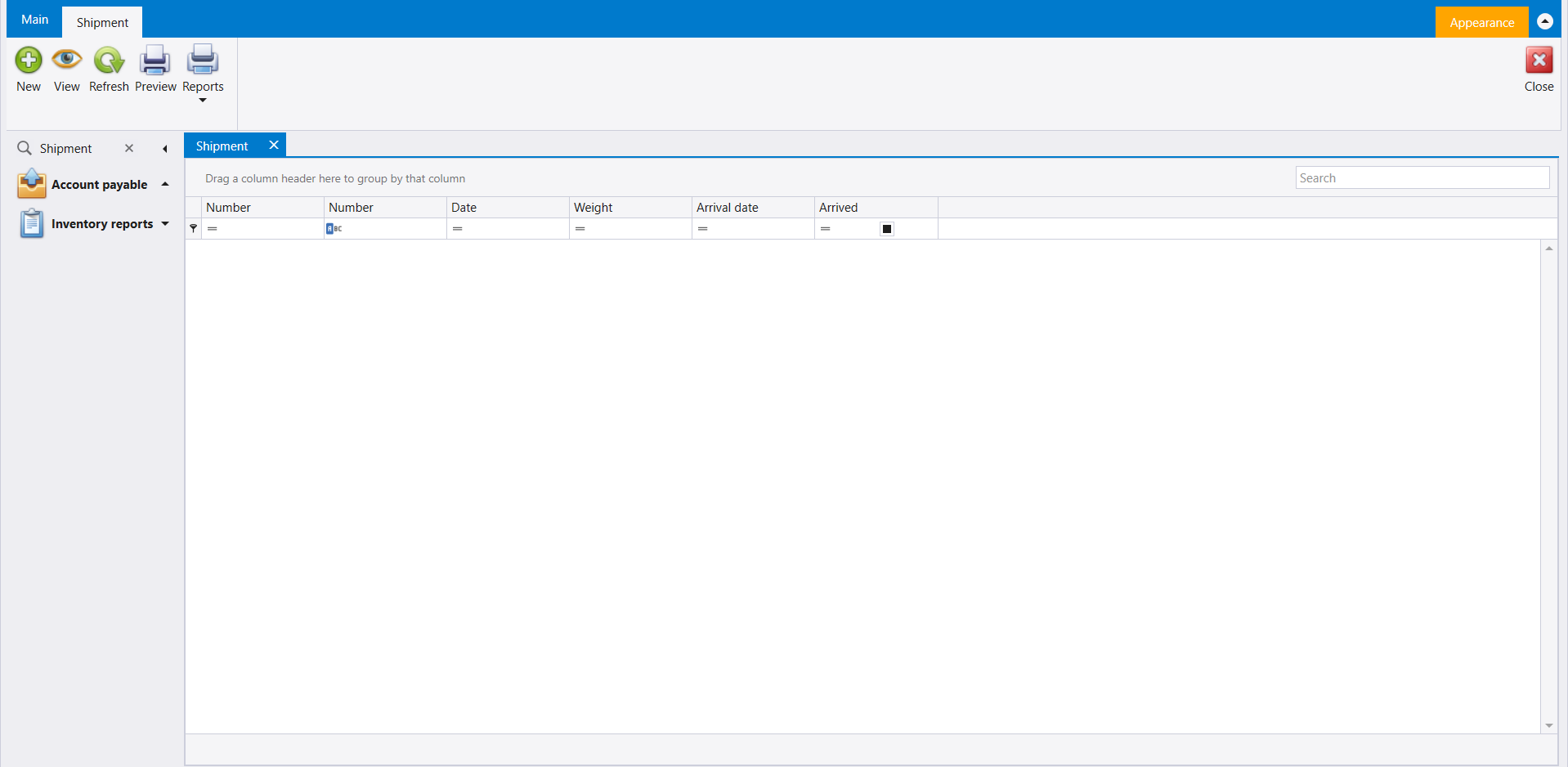
Word: Shipment. The Shipment list opens under Account payable, with the columns Number (twice), Date, Weight, Arrival date and Arrived. Its ribbon carries New, View, Refresh, Preview and Reports, with Close on the far side.
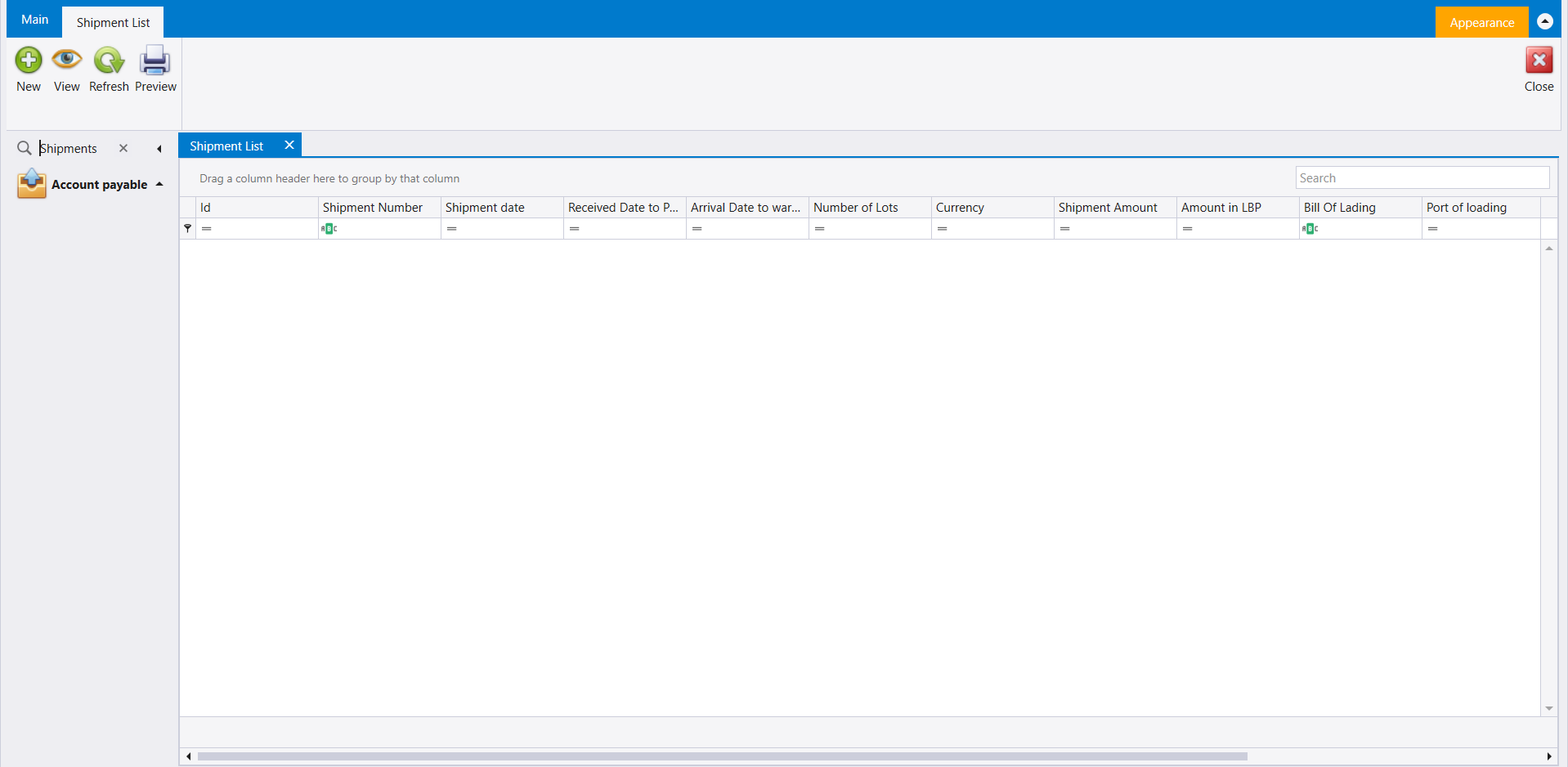
Word: Shipments. Shipment List, also under Account payable, is a different list: Id, Shipment Number, Shipment date, Received Date to P..., Arrival Date to war..., Number of Lots, Currency, Shipment Amount, Amount in LBP, Bill Of Lading and Port of loading, with more columns to the right. Its ribbon carries New, View, Refresh and Preview.
6. Manifest List
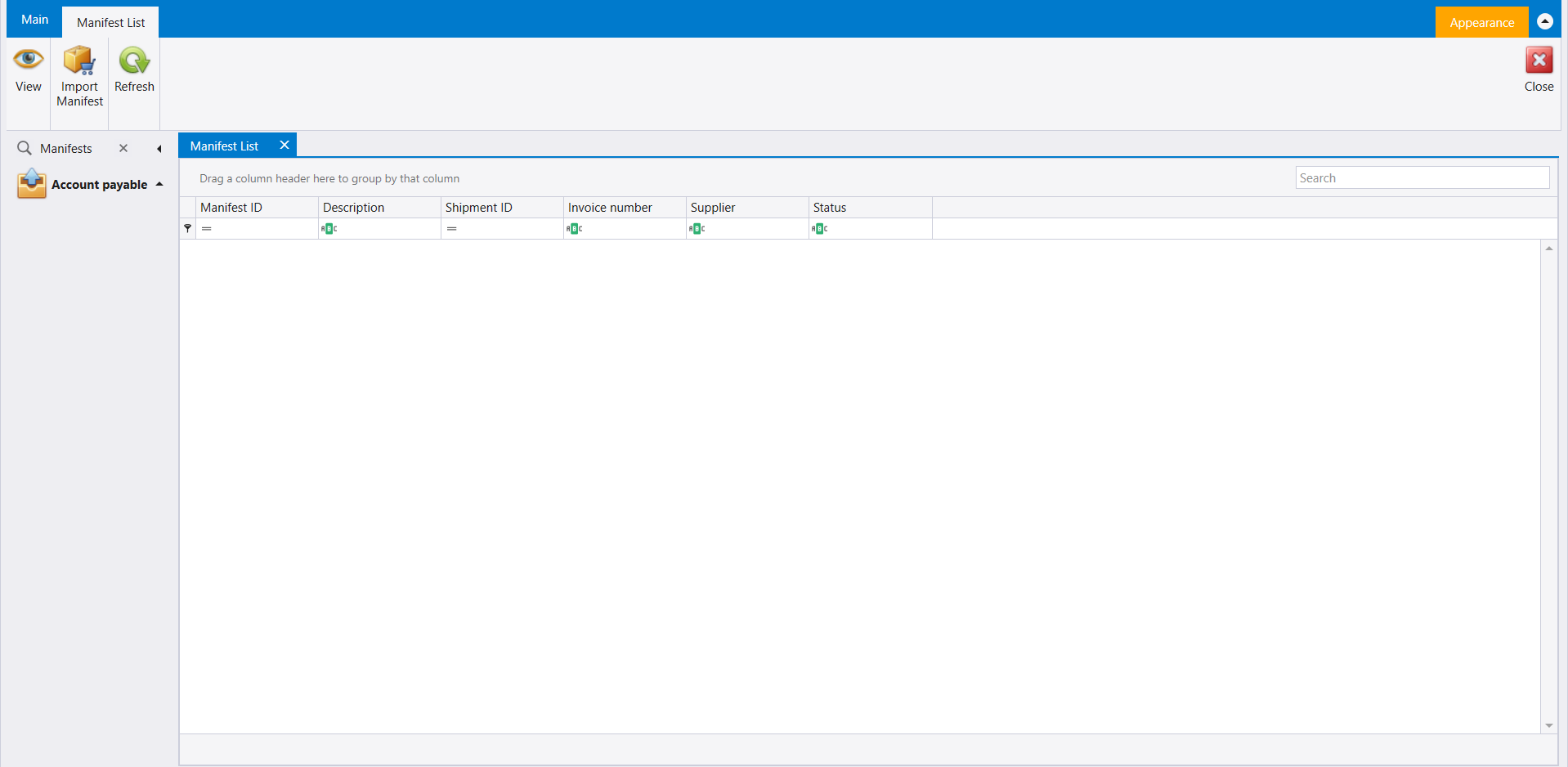
Word: Manifests. Manifest List opens under Account payable, with the columns Manifest ID, Description, Shipment ID, Invoice number, Supplier and Status. Its ribbon carries View, Import Manifest and Refresh, with Close on the far side.
7. Budget lists
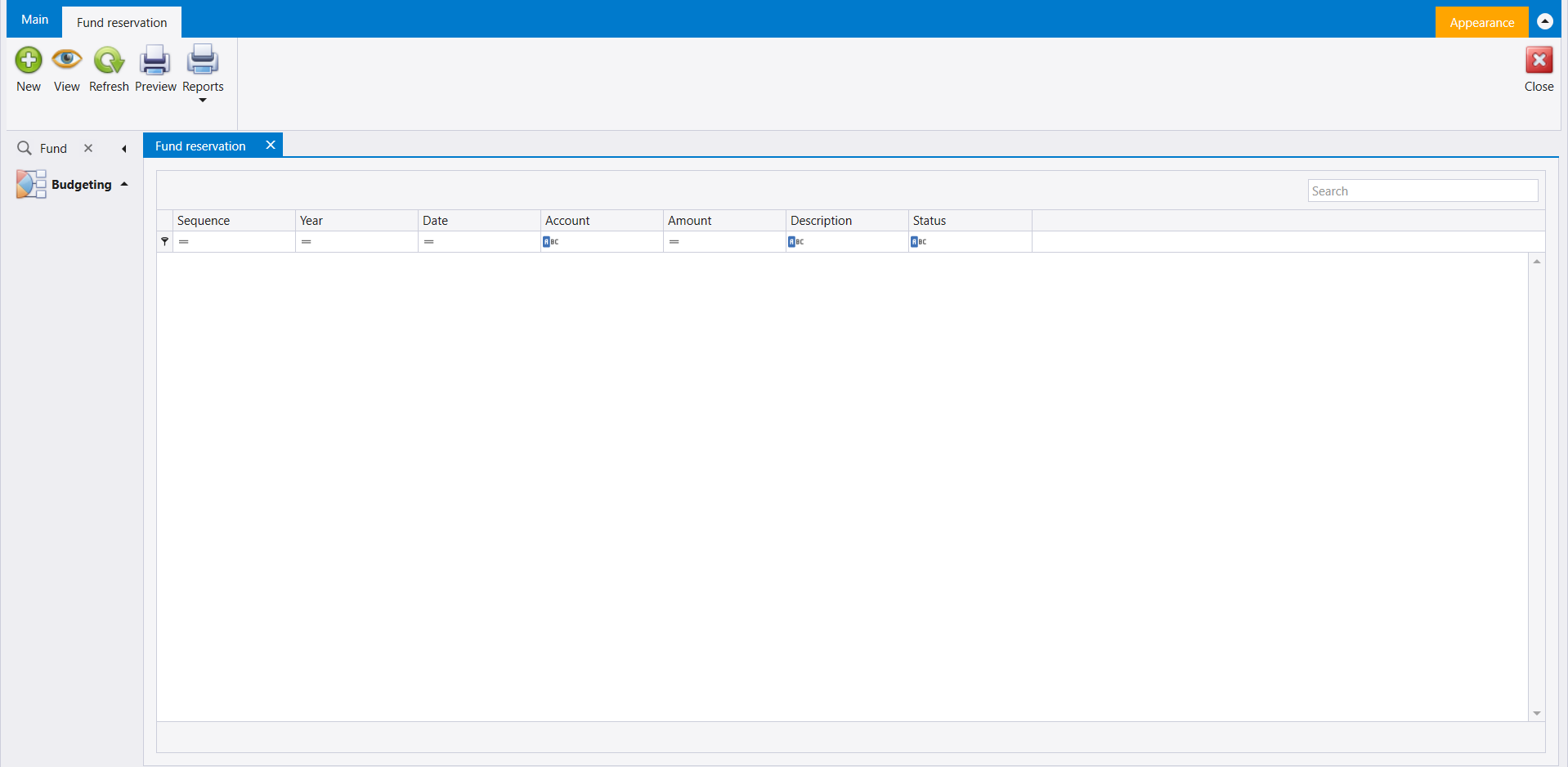
Under Budgeting, six words open six lists with the same columns - Sequence, Year, Date, Account, Amount, Description and Status - and a Search box:
| Word | Screen | Ribbon |
|---|---|---|
| Fund | Fund reservation | New, View, Refresh, Preview, Reports |
| Additional | Additional fund | New, View, Refresh, Preview, Reports |
| Expense | Expense contract | New, View, Delete, Refresh, Preview, Reports |
| Liquidation | Expense liquidation | New, View, Delete, Refresh, Preview, Reports |
| Loan | Budget loan | New, View, Delete, Refresh, Preview, Reports |
| Accountant | Accountant signature | New, View, Delete, Refresh, Preview, Reports |
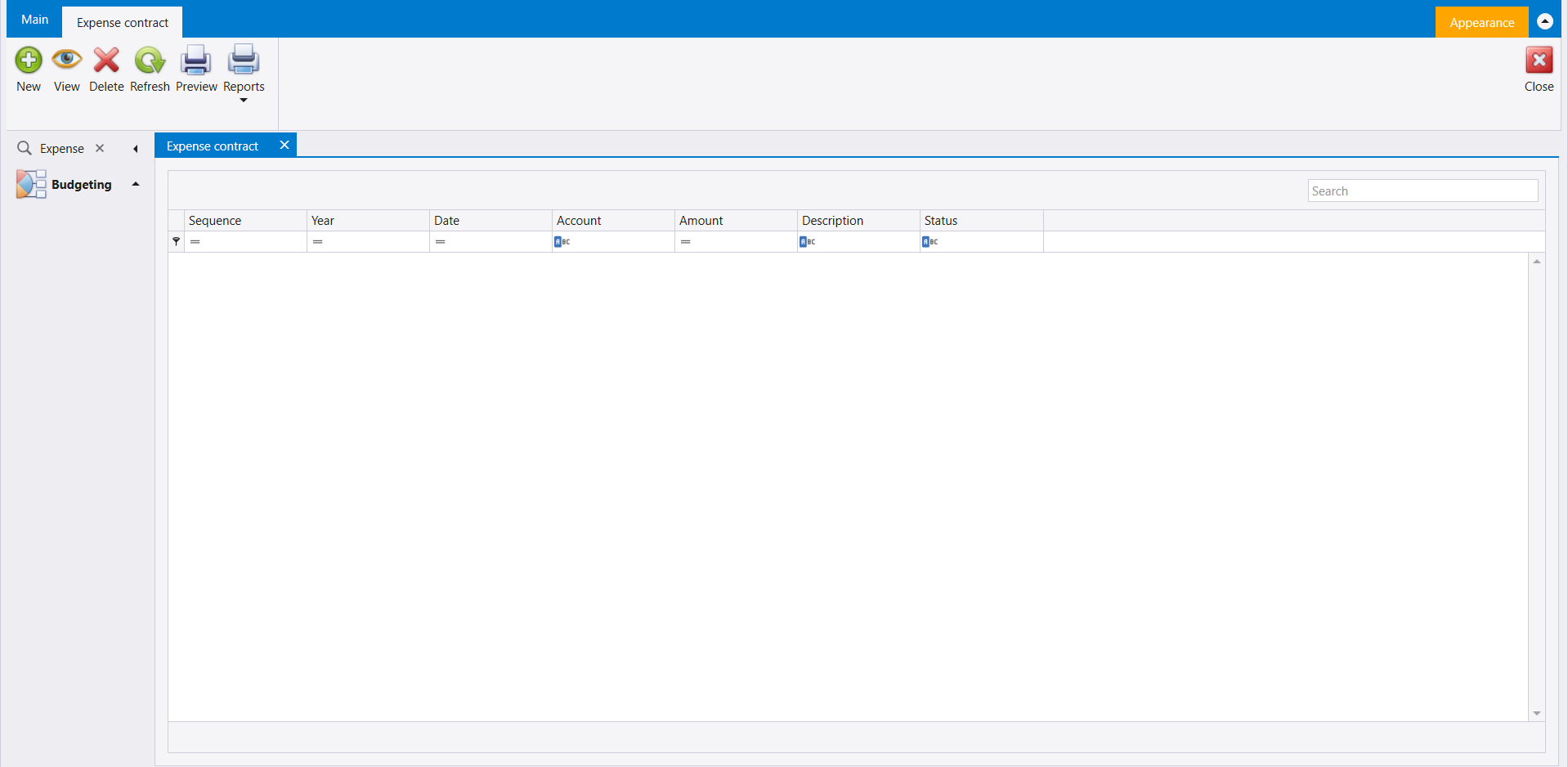
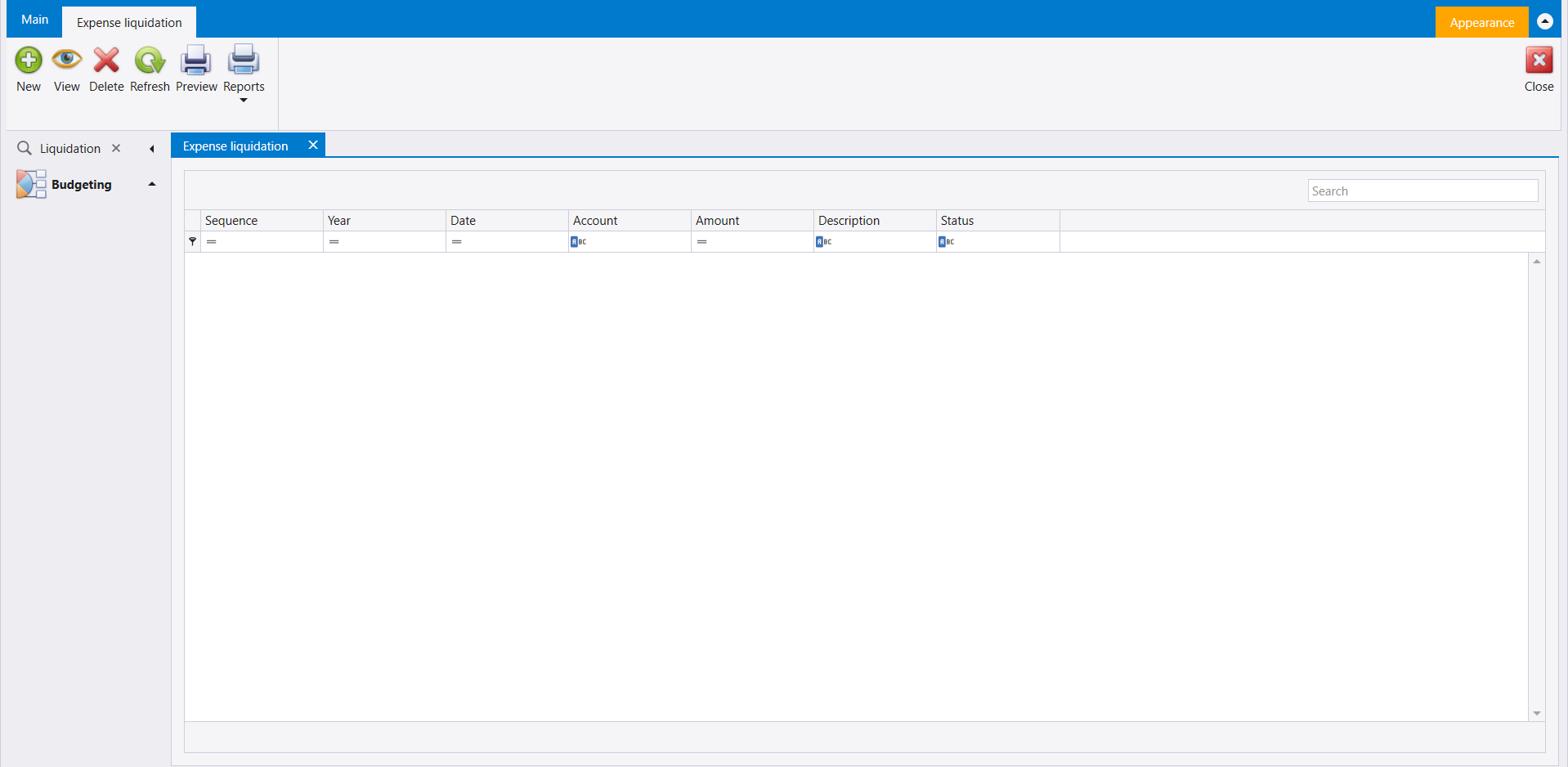
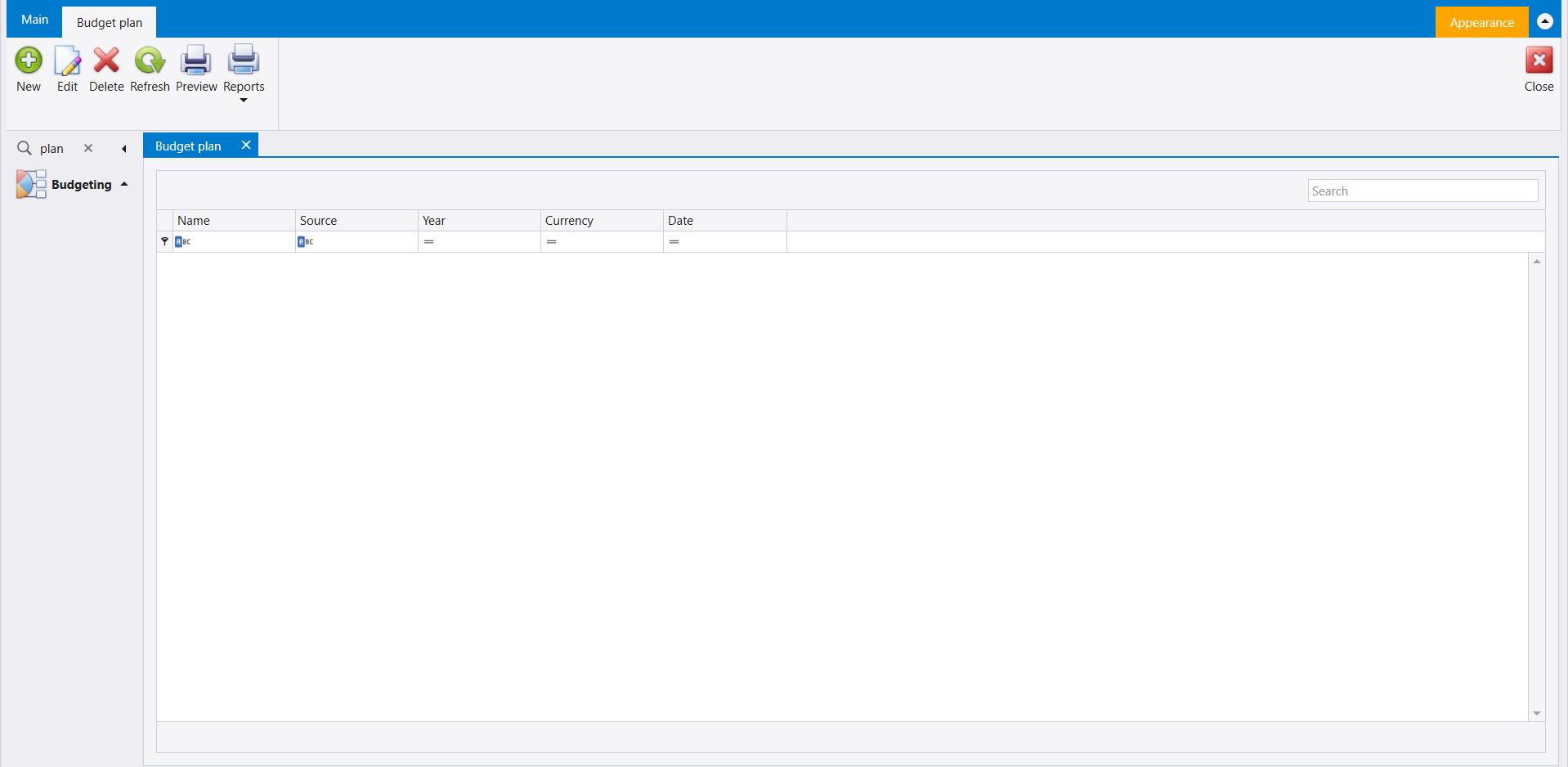
One more word, plan in small letters, opens Budget plan: a list of Name, Source, Year, Currency and Date, whose ribbon carries New, Edit, Delete, Refresh, Preview and Reports.
8. Merge spec
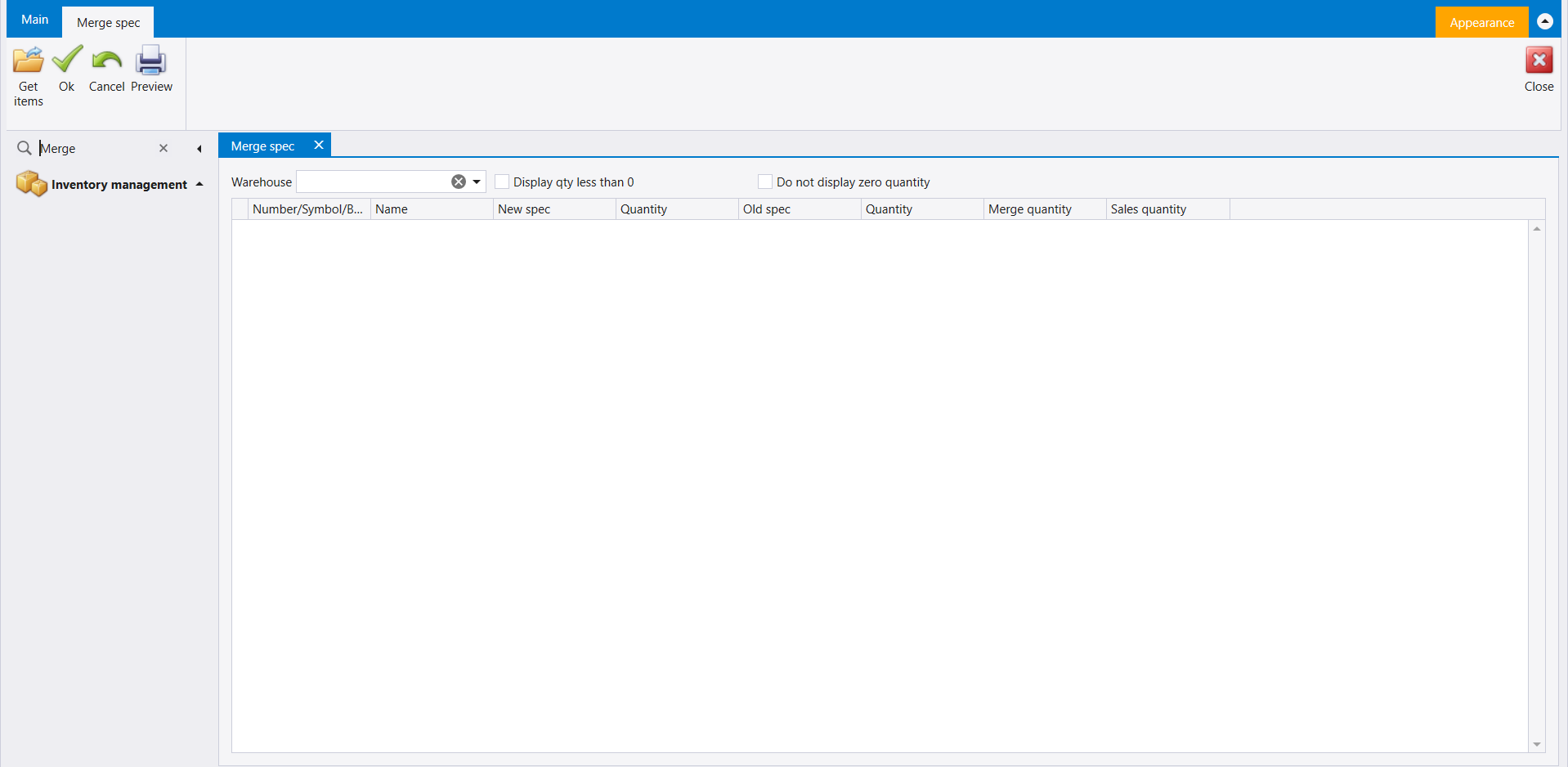
Word: Merge. Merge spec opens under Inventory management. It has a Warehouse box and two tick boxes, Display qty less than 0 and Do not display zero quantity, above a grid of Number/Symbol/B..., Name, New spec, Quantity, Old spec, Quantity, Merge quantity and Sales quantity. Its ribbon carries Get items, Ok, Cancel and Preview, with Close on the far side.
9. Pair RFID
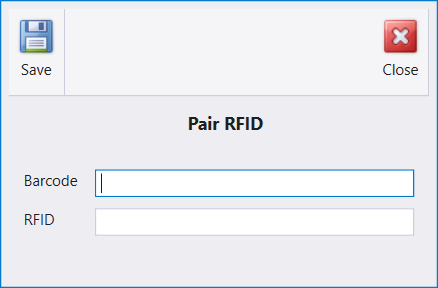
Word: RFID. Pair RFID opens as a small window of its own, with a Barcode box and an RFID box, and Save and Close at the top.
10. Production order delivery
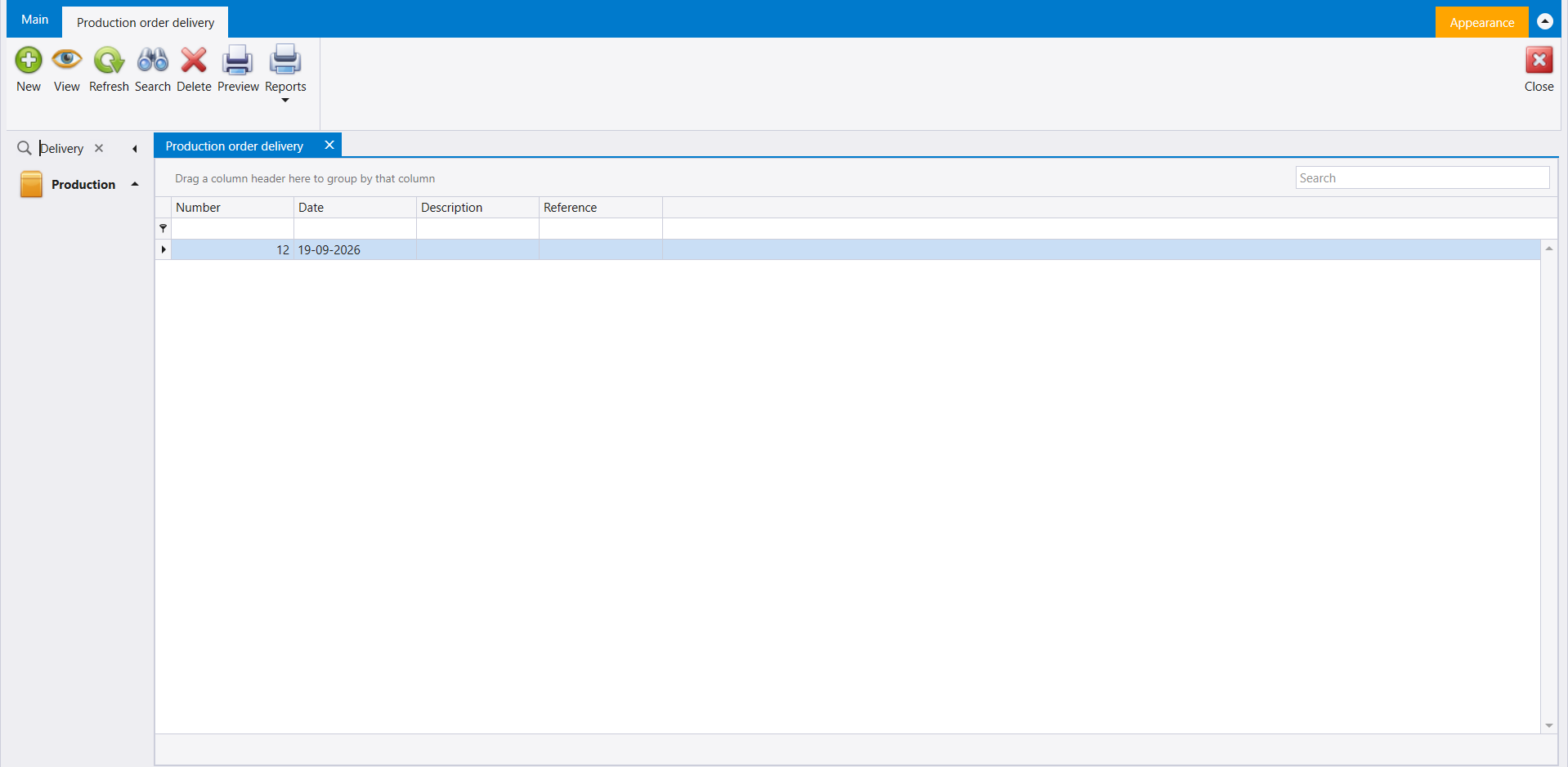
Word: Delivery. Production order delivery opens under Production, on a list with the columns Number, Date, Description and Reference. Its ribbon carries New, View, Refresh, Search, Delete, Preview and Reports, with Close on the far side.
11. Production quantity comparison
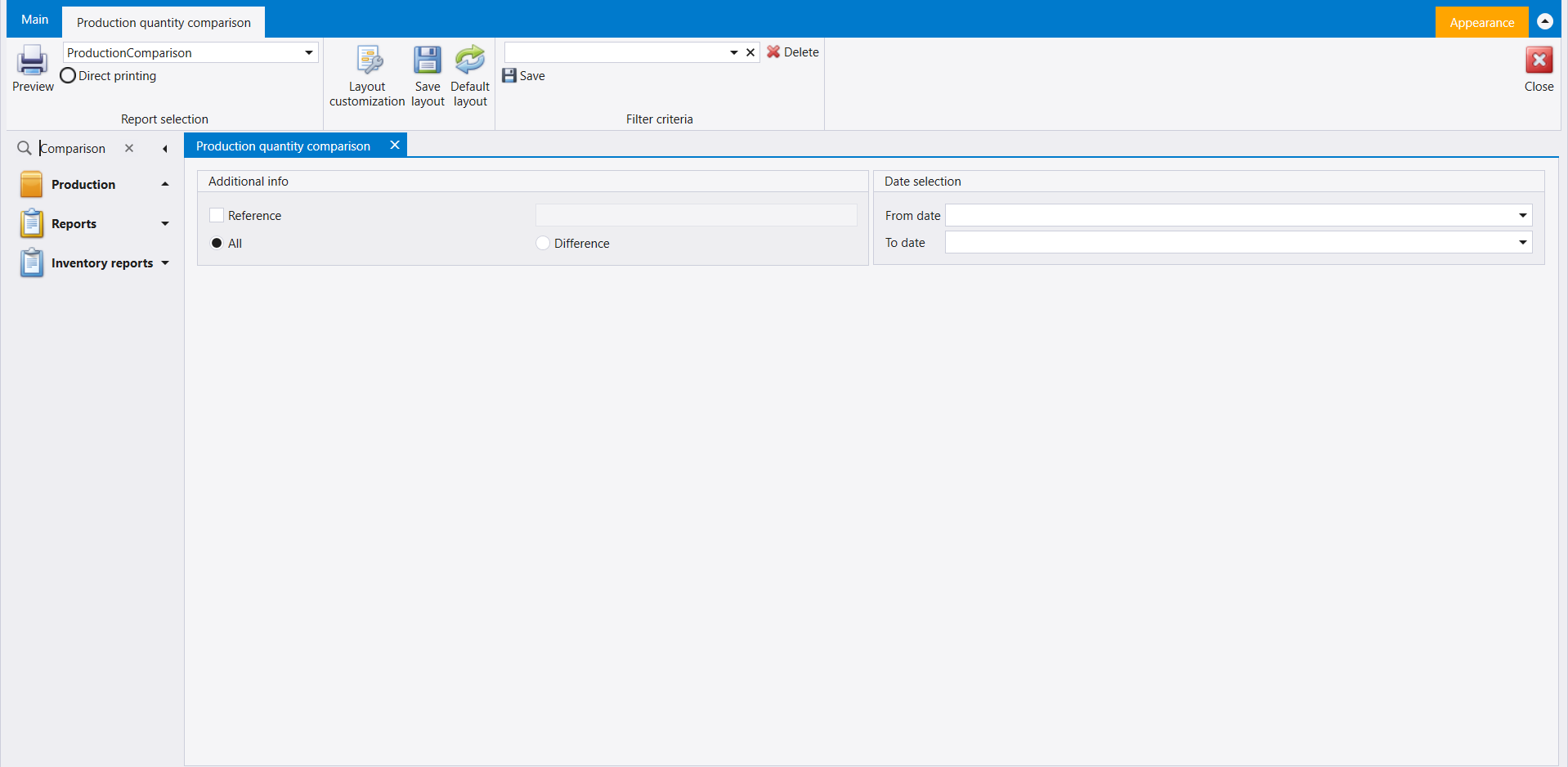
Word: Comparison. Production quantity comparison opens under Production. It has an Additional info panel - a Reference tick box and box, and All or Difference - and a Date selection panel with From date and To date. Its ribbon carries the report layout box with Direct printing, Preview, Layout customization, Save layout and Default layout, and a Filter criteria box with Delete and Save. It is not the Production comparison report under Inventory reports (Inventory reports), which asks different questions.
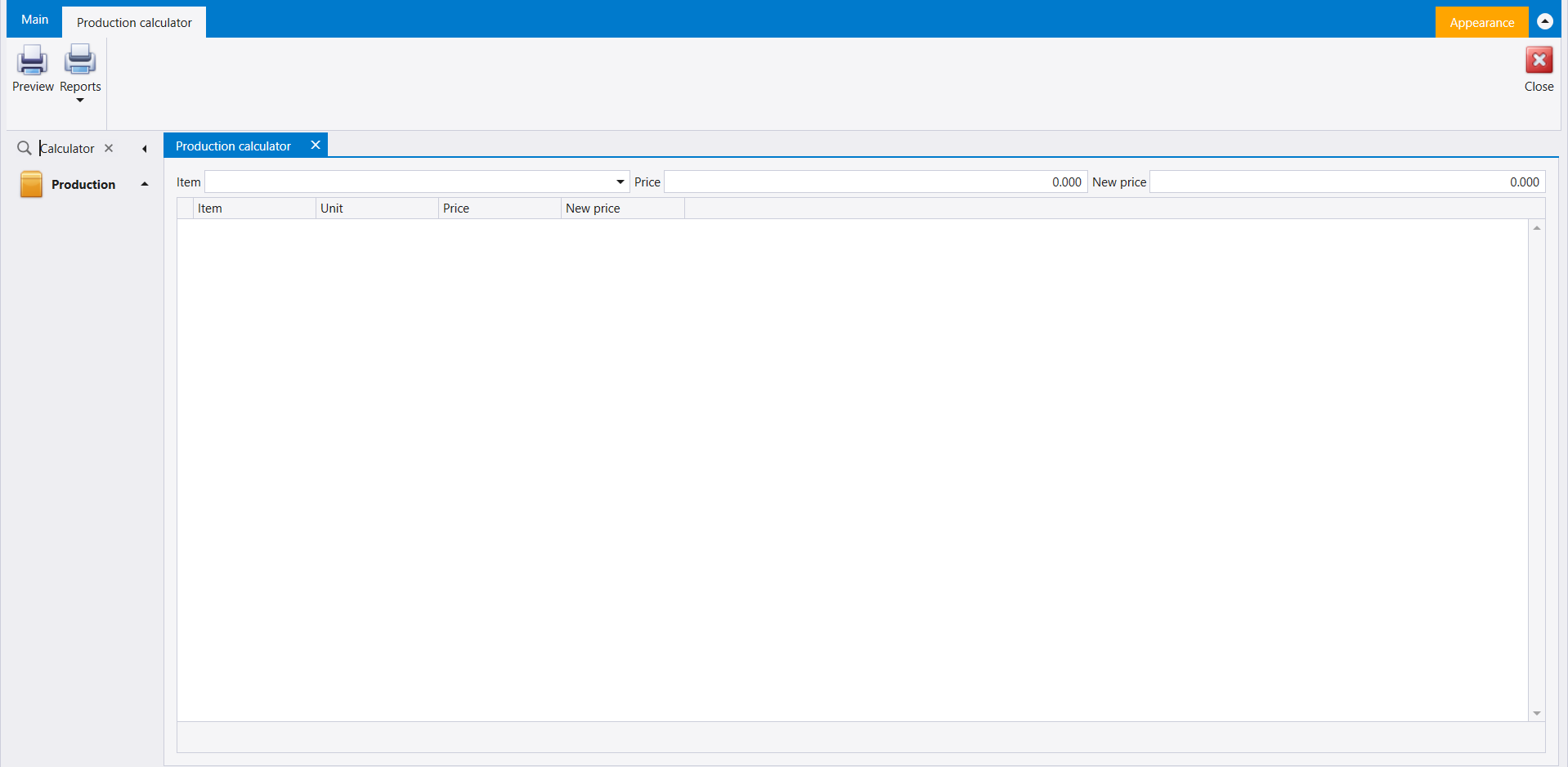
12. Production calculator
Word: Calculator. Production calculator has an Item box with Price and New price beside it, above a grid of Item, Unit, Price and New price. Its ribbon carries Preview and Reports. The picture is the one in step 1.
13. Production control
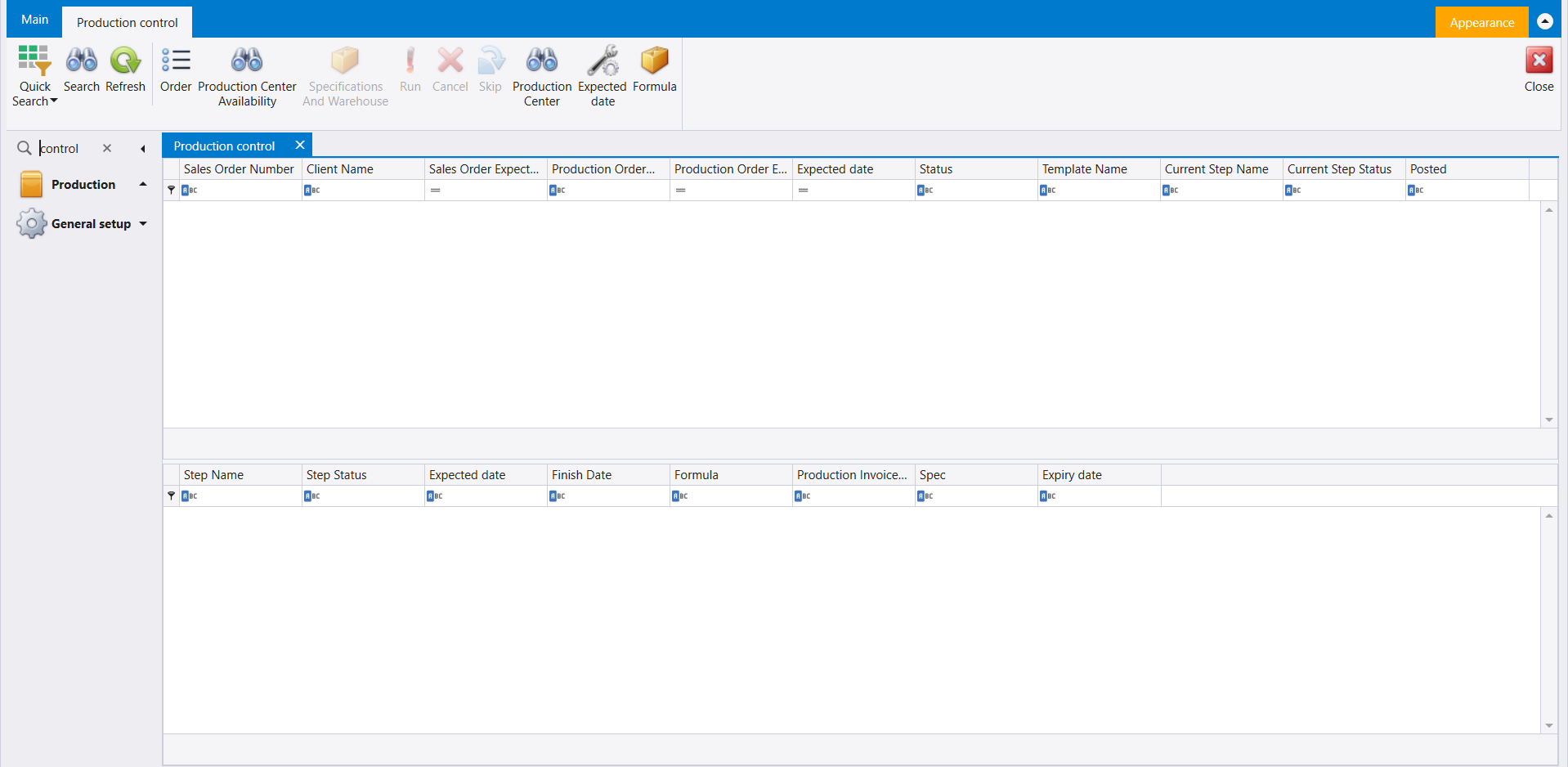
Word: control, in small letters. Production control opens under Production with two grids. The upper one lists Sales Order Number, Client Name, Sales Order Expect..., Production Order..., Production Order E..., Expected date, Status, Template Name, Current Step Name, Current Step Status and Posted; the lower one lists Step Name, Step Status, Expected date, Finish Date, Formula, Production Invoice..., Spec and Expiry date. Its ribbon carries Quick Search, Search, Refresh, Order, Production Center Availability, Production Center, Expected date and Formula; Specifications And Warehouse, Run, Cancel and Skip are greyed when it opens.
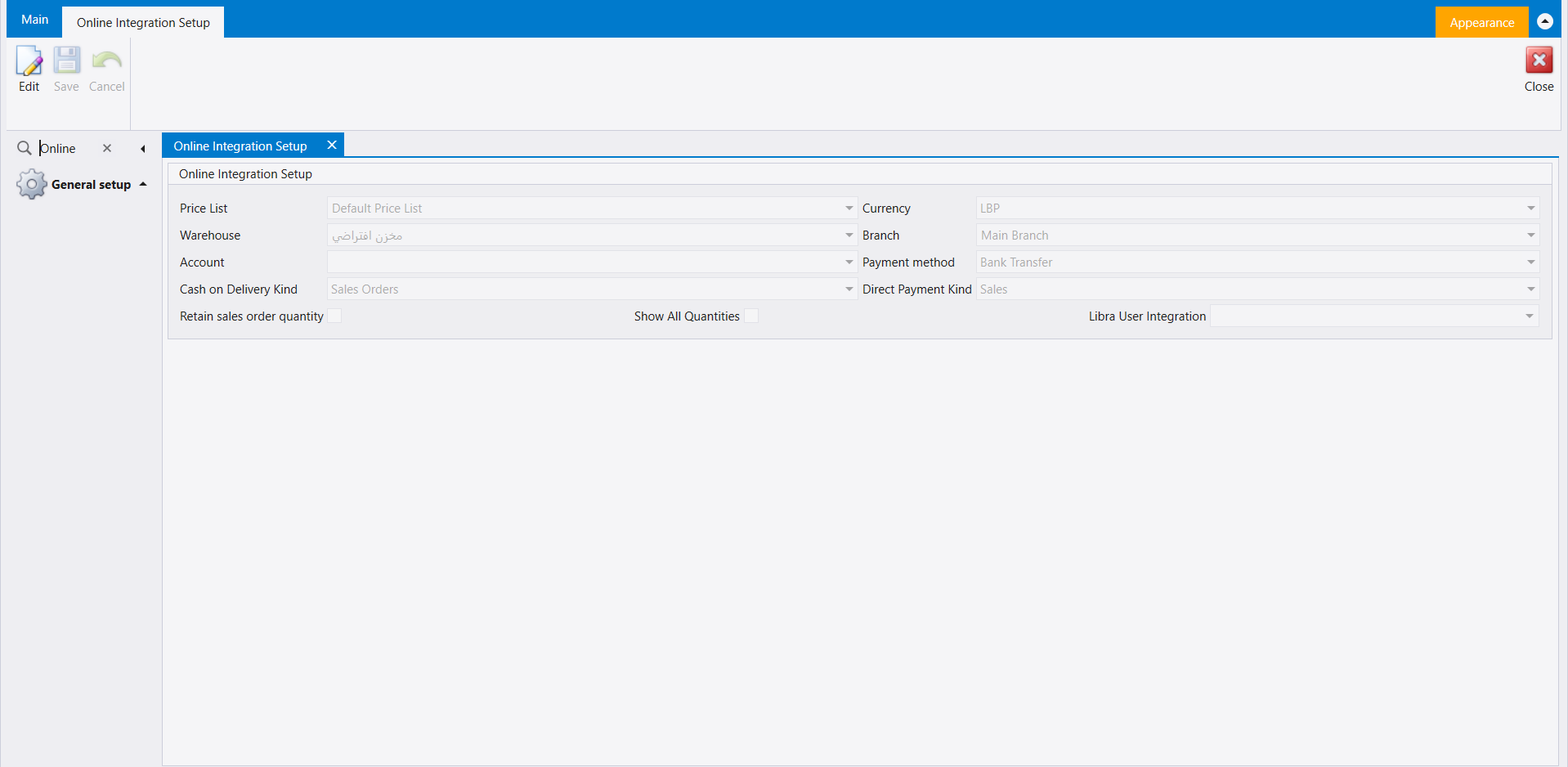
14. Online Integration Setup
Word: Online. Online Integration Setup opens under General setup, read-only until you press Edit (Save and Cancel sit beside it). Its one panel holds Price List, Currency, Warehouse, Branch, Account, Payment method, Cash on Delivery Kind, Direct Payment Kind, Retain sales order quantity, Show All Quantities and Libra User Integration. In the company shown they read Default Price List, LBP, the default warehouse, Main Branch, an empty Account, Bank Transfer, Sales Orders and Sales.
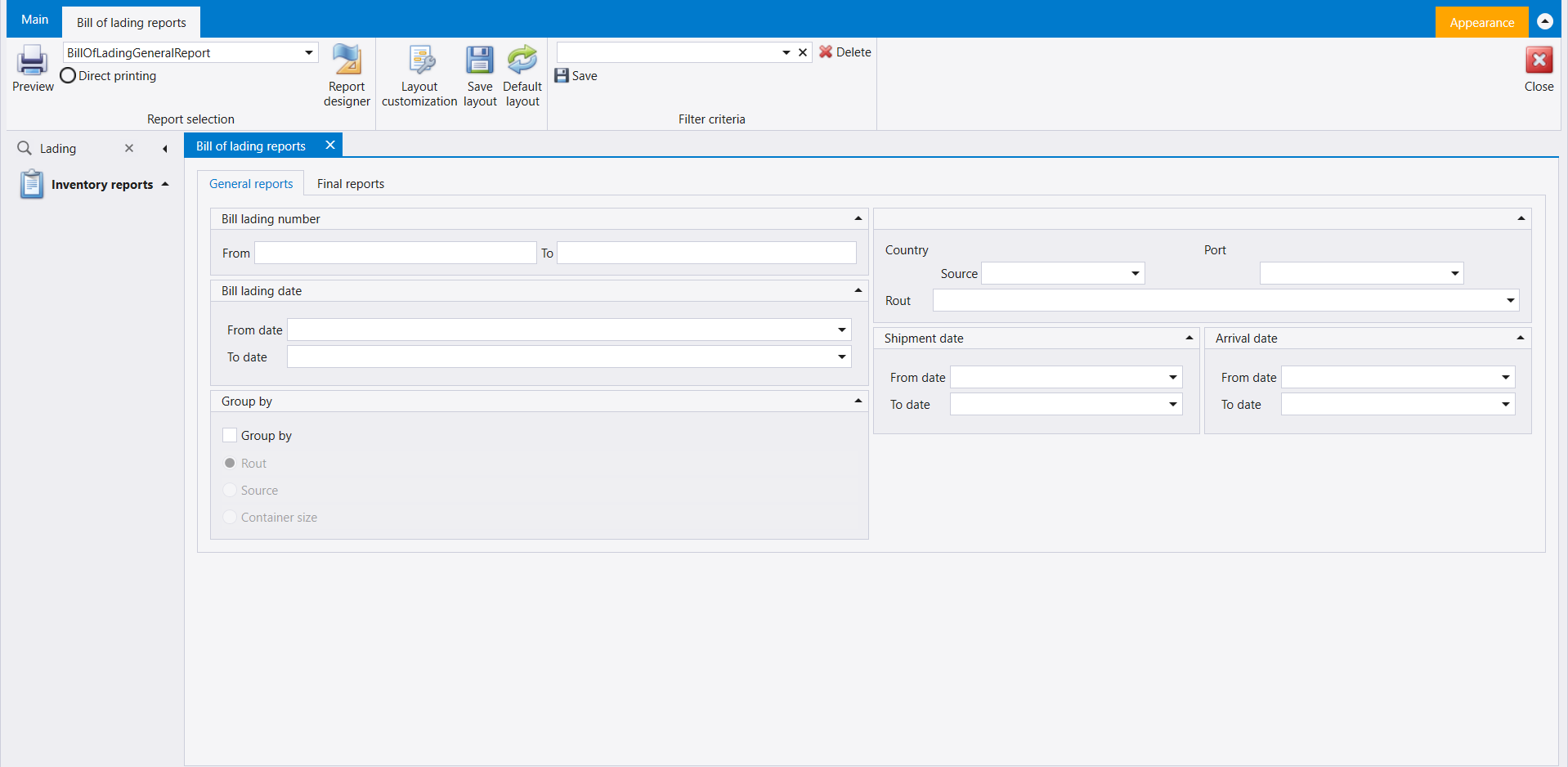
15. Bill of lading reports
Word: Lading. Bill of lading reports opens under Inventory reports, on two tabs, General reports and Final reports. General reports asks for:
- Bill lading number, From and To;
- Bill lading date, Shipment date and Arrival date, each with From date and To date;
- Country (Source), Port and Rout;
- Group by, a tick box with Rout, Source or Container size under it.
Its ribbon carries the report layout box with Direct printing, Preview, Report designer, Layout customization, Save layout and Default layout, and a Filter criteria box with Delete and Save.
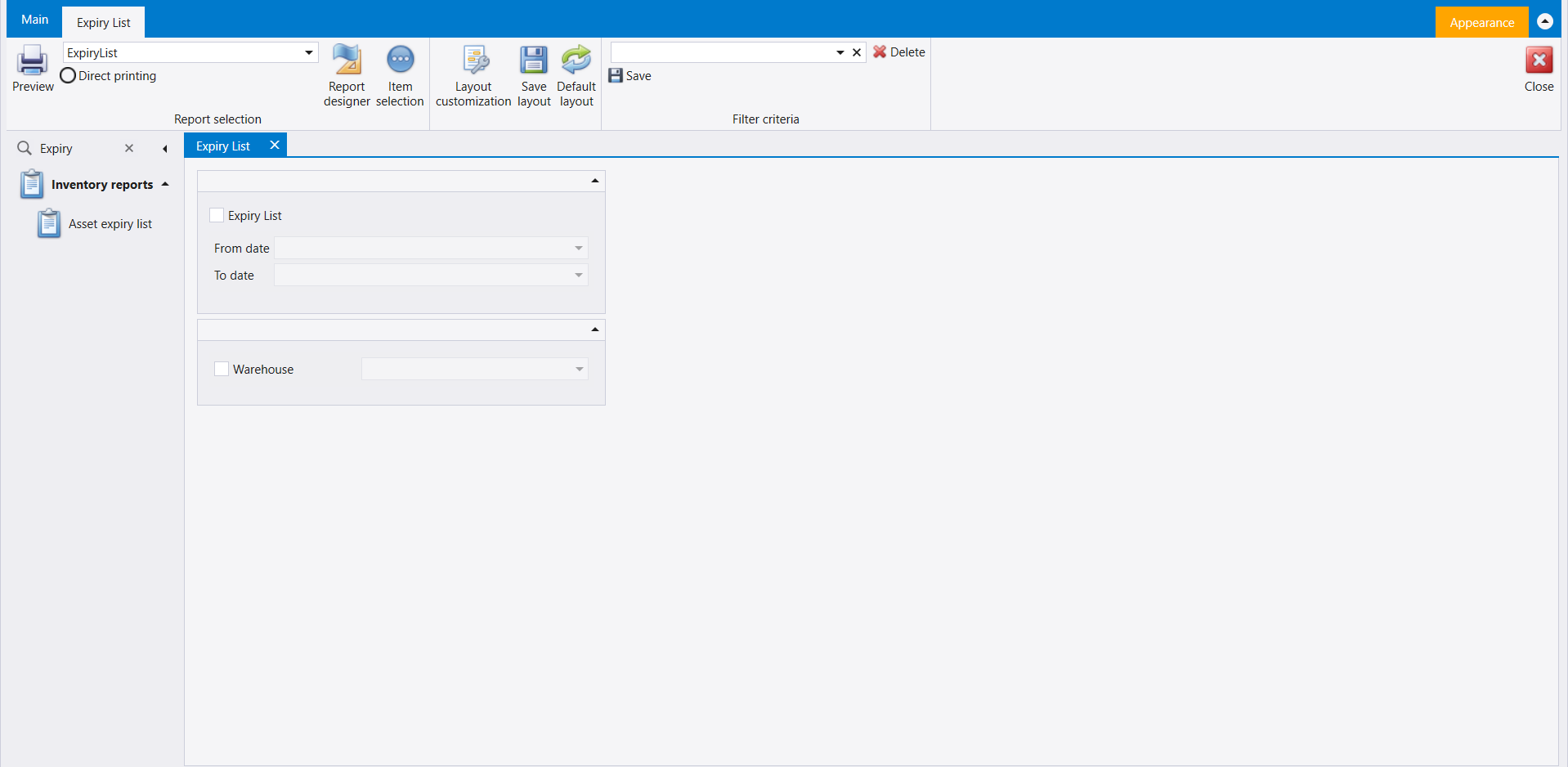
16. Expiry List
Word: Expiry. Expiry List opens under Inventory reports - a different screen from the Asset expiry list row the pane shows beside it. It has an Expiry List tick box with From date and To date, and a Warehouse tick box and list. Its ribbon carries the report layout box with Direct printing, Preview, Report designer, Item selection, Layout customization, Save layout and Default layout, and a Filter criteria box with Delete and Save.
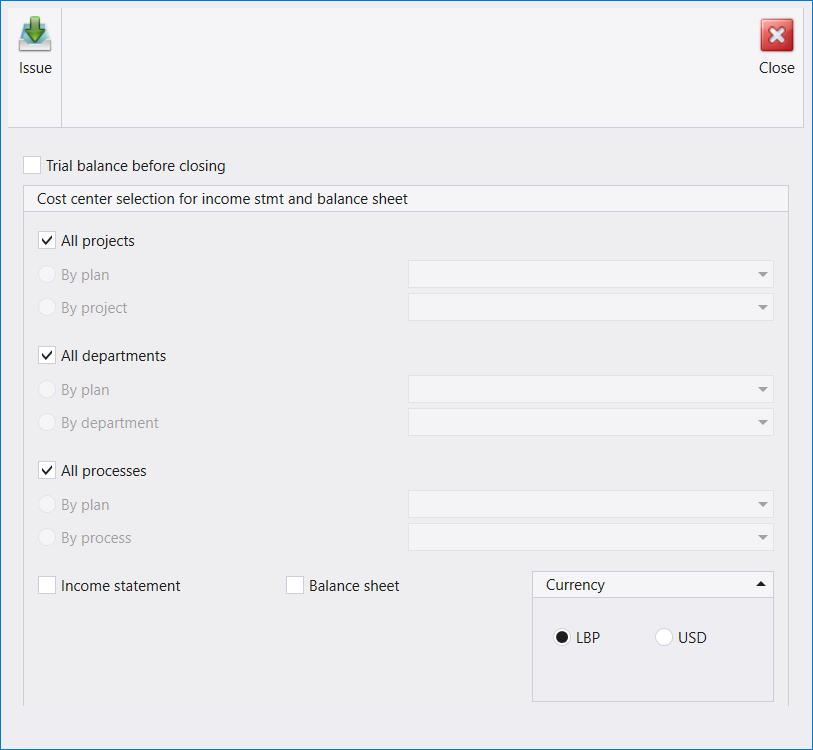
17. Results reports
Word: Result. Results reports opens as a window of its own, with Issue and Close at the top. It offers:
- Trial balance before closing;
- Cost center selection for income stmt and balance sheet: All projects, All departments and All processes, each ticked, with By plan and By project / By department / By process under them;
- Income statement and Balance sheet;
- Currency: LBP or USD.
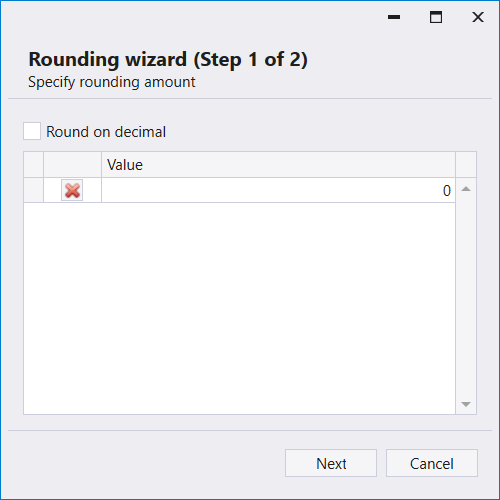
18. Rounding wizard
Word: Rounding. The Rounding wizard opens on Step 1 of 2, Specify rounding amount: a Round on decimal tick box above a Value grid, with Next and Cancel.
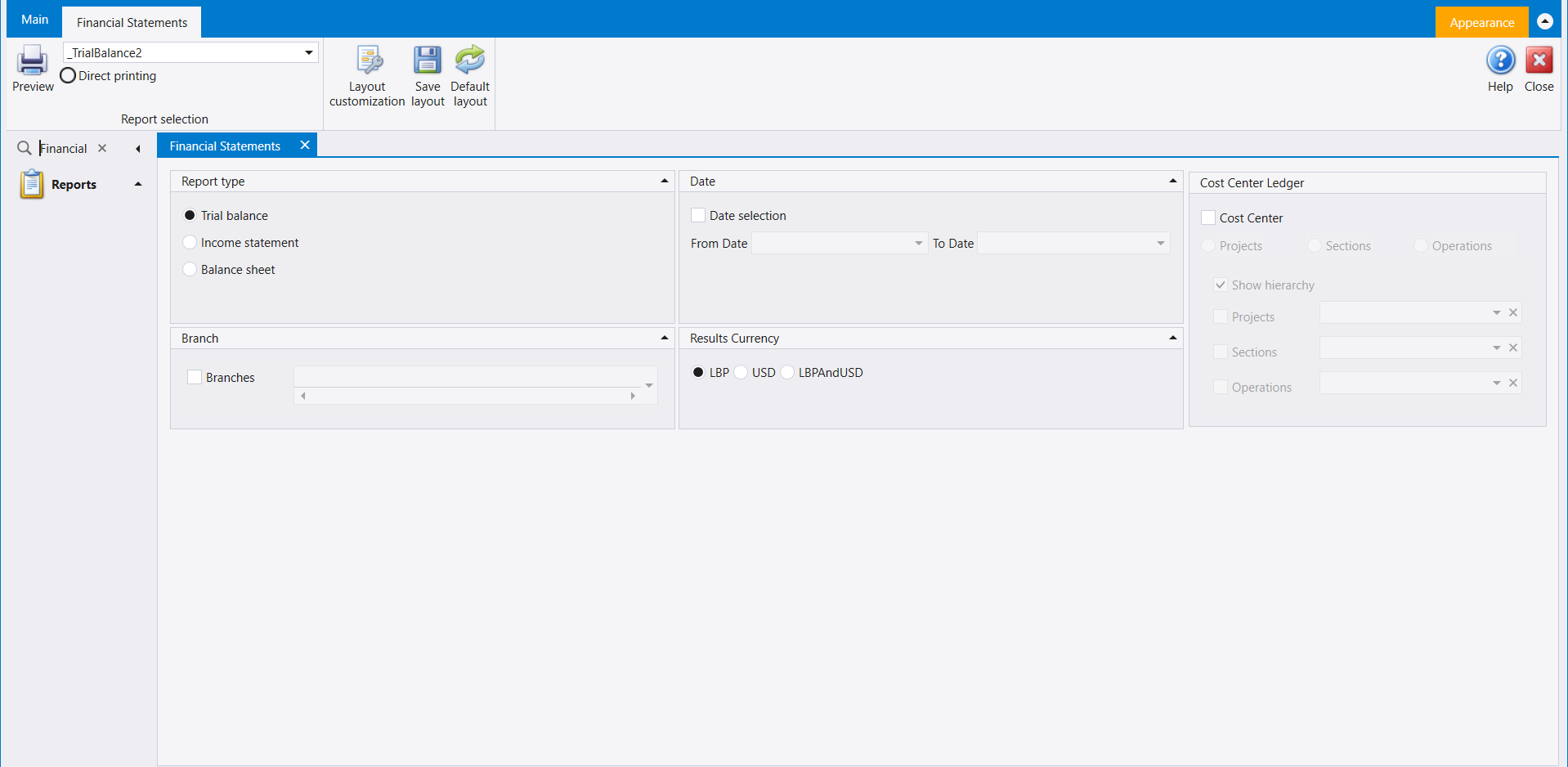
19. Financial Statements
Word: Financial. Financial Statements opens under Reports. Choose the Report type - Trial balance, Income statement or Balance sheet - then set the panels beside it:
- Date: tick Date selection, then From Date and To Date;
- Branch: a Branches tick box and list;
- Results Currency: LBP, USD or LBPAndUSD;
- Cost Center Ledger: tick Cost Center, then Projects, Sections or Operations, with Show hierarchy.
The ribbon carries the report layout box with Direct printing, then Preview, Layout customization, Save layout and Default layout. Accounting reports explains how every report screen works.
20. Budget approval
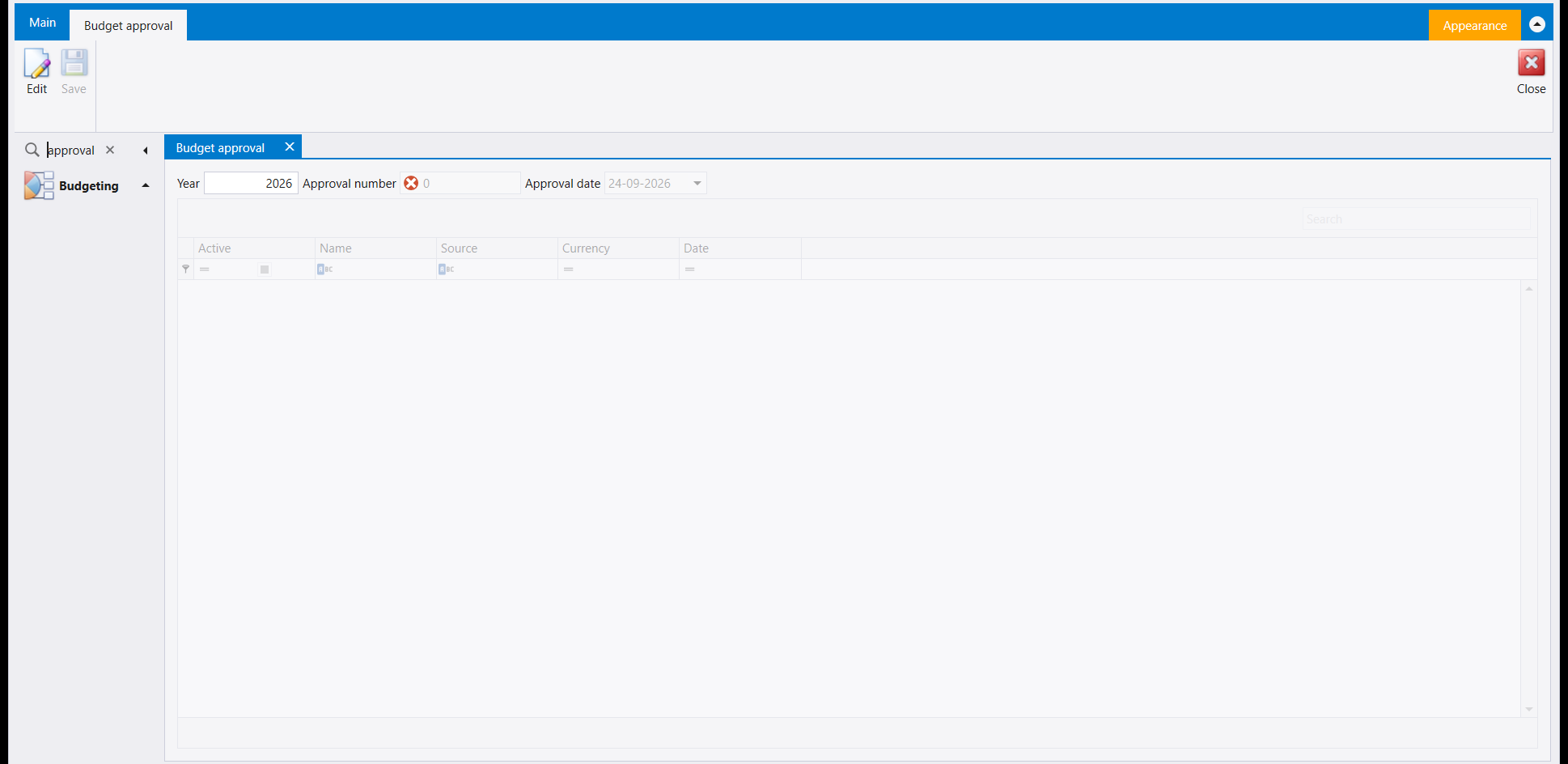
Word: approval, in small letters. Budget approval opens under Budgeting, with Year, Approval number and Approval date above a grid of Active, Name, Source, Currency and Date - the same Name, Source, Currency and Date that the Budget plan list in step 7 shows. It opens read-only: its ribbon carries Edit, with Save greyed beside it and Close on the far side.
21. Production Statistics
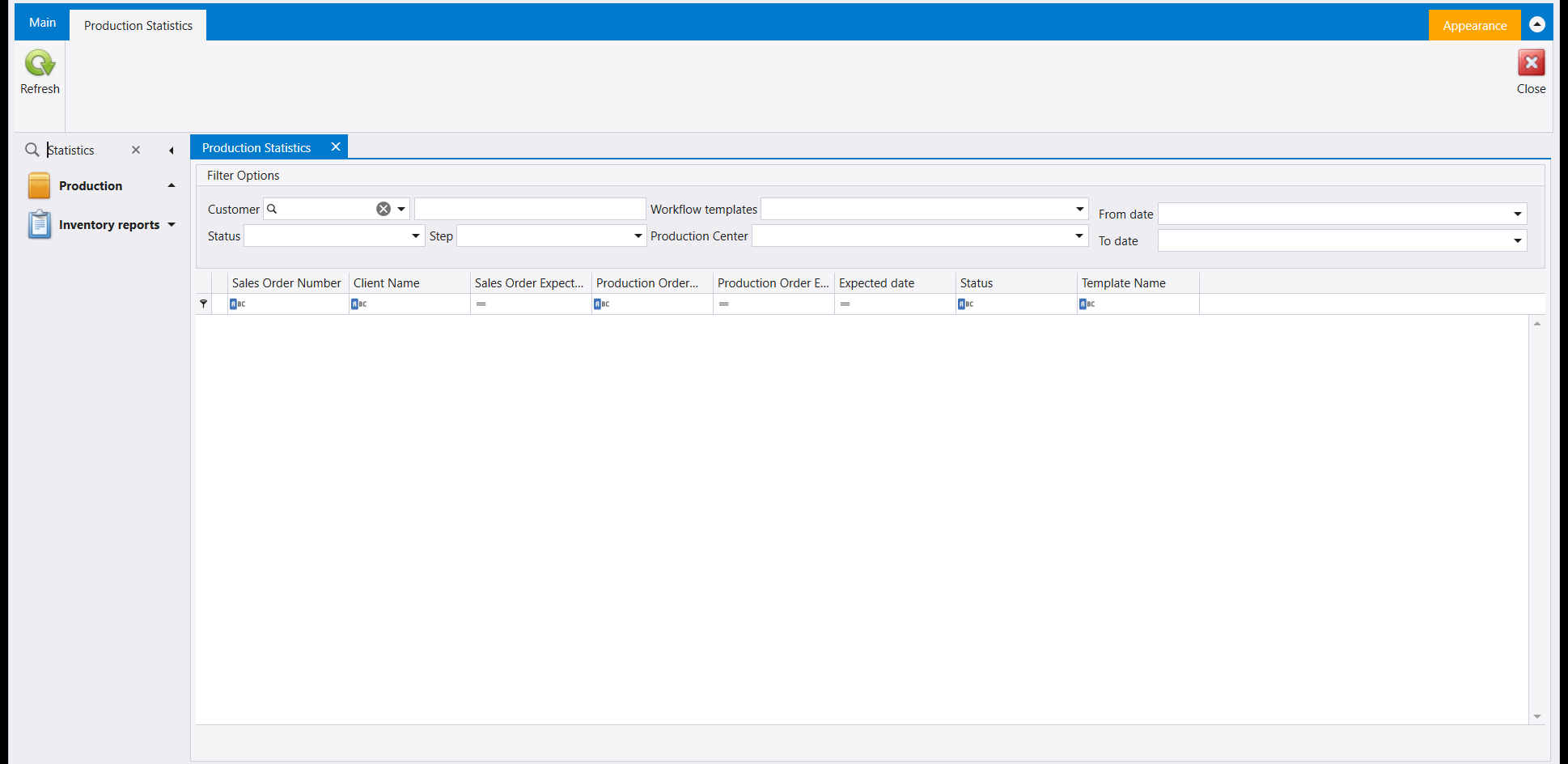
Word: Statistics, with a capital S. Production Statistics opens under Production, with a Filter Options panel - Customer, Workflow templates, From date, To date, Status, Step and Production Center - above a grid of Sales Order Number, Client Name, Sales Order Expect..., Production Order..., Production Order E..., Expected date, Status and Template Name, the first columns of the upper grid in Production control (step 13). Its ribbon carries Refresh and Close, so it is a place to look up sales and production orders by customer, template, step or date.
22. Down payment
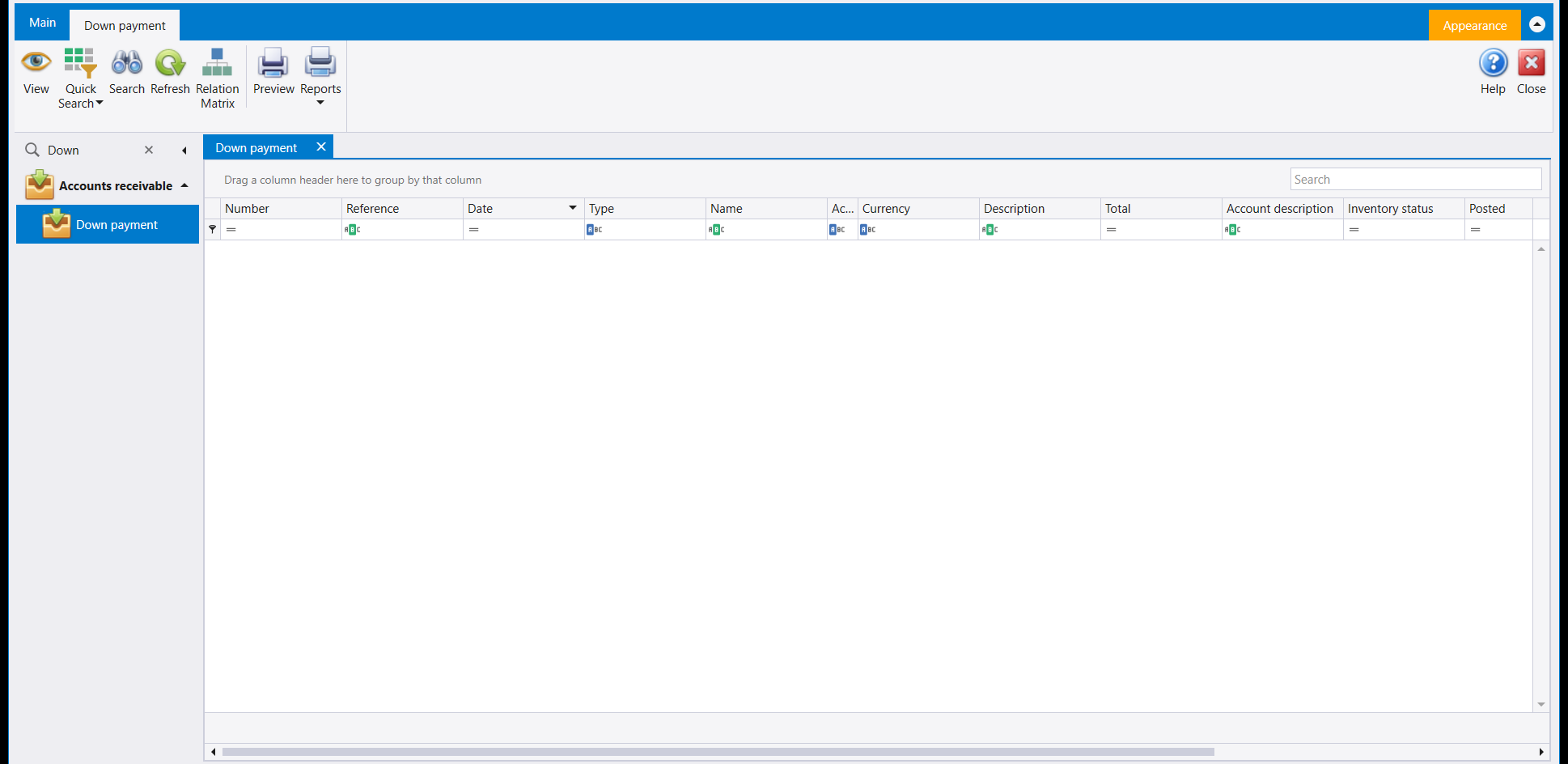
Word: Down. Down payment is a row of its own under Accounts receivable, and the pane shows that row when you type the word, so you can open it from the Search box or from the menu. It is a list of down payments with the columns Number, Reference, Date, Type, Name, Ac..., Currency, Description, Total, Account description, Inventory status and Posted. Its ribbon carries View, Quick Search, Search, Refresh, Relation Matrix, Preview and Reports, with Help and Close on the far side: the list is for finding and reviewing down payments. Reports prints the list - see Printing any list.
لا يقتصر عمل صندوق Search أعلى جزء التنقل على تصفية القائمة. اكتب كلمة من اسم الشاشة، واضغط السهم Down ثم Enter، فتفتح الشاشة في لسان خاص بها. ويشمل ذلك شاشات لا تُدرجها قائمتك: فكل شاشة في هذا الدليل فُتحت بهذه الطريقة، وكلّها ما عدا الأخيرة (Down payment، ولها صفّ خاص تحت Accounts receivable) في شركة لا تُظهر قائمتها صفًّا لها.
١. اكتب كلمة واحدة
اكتب كلمة واحدة من الشاشة التي تريدها، لا اسمها كاملًا. فكتابة Production Calculator فتحت Production order، بينما فتحت كتابة Calculator شاشة Production calculator. والأحرف الكبيرة مهمّة أيضًا: فكتابة signature فتحت Accountant signature، بينما لم تفتح Signature شيئًا. وبعد فتح الشاشة يبقى الجزء مُظهِرًا المجموعة التي طابقتها الكلمة فقط.
٢. Sales offers
الكلمة: Offers. تفتح Sales offers على قائمة بأعمدة Number وReference وDate وType وPID وName وCurrency وDescription وBranch. ويحمل شريطها New وView وRefresh وSearch وReports، وClose في الطرف الآخر.
٣. Sales contracts
الكلمة: Contracts. تفتح Sales contracts على قائمة بالأعمدة نفسها والشريط نفسه كما في Sales offers.
٤. E-Invoicing
الكلمة: E-invoicing. تفتح E-Invoicing بلوحة Date selection (From date وTo date) فوق قائمة بأعمدة Number وSent Status وName وTransaction date وSent Date وResponse Date وResponse Code. ويحمل شريطها Preview وRefresh وClose.
٥. الشحنات (Shipments)
الكلمة: Shipment. تفتح قائمة Shipment تحت Account payable، بأعمدة Number (مرتين) وDate وWeight وArrival date وArrived. ويحمل شريطها New وView وRefresh وPreview وReports، وClose في الطرف الآخر.
الكلمة: Shipments. Shipment List، تحت Account payable أيضًا، قائمة مختلفة: Id وShipment Number وShipment date وReceived Date to P... وArrival Date to war... وNumber of Lots وCurrency وShipment Amount وAmount in LBP وBill Of Lading وPort of loading، وأعمدة أخرى إلى اليمين. ويحمل شريطها New وView وRefresh وPreview.
٦. Manifest List
الكلمة: Manifests. تفتح Manifest List تحت Account payable، بأعمدة Manifest ID وDescription وShipment ID وInvoice number وSupplier وStatus. ويحمل شريطها View وImport Manifest وRefresh، وClose في الطرف الآخر.
٧. لوائح الموازنة
تحت Budgeting تفتح ست كلمات ست لوائح بالأعمدة نفسها - Sequence وYear وDate وAccount وAmount وDescription وStatus - مع صندوق Search:
| الكلمة | الشاشة | الشريط |
|---|---|---|
| Fund | Fund reservation | New وView وRefresh وPreview وReports |
| Additional | Additional fund | New وView وRefresh وPreview وReports |
| Expense | Expense contract | New وView وDelete وRefresh وPreview وReports |
| Liquidation | Expense liquidation | New وView وDelete وRefresh وPreview وReports |
| Loan | Budget loan | New وView وDelete وRefresh وPreview وReports |
| Accountant | Accountant signature | New وView وDelete وRefresh وPreview وReports |
وكلمة أخرى، plan بأحرف صغيرة، تفتح Budget plan: لائحة من Name وSource وYear وCurrency وDate، ويحمل شريطها New وEdit وDelete وRefresh وPreview وReports.
٨. Merge spec
الكلمة: Merge. تفتح Merge spec تحت Inventory management. وفيها خانة Warehouse وخانتا تأشير، Display qty less than 0 وDo not display zero quantity، فوق جدول من Number/Symbol/B... وName وNew spec وQuantity وOld spec وQuantity وMerge quantity وSales quantity. ويحمل شريطها Get items وOk وCancel وPreview، وClose في الطرف الآخر.
٩. Pair RFID
الكلمة: RFID. تفتح Pair RFID نافذةً صغيرة خاصة بها، فيها خانة Barcode وخانة RFID، وSave وClose في أعلاها.
١٠. Production order delivery
الكلمة: Delivery. تفتح Production order delivery تحت Production، على قائمة بأعمدة Number وDate وDescription وReference. ويحمل شريطها New وView وRefresh وSearch وDelete وPreview وReports، وClose في الطرف الآخر.
١١. Production quantity comparison
الكلمة: Comparison. تفتح Production quantity comparison تحت Production. وفيها لوحة Additional info - خانة تأشير Reference وحقلها، وAll أو Difference - ولوحة Date selection بحقلَي From date وTo date. ويحمل شريطها خانة تصميم التقرير مع Direct printing وPreview وLayout customization وSave layout وDefault layout، وخانة Filter criteria مع Delete وSave. وهي ليست Production comparison report تحت Inventory reports (تقارير المخزون)، التي تطرح أسئلة مختلفة.
١٢. Production calculator
الكلمة: Calculator. في Production calculator خانة Item وبجانبها Price وNew price، فوق جدول من Item وUnit وPrice وNew price. ويحمل شريطها Preview وReports. والصورة هي صورة الخطوة ١.
١٣. Production control
الكلمة: control، بأحرف صغيرة. تفتح Production control تحت Production بجدولين. يعرض الأعلى Sales Order Number وClient Name وSales Order Expect... وProduction Order... وProduction Order E... وExpected date وStatus وTemplate Name وCurrent Step Name وCurrent Step Status وPosted؛ ويعرض الأسفل Step Name وStep Status وExpected date وFinish Date وFormula وProduction Invoice... وSpec وExpiry date. ويحمل شريطها Quick Search وSearch وRefresh وOrder وProduction Center Availability وProduction Center وExpected date وFormula؛ وتكون Specifications And Warehouse وRun وCancel وSkip معطّلة عند فتحها.
١٤. Online Integration Setup
الكلمة: Online. تفتح Online Integration Setup تحت General setup، للقراءة فقط إلى أن تضغط Edit (وبجانبه Save وCancel). وتحمل لوحتها الوحيدة Price List وCurrency وWarehouse وBranch وAccount وPayment method وCash on Delivery Kind وDirect Payment Kind وRetain sales order quantity وShow All Quantities وLibra User Integration. وفي الشركة المعروضة تقرأ Default Price List وLBP والمستودع الافتراضي وMain Branch وAccount فارغًا وBank Transfer وSales Orders وSales.
١٥. Bill of lading reports
الكلمة: Lading. تفتح Bill of lading reports تحت Inventory reports، على لسانين، General reports وFinal reports. ويطلب لسان General reports:
- Bill lading number، From وTo؛
- Bill lading date وShipment date وArrival date، ولكل منها From date وTo date؛
- Country (Source) وPort وRout؛
- Group by، خانة تأشير تحتها Rout أو Source أو Container size.
ويحمل شريطها خانة تصميم التقرير مع Direct printing وPreview وReport designer وLayout customization وSave layout وDefault layout، وخانة Filter criteria مع Delete وSave.
١٦. Expiry List
الكلمة: Expiry. تفتح Expiry List تحت Inventory reports - وهي شاشة غير صفّ Asset expiry list الذي يُظهره الجزء بجانبها. وفيها خانة تأشير Expiry List مع From date وTo date، وخانة تأشير Warehouse ولائحتها. ويحمل شريطها خانة تصميم التقرير مع Direct printing وPreview وReport designer وItem selection وLayout customization وSave layout وDefault layout، وخانة Filter criteria مع Delete وSave.
١٧. Results reports
الكلمة: Result. تفتح Results reports نافذةً خاصة بها، وفي أعلاها Issue وClose. وتعرض:
- Trial balance before closing؛
- Cost center selection for income stmt and balance sheet: All projects وAll departments وAll processes، وكلٌّ منها مؤشَّر، وتحتها By plan وBy project / By department / By process؛
- Income statement وBalance sheet؛
- Currency: LBP أو USD.
١٨. Rounding wizard
الكلمة: Rounding. يفتح Rounding wizard على Step 1 of 2، Specify rounding amount: خانة تأشير Round on decimal فوق جدول Value، مع Next وCancel.
١٩. Financial Statements
الكلمة: Financial. تفتح Financial Statements تحت Reports. اختر Report type - Trial balance أو Income statement أو Balance sheet - ثم اضبط اللوحات بجانبه:
- Date: أشّر Date selection، ثم From Date وTo Date؛
- Branch: خانة تأشير Branches ولائحتها؛
- Results Currency: LBP أو USD أو LBPAndUSD؛
- Cost Center Ledger: أشّر Cost Center، ثم Projects أو Sections أو Operations، مع Show hierarchy.
ويحمل الشريط خانة تصميم التقرير مع Direct printing، ثم Preview وLayout customization وSave layout وDefault layout. ويشرح دليل تقارير المحاسبة كيف تعمل كل شاشة تقارير.
٢٠. Budget approval
الكلمة: approval، بأحرف صغيرة. تفتح Budget approval تحت Budgeting، وفيها Year وApproval number وApproval date فوق جدول من Active وName وSource وCurrency وDate - وهي Name وSource وCurrency وDate نفسها التي تعرضها لائحة Budget plan في الخطوة ٧. وتفتح للقراءة فقط: يحمل شريطها Edit، وبجانبه Save معطّلًا، وClose في الطرف الآخر.
٢١. Production Statistics
الكلمة: Statistics، بحرف S كبير. تفتح Production Statistics تحت Production، بلوحة Filter Options - Customer وWorkflow templates وFrom date وTo date وStatus وStep وProduction Center - فوق جدول من Sales Order Number وClient Name وSales Order Expect... وProduction Order... وProduction Order E... وExpected date وStatus وTemplate Name، وهي الأعمدة الأولى من الجدول العلوي في Production control (الخطوة ١٣). ويحمل شريطها Refresh وClose، فهي مكان للاطلاع على أوامر البيع والإنتاج بحسب الزبون أو القالب أو الخطوة أو التاريخ.
٢٢. Down payment
الكلمة: Down. Down payment صفّ قائم بذاته تحت Accounts receivable، ويُظهر الجزء هذا الصفّ حين تكتب الكلمة، فتستطيع فتحها من صندوق Search أو من القائمة. وهي لائحة بالدفعات المسبقة بأعمدة Number وReference وDate وType وName وAc... وCurrency وDescription وTotal وAccount description وInventory status وPosted. ويحمل شريطها View وQuick Search وSearch وRefresh وRelation Matrix وPreview وReports، وHelp وClose في الطرف الآخر: فاللائحة للبحث عن الدفعات المسبقة ومراجعتها. ويطبع Reports اللائحة - راجع طباعة أي لائحة.